
The ASUS ROG GM700 is my best overall gaming desktop PC because its Ryzen 7 9800X3D and Radeon RX 9070 XT pairing delivers high-end gaming power without moving into RTX 5080 pricing. The MSI Codex Z2 is the stronger value choice for mainstream players, while the Skytech Gaming Azure 3 leads the premium tier with an RTX 5080. Buyers mainly need to choose between 1080p, 1440p, and 4K performance, then weigh easy manufacturer support against standardized parts and upgrade flexibility. Lower-priced systems can work for esports, but several models here rely on older processors or graphics cards that narrow their useful lifespan. Keep reading for the full breakdown of where each PC ranks and which compromises make sense for different buyers.
Open a free Amazon Business account
Business pricing, bulk buying and tax-exempt orders.
Create a free accountAs an affiliate, we earn on qualifying purchases.
Complete the kit



Key Takeaways
- ASUS ROG GM700 ranks first because the Ryzen 7 9800X3D and Radeon RX 9070 XT create the strongest balance of gaming speed, platform age, and price below the RTX 5080 tier.
- Skytech Gaming Azure 3 is the premium leader, but its RTX 5080 only earns the extra cost for buyers targeting high-refresh 4K gaming or demanding ray-traced settings.
- MSI Codex Z2 offers the best value balance among the midrange systems, although its 16GB of memory may become the first component buyers want to upgrade.
- Alienware Aurora is the easiest beginner recommendation because its polished package and established support reduce setup friction, but competing systems offer more gaming power per dollar.
- The older STGAubron configurations fall to the bottom because legacy processors and GPUs outweigh their attractive RAM, RGB lighting, and low entry prices for modern AAA gaming.
| ASUS ROG GM700 (2025) |  | Best All-AMD Gaming PC | Processor: AMD Ryzen 7 9800X3D | Graphics card: AMD Radeon RX 9070 XT PRIME OC | Memory: 32GB DDR5 | VIEW LATEST PRICE | See Our Full Breakdown |
| MSI Codex Z2 |  | Best Balanced Midrange Pick | Processor: AMD Ryzen 7 8700F | Graphics card: NVIDIA GeForce RTX 5060 Ti | Memory: 16GB DDR5 | VIEW LATEST PRICE | See Our Full Breakdown |
| Skytech Gaming Azure 3 |  | Best Overall | Processor: AMD Ryzen 7 9800X3D, 4.7GHz base and 5.2GHz turbo | Graphics card: NVIDIA GeForce RTX 5080 16GB GDDR7 | Memory: 32GB DDR5-6000 RGB | VIEW LATEST PRICE | See Our Full Breakdown |
| CyberPowerPC Gamer Xtreme |  | Best for Gaming and Multitasking | Processor: Intel Core i7-14700F, 2.1GHz, 20 cores | Chipset: Intel B760 | Graphics card: NVIDIA GeForce RTX 5060 Ti 8GB | VIEW LATEST PRICE | See Our Full Breakdown |
| Prebuilt Gaming Desktop PC with Ryzen 5 5500 and GeForce RTX 3050 |  | Best Entry-Level Pick | Processor: AMD Ryzen 5 5500 | CPU architecture: 7nm Zen 3 | Cores and threads: 6 cores and 12 threads | VIEW LATEST PRICE | See Our Full Breakdown |
| Alienware Aurora ACT1250 |  | Best Premium Support Package | Processor: Intel Core Ultra 7 265F | Graphics Card: NVIDIA GeForce RTX 5070 | RAM: 32GB DDR5 | VIEW LATEST PRICE | See Our Full Breakdown |
| iBUYPOWER Element Gaming PC |  | Best for Gaming and Heavy Multitasking | Processor: AMD Ryzen 9 7900X | Graphics Card: NVIDIA GeForce RTX 5070 12GB | RAM: 32GB DDR5 4800MHz | VIEW LATEST PRICE | See Our Full Breakdown |
| ZOTAC MEK Gaming PC with RTX 5060 |  | Best Compact 1080p Pick | Processor: AMD Ryzen 5 5500, up to 4.2GHz | Graphics Card: NVIDIA GeForce RTX 5060 8GB GDDR7 | RAM: 16GB DDR4 | VIEW LATEST PRICE | See Our Full Breakdown |
| STGAubron Gaming PC with GeForce RTX 2060 |  | Best Legacy GPU Budget Option | Processor: Intel Core i7-6700, 3.4GHz to 4.0GHz | Graphics Card: NVIDIA GeForce RTX 2060 6GB GDDR6 | RAM: 16GB DDR4 | VIEW LATEST PRICE | See Our Full Breakdown |
| STGAubron Gaming PC with Radeon RX 560 |  | Best for Older and Lightweight Games | Processor: Intel Core i5, up to 3.6GHz | Graphics Card: Radeon RX 560 4GB GDDR5 | RAM: 16GB | VIEW LATEST PRICE | See Our Full Breakdown |
| STGAubron Gaming PC Desktop Computer with Radeon RX 580 |  | Best Budget Radeon Pick | Processor: Intel Core i7, up to 3.9GHz | Graphics: Radeon RX 580 8GB | Memory: 16GB RAM | VIEW LATEST PRICE | See Our Full Breakdown |
| ZOTAC MEK Gaming PC Desktop with NVIDIA GeForce RTX 5060 Ti and AMD Ryzen 7 |  | Best Balanced Performance Pick | Processor: AMD Ryzen 7 9700X, up to 5.5GHz | Graphics: NVIDIA GeForce RTX 5060 Ti 16GB GDDR7 | Memory: 32GB DDR5 | VIEW LATEST PRICE | See Our Full Breakdown |
| STGAubron Gaming PC Desktop Computer with GeForce RTX 3050 |  | Best Entry-Level Nvidia Pick | Processor: Intel Core i7, up to 3.9GHz | Graphics: NVIDIA GeForce RTX 3050 6GB | Memory: 16GB RAM | VIEW LATEST PRICE | See Our Full Breakdown |
| YAWYORE Gaming PC with AMD Ryzen 7 5700X and GeForce RTX 5060 |  | Best Memory-Rich Midrange Pick | Processor: AMD Ryzen 7 5700X, up to 4.6GHz | Motherboard: MSI B550M-A PRO | Graphics: GeForce RTX 5060 8GB GDDR7 | VIEW LATEST PRICE | See Our Full Breakdown |
| KOTIN Prebuilt Gaming PC with RTX 5070 and Ryzen 7 9700X |  | Best Premium Smart-Display Pick | Processor: AMD Ryzen 7 9700X | Graphics: NVIDIA GeForce RTX 5070 12GB GDDR7 | Memory: 32GB DDR5 6000MHz | VIEW LATEST PRICE | See Our Full Breakdown |
| gaming desktop PC | Processor | Storage | Operating system | Graphics card |
|---|---|---|---|---|
| ASUS ROG GM700 | AMD Ryzen 7 9800X3D | 2TB PCIe 4.0 SSD | Windows 11 Home | AMD Radeon RX 9070 XT PRIME OC |
| MSI Codex Z2 | AMD Ryzen 7 8700F | 1TB NVMe SSD | Windows 11 Home | NVIDIA GeForce RTX 5060 Ti |
| Skytech Gaming Azure 3 | AMD Ryzen 7 9800X3D, 4.7GHz base and 5.2GHz turbo | 2TB NVMe SSD | Windows 11 Home 64-bit | NVIDIA GeForce RTX 5080 16GB GDDR7 |
| CyberPowerPC Gamer Xtreme | Intel Core i7-14700F, 2.1GHz, 20 cores | 1TB PCIe 4.0 NVMe SSD | Windows 11 Home | NVIDIA GeForce RTX 5060 Ti 8GB |
| Prebuilt Gaming Desktop PC wit | AMD Ryzen 5 5500 | 1TB NVMe SSD | — | GeForce RTX 3050 6GB GDDR5 |
| Alienware Aurora ACT1250 | Intel Core Ultra 7 265F | 1TB SSD | Windows 11 Home | NVIDIA GeForce RTX 5070 |
| iBUYPOWER Element Gaming PC | AMD Ryzen 9 7900X | 1TB NVMe SSD | Windows 11 Home | NVIDIA GeForce RTX 5070 12GB |
| ZOTAC MEK Gaming PC with RTX 5 | AMD Ryzen 5 5500, up to 4.2GHz | 1TB NVMe SSD | Windows 11 Home | NVIDIA GeForce RTX 5060 8GB GDDR7 |
| STGAubron Gaming PC with GeFor | Intel Core i7-6700, 3.4GHz to 4.0GHz | 512GB SSD | Windows 11 Home | NVIDIA GeForce RTX 2060 6GB GDDR6 |
| STGAubron Gaming PC with Radeo | Intel Core i5, up to 3.6GHz | 512GB SSD | Windows 11 Home | Radeon RX 560 4GB GDDR5 |
| STGAubron Gaming PC Desktop Co | Intel Core i7, up to 3.9GHz | 512GB SSD | Windows 11 Home | — |
| ZOTAC MEK Gaming PC Desktop wi | AMD Ryzen 7 9700X, up to 5.5GHz | 1TB NVMe SSD | — | — |
| STGAubron Gaming PC Desktop Co | Intel Core i7, up to 3.9GHz | 512GB SSD | Windows 11 Home | — |
| YAWYORE Gaming PC with AMD Ryz | AMD Ryzen 7 5700X, up to 4.6GHz | 1TB M.2 NVMe SSD | — | — |
| KOTIN Prebuilt Gaming PC with | AMD Ryzen 7 9700X | 1TB PCIe 4.0 SSD | — | — |
More Details on Our Top Picks
ASUS ROG GM700 (2025)
I rank the ASUS ROG GM700 as the strongest all-AMD choice because its Ryzen 7 9800X3D targets high frame rates while the Radeon RX 9070 XT brings capable ray tracing and AV1 encoding. Its 32GB of DDR5 memory and 2TB SSD also suit streaming, mod-heavy games, and creative work without an immediate upgrade. The Skytech Azure 3 pairs the same processor with a faster RTX 5080, so that system remains my choice for maximum graphics performance. The GM700 instead makes sense for buyers who prefer AMD hardware or expect a lower price than the Skytech. Its balanced premium configuration earns a high position, but the large chassis needs room, and shoppers focused on NVIDIA-specific features may find the RTX alternatives more appealing.
Pros:- Ryzen 7 9800X3D is exceptionally well suited to CPU-sensitive games
- Radeon RX 9070 XT supports high-end gaming, ray tracing, and AV1 encoding
- 32GB DDR5 handles gaming, streaming, and creative applications comfortably
- 2TB PCIe 4.0 SSD provides substantial fast storage
Cons:- Premium components are likely to command a high purchase price
- Large desktop chassis requires substantial desk or floor space
- RTX-based competitors may offer stronger appeal for NVIDIA-specific features
Best for: High-refresh-rate gamers and streamers who want a powerful all-AMD system with 32GB of memory and generous storage
Not ideal for: Buyers who need a compact tower or specifically want NVIDIA features and the highest available ray-tracing performance
- Processor:AMD Ryzen 7 9800X3D
- Graphics card:AMD Radeon RX 9070 XT PRIME OC
- Memory:32GB DDR5
- Storage:2TB PCIe 4.0 SSD
- Graphics features:Ray tracing and AV1 encoding
- Operating system:Windows 11 Home
Our verdict“I recommend the GM700 to buyers seeking a premium all-AMD desktop that balances elite gaming performance with ample memory and storage.”
MSI Codex Z2
The MSI Codex Z2 is my balanced midrange pick for players who want modern 1080p or 1440p hardware without paying for the flagship parts inside the ASUS ROG GM700 or Skytech Azure 3. Its Ryzen 7 8700F and RTX 5060 Ti form a well-matched gaming pair, while four cooling fans should help manage sustained loads. Compared with the CyberPowerPC Gamer Xtreme, the MSI gives up the Intel model’s 20-core processor, making it less attractive for heavily threaded work, but both offer 16GB of DDR5 and 1TB of storage. I prefer the Codex Z2 for buyers drawn to VR-ready connectivity and coordinated ARGB styling. The limitations are less glamorous: 16GB may eventually need expansion, cooling can increase power use and noise, and upgrade details are unclear.
Pros:- Ryzen 7 8700F and RTX 5060 Ti provide a balanced gaming configuration
- Four-fan cooling system supports sustained gaming workloads
- USB Type-C and VR-ready connectivity broaden peripheral support
- 1TB NVMe SSD delivers responsive loading and everyday storage
Cons:- 16GB of memory is less future-ready than the 32GB premium systems
- Four-fan cooling may increase noise and power consumption
- Available product data does not clarify expansion or upgrade options
Best for: 1080p and 1440p gamers seeking a balanced RTX desktop with VR connectivity and coordinated RGB styling
Not ideal for: Creators running memory-heavy applications or buyers who need clearly documented motherboard and expansion options
- Processor:AMD Ryzen 7 8700F
- Graphics card:NVIDIA GeForce RTX 5060 Ti
- Memory:16GB DDR5
- Storage:1TB NVMe SSD
- Cooling:ARGB air cooler with four fans
- Connectivity:USB Type-C and VR-ready support
- Operating system:Windows 11 Home
Our verdict“I favor the Codex Z2 for mainstream players who want balanced RTX performance and VR support without stepping up to a flagship build.”
Skytech Gaming Azure 3
I put the Skytech Gaming Azure 3 first because it combines the gaming-focused Ryzen 7 9800X3D with an RTX 5080, the strongest graphics pairing in this five-product group. That combination makes it the clearest fit for high-refresh 1440p and 4K gaming, while 32GB of DDR5-6000 and a 2TB SSD leave useful headroom for streaming and large libraries. Compared with the ASUS ROG GM700, it keeps the same processor but moves to NVIDIA graphics and a substantial 360mm liquid cooler. The tradeoff is cost, size, and power demand: an 850W supply signals a system built for heavy loads, not efficiency. I also dislike the warning that the exact GPU model may vary. Even so, its highest performance ceiling gives it the lead when budget is secondary.
Pros:- Ryzen 7 9800X3D and RTX 5080 deliver the strongest gaming combination in this batch
- 32GB DDR5-6000 supports demanding games, streaming, and creative workloads
- 360mm AIO cooler is suited to sustained high-performance operation
- 2TB NVMe SSD offers fast access and room for a sizable game library
Cons:- Flagship-class hardware carries a premium price
- 850W power supply reflects relatively high power requirements
- The exact RTX 5080 model may vary
Best for: Enthusiasts targeting high-refresh 1440p or 4K gaming who also stream or create content
Not ideal for: Budget-conscious players, efficiency-focused households, or buyers who require a guaranteed graphics-card manufacturer and model
- Processor:AMD Ryzen 7 9800X3D, 4.7GHz base and 5.2GHz turbo
- Graphics card:NVIDIA GeForce RTX 5080 16GB GDDR7
- Memory:32GB DDR5-6000 RGB
- Storage:2TB NVMe SSD
- Cooling:360mm ARGB AIO liquid cooler
- Power supply:850W Gold ATX 3.0
- Case:Skytech Azure case with tempered glass
- Operating system:Windows 11 Home 64-bit
- Warranty:1 year parts and labor
Our verdict“I place the Azure 3 first for buyers who want the highest gaming ceiling here and accept the added cost and power demand.”
CyberPowerPC Gamer Xtreme
I choose the CyberPowerPC Gamer Xtreme for players who also run heavily threaded workloads, since its 20-core Core i7-14700F has more CPU muscle than the Ryzen 7 8700F in the MSI Codex Z2. Both systems use an RTX 5060 Ti, but CyberPowerPC specifies an 8GB card and adds Wi-Fi 6, Bluetooth 5.3, and broad USB support. That makes it a flexible desk setup for gaming, streaming, and productivity. It does not challenge the Skytech Azure 3 for 4K graphics performance, and 16GB of memory is modest beside the premium systems’ 32GB. The F-series processor also lacks integrated graphics, leaving no simple display fallback if the GPU develops a problem. I rank it as the stronger mixed-workload choice, though uncertain upgrade options and possible load noise weaken its long-term appeal.
Pros:- 20-core Core i7-14700F provides strong gaming and multithreaded performance
- RTX 5060 Ti supports capable mainstream gaming
- Wi-Fi 6, Bluetooth 5.3, USB-C, and multiple USB-A ports offer broad connectivity
- Includes one-year parts-and-labor coverage plus lifetime technical support
Cons:- 16GB DDR5 may constrain demanding creative or multitasking workloads
- Core i7-14700F lacks integrated graphics for display troubleshooting
- Upgrade options are not documented, and load noise may be noticeable
Best for: Gamers who also stream, edit, or run CPU-heavy applications and need modern wireless and peripheral connectivity
Not ideal for: 4K-focused enthusiasts or buyers who want 32GB of memory and clearly documented expansion paths from the start
- Processor:Intel Core i7-14700F, 2.1GHz, 20 cores
- Chipset:Intel B760
- Graphics card:NVIDIA GeForce RTX 5060 Ti 8GB
- Memory:16GB DDR5
- Storage:1TB PCIe 4.0 NVMe SSD
- Wireless:Wi-Fi 6 and Bluetooth 5.3
- Ports:USB-C 3.2, USB-A 3.2, USB-A 2.0, and LAN
- Operating system:Windows 11 Home
- Warranty:1 year parts and labor with lifetime technical support
Our verdict“I recommend the Gamer Xtreme when CPU-heavy multitasking matters nearly as much as gaming performance.”
Prebuilt Gaming Desktop PC with Ryzen 5 5500 and GeForce RTX 3050
This Ryzen 5 5500 and RTX 3050 desktop earns my entry-level slot because its six-core processor, dedicated graphics, 16GB of RAM, and 1TB SSD cover the basics for 1080p gaming in one package. It is a more sensible starting point than older STGAubron systems built around an RX 560 or RTX 2060, particularly for buyers who want a newer NVIDIA feature set. Against the MSI Codex Z2, however, its RTX 3050 is a major performance step down, and DDR4 memory gives it less platform headroom. The 6GB graphics memory also calls for restrained settings in demanding new releases. I see its real value in accessible PC gaming, esports, and lighter editing—not high-refresh 1440p play. The one-year warranty and possible fan noise add risk for buyers expecting a quieter, longer-supported machine.
Pros:- Six-core, 12-thread Ryzen 5 5500 supports gaming and everyday multitasking
- Dedicated RTX 3050 provides a practical entry point for 1080p gaming
- 16GB DDR4-3200 is adequate for mainstream games and general use
- 1TB NVMe SSD offers useful capacity and responsive load times
Cons:- RTX 3050 6GB is much slower than the RTX 5060 Ti systems
- DDR4 platform offers less future headroom than newer DDR5 desktops
- One-year warranty is short, and the air cooler may become noisy under load
Best for: First-time PC gamers playing esports, indie titles, and mainstream games at 1080p with moderate settings
Not ideal for: Players targeting high-refresh 1440p, demanding ray-traced games, or a platform with substantial long-term performance headroom
- Processor:AMD Ryzen 5 5500
- CPU architecture:7nm Zen 3
- Cores and threads:6 cores and 12 threads
- CPU frequency:3.6GHz base, up to 4.2GHz boost
- Graphics card:GeForce RTX 3050 6GB GDDR5
- Memory:16GB DDR4-3200
- Storage:1TB NVMe SSD
- Cooling:ARGB air cooler with four copper heat pipes
- Warranty:1 year
Our verdict“I would choose this desktop for affordable 1080p gaming, but buyers chasing newer blockbusters at high settings should move up to the MSI Codex Z2.”
Alienware Aurora ACT1250
I place the Alienware Aurora ACT1250 here for buyers who want powerful 1440p gaming, a polished enclosure, and one-year onsite support from an established brand. Its RTX 5070, 32GB of DDR5 memory, and Core Ultra 7 processor form a better-balanced gaming package than the ZOTAC MEK RTX 5060 model, particularly for demanding graphics settings and multitasking. A 1000W Platinum-rated power supply also provides generous headroom, though the supplied component details do not establish how easily the system can be upgraded. Compared with the iBUYPOWER Element, the Aurora trades that machine’s Ryzen 9 appeal and more conventional glass-case presentation for Alienware styling and service coverage. I rank it below stronger RTX 5080 systems because its premium positioning, large chassis, and 1TB drive may feel restrictive relative to its likely cost.
Pros:- RTX 5070 and 32GB DDR5 provide a strong foundation for high-refresh 1440p gaming
- 1000W Platinum-rated power supply offers substantial capacity and high efficiency
- One-year onsite support is more convenient than depot-only service
- Customizable AlienFX lighting gives the system a distinctive appearance
Cons:- Premium branding may command a higher price than similarly equipped conventional prebuilts
- Large proprietary-style chassis may be awkward for limited desk space
- Product data gives little clarity about cooling hardware or upgrade compatibility
Best for: Buyers seeking strong 1440p performance, distinctive styling, and onsite support without selecting individual components
Not ideal for: Value-focused enthusiasts who want clearly documented motherboard, cooling, and case-upgrade options
- Processor:Intel Core Ultra 7 265F
- Graphics Card:NVIDIA GeForce RTX 5070
- RAM:32GB DDR5
- Storage:1TB SSD
- Power Supply:1000W Platinum Rated
- Operating System:Windows 11 Home
- Design:Matte basalt black with customizable AlienFX lighting
Our verdict“I recommend the Aurora to buyers willing to pay for RTX 5070 performance, recognizable design, and convenient onsite support.”
iBUYPOWER Element Gaming PC
The iBUYPOWER Element earns its place by pairing an RTX 5070 with a 12-core Ryzen 9 7900X, making it especially appealing to gamers who also render, stream, compile code, or run processor-heavy workloads. Its 32GB of DDR5 memory gives it more working room than the 16GB ZOTAC MEK RTX 5060, while the graphics card places it in a higher gaming class. Against the Alienware Aurora ACT1250, this model offers a more conventional tempered-glass RGB case and included keyboard and mouse, but the listed DDR5-4800 memory is modest for this CPU tier. I also cannot give it the premium-support role because the supplied data does not describe comparable onsite coverage. Cooling specifications are absent, which matters around a Ryzen 9 chip, and 802.11ac Wi-Fi is dated beside the ZOTAC’s Wi-Fi 6E.
Pros:- Ryzen 9 7900X provides substantial multicore capacity for gaming alongside demanding applications
- RTX 5070 12GB is well suited to high-refresh 1440p play and GPU-accelerated work
- 32GB DDR5 supports heavy multitasking without an immediate memory upgrade
- Included RGB keyboard and mouse reduce the accessories needed on day one
Cons:- No cooling configuration or acoustic data is provided for the high-performance processor
- DDR5-4800 memory is relatively conservative for a Ryzen 9 build
- 802.11ac Wi-Fi trails newer Wi-Fi 6 and Wi-Fi 6E systems
Best for: Gamers who also stream, edit media, develop software, or run other workloads that benefit from a 12-core processor
Not ideal for: Quiet-PC buyers who need verified cooling and noise characteristics before purchasing a high-power Ryzen 9 system
- Processor:AMD Ryzen 9 7900X
- Graphics Card:NVIDIA GeForce RTX 5070 12GB
- RAM:32GB DDR5 4800MHz
- Storage:1TB NVMe SSD
- Wi-Fi:802.11ac
- Ports:6 x USB 3.1 and 1 x RJ-45 Ethernet
- Case:Tempered-glass RGB gaming case
- Operating System:Windows 11 Home
Our verdict“I favor this model for buyers who need a capable gaming tower that can also handle serious processor-heavy work.”
ZOTAC MEK Gaming PC with RTX 5060
I see the ZOTAC MEK with RTX 5060 as the sensible compact choice for players targeting high-quality 1080p gaming rather than chasing premium 1440p frame rates. The RTX 5060’s 8GB of GDDR7 memory is far more current than the RTX 2060 inside the STGAubron i7-6700 system, and Wi-Fi 6E plus a 1TB NVMe SSD give it stronger everyday connectivity and storage. It falls behind both RTX 5070 desktops here, especially when higher resolutions or demanding texture settings increase GPU load. The older Ryzen 5 5500 and 16GB of DDR4 also create a less future-facing platform than the iBUYPOWER Element’s Ryzen 9 and DDR5 configuration. Still, I include it because its compact case and 650W Gold power supply offer a cleaner fit for mainstream buyers who value size and efficiency over maximum performance.
Pros:- RTX 5060 uses current-generation GDDR7 graphics memory
- Compact design is easier to place than larger premium gaming towers
- Wi-Fi 6E supports newer wireless networks
- 650W 80+ Gold power supply balances capacity with rated efficiency
Cons:- Ryzen 5 5500 and DDR4 memory form an older platform than competing DDR5 systems
- Eight gigabytes of graphics memory can constrain demanding settings above 1080p
- Upgrade space and motherboard expansion details are not provided
Best for: Space-conscious players seeking a ready-made desktop for high-quality 1080p gaming and everyday use
Not ideal for: Buyers planning demanding 1440p or 4K gaming, extensive modding, or a long-term move to high-end processors
- Processor:AMD Ryzen 5 5500, up to 4.2GHz
- Graphics Card:NVIDIA GeForce RTX 5060 8GB GDDR7
- RAM:16GB DDR4
- Storage:1TB NVMe SSD
- Power Supply:650W 80+ Gold
- Wi-Fi:Wi-Fi 6E
- Operating System:Windows 11 Home
Our verdict“I would choose this MEK for a compact 1080p setup, but performance-focused buyers should move up to an RTX 5070 configuration.”
STGAubron Gaming PC with GeForce RTX 2060
The STGAubron RTX 2060 desktop makes my list as a lower-cost route to esports, older releases, and lighter 1080p games, provided its price sits well below modern RTX 5060 machines. Its RTX 2060 is markedly stronger and more feature-capable than the Radeon RX 560 in the cheaper STGAubron model, while Wi-Fi 6 and Bluetooth 5.2 keep its wireless connections current. Yet the six-generation-old Core i7-6700 is the defining compromise: it can limit frame rates in processor-heavy games and offers a much weaker upgrade base than the Ryzen 5 5500 in the ZOTAC MEK. The 512GB SSD will also fill quickly once several large games are installed. I would treat the included RGB peripherals as a convenience, not a reason to overlook the aging CPU, older GPU, and unspecified expansion path.
Pros:- RTX 2060 remains capable of esports and many older games at 1080p
- Wi-Fi 6 and Bluetooth 5.2 provide modern wireless connectivity
- Included RGB keyboard and mouse make the initial setup more complete
- Multiple display connections include HDMI, DisplayPort, and DVI
Cons:- Intel Core i7-6700 is an aging processor that can restrict performance in newer games
- 512GB SSD offers limited space for modern game libraries
- Upgrade compatibility and power-supply specifications are undisclosed
Best for: Budget shoppers focused on esports, older PC games, and moderate 1080p settings who find it at a steep discount
Not ideal for: Players buying for new processor-heavy releases or anyone seeking a strong platform for later CPU upgrades
- Processor:Intel Core i7-6700, 3.4GHz to 4.0GHz
- Graphics Card:NVIDIA GeForce RTX 2060 6GB GDDR6
- RAM:16GB DDR4
- Storage:512GB SSD
- Wireless:Wi-Fi 6 and Bluetooth 5.2
- Display Outputs:HDMI, DisplayPort, and DVI
- Dimensions:14.8 x 7.5 x 17.6 inches
- Operating System:Windows 11 Home
- Included Accessories:RGB gaming mouse and keyboard
Our verdict“I recommend this only as a sharply priced 1080p starter system, with the ZOTAC MEK being the stronger long-term gaming purchase.”
STGAubron Gaming PC with Radeon RX 560
I reserve the STGAubron RX 560 desktop for buyers whose gaming library centers on older titles, undemanding esports games, or lightweight indie releases. Its 16GB of RAM and SSD are adequate for everyday responsiveness, but the Radeon RX 560 4GB sits far below every RTX-based option in this group. Even the STGAubron RTX 2060 model provides a major graphics upgrade and adds newer Bluetooth 5.2 rather than this system’s Bluetooth 5.0. The unspecified Core i5 generation is another source of uncertainty, since its age and upgrade path cannot be judged from the supplied data. A 512GB SSD leaves little room for a broad game library, too. I include this machine only for a narrow price-first role: the included RGB peripherals and Wi-Fi 6 add convenience, but they do not turn its entry-level graphics card into a modern AAA solution.
Pros:- 16GB of RAM is sufficient for lightweight gaming and routine multitasking
- SSD storage provides faster startup and loading than a mechanical hard drive
- Wi-Fi 6 offers current wireless-network support
- RGB keyboard, mouse, and three case fans are included
Cons:- Radeon RX 560 4GB is too limited for demanding modern games and ray tracing
- Unspecified Core i5 generation makes processor performance difficult to judge
- 512GB SSD capacity is restrictive for a multi-game library
Best for: Very price-sensitive buyers playing older games, indie titles, and lighter esports releases at modest settings
Not ideal for: Players expecting current AAA games, ray tracing, high-refresh 1080p performance, or a clearly documented upgrade path
- Processor:Intel Core i5, up to 3.6GHz
- Graphics Card:Radeon RX 560 4GB GDDR5
- RAM:16GB
- Storage:512GB SSD
- Wireless:Wi-Fi 6 and Bluetooth 5.0
- Wired Networking:RJ-45 Ethernet
- Operating System:Windows 11 Home
- Included Accessories:RGB gaming mouse and keyboard
- Cooling and Lighting:Three RGB fans
Our verdict“I would buy this only at a very low price for lightweight gaming; the RTX 2060 STGAubron is the better floor for broader 1080p use.”
STGAubron Gaming PC Desktop Computer with Radeon RX 580
I rank the STGAubron Radeon RX 580 desktop as the budget Radeon choice because its 8GB graphics card, 16GB of memory, and SSD form a workable base for 1080p gaming. Compared with the STGAubron RTX 3050 model, it offers more listed video memory but misses the newer Nvidia features that can improve supported games. The 512GB SSD keeps startup and loading times brisk, while WiFi 6 is better suited to modern wireless networks than older WiFi standards. My main reservation is the vaguely identified Core i7: without a generation, buyers cannot judge its age or upgrade path accurately. Storage is also tight for large game libraries, and the four RGB fans add visual flair without improving graphics performance. I would choose this for affordability, not demanding new releases at maximum settings.
Pros:- Radeon RX 580 includes 8GB of video memory
- 16GB RAM supports gaming and everyday multitasking
- 512GB SSD provides faster loading than a hard drive
- WiFi 6 and Bluetooth 5.0 are built in
Cons:- Core i7 generation is not identified
- RX 580 trails newer GPUs in current graphics features and demanding games
- 512GB storage can fill quickly
Best for: I recommend it to budget-focused 1080p players whose libraries center on esports, older releases, and moderately demanding games.
Not ideal for: I would skip it for buyers seeking strong ray tracing, high-refresh 1440p performance, or a clearly documented processor platform.
- Processor:Intel Core i7, up to 3.9GHz
- Graphics:Radeon RX 580 8GB
- Memory:16GB RAM
- Storage:512GB SSD
- Operating System:Windows 11 Home
- Wireless:WiFi 6 and Bluetooth 5.0
- Fans:4 RGB fans
Our verdict“I see this as a low-cost 1080p starter for less demanding games, provided the unspecified Core i7 does not concern you.”
ZOTAC MEK Gaming PC Desktop with NVIDIA GeForce RTX 5060 Ti and AMD Ryzen 7
The ZOTAC MEK RTX 5060 Ti earns my balanced-performance role by pairing a Ryzen 7 9700X with 32GB of DDR5 memory and a 16GB graphics card. That combination gives demanding players more graphics memory than the YAWYORE RTX 5060 and a more modern platform than its DDR4-based system. It also sits below the KOTIN RTX 5070 in graphics power, making ZOTAC the more measured choice for buyers who do not need that model’s premium display feature. A 360mm liquid cooler supports sustained CPU workloads, while the 1TB NVMe drive provides useful starting capacity. The compromises involve ownership rather than speed: liquid cooling adds complexity, the warranty is limited to US service, and return shipping may fall on the buyer. I rank it highly for gaming and streaming versatility, backed by clearly specified parts.
Pros:- RTX 5060 Ti includes 16GB of GDDR7 video memory
- Ryzen 7 9700X and 32GB DDR5 suit gaming, streaming, and creation
- 360mm liquid cooler supports sustained processor loads
- WiFi 6E and current display connections provide broad connectivity
Cons:- Warranty service is limited to the US
- Buyer may be responsible for return shipping
- Liquid cooling introduces more complexity than an air cooler
Best for: I recommend it to 1440p players and streamers who want 32GB of DDR5 memory, generous graphics memory, and strong CPU headroom.
Not ideal for: I would skip it for buyers outside the US or anyone who prefers a simpler air-cooled system with fewer long-term maintenance concerns.
- Processor:AMD Ryzen 7 9700X, up to 5.5GHz
- Graphics:NVIDIA GeForce RTX 5060 Ti 16GB GDDR7
- Memory:32GB DDR5
- Storage:1TB NVMe SSD
- Power Supply:850W 80+ Gold
- Cooling:360mm AIO liquid cooler
- Wireless:WiFi 6E and Bluetooth 5.3
- Warranty:1-year complete system and 3-year GPU
Our verdict“I recommend this as the balanced step-up for serious 1440p gaming when an RTX 5070 system would exceed your needs.”
STGAubron Gaming PC Desktop Computer with GeForce RTX 3050
I place the STGAubron RTX 3050 desktop in the entry-level Nvidia slot because it brings Nvidia’s newer graphics feature set to buyers who do not need an RTX 5060-class machine. Compared with the STGAubron Radeon RX 580 model, the RTX 3050 supports newer rendering technologies, though its 6GB of video memory is smaller than the Radeon card’s listed 8GB. The included keyboard and mouse reduce the number of extras a first-time desktop buyer must source, while 16GB RAM and SSD storage provide a sensible everyday foundation. Its limits are substantial: the Core i7 generation is unspecified, 512GB leaves little room for a growing library, and six fans could create more noise than the lower-fan alternative. I see it as a 1080p starter PC, not a system for ambitious ray tracing or high-resolution gaming.
Pros:- RTX 3050 provides access to Nvidia graphics features
- 16GB RAM is a practical baseline for 1080p gaming
- Keyboard and mouse reduce initial setup purchases
- WiFi 6 and Bluetooth 5.0 are included
Cons:- Processor generation is not disclosed
- RTX 3050 6GB has limited headroom for demanding modern games
- 512GB SSD is restrictive for a multi-game library
Best for: I recommend it to first-time PC gamers who want Nvidia features, included peripherals, and a ready-to-run 1080p setup.
Not ideal for: I would skip it for high-refresh 1440p players, heavy ray-tracing users, or buyers who need a clearly documented upgrade path.
- Processor:Intel Core i7, up to 3.9GHz
- Graphics:NVIDIA GeForce RTX 3050 6GB
- Memory:16GB RAM
- Storage:512GB SSD
- Operating System:Windows 11 Home
- Wireless:WiFi 6 and Bluetooth 5.0
- Fans:6 RGB fans
Our verdict“I would choose this for an approachable Nvidia-based 1080p setup, but not for demanding graphics settings or long-term performance headroom.”
YAWYORE Gaming PC with AMD Ryzen 7 5700X and GeForce RTX 5060
The YAWYORE Ryzen 7 gaming PC is my memory-rich midrange pick, combining 32GB RAM and a 1TB NVMe SSD with an RTX 5060. Those capacities make multitasking and maintaining a useful game library easier than on the 16GB, 512GB STGAubron RTX 3050. Against the ZOTAC MEK RTX 5060 Ti, however, YAWYORE gives up graphics power, DDR5 memory, and a newer Ryzen platform. Its RTX 5060 8GB is the main reason to buy: it targets players who want more current gaming hardware without moving into RTX 5070 territory. The MSI B550M-A PRO adds welcome motherboard clarity, but AM4 and DDR4 offer less platform longevity than the ZOTAC configuration. I also see the 650W Bronze power supply as a constraint for major future GPU upgrades, while the unspecified GPU brand may lead to cooler or noise variation.
Pros:- RTX 5060 offers a current midrange graphics platform
- 32GB RAM gives multitasking plenty of breathing room
- 1TB NVMe SSD provides practical initial game capacity
- MSI B550M-A PRO motherboard is identified clearly
Cons:- AM4 and DDR4 are older than the platform used by the ZOTAC MEK
- 650W 80 Plus Bronze PSU may restrict ambitious future upgrades
- GPU brand may vary between systems
Best for: I recommend it to midrange players who run games alongside voice chat, browsers, streaming tools, or memory-heavy productivity apps.
Not ideal for: I would skip it for buyers planning major GPU upgrades or those who want a newer DDR5 platform with greater long-term expansion appeal.
- Processor:AMD Ryzen 7 5700X, up to 4.6GHz
- Motherboard:MSI B550M-A PRO
- Graphics:GeForce RTX 5060 8GB GDDR7
- Memory:32GB DDR4 3200MHz
- Storage:1TB M.2 NVMe SSD
- Power Supply:650W 80 Plus Bronze
- Wireless:WiFi and Bluetooth
Our verdict“I favor this for capacity-conscious midrange buyers who value 32GB RAM today more than a newer DDR5 upgrade path.”
KOTIN Prebuilt Gaming PC with RTX 5070 and Ryzen 7 9700X
I assign the KOTIN RTX 5070 desktop the premium smart-display role because it pairs strong 1440p hardware with an unusual 11.3-inch integrated screen for monitoring or secondary information. Its RTX 5070 is a step above the ZOTAC MEK’s RTX 5060 Ti, making KOTIN better suited to higher graphics settings and selective 4K play. The Ryzen 7 9700X, 32GB DDR5-6000, and PCIe 4.0 SSD also create a capable streaming and creative-work platform. That premium positioning carries caveats: 1TB storage feels modest beside the rest of the hardware, warranty details are not specified, and the 30-pound chassis needs a stable, roomy location. The smart display adds distinction but little gaming speed, so value-focused buyers should prefer ZOTAC. I rank KOTIN for buyers who want performance plus visual monitoring, not the lowest cost per frame.
Pros:- RTX 5070 provides stronger graphics headroom than RTX 5060-class picks
- Ryzen 7 9700X and 32GB DDR5-6000 support demanding multitasking
- 11.3-inch smart display offers built-in monitoring space
- 850W Gold PSU and 360mm liquid cooler suit the performance tier
Cons:- 1TB storage is modest for a premium gaming desktop
- Warranty terms are not specified
- Large 30-pound chassis requires substantial desk or floor space
Best for: I recommend it to premium 1440p players, streamers, and creators who will actively use the built-in monitoring display.
Not ideal for: I would skip it for value hunters, cramped desks, or buyers who want clearly stated warranty coverage before purchasing.
- Processor:AMD Ryzen 7 9700X
- Graphics:NVIDIA GeForce RTX 5070 12GB GDDR7
- Memory:32GB DDR5 6000MHz
- Storage:1TB PCIe 4.0 SSD
- Power Supply:850W 80+ Gold
- Cooling:360mm liquid cooler
- Display:11.3-inch smart display
- Wireless:WiFi 7 and Bluetooth
- Dimensions and Weight:16.81 x 8.66 x 14.25 inches; 30 pounds
Our verdict“I recommend KOTIN to premium buyers who want RTX 5070 performance and will make real use of its integrated smart display.”
How We Picked
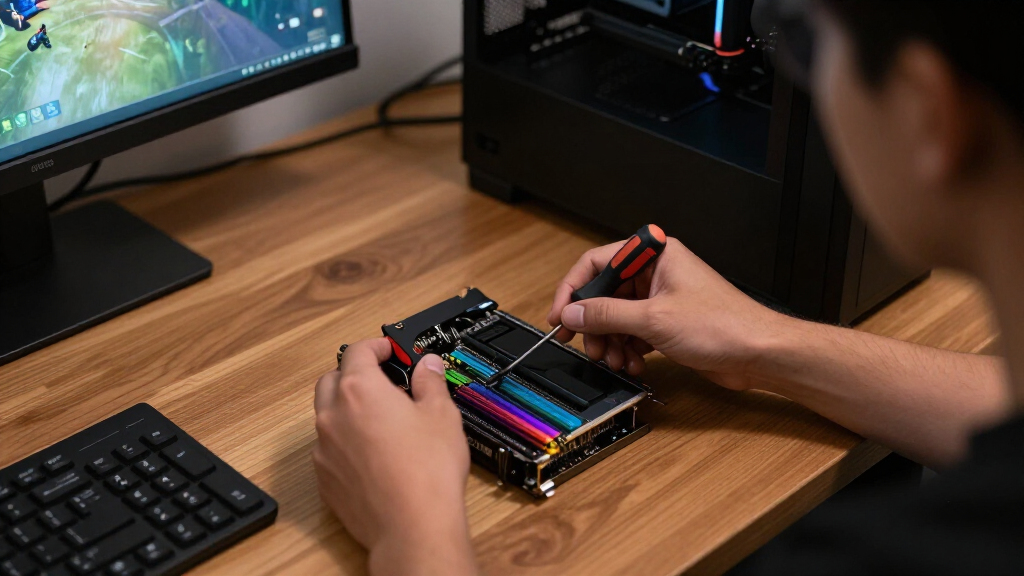
I ranked these desktops by examining CPU and GPU balance, expected performance at common gaming resolutions, memory capacity, storage, and the age of each hardware platform. I gave the graphics card the most weight because it usually has the largest effect on frame rates, but I also rewarded gaming-focused processors such as the Ryzen 7 9800X3D. Systems lost ground when a newer GPU was paired with a processor likely to restrict high-refresh play. I also compared whether each configuration fits 1080p, 1440p, or 4K use instead of treating every gaming PC as interchangeable. This approach places balanced current-generation builds ahead of machines that depend on a single eye-catching specification.
My secondary criteria were upgrade potential, cooling and power headroom, storage practicality, manufacturer support, and overall value. A machine with 32GB of DDR5 memory, a suitable power supply, and standard replaceable parts earned more credit than a similarly priced model with limited expansion. I treated liquid cooling, RGB fans, and case displays as bonuses rather than substitutes for faster core hardware. Established support helped the Alienware Aurora rank well for beginners, while the RTX 5080 Skytech earned its premium role through graphics performance rather than styling. Older STGAubron builds rank lower because low purchase prices cannot erase aging platforms and weak upgrade paths.
| gaming desktop PC | Operating system |
|---|---|
| ASUS ROG GM700 | Windows 11 Home |
| MSI Codex Z2 | Windows 11 Home |
| Skytech Gaming Azure 3 | Windows 11 Home 64-bit |
| CyberPowerPC Gamer Xtreme | Windows 11 Home |
| Prebuilt Gaming Desktop PC wit | — |
| Alienware Aurora ACT1250 | Windows 11 Home |
| iBUYPOWER Element Gaming PC | Windows 11 Home |
| ZOTAC MEK Gaming PC with RTX 5 | Windows 11 Home |
| STGAubron Gaming PC with GeFor | Windows 11 Home |
| STGAubron Gaming PC with Radeo | Windows 11 Home |
| STGAubron Gaming PC Desktop Co | Windows 11 Home |
| ZOTAC MEK Gaming PC Desktop wi | — |
| STGAubron Gaming PC Desktop Co | Windows 11 Home |
| YAWYORE Gaming PC with AMD Ryz | — |
| KOTIN Prebuilt Gaming PC with | — |
Factors to Consider When Choosing Best Gaming Desktop PCs
I recommend choosing a gaming desktop by working backward from the games, monitor, and frame rates you want. The sections below explain where extra spending changes the experience and where attractive specifications can hide a poor hardware balance.
Match the Graphics Card to Your Monitor
I start with the monitor because resolution and refresh rate determine how much graphics power will produce a visible benefit. An RTX 5060 or similar card makes the most sense for 1080p gaming, while RTX 5060 Ti systems are better positioned for high-refresh 1080p or carefully tuned 1440p play. The Radeon RX 9070 XT and RTX 5070 tier gives 1440p buyers more room to raise image quality without constant settings adjustments. I reserve an RTX 5080-class system for high-refresh 4K, heavy ray tracing, or buyers who want a larger performance reserve. Paying for that card while using a basic 1080p 60Hz display wastes much of its advantage. I would allocate part of the budget to a better monitor before moving from a well-balanced midrange PC to the most expensive tower.
Judge the Processor by Its Generation, Not Its Badge
I never treat every Core i7 or Ryzen 7 as equal because generation matters more than the family label. An old Core i7-6700 has fewer modern capabilities and much less gaming headroom than newer chips, even when both listings emphasize the same i7 branding. Fast processors matter most in competitive games, simulation titles, strategy games, and high-refresh 1080p play. At 4K, the graphics card usually carries more of the workload, so overspending on the CPU can deliver a smaller return. Buyers planning future upgrades should also check whether the motherboard supports a current socket and DDR5 memory. I favor the Ryzen 7 9800X3D systems for gaming longevity, while older AM4 or early Intel platforms make more sense only at a clear price discount.
Plan for Memory, VRAM, and Storage Growth
I view 16GB of system memory as the entry point rather than a generous allocation for a new gaming desktop. It remains workable for many games, but running a browser, voice chat, recording software, and a demanding title together can expose its limits. A 32GB configuration costs more upfront but better suits streaming, modded games, creation work, and several years of ownership. Graphics memory is separate: an 8GB graphics card can require reduced texture settings in demanding games even when the PC has abundant system RAM. I also treat a 1TB SSD as a practical minimum because several large games can consume hundreds of gigabytes together. Before buying, I check for free memory slots and an additional M.2 connector, since easy expansion can extend the PC’s useful life.
Inspect Cooling, Power, and Upgrade Access
I look beyond the headline components because cooling and power delivery affect noise, sustained speed, and later upgrades. A liquid cooler can help a high-power processor, but radiator size, fan layout, and case airflow matter more than the mere presence of liquid cooling. The power supply should have enough capacity and the correct connectors for the installed graphics card, with extra headroom if a future GPU upgrade is likely. An 850W or 1000W unit can be useful in a premium machine, yet it adds little value to an entry-level system with modest power demands. I also favor standard-sized components and accessible panels because they simplify repairs and expansion. Before paying extra for RGB lighting or a case display, I would verify airflow, PSU quality, and internal access.
Compare the Whole Configuration, Warranty, and Price
I compare complete configurations because a cheap headline price can hide upgrade costs. A system with 16GB of memory and a 512GB SSD may soon need both expanded, reducing its advantage over a better-equipped model. Buyers should verify the exact graphics card, graphics-memory capacity, motherboard, power supply, and wireless hardware because retail configurations can vary under similar product names. I give extra value to clear component disclosures, sensible warranties, and support that handles the entire PC rather than sending buyers between parts manufacturers. Brand support can justify part of Alienware’s premium for a beginner, while experienced owners may prefer standardized components and easier self-service. My final comparison is the total cost of reaching the desired setup, not merely the price shown at checkout.
Frequently Asked Questions
Is the Radeon RX 9070 XT or GeForce RTX 5080 the better choice for gaming?
I would choose the Radeon RX 9070 XT for balanced high-end value, especially for strong 1440p play and capable 4K gaming. The RTX 5080 is the faster premium option and better fits high-refresh 4K, demanding ray tracing, and buyers who value Nvidia’s software features. That advantage comes with a much higher system price and may be hard to appreciate on a lower-resolution monitor. The ASUS ROG GM700 makes more sense for most high-end buyers, while the Skytech Azure 3 suits performance-first shoppers. Monitor resolution, preferred games, and the price gap should decide the winner.
Is 16GB of RAM enough for a gaming desktop in 2026?
I regard 16GB as usable but no longer generous for a new gaming PC. It can handle many games, but background applications, streaming tools, large mods, and newer releases can leave little spare capacity. A system such as the MSI Codex Z2 remains attractive if its memory is affordable and easy to expand. Buyers who keep desktops for several years or multitask heavily should favor 32GB of DDR5, as found in several higher-tier models. If the choice is between more memory and a much faster graphics card, I would usually prioritize the GPU and add RAM later.
Should I buy an older Core i7 system to save money?
I would only buy an older Core i7 desktop when the discount is large and the gaming target is modest. Labels such as Core i7 can mask wide gaps between generations, and a chip like the i7-6700 may restrict modern games despite once occupying a high product tier. Older platforms can also limit processor upgrades, memory speed, connectivity, and Windows support over the ownership period. They remain reasonable for light esports, older titles, or a secondary household PC at the right price. For current AAA games, a newer Ryzen 5 or Core processor is usually the safer purchase.
Do I need liquid cooling and a 1000W power supply?
I would not pay for either feature automatically because hardware power draw should set the requirement. A well-designed air cooler can handle many gaming processors quietly, while liquid cooling becomes more useful for hotter high-end CPUs or space-constrained layouts. A 1000W power supply offers worthwhile headroom for premium graphics cards, but midrange RTX 5060-class systems rarely need that capacity. Build quality, efficiency rating, connector support, and warranty matter alongside the wattage printed on the label. The Alienware and KOTIN power configurations suit future-minded premium buyers, while lower-power builds can spend that budget elsewhere.
Can I upgrade one of these prebuilt gaming PCs later?
Most prebuilts allow some upgrades, but I would check part dimensions and connector standards before assuming every component can be replaced. Memory and storage are usually the simplest upgrades, followed by the graphics card when the case and power supply have enough room and capacity. Processor upgrades depend on motherboard socket support, firmware, cooling, and the power design. Systems built from standard retail-style parts generally provide more flexibility than tightly integrated or unusually shaped designs. Buyers who expect frequent upgrades should prioritize case clearance, spare M.2 slots, free memory slots, and PSU headroom over decorative extras.
Conclusion
For the strongest mix of gaming performance and sensible high-end spending, I recommend the ASUS ROG GM700 as the best overall choice. The MSI Codex Z2 is my best value pick for mainstream 1080p and 1440p buyers who can add more memory later. Buyers seeking maximum 4K performance should choose the Skytech Gaming Azure 3 as the premium pick, provided the RTX 5080 fits both their monitor and budget. Beginners who place easy ownership and established support above raw value should start with the Alienware Aurora ACT1250. For specific needs, the iBUYPOWER Element suits gaming plus processor-heavy work, the KOTIN appeals to showpiece-build buyers, and the RTX 5060 ZOTAC MEK offers a more restrained route into modern 1080p gaming. I would skip the older STGAubron configurations for demanding new releases unless their prices are low enough to justify limited performance and upgrade room.
Labor Day sales Picks
labor day deals
As an affiliate, we earn on qualifying purchases.