The best gaming headsets balance clear game audio, a comfortable fit, and reliable chat without adding features you will not use. My best overall pick is the Turtle Beach Stealth 700 Gen 3 for its versatile wireless approach, while the SteelSeries Arctis Nova Pro Omni stands out for premium, multi-device setups and the HyperX Cloud III Wired keeps things simple with a wired design. The main tradeoffs are wireless freedom versus charging and connection complexity, and premium controls versus a simpler, more affordable setup. Platform compatibility, microphone needs, and long-session comfort can matter more than surround-sound labels. Read on for the full breakdown and help matching a headset to your gaming setup.

Get games and gaming gear delivered free — and shop member deals
- Fast, free delivery on millions of items
- Access to Prime Big Deal Days deals on October 6–7
- Prime Video, Amazon Music and more included
Complete the kit


Key Takeaways
- The Stealth 700 Gen 3 leads as the most adaptable all-rounder: it is the first pick for players who want wireless flexibility without jumping straight to a premium base-station system.
- The Nova Pro Omni is the specialist premium choice: its appeal is strongest for players managing multiple devices, not for buyers who only need a straightforward headset for one console or PC.
- Wired HyperX Cloud models favor simplicity: the Cloud III and Cloud II avoid wireless charging and pairing, while giving up the freedom of movement offered by wireless picks.
- The two Logitech G733 entries are color variants, not separate feature roles: choose between white and black based on appearance rather than treating them as distinct performance options.
- Several models address overlapping needs at different levels of complexity: Nova 7, Nova 5, Stealth 600, and the G522 are wireless alternatives, so platform support and controls should decide between them.
| Turtle Beach Stealth 700 Gen 3 Wireless Gaming Headset |  | Best for Multi-Device Gaming | Connectivity: 2.4 GHz wireless and Bluetooth 5.2 | Drivers: 60 mm Eclipse dual drivers | Battery life: Up to 80 hours | VIEW LATEST PRICE | See Our Full Breakdown |
| Logitech G522 Lightspeed Wireless Gaming Headset – Black |  | Best for Long Sessions and Clear Chat | Weight: 280 g | Battery life: Up to 60 hours with lights off | Connectivity: Lightspeed wireless, Bluetooth, and USB-C wired | VIEW LATEST PRICE | See Our Full Breakdown |
| Razer BlackShark V2 X Gaming Headset |  | Best Wired Pick | Driver size: 50 mm | Connectivity: 3.5 mm audio jack | Compatibility: PC, Mac, PS4, Xbox One, and Nintendo Switch | VIEW LATEST PRICE | See Our Full Breakdown |
| Ozeino OW810 Wireless Gaming Headset |  | Best for PC, PlayStation, and Switch on a Simple Wireless Setup | Wireless connectivity: 2.4 GHz USB and USB-C; Bluetooth | Wireless latency: Less than 30 ms | Driver size: 50 mm | VIEW LATEST PRICE | See Our Full Breakdown |
| Logitech G733 Lightspeed Wireless Gaming Headset – White |  | Best Lightweight Wireless Style Pick | Weight: 278 g | Battery life: Up to 29 hours | Charge time: 2 hours | VIEW LATEST PRICE | See Our Full Breakdown |
| Logitech G733 LIGHTSPEED Wireless Gaming Headset – Black |  | Best Lightweight Wireless Pick | Connectivity: 2.4 GHz wireless | Wireless range: Up to 20 meters | Battery life: Up to 29 hours | VIEW LATEST PRICE | See Our Full Breakdown |
| Logitech G Astro A50 Wireless Gaming Headset with Base Station |  | Best for Multi-System Setups | Connectivity: Wireless RF, Bluetooth | System switching: Connects to three platforms at once | Wireless audio: 24-bit LIGHTSPEED | VIEW LATEST PRICE | See Our Full Breakdown |
| SteelSeries Arctis Nova 7 Wireless Gen 2 Gaming Headset, Black |  | Best for Long Sessions and Dual Audio | Connectivity: 2.4 GHz wireless and Bluetooth | Battery life: Up to 54 hours | Charging: USB-C fast charge | VIEW LATEST PRICE | See Our Full Breakdown |
| HyperX Cloud II Wired Gaming Headset with 7.1 Virtual Surround Sound, Memory Foam Ear Cushions, and Detachable Microphone (Red) | 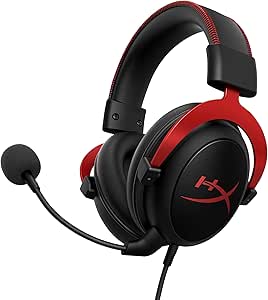 | Best Wired Simplicity | Connectivity: Wired | Fit: Over-ear | Driver size: 53 mm | VIEW LATEST PRICE | See Our Full Breakdown |
| HyperX Cloud III S Wireless Gaming Headset | 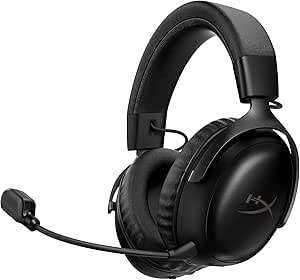 | Best Battery Life | Connectivity: 2.4 GHz wireless, Bluetooth, Instant Pair with select OMEN laptops | Battery life: Up to 120 hours on 2.4 GHz; up to 200 hours over Bluetooth | Bluetooth: Version 5; range up to 20 meters | VIEW LATEST PRICE | See Our Full Breakdown |
| Turtle Beach Stealth 600 Wireless Gaming Headset |  | Best for Cross-Platform Flexibility | Compatibility: Xbox, PS5, PC, mobile | Wireless: Low-latency 2.4GHz wireless and Bluetooth 5.4 | Drivers: 50mm Nanoclear | VIEW LATEST PRICE | See Our Full Breakdown |
| HyperX Cloud III Wired Gaming Headset (Black) |  | Best Wired Comfort | Connectivity: Wired: USB-C, USB-A, and 3.5mm | Drivers: 53mm angled drivers | Microphone: 10mm noise-cancelling microphone with LED mute indicator | VIEW LATEST PRICE | See Our Full Breakdown |
| HyperX Cloud III Wired Gaming Headset, Black/Red |  | Best Wired Pick with Detachable Mic | Type: Wired over-ear gaming headset | Drivers: Angled 53mm | Microphone: Detachable 10mm noise-cancelling microphone with mesh filter and LED mute indicator | VIEW LATEST PRICE | See Our Full Breakdown |
| SteelSeries Arctis Nova Pro Omni Wireless Gaming Headset, Midnight Blue |  | Best for Multi-System Audio Mixing | Connectivity: 2.4GHz wireless, Bluetooth 5.3 LE, USB, and line-in | Audio certification: Hi-Res Certified | Driver frequency range: 10 Hz–40 kHz | VIEW LATEST PRICE | See Our Full Breakdown |
| SteelSeries Arctis Nova 5 Wireless Multi-System Gaming Headset (Black) |  | Best Wireless Preset Choice | Connectivity: 2.4GHz wireless, Bluetooth 5.3, and USB-C dongle | Battery life: Up to 60 hours | Fast charge: Six hours of use from 15 minutes via USB-C | VIEW LATEST PRICE | See Our Full Breakdown |
| gaming headset | Connectivity | Microphone | Battery life | Compatibility |
|---|---|---|---|---|
| Turtle Beach Stealth 700 Gen 3 | 2.4 GHz wireless and Bluetooth 5.2 | Flip-to-mute with AI-based noise reduction | Up to 80 hours | Xbox Series X|S, Xbox One, PS5, PS4, Windows PC, Steam Deck, and mobile devices |
| Logitech G522 Lightspeed Wirel | Lightspeed wireless, Bluetooth, and USB-C wired | Blue VO!CE, 48 kHz/16-bit | Up to 60 hours with lights off | — |
| Razer BlackShark V2 X Gaming H | 3.5 mm audio jack | — | — | PC, Mac, PS4, Xbox One, and Nintendo Switch |
| Ozeino OW810 Wireless Gaming H | — | — | Up to 40 hours | PS5, PS4, PC, Mac, laptop, and Switch via 2.4 GHz; Bluetooth works with phones, laptops, and Switch |
| Logitech G733 Lightspeed Wirel | LIGHTSPEED wireless and Bluetooth 5 | — | Up to 29 hours | PC, PlayStation 4, PlayStation 5, and Nintendo Switch (Dock) |
| Logitech G733 LIGHTSPEED Wirel | 2.4 GHz wireless | Built-in microphone with Blue VO!CE filters | Up to 29 hours | PC, PS5, PS4, Nintendo Switch |
| Logitech G Astro A50 Wireless | Wireless RF, Bluetooth | 48 kHz full-bandwidth boom microphone | Up to 24 hours at 78 dB | — |
| SteelSeries Arctis Nova 7 Wire | 2.4 GHz wireless and Bluetooth | Retractable ClearCast Gen 2 with noise rejection | Up to 54 hours | PC, PlayStation 5/4, Nintendo Switch 1/2, handhelds, mobile devices |
| HyperX Cloud II Wired Gaming H | Wired | Detachable, noise-cancelling | — | — |
| HyperX Cloud III S Wireless Ga | 2.4 GHz wireless, Bluetooth, Instant Pair with select OMEN laptops | Detachable 10 mm boom mic with LED mute indicator and built-in mesh filter | Up to 120 hours on 2.4 GHz; up to 200 hours over Bluetooth | PC, PS5, PS4, Nintendo Switch, Mac, mobile |
| Turtle Beach Stealth 600 Wirel | — | Flip-to-mute with AI-based noise reduction | Up to 80 hours | Xbox, PS5, PC, mobile |
| HyperX Cloud III Wired Gaming | Wired: USB-C, USB-A, and 3.5mm | 10mm noise-cancelling microphone with LED mute indicator | — | PC, PS5, Xbox Series X|S, Xbox One, Nintendo Switch, Mac, and mobile |
| HyperX Cloud III Wired Gaming | — | Detachable 10mm noise-cancelling microphone with mesh filter and LED mute indicator | — | PC, PS5, Xbox Series X|S, Xbox One, Nintendo Switch, Mac, and mobile |
| SteelSeries Arctis Nova Pro Om | 2.4GHz wireless, Bluetooth 5.3 LE, USB, and line-in | 32 kHz/16-bit ClearCast Pro with AI noise reduction | Up to 60 hours total runtime with dual hot-swap batteries | — |
| SteelSeries Arctis Nova 5 Wire | 2.4GHz wireless, Bluetooth 5.3, and USB-C dongle | Retractable ClearCast 2.X with AI noise cancellation | Up to 60 hours | PC, consoles, mobile devices, and VR platforms |
More Details on Our Top Picks
Turtle Beach Stealth 700 Gen 3 Wireless Gaming Headset
The Turtle Beach Stealth 700 Gen 3 earns its place through unusually flexible device switching: its two USB transmitters serve compatible gaming systems and PCs, while Bluetooth 5.2 can play mobile audio at the same time. That suits players who want game sound and phone audio together without swapping headsets. Its up to 80-hour battery life also outlasts the Logitech G522’s stated 60 hours with its lighting off, and a quick charge adds listening time when the battery runs low. The 60 mm drivers, glasses-friendly cushions, and Swarm II EQ give buyers room to tune both comfort and sound. The tradeoff is a more involved setup: wireless gaming depends on USB transmitters, and many adjustments require the companion app. Choose the simpler wired Razer BlackShark V2 X if you do not need wireless flexibility.
Pros:- Two USB transmitters support switching between compatible gaming devices
- Simultaneous Bluetooth 5.2 audio is useful for phone calls or mobile audio while gaming
- Up to 80 hours of battery life, with a 15-minute charge providing up to three hours
- Glasses-friendly memory foam cushions and adjustable audio settings
Cons:- Wireless console and PC gaming requires USB transmitters
- Many audio and microphone adjustments depend on the Swarm II app
Best for: Console and PC players who want to switch between gaming devices and listen to phone audio over Bluetooth at the same time.
Not ideal for: Players who want a simple plug-and-play headset or prefer to make audio adjustments without a companion app and USB transmitters.
- Connectivity:2.4 GHz wireless and Bluetooth 5.2
- Drivers:60 mm Eclipse dual drivers
- Battery life:Up to 80 hours
- Quick charge:15 minutes provides up to 3 hours of battery life
- Microphone:Flip-to-mute with AI-based noise reduction
- Compatibility:Xbox Series X|S, Xbox One, PS5, PS4, Windows PC, Steam Deck, and mobile devices
- App:Swarm II desktop and mobile app with 10-band EQ
- Fit and construction:Steel-reinforced, lay-flat adjustable headband; glasses-friendly memory foam cushions
Our verdict“Choose the Stealth 700 Gen 3 if you need long-lasting wireless audio across gaming devices and a phone; skip it if you want a simpler setup.”
Logitech G522 Lightspeed Wireless Gaming Headset – Black
The Logitech G522 is the strongest fit here for players who prioritize a lightweight feel and voice clarity over maximum battery life. At 280 g, its washable suspension band is designed for extended sessions, while the 48 kHz/16-bit Blue VO!CE microphone gives team chat more attention than the Razer BlackShark V2 X’s simpler cardioid mic. Lightspeed wireless, Bluetooth, and USB-C wired connections offer more ways to connect than that wired-only Razer. Its battery lasts up to 60 hours with the lighting off, though the RGB lighting reduces runtime, so the showy design comes with a practical cost. There is also no active noise cancellation. Compared with the Turtle Beach Stealth 700 Gen 3, the G522 gives up some battery endurance but offers USB-C wired use and customizable lighting.
Pros:- Lightweight 280 g frame with a washable suspension band
- Blue VO!CE microphone supports 48 kHz/16-bit audio
- Lightspeed wireless, Bluetooth, and USB-C wired connectivity
- Customizable side-facing RGB lighting
Cons:- No active noise cancellation
- Battery life is stated as up to 60 hours with lighting off, and lighting reduces runtime
Best for: PC and console players who want a light wireless headset, flexible wired and wireless connections, and a feature-rich microphone for team chat.
Not ideal for: Players who need active noise cancellation or want the longest possible battery life while keeping headset lighting on.
- Weight:280 g
- Battery life:Up to 60 hours with lights off
- Connectivity:Lightspeed wireless, Bluetooth, and USB-C wired
- Audio drivers:PRO-G, 48 kHz/24-bit
- Microphone:Blue VO!CE, 48 kHz/16-bit
- Lighting:RGB side-facing LIGHTSYNC with 16.8 million colors
- Warranty:2-year limited warranty
Our verdict“Pick the G522 for lightweight comfort, clear chat, and flexible connections, but look elsewhere if noise cancellation or maximum lit battery life matters most.”
Razer BlackShark V2 X Gaming Headset
The Razer BlackShark V2 X is the straightforward choice for players who would rather connect a cable than manage wireless charging or transmitters. Its 3.5 mm jack supports several platforms, and its 240 g weight makes it lighter than the wireless Logitech G522. Breathable foam cushions and closed earcups are practical for long sessions, while the cardioid mic is designed to focus on the speaker’s voice. The tradeoff is fewer connection and tuning options than the Turtle Beach Stealth 700 Gen 3: there is no wireless mode, Bluetooth, or companion-app EQ listed here. Its software-enabled 7.1 surround sound is also limited to Windows 10 64-bit, so it should not drive the buying decision for console players. Xbox One users may need a separate stereo adapter.
Pros:- Lightweight 240 g over-ear design
- 3.5 mm connection works across several listed platforms
- Breathable foam cushions and closed earcups
- Cardioid microphone is designed to prioritize voice pickup
Cons:- Wired-only connection lacks wireless and Bluetooth options
- Software-enabled 7.1 surround sound is limited to Windows 10 64-bit
- Xbox One may require a separately sold stereo adapter
Best for: Budget-conscious players who use a 3.5 mm headset connection and want a lightweight wired option for PC, Mac, PlayStation, Xbox One, or Switch.
Not ideal for: Players who want wireless freedom, Bluetooth, app-based sound customization, or surround sound beyond the stated Windows 10 64-bit support.
- Driver size:50 mm
- Connectivity:3.5 mm audio jack
- Compatibility:PC, Mac, PS4, Xbox One, and Nintendo Switch
- Surround sound:Software-enabled 7.1; Windows 10 64-bit only
- Weight:240 g
- Ear placement:Over-ear
- Warranty:2 years
Our verdict“Choose the BlackShark V2 X for a lightweight, multi-platform wired headset, not for wireless convenience or broad surround-sound support.”
Ozeino OW810 Wireless Gaming Headset
The Ozeino OW810 is aimed at players who want low-latency wireless gaming across PC, PlayStation, and Switch without stepping up to the more app-focused Turtle Beach Stealth 700 Gen 3. Its 2.4 GHz USB and USB-C connections are listed for those platforms, and the stated latency of under 30 ms is meant to keep game audio closely aligned with play. Bluetooth adds a separate route for phones and laptops, but it does not directly connect to PS5, PS4, or PC; that distinction limits its convenience compared with headsets that support Bluetooth alongside gaming audio. The 40-hour battery is shorter than the Turtle Beach’s 80 hours, and the 3.5 mm mode supports music and calls only. Xbox players should skip it entirely.
Pros:- 2.4 GHz wireless connection is specified at less than 30 ms latency
- USB and USB-C connectivity supports several listed gaming platforms
- Up to 40 hours of battery life
- Flip microphone and Bluetooth for compatible phones, laptops, and Switch
Cons:- Not compatible with Xbox consoles
- Bluetooth does not directly support PS5, PS4, or PC
- 3.5 mm wired mode is for music and calls only
Best for: Players on PS5, PS4, PC, Mac, or Switch who want a relatively simple 2.4 GHz wireless headset and occasional Bluetooth use with a phone or laptop.
Not ideal for: Xbox players, or anyone who expects Bluetooth to connect directly to PS5, PS4, or PC or wants full gaming support over the 3.5 mm cable.
- Wireless connectivity:2.4 GHz USB and USB-C; Bluetooth
- Wireless latency:Less than 30 ms
- Driver size:50 mm
- Battery life:Up to 40 hours
- Bluetooth:Version 4; 15-foot range
- Wired connectivity:3.5 mm jack for music and calls only
- Compatibility:PS5, PS4, PC, Mac, laptop, and Switch via 2.4 GHz; Bluetooth works with phones, laptops, and Switch
- Warranty:3 years
Our verdict“The OW810 suits multi-platform players who want 2.4 GHz wireless on supported devices, but its Bluetooth and wired limitations rule it out as a universal headset.”
Logitech G733 Lightspeed Wireless Gaming Headset – White
The white Logitech G733 combines a light 278 g frame with reversible suspension headbands and customizable dual-zone RGB, making it a style-forward alternative to the less decorative Turtle Beach Stealth 700 Gen 3. LIGHTSPEED wireless offers a stated 20-meter range, while PRO-G 40 mm drivers and Blue VO!CE microphone filters provide gaming audio and voice customization on supported setups. Its 29-hour battery life is notably shorter than the G522’s up to 60 hours with lighting off, so it is the weaker fit for players who want fewer charging breaks. Console support also has limits: the product lists PlayStation stereo sound, and console use requires a USB wireless dongle. Choose it for lightweight comfort and personalization, not for broad console audio features.
Pros:- Lightweight 278 g design with memory foam earcups and reversible suspension headbands
- LIGHTSPEED wireless range is listed at 20 meters
- Customizable dual-zone RGB lighting
- PRO-G drivers and Blue VO!CE microphone filters
Cons:- Up to 29 hours of battery life is shorter than the Logitech G522’s stated runtime
- Console use requires a USB wireless dongle
- PlayStation compatibility is limited to stereo sound
Best for: PC players who want a lightweight wireless headset with customizable RGB, reversible headbands, and microphone filters, plus stereo wireless use on PlayStation.
Not ideal for: Players who need extended battery life, direct wireless connection without a USB dongle, or more than stereo sound on PlayStation.
- Weight:278 g
- Battery life:Up to 29 hours
- Charge time:2 hours
- Wireless range:20 meters
- Connectivity:LIGHTSPEED wireless and Bluetooth 5
- Driver size:40 mm PRO-G
- Compatibility:PC, PlayStation 4, PlayStation 5, and Nintendo Switch (Dock)
- Warranty:1-year limited warranty
Our verdict“Choose the G733 for a light, customizable wireless headset on PC and stereo PlayStation, but favor the G522 if longer battery life matters more.”
Logitech G733 LIGHTSPEED Wireless Gaming Headset – Black
The Logitech G733 is a good fit for players who want wireless freedom without a heavier headset: at 278 g, it is lighter than the HyperX Cloud III S Wireless, and its reversible suspension headband offers an alternative to the more conventional padded fit. Its 2.4 GHz connection reaches up to 20 meters, while battery life is rated for up to 29 hours, making it suitable for extended play between charges. Blue VO!CE filters and dual-zone RGB add useful voice and appearance customization, though those options depend on Logitech G HUB. Compared with the SteelSeries Arctis Nova 7 Wireless Gen 2, the G733 has a shorter listed battery life and lacks Bluetooth audio, so it is less flexible for mixing phone and game sound. Its lighter build is the main reason to choose it.
Pros:- Lightweight 278 g design with a reversible suspension headband
- Up to 20 meters of 2.4 GHz wireless range
- Up to 29 hours of listed battery life
- Customizable dual-zone RGB lighting and Blue VO!CE microphone filters
Cons:- Customization and some microphone features rely on Logitech G HUB
- No Bluetooth connectivity for mixing phone audio with game sound
- Shorter listed battery life than the SteelSeries Arctis Nova 7 Wireless Gen 2
Best for: PC and PlayStation players who prioritize a lightweight wireless fit, customizable lighting, and microphone filters.
Not ideal for: Players who want Bluetooth audio alongside game sound, very long battery life, or headset customization without G HUB.
- Connectivity:2.4 GHz wireless
- Wireless range:Up to 20 meters
- Battery life:Up to 29 hours
- Driver size:40 mm PRO-G
- Weight:278 g
- Microphone:Built-in microphone with Blue VO!CE filters
- Lighting:Dual-zone Lightsync RGB
- Compatibility:PC, PS5, PS4, Nintendo Switch
Our verdict“Choose the G733 if a light wireless headset matters more to you than Bluetooth audio or class-leading battery life.”
Logitech G Astro A50 Wireless Gaming Headset with Base Station
The Astro A50 is aimed at players who move between several gaming systems and want the headset connections ready at once. Its PLAYSYNC Audio supports three connected platforms, while on-headset controls make switching more convenient than changing connections manually. The magnetic base station gives the headset a dedicated charging home, and Bluetooth dual-device mixing lets game audio share space with a phone or other Bluetooth source. Its 40 mm PRO-G GRAPHENE drivers, 24-bit LIGHTSPEED audio, and 48 kHz boom mic also make this a more feature-rich setup than the simpler Logitech G733. That added flexibility comes with tradeoffs: it is built around its base station, offers no headphone jack, and is listed for up to 24 hours of playtime. I would choose it for a multi-console desk, not for a minimal or highly portable setup.
Pros:- PLAYSYNC Audio supports connections to three gaming platforms at once
- Magnetic base station provides a dedicated charging dock
- Bluetooth dual-device mixing can combine game and external audio
- 48 kHz boom microphone and adjustable audio settings through Logitech apps
Cons:- No headphone jack for a wired listening option
- Up to 24 hours of playtime is less than the SteelSeries Arctis Nova 7 Wireless Gen 2 and HyperX Cloud III S Wireless
- Base-station-centered setup is less convenient for travel than a headset with a compact dongle
Best for: Players with up to three gaming systems who want convenient switching, a charging base, and Bluetooth audio mixing.
Not ideal for: Gamers seeking a wired fallback, a compact travel headset, or the longer listed battery life of the SteelSeries Arctis Nova 7 Wireless Gen 2.
- Connectivity:Wireless RF, Bluetooth
- System switching:Connects to three platforms at once
- Wireless audio:24-bit LIGHTSPEED
- Drivers:40 mm PRO-G GRAPHENE
- Microphone:48 kHz full-bandwidth boom microphone
- Battery life:Up to 24 hours at 78 dB
- Bluetooth:Version 5; range up to 12 meters
- Included:Magnetic charging base station, ear cushions, headband, user manual
Our verdict“Pick the Astro A50 if you regularly switch among several gaming systems and want a dock-based wireless setup.”
SteelSeries Arctis Nova 7 Wireless Gen 2 Gaming Headset, Black
The Arctis Nova 7 Wireless Gen 2 stands out for combining 2.4 GHz game audio and Bluetooth at the same time, so players can hear a call or mobile audio without giving up their wireless game connection. Its listed battery life reaches up to 54 hours, comfortably outlasting the Logitech G733 and Astro A50, and USB-C fast charging helps reduce downtime when a recharge is needed. The retractable ClearCast Gen 2 microphone keeps the boom out of the way when it is not in use; memory foam cushions and a steel frame suit longer sessions. Game-specific EQ presets and 360° spatial audio offer more tuning than the HyperX Cloud II, though many presets may be unnecessary for players who prefer a simple plug-and-play headset. Microphone enhancements beyond its built-in noise rejection require a PC.
Pros:- Simultaneous 2.4 GHz wireless and Bluetooth audio
- Up to 54 hours of listed battery life with USB-C fast charging
- Retractable ClearCast Gen 2 microphone with built-in noise rejection
- Game-specific EQ presets and 360° spatial audio support
Cons:- Advanced microphone enhancements beyond built-in noise rejection require a PC
- EQ presets and spatial audio features may be more than casual players need
- Less suitable for buyers who specifically want a wired connection like the HyperX Cloud II
Best for: Multi-platform players who want simultaneous game and Bluetooth audio, long battery life, and access to game-specific EQ presets.
Not ideal for: Players who want advanced microphone processing on a console or prefer a basic wired headset without wireless features to manage.
- Connectivity:2.4 GHz wireless and Bluetooth
- Battery life:Up to 54 hours
- Charging:USB-C fast charge
- Microphone:Retractable ClearCast Gen 2 with noise rejection
- Audio features:200+ game-specific EQ presets; 360° spatial audio
- Drivers:Custom Neodymium Magnetic Drivers
- Compatibility:PC, PlayStation 5/4, Nintendo Switch 1/2, handhelds, mobile devices
- Frame and cushions:Steel frame with memory foam cushions
Our verdict“Choose the Arctis Nova 7 Gen 2 if long battery life and mixing Bluetooth with game audio are priorities.”
HyperX Cloud II Wired Gaming Headset with 7.1 Virtual Surround Sound, Memory Foam Ear Cushions, and Detachable Microphone (Red)
The HyperX Cloud II is the wired choice for players who would rather skip battery management and wireless pairing. Its 53 mm drivers, memory foam cushions, and aluminum frame make it a straightforward gaming headset, while the detachable noise-cancelling microphone can be removed when voice chat is not needed. Virtual 7.1 surround sound is available on PC and Mac, but consoles and mobile devices use stereo; that distinction matters if surround processing is a priority across every platform. Compared with the wireless SteelSeries Arctis Nova 7 Wireless Gen 2, the Cloud II gives up Bluetooth, wireless range, and simultaneous audio, but avoids charging and keeps the setup simple. It is also a more basic fit than the feature-rich Astro A50, with no multi-system switching or dock.
Pros:- Wired connection requires no battery charging
- Virtual 7.1 surround sound support on PC and Mac
- Memory foam ear cushions and padded headband
- Durable aluminum frame and detachable noise-cancelling microphone
Cons:- Virtual 7.1 surround sound is limited to PC and Mac; consoles use stereo
- Xbox One may require a Microsoft headset adapter
- Wired design lacks the mobility and Bluetooth audio mixing of the Arctis Nova 7 Wireless Gen 2
Best for: PC and Mac players who want a wired over-ear headset, a detachable mic, and virtual surround support without charging a battery.
Not ideal for: Players who need wireless freedom, Bluetooth mixing, or virtual 7.1 surround sound on consoles.
- Connectivity:Wired
- Fit:Over-ear
- Driver size:53 mm
- Frequency response:15–25 kHz
- Surround sound:Virtual 7.1 on PC and Mac; stereo on consoles and mobile
- Frame:Aluminum
- Microphone:Detachable, noise-cancelling
- Warranty:2 years
Our verdict“Choose the Cloud II if you want a durable wired headset for PC or Mac and can accept stereo audio on consoles.”
HyperX Cloud III S Wireless Gaming Headset
If charging interruptions are the main frustration, the HyperX Cloud III S Wireless has the standout battery claim in this group: up to 120 hours on 2.4 GHz or 200 hours over Bluetooth. It also offers 2.4 GHz wireless, Bluetooth, and Instant Pair with select OMEN laptops, plus 53 mm angled drivers and memory foam cushions for a familiar over-ear gaming fit. Compared with the SteelSeries Arctis Nova 7 Wireless Gen 2, its listed battery life is much longer, but the Nova 7 adds 360° spatial audio and game-specific EQ presets. The Cloud III S also weighs 356 g, so buyers focused on a lightweight headset may prefer the 278 g Logitech G733. Its biggest platform caveat is firm: it is not compatible with Xbox.
Pros:- Up to 120 hours of battery life on 2.4 GHz or 200 hours over Bluetooth
- Supports 2.4 GHz wireless, Bluetooth, and Instant Pair on select OMEN laptops
- 53 mm angled drivers with memory foam ear cushions and headband
- Detachable boom microphone with LED mute indicator
Cons:- Not compatible with Xbox
- Instant Pair works only with select OMEN laptops
- At 356 g, it is heavier than the Logitech G733
Best for: PC, PlayStation, Switch, Mac, and mobile players who want exceptionally long listed battery life and both 2.4 GHz and Bluetooth connections.
Not ideal for: Xbox owners, players seeking a lighter headset than the Logitech G733, or buyers without a compatible OMEN laptop who expect Instant Pair.
- Connectivity:2.4 GHz wireless, Bluetooth, Instant Pair with select OMEN laptops
- Battery life:Up to 120 hours on 2.4 GHz; up to 200 hours over Bluetooth
- Bluetooth:Version 5; range up to 20 meters
- Driver size:53 mm angled drivers
- Microphone:Detachable 10 mm boom mic with LED mute indicator and built-in mesh filter
- Weight:356 g
- Compatibility:PC, PS5, PS4, Nintendo Switch, Mac, mobile
- Xbox compatibility:Not compatible
Our verdict“Pick the Cloud III S Wireless if you want long gaps between charges and do not need Xbox compatibility.”
Turtle Beach Stealth 600 Wireless Gaming Headset
The Turtle Beach Stealth 600 is a strong fit for players who move between consoles, PC, and mobile without wanting separate headsets. It pairs 2.4GHz wireless and Bluetooth 5.4, while its QuickSwitch button and mappable wheel make switching connections and controls more convenient. Compared with the wired HyperX Cloud III, it gives you more freedom to move and use a phone connection; the Cloud III is the simpler choice if you prefer a cable and do not want to manage battery life. The Stealth 600 also offers up to 80 hours of battery life and app-based EQ, but its many audio and control options may be more than plug-and-play buyers need. Its glasses-friendly cushions address a common comfort issue, though fit remains personal.
Pros:- Works with Xbox, PS5, PC, and mobile devices
- Combines low-latency 2.4GHz wireless with Bluetooth 5.4
- Up to 80 hours of battery life
- Glasses-friendly cushions and customizable EQ and controls
Cons:- Wireless features make it less straightforward than the wired HyperX Cloud III
- Audio customization through the app may be unnecessary for players who want fixed, simple controls
Best for: Players who use more than one gaming platform and want wireless play plus a Bluetooth connection to a phone.
Not ideal for: Buyers who want a simple wired headset with no battery to charge or app settings to manage.
- Compatibility:Xbox, PS5, PC, mobile
- Wireless:Low-latency 2.4GHz wireless and Bluetooth 5.4
- Drivers:50mm Nanoclear
- Battery life:Up to 80 hours
- Microphone:Flip-to-mute with AI-based noise reduction
- Audio customization:Built-in EQ modes, Superhuman Hearing, and 10-band EQ via Swarm II app
- Design:Lay-flat, adjustable; glasses-friendly memory foam cushions
- Controls:Mappable wheel, mode button, and QuickSwitch button
Our verdict“Choose the Stealth 600 if you want one wireless headset for several platforms and value long battery life over wired simplicity.”
HyperX Cloud III Wired Gaming Headset (Black)
For long sessions where comfort and a direct connection matter more than wireless freedom, the HyperX Cloud III is the wired pick I’d place ahead of feature-heavy wireless options. Its memory foam cushions and 308 g listed weight make extended wear a central part of its appeal, while the aluminum frame adds structure. The 53mm angled drivers and noise-cancelling microphone cover the core needs of game audio and voice chat without the app-based tuning offered by the Turtle Beach Stealth 600. Its broad USB-C, USB-A, and 3.5mm connections also suit a mix of devices. The tradeoff is clear: cables restrict movement, and keeping track of connection options can add clutter. Choose this over the Stealth 600 if you value a wired setup; skip it if moving freely is part of your play routine.
Pros:- Plush memory foam cushions suited to extended sessions
- 53mm angled drivers tuned for gaming audio
- Aluminum frame construction
- Noise-cancelling microphone with an LED mute indicator
Cons:- Wired connection restricts movement compared with the Turtle Beach Stealth 600
- Multiple cable connection options can add setup clutter
Best for: PC and console players who prioritize cushioned comfort, broad wired compatibility, and a headset that does not need charging.
Not ideal for: Players who move around during games or want wireless switching between a console and phone.
- Connectivity:Wired: USB-C, USB-A, and 3.5mm
- Drivers:53mm angled drivers
- Microphone:10mm noise-cancelling microphone with LED mute indicator
- Frame and cushions:Aluminum frame and memory foam
- Weight:308 g
- Compatibility:PC, PS5, Xbox Series X|S, Xbox One, Nintendo Switch, Mac, and mobile
- Warranty:2 years
Our verdict“Pick the Cloud III if comfort and dependable wired connections matter more to you than wireless convenience.”
HyperX Cloud III Wired Gaming Headset, Black/Red
This black-and-red HyperX Cloud III shares the wired comfort and angled 53mm drivers of the black Cloud III, but its detachable microphone gives it a distinct advantage for players who also use a headset for music or calls. Remove the mic when voice chat is not needed, then reconnect it for multiplayer sessions. The USB-C, USB-A, and 3.5mm connection options make it more adaptable than a headset tied to a single port, although the cable still limits movement. Compared with the SteelSeries Arctis Nova 5, this Cloud III gives up wireless play, battery life, and app-based game presets in exchange for a direct wired setup and a removable boom mic. Its strengths are practical rather than flashy; choose it for comfort and flexible mic use, not wireless convenience.
Pros:- Detachable 10mm noise-cancelling microphone with mesh filter and LED mute indicator
- Memory foam cushions and headband support long sessions
- Angled 53mm drivers tuned for gaming audio
- Works across PC, consoles, Switch, Mac, and mobile through several connection types
Cons:- Wired connection limits movement compared with the SteelSeries Arctis Nova 5
- Lacks the Nova 5’s wireless connection switching and game-specific app presets
Best for: Players who want a comfortable wired headset for gaming and calls, with the option to remove the microphone between sessions.
Not ideal for: Wireless-first players or anyone who needs to switch quickly between gaming audio and a phone over Bluetooth.
- Type:Wired over-ear gaming headset
- Drivers:Angled 53mm
- Microphone:Detachable 10mm noise-cancelling microphone with mesh filter and LED mute indicator
- Connections:USB-C, USB-A, and 3.5mm
- Compatibility:PC, PS5, Xbox Series X|S, Xbox One, Nintendo Switch, Mac, and mobile
- Frame:Aluminum
- Included accessories:USB-to-3.5mm cable and USB-C adapter
- Warranty:2 years
Our verdict“Choose this Cloud III if you want the comfort of a wired gaming headset and a microphone you can remove when you do not need voice chat.”
SteelSeries Arctis Nova Pro Omni Wireless Gaming Headset, Midnight Blue
The Arctis Nova Pro Omni is the specialist choice here for players who need audio from several systems at once. It supports up to three systems and four mixed audio sources, a more elaborate setup than the quick wireless connection switching on the SteelSeries Arctis Nova 5. Hi-Res audio, active noise cancellation, and Transparency Mode add flexibility for listening in different environments, while the ClearCast Pro microphone uses AI noise reduction for voice chat. Dual hot-swap batteries provide up to 60 hours of total runtime, so a spare can keep sessions going while another pack charges. That capability comes with more gear to manage, and its 339 g listed weight may not suit everyone. This headset makes most sense for multi-device setups, not players who only need one uncomplicated wireless connection.
Pros:- Supports up to three systems and mixing up to four audio sources
- Dual hot-swap batteries provide up to 60 hours of total runtime
- Active noise cancellation with Transparency Mode
- Hi-Res audio and ClearCast Pro microphone with AI noise reduction
Cons:- Multi-system controls and connections may be unnecessary for single-device setups
- Listed weight of 339 g may feel substantial for some players
- More involved than the SteelSeries Arctis Nova 5’s straightforward 2.4GHz and Bluetooth switching
Best for: PC and console players who want to connect several systems and mix game audio with other sources in one headset.
Not ideal for: Players with a single-device setup who want a lighter, less involved wireless headset.
- Connectivity:2.4GHz wireless, Bluetooth 5.3 LE, USB, and line-in
- Audio certification:Hi-Res Certified
- Driver frequency range:10 Hz–40 kHz
- Microphone:32 kHz/16-bit ClearCast Pro with AI noise reduction
- Noise cancellation:Active noise cancellation with Transparency Mode
- Battery life:Up to 60 hours total runtime with dual hot-swap batteries
- Multi-system support:Up to 3 systems over USB; up to 4 audio sources mixed
- Weight:339 g
Our verdict“Choose the Nova Pro Omni if you need to mix sound from multiple gaming systems and sources, rather than just connect one device at a time.”
SteelSeries Arctis Nova 5 Wireless Multi-System Gaming Headset (Black)
The Arctis Nova 5 suits players who want wireless gaming audio they can tune for different titles without building a multi-system mixer setup. Its Companion App offers 100+ game-specific audio presets, giving it a different appeal from the Arctis Nova Pro Omni, which is better suited to mixing several systems and audio sources. Here, the focus is easier switching between 2.4GHz gaming and Bluetooth 5.3, backed by up to 60 hours of battery life and a fast-charge option. The retractable ClearCast 2.X microphone also keeps the boom out of the way when not needed. One practical drawback is the required USB-C dongle for PC and console connections: it adds a component to pack and position. This is a more approachable wireless pick than the Omni, but it is not a cable-free setup in every sense.
Pros:- Over 100 game-specific audio presets through the Companion App
- Up to 60 hours of battery life with six hours of use from a 15-minute fast charge
- Quick-Switch between 2.4GHz wireless and Bluetooth 5.3
- Retractable ClearCast 2.X microphone with AI noise cancellation
Cons:- Requires a USB-C dongle for PC and console connectivity
- Does not offer the Arctis Nova Pro Omni’s multi-system and multi-source mixing
Best for: Players who want wireless play across gaming and Bluetooth devices, plus game-specific audio presets without multi-source mixing controls.
Not ideal for: Players who want a direct wired connection or need to mix audio from several consoles and sources at once.
- Connectivity:2.4GHz wireless, Bluetooth 5.3, and USB-C dongle
- Battery life:Up to 60 hours
- Fast charge:Six hours of use from 15 minutes via USB-C
- Microphone:Retractable ClearCast 2.X with AI noise cancellation
- Drivers:Neodymium magnetic drivers
- Audio customization:Over 100 game-specific presets via Companion App
- Controls:On-ear power, mute, volume, and Quick-Switch button
- Compatibility:PC, consoles, mobile devices, and VR platforms
Our verdict“Pick the Nova 5 if you want long-lasting wireless play and game-specific sound presets, but do not need the Nova Pro Omni’s complex audio mixing.”

How We Picked
I compared these headsets by the decisions that shape daily gaming: sound and chat usefulness, wearing comfort, connection type, platform fit, controls, and how much setup or upkeep each design asks of its owner. I gave more weight to features that make a practical difference—such as choosing wired or wireless, using a base station, or switching among devices—than to surround-sound claims on their own. I also treated the two G733 color versions and the two Cloud III color versions as cosmetic alternatives rather than independent feature classes.
The order reflects versatility for the widest range of players, followed by more focused strengths. A headset that suits varied setups ranks ahead of one whose advantages depend on a specialized multi-device arrangement; simpler wired choices remain valuable for players who want fewer connection and charging concerns. The list includes budget-minded and premium-leaning options, but I do not treat price or feature count as proof of a better fit. Platform compatibility and the buyer’s tolerance for wireless setup should shape the final choice.
Factors to Consider When Choosing Best Gaming Headsets
Before choosing from this lineup, decide which compromises you are willing to live with. Connection, platform support, and fit shape everyday satisfaction more than a long feature list, and a headset built for a multi-device desk may be unnecessary for a single-console setup.
Choose Wired or Wireless Around Your Routine
Wireless is most useful when you move around, dislike a cable across your desk, or want a cleaner console setup. It also brings charging, pairing, and possible connection-management tasks, so ask whether you will remember to charge a headset between sessions. A wired model avoids battery planning and can be a sensible pick for a fixed PC or console station. Do not assume wireless automatically means more convenient: a base station or multiple connection modes can add setup steps. Conversely, a cable may become a daily annoyance if your controller or computer is far from your seat. Match the connection to where and how you play, not to a general preference for newer technology.
Check Platform Compatibility Before Comparing Features
Headset compatibility can vary by console generation, connection method, and the features available on each platform. A product may connect to several devices yet offer different controls or audio functions depending on where it is plugged in. Check the manufacturer’s compatibility details for your exact console, PC, or handheld before buying. Also think about future changes: a multi-system headset can be useful if you expect to add a console, but it may be unnecessary if your setup is stable. Avoid choosing by a broad “multi-platform” label alone. The practical question is whether the connection and controls you want work with your own devices.
Treat Comfort as a Fit Question, Not a Feature Count
Long-session comfort depends on head shape, glasses, clamping force, ear space, and how much heat builds up around the cushions. Specifications and material names cannot tell you how a headset will fit your head, so check return terms and measure against a familiar pair when possible. A lightweight design can still feel tight, while plush padding may hold more warmth. Glasses wearers should pay attention to cushion depth and pressure points rather than assuming memory foam will suit everyone. If you play for hours, a secure but gentle fit matters more than extra controls. Plan for personal fit variation instead of treating comfort claims as universal.
Decide How Much Microphone Control You Actually Need
For casual party chat, clear voice pickup and an easy mute control may be enough. Players who stream, coordinate competitively, or take calls from the same setup may want more attention to microphone positioning and monitoring features. A detachable or retractable microphone can make a headset more convenient away from games, but it also creates another part to keep track of. Do not confuse surround effects with microphone quality; they solve different problems. If your teammates often ask you to repeat yourself, a headset microphone may not be the right tool for every task. Consider whether a separate microphone would serve your use better before paying for features you will rarely touch.
Pay for Switching Features Only If Your Setup Needs Them
Multi-device switching, a base station, and extensive on-headset controls can save time when you regularly move between a PC and consoles. For a single-device player, those extras may add desk clutter and configuration without improving the core gaming experience. List the devices you use in a normal week and decide which need simultaneous connection, rather than assuming every connection mode will be useful. A premium model makes more sense when its controls solve a recurring problem. If you mainly connect once and play, a simpler wireless or wired design can be easier to live with. Compare the daily routine a feature changes, not just the number of features on the box.
Look Beyond Surround-Sound Labels
Virtual surround processing can change how positional audio is presented, but results depend on the game, platform, and your preference. A surround label alone does not guarantee clearer footsteps or better directional cues. Competitive players should check whether the effect can be adjusted or disabled and whether it works on their platform. For story-driven games, a balanced presentation and comfortable fit may matter more than a particular spatial mode. Game audio mixes also differ, so one headset setting may not suit every title. Prioritize clear, intelligible sound and reliable controls before treating a marketing label as a deciding factor.
Frequently Asked Questions
Should I choose the Stealth 700 Gen 3 or the Nova Pro Omni?
Choose the Stealth 700 Gen 3 if you want a versatile wireless headset without making a premium, multi-device base-station setup the center of your purchase. The Nova Pro Omni is the more specialized fit for a desk with several devices and a player who will use its switching flexibility. Neither is automatically the better choice for every setup. Check the supported connections for your exact devices and decide whether you will regularly switch between them. If you mostly play on one system, the simpler option may be easier to manage.
Is a wired HyperX Cloud model a better choice than a wireless headset?
A wired Cloud model can be the better fit if you play in one place and want to avoid charging or wireless pairing. A wireless model such as the Nova 7 or Stealth 600 makes more sense if a cable would restrict your movement or clutter your setup. Neither connection type guarantees better comfort or sound by itself. Think about where your console or PC sits and how often you move during play. Also confirm that the wired connection works with your device and controller before choosing.
Are the white and black G733 versions different headsets?
The listed white and black G733 options are color variants, so the decision is mainly about appearance rather than a separate role in this roundup. Compare the exact product listings to confirm that the included accessories and model details match, since listings can differ by bundle or region. Do not count a color change as an upgrade in performance. If you are choosing between the G733 and another Logitech wireless headset, compare connection needs, fit, and controls instead. Pick the finish that suits your setup once those factors are settled.
Which type of headset is a safer pick for a first-time gaming headset buyer?
A first-time buyer usually benefits from a headset with a straightforward connection, easy-to-find controls, and no features that demand regular configuration. The wired HyperX Cloud III is a sensible starting point if you are comfortable staying connected by cable; the wireless Stealth 600 may suit someone who values freedom from a cable. First check platform compatibility and whether the microphone is built for your chat needs. A long feature list can make the purchase harder without improving everyday use. Favor a clear return policy as well, since fit is personal.
Do I need a premium headset with a base station for gaming?
No: a base station is useful when you will take advantage of its connection management or device switching, but it is not required for a strong gaming setup. If you use one console or PC and rarely change sources, a conventional wireless or wired headset may be simpler. Premium models can make sense for players who regularly move between devices and value desk-based controls. Factor in the station’s space and setup alongside its benefits. Buy around a recurring need, not the assumption that a more elaborate system must improve every game.
Conclusion
For most players seeking one adaptable wireless pick, I recommend the Turtle Beach Stealth 700 Gen 3 as best overall. For a simpler value-minded route, compare the HyperX Cloud III Wired and Turtle Beach Stealth 600: choose the Cloud III to avoid charging, or the Stealth 600 if wireless freedom matters more. The SteelSeries Arctis Nova Pro Omni is best premium for a multi-device setup where its added switching options will see regular use. For beginners, the straightforward wired Cloud III is the easiest place to start, while the Razer BlackShark V2 X is another wired option to compare. For multi-system flexibility, look at the Nova Pro Omni or Nova 7; for a wireless headset with a simpler brief, compare the Nova 5, G522, and Stealth 600. Match your platform and fit first, then choose the extra features you will actually use.
Halloween Picks
halloween
As an affiliate, we earn on qualifying purchases.