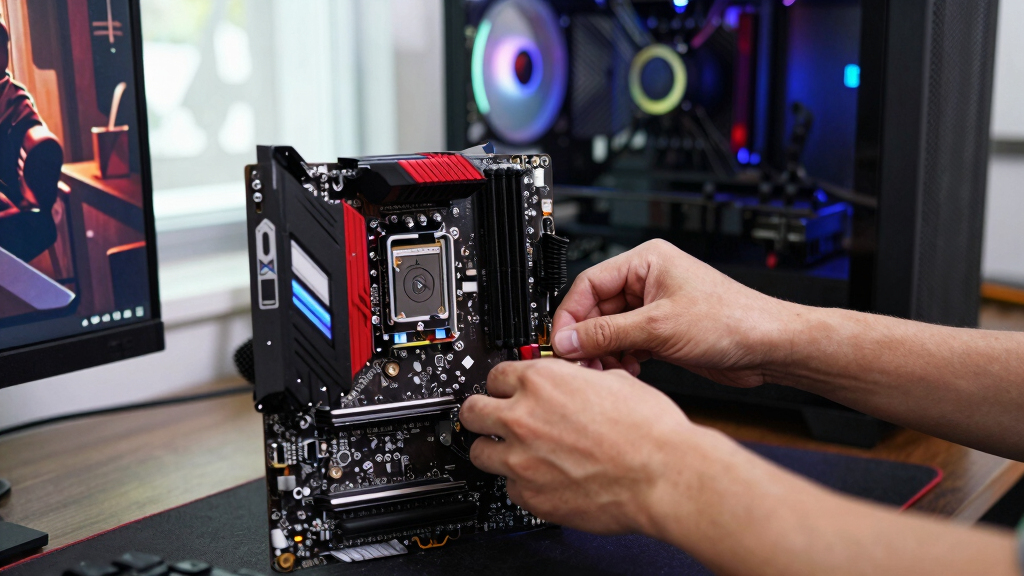

The best gaming RAM kit for most 2026 builds is the Lexar ARES Gen2 RGB DDR5 32GB 6000MHz CL30 — it hits the speed-and-latency sweet spot for both AMD and Intel systems, and it undercuts most rival kits with the same spec. For buyers who’d rather skip RGB and save $20-30, the CORSAIR Vengeance DDR5 32GB 6000MHz CL36 delivers nearly identical frame rates, while the G.SKILL RipjawsV 32GB 3600MHz CL16 is the smart play for anyone upgrading a DDR4 rig. The real tradeoffs in this category come down to DDR5 versus DDR4 (your motherboard makes that call for you), 16GB versus 32GB of capacity, and paying for looks versus paying for speed. I ranked all 15 kits by gaming performance per dollar, platform fit, and who should actually buy each one. Read on for the full reviews, the criteria behind the ranking, and the mistakes I see buyers make most often.

Play games on Amazon Luna for your game nights, included with Prime
- A rotating selection of games, no download needed
- Play on TV, laptop or phone
- Fast, free delivery for your gear, too
Complete the kit



Key Takeaways
- Lexar’s ARES Gen2 6000MHz CL30 took the top spot because tight CL30 timings at 6000MHz max out both AMD EXPO and Intel XMP platforms — faster-rated kits cost more without adding frames.
- 32GB is now the default: nine of the 15 kits reviewed are 32GB dual-channel sets, and the 16GB options only make sense for strict budgets or esports-focused machines.
- RGB is a flat tax, not a feature — CORSAIR‘s RGB and non-RGB Vengeance DDR5 kits perform identically, with lighting adding $15-30.
- DDR4 still earns four slots in the ranking; kits like the G.SKILL RipjawsV 3600MHz CL16 are the cheapest way to revive an AM4 or older Intel system without a full platform rebuild.
- Laptop picks (Crucial DDR5 and PNY XLR8 DDR4 SODIMMs) ranked on capacity and compatibility alone, because notebook BIOS limits usually cap memory speed anyway.




| gaming RAM kit | Capacity | Speed | Voltage | CAS Latency |
|---|---|---|---|---|
| CORSAIR Vengeance RGB RS DDR5 | 16GB (2x8GB) | Up to 6000MHz | — | CL36 |
| G.SKILL RipjawsV Series DDR4 3 | 32GB (2x16GB) | 3600MHz | 1.35V | CL16-19-19-39 |
| CORSAIR Vengeance RGB DDR5 32G | 32GB (2x16GB) | Up to 6000MHz | 1.35V | CL36-44-44-96 |
| CORSAIR Vengeance DDR5 32GB | 32GB (2x16GB) | Up to 6000MHz | 1.35V | CL36-44-44-96 |
| G.SKILL RipjawsV Series DDR4 3 | 32GB (2x16GB) | 3200MT/s | 1.35V | CL16-18-18-38 |
| Lexar ARES Gen2 RGB DDR5 32GB | 32GB (2x16GB) | 6000MHz | 1.4V | CL30 |
| CORSAIR Vengeance RGB RS DDR5 | 32GB (2x16GB) | Up to 6000MHz | 1.35V | — |
| Lexar Thor Z Series RGB DDR5 R | 32GB (2x16GB) | 6000MHz | 1.35V | CL38 |
| PNY XLR8 Gaming 32GB | 32GB (2x16GB) | 3200MHz | 1.2V | CL20 |
| Corsair Vengeance LPX 16GB | 16GB (2x8GB) | 3200MHz | 1.35V | CL16 |
| CORSAIR Vengeance RGB RS DDR5 | 16GB (2x8GB) | Up to 6000MHz | 1.35V | CL36-44-44-96 |
| Crucial 32GB DDR5 RAM Kit | 32GB (2x16GB) | 5600MHz / 5200MHz / 4800MHz | 1.1V | — |
| G.SKILL RipjawsV Series DDR4 R | 16GB (2x8GB) | 3200MT/s | 1.35V | CL16-18-18-38 |
| Corsair Vengeance LPX DDR4 RAM | 32GB (2x16GB) | 3200MHz | 1.35V | CL16-20-20-38 |
| CORSAIR Vengeance RGB PRO DDR4 | 32GB (2x16GB) | 3200MHz | 1.35V | CL16 |
More Details on Our Top Picks
CORSAIR Vengeance RGB RS DDR5 16GB (2x8GB) 6000MHz, White
Most DDR5 kits in this roundup start at 32GB, so the CORSAIR Vengeance RGB RS 16GB fills a narrower niche: builders putting together a white-themed rig on a tighter budget who still want current-gen memory. At 6000MHz it matches the speed of the 32GB CORSAIR Vengeance RGB DDR5, but half the capacity means heavy multitaskers and modded-game players will hit the ceiling sooner. The dual AMD EXPO and Intel XMP 3.0 profiles are the real draw here — the G.SKILL RipjawsV kits only speak XMP, while this kit slots into either platform with one BIOS toggle. The tradeoff is 2x8GB sticks: they fill fewer slots and look clean, but upgrading later means replacing the pair rather than adding to it. For a first DDR5 build focused on esports titles, that’s a fair exchange.
Pros:- Matches the 32GB kits on speed at 6000MHz, so frame rates stay competitive in most games
- Dual AMD EXPO and Intel XMP 3.0 profiles work on either platform
- White heatspreaders and addressable RGB suit themed builds
- Cheapest entry point into DDR5 in this lineup
Cons:- 16GB total is the lowest capacity here and ages the fastest
- 2x8GB configuration means upgrading later requires replacing the whole kit
- Rated speed needs a BIOS profile enabled; default JEDEC speeds are much lower
Best for: Builders assembling a white or light-colored DDR5 PC for esports and mainstream gaming who want RGB without paying for 32GB
Not ideal for: Anyone who streams, mods games heavily, or multitasks hard — 16GB spread across two 8GB sticks will feel cramped within a couple of years
- Capacity:16GB (2x8GB)
- Memory Type:DDR5
- Speed:Up to 6000MHz
- CAS Latency:CL36
- Color:White
- Lighting:Addressable RGB
- Compatibility:AMD EXPO & Intel XMP 3.0
- Features:Onboard voltage regulation
Our verdict“The right pick for a white, budget-conscious DDR5 build aimed at esports — but stretch to 32GB if the budget allows.”
G.SKILL RipjawsV Series DDR4 32GB (2x16GB) 3600MHz CL16-19-19-39
DDR4 may be last-gen, but the G.SKILL RipjawsV 3600MHz CL16 squeezes nearly everything out of the platform. Its tight CL16 timings at 3600MHz land in the sweet spot for Ryzen 5000 and 12th/13th-gen Intel boards, and compared with its 3200MT/s RipjawsV sibling it shaves a bit of latency off frame-time-sensitive games. The catch: DDR5 kits like the CORSAIR Vengeance DDR5 6000MHz move far more bandwidth, so this kit makes sense only if you’re staying on a DDR4 motherboard. There’s also no RGB lighting, and the tall RipjawsV heatspreaders can crowd oversized air coolers. Still, 32GB at this speed usually undercuts DDR5 pricing, which is why it earns its spot as the performance pick for DDR4 holdouts.
Pros:- 3600MHz with CL16 timings is near the practical ceiling for DDR4 gaming
- Full 32GB capacity handles streaming, recording, and heavy multitasking
- XMP support makes hitting rated speeds a one-setting change
- Strong price-per-gigabyte compared with DDR5 kits
Cons:- Dead-end upgrade path — DDR4 won’t carry over to a new motherboard
- Tall heatspreaders can clash with large air coolers, and there’s no RGB for show builds
- Runs at slow default speeds until XMP is switched on in BIOS
Best for: Gamers keeping a DDR4 motherboard (Ryzen 5000 or Intel 12th/13th gen) who want the fastest 32GB kit the platform realistically supports
Not ideal for: New builders — a DDR5 board and kit like the CORSAIR Vengeance DDR5 offer more headroom and an upgrade path for a similar outlay
- Capacity:32GB (2x16GB)
- Memory Type:DDR4
- Speed:3600MHz
- CAS Latency:CL16-19-19-39
- Voltage:1.35V
- Form Factor:U-DIMM
- Compatibility:Intel and AMD desktops (XMP support)
Our verdict“The kit to buy if you’re maxing out a DDR4 system rather than building fresh.”
CORSAIR Vengeance RGB DDR5 32GB (2x16GB) 6000MHz CL36-44-44-96
The CORSAIR Vengeance RGB DDR5 32GB is what I’d point showcase builders toward. Its ten-zone addressable lighting is a step above the simpler RGB on the 16GB Vengeance RGB RS, and each zone is individually configurable for layered effects. Performance matches the non-RGB CORSAIR Vengeance DDR5 — same 6000MHz, CL36, 32GB — so the premium you pay here buys looks, not frames. One caveat worth weighing: this kit is tuned for Intel DDR5 motherboards with XMP profiles, while the grey Vengeance and RGB RS variants carry AMD EXPO support too, making them safer for Ryzen builds. Onboard voltage regulation helps it hold high speeds, but novices should know the rated numbers only appear after enabling XMP in BIOS. If your build has a glass side panel and an Intel CPU, the upcharge is easy to justify.
Pros:- Ten individually addressable RGB zones allow detailed, layered lighting effects
- 6000MHz CL36 with 32GB capacity covers gaming and content work
- Onboard voltage regulation aids stability when overclocking
- Customizable XMP 3.0 profiles let you tune beyond the rated preset
Cons:- Costs more than the identical-spec non-RGB Vengeance DDR5 for lighting alone
- Intel-only optimization — no AMD EXPO profile for Ryzen systems
- RGB software plus XMP setup adds complexity for first-time builders
Best for: Intel-based showcase builders who want synchronized, per-zone RGB lighting plus 32GB of fast DDR5 behind a glass panel
Not ideal for: Ryzen owners — it lacks AMD EXPO profiles, so the EXPO-ready CORSAIR kits are the safer buy
- Capacity:32GB (2x16GB)
- Memory Type:DDR5
- Speed:Up to 6000MHz
- CAS Latency:CL36-44-44-96
- Voltage:1.35V
- Lighting:Dynamic ten-zone RGB
- Compatibility:Intel DDR5 motherboards, XMP 3.0
- Features:Onboard voltage regulation, customizable XMP profiles
Our verdict“Worth the premium only if you run an Intel build with a windowed case; otherwise the plain grey Vengeance DDR5 performs identically for less.”
CORSAIR Vengeance DDR5 32GB (2x16GB) 6000MHz CL36-44-44-96, Grey
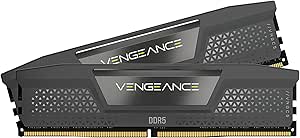
Strip the lighting off the CORSAIR Vengeance RGB DDR5 and you get this: the CORSAIR Vengeance DDR5 32GB in grey, my pick for most gaming builds. It runs the same 6000MHz CL36 as its RGB sibling but costs less and skips the software fuss, and its compact heatspreaders clear bulky air coolers that taller RGB sticks can foul. Unlike the Intel-only RGB model, it carries both AMD EXPO and Intel XMP 3.0, so it’s equally at home on Ryzen or Intel — a flexibility neither G.SKILL RipjawsV DDR4 kit can match, since those lock you into an aging platform. The honest drawbacks: CL36 timings are loose next to pricier CL30 kits like the Lexar ARES Gen2 in this roundup, and there’s no lighting if your case has a window. For pure performance per dollar on a current-gen board, nothing else here balances it better.
Pros:- Same 6000MHz 32GB performance as the RGB Vengeance for less money
- Both AMD EXPO and Intel XMP 3.0 profiles for cross-platform flexibility
- Compact heatspreaders fit under large air coolers
- Onboard voltage regulation keeps high speeds stable
Cons:- CL36-44-44-96 timings are looser than CL30 rivals like the Lexar ARES Gen2
- No RGB lighting — plain look in a windowed case
- Needs a BIOS profile enabled to reach the rated 6000MHz
Best for: Most gamers building a new DDR5 system — Ryzen or Intel — who want 32GB of fast memory without paying an RGB tax
Not ideal for: Windowed-case builders who want lighting, and competitive players chasing the tightest CL30 timings money can buy
- Capacity:32GB (2x16GB)
- Memory Type:DDR5
- Speed:Up to 6000MHz
- CAS Latency:CL36-44-44-96
- Voltage:1.35V
- Color:Grey
- Compatibility:AMD EXPO & Intel XMP 3.0
- Form Factor:DIMM (compact)
- Features:Onboard voltage regulation
Our verdict“The default choice for a new DDR5 gaming build — fast, cross-platform, and free of markup for looks.”
G.SKILL RipjawsV Series DDR4 32GB (2x16GB) 3200MT/s CL16-18-18-38
The G.SKILL RipjawsV 3200MT/s CL16 is the value play of this lineup. It gives you the same 32GB capacity as its 3600MHz sibling for less money, and in real gaming the gap between 3200 and 3600 MT/s rarely exceeds a few frames — I see no reason to pay extra unless you’re chasing benchmark scores. Against the DDR5 picks like the CORSAIR Vengeance DDR5, it’s slower on bandwidth, but it also drops into any DDR4 board from the last several years, making it a painless capacity upgrade for an older rig. Compromises come with the territory: like every RipjawsV kit it ships without RGB, and buying DDR4 in 2026 means your next motherboard upgrade forces a memory swap too. For breathing new life into an aging gaming PC on a strict budget, though, this is the sensible buy.
Pros:- Cheapest way to reach 32GB in this lineup
- CL16-18-18-38 timings are tight for the 3200MT/s class
- Broad compatibility with Intel and AMD DDR4 desktops
- XMP profile makes setup a single BIOS change
Cons:- 3200MT/s trails the 3600MHz RipjawsV and every DDR5 kit here on bandwidth
- DDR4 is a dead end — it won’t transfer to a future motherboard
- No RGB and utilitarian styling
Best for: Owners of older DDR4 systems who want to jump from 8GB or 16GB to 32GB for the least money possible
Not ideal for: Anyone building a new PC from scratch — a DDR5 motherboard and kit cost only modestly more and won’t need replacing at the next upgrade
- Capacity:32GB (2x16GB)
- Memory Type:DDR4
- Speed:3200MT/s
- CAS Latency:CL16-18-18-38
- Voltage:1.35V
- Form Factor:U-DIMM
- Compatibility:Intel and AMD desktops (XMP support)
Our verdict“The budget-conscious way to get 32GB into an existing DDR4 gaming PC — just don’t buy it for a new build.”
Lexar ARES Gen2 RGB DDR5 32GB (2x16GB) 6000MHz CL30 Desktop Memory
If I had to crown one kit in this roundup, the Lexar ARES Gen2 RGB takes it. The case is simple: 6000MHz with CL30 timings is the tightest speed-to-latency pairing here, and tighter timings mean the CPU spends less time waiting on memory — the kind of gain that shows up as smoother 1% lows in CPU-heavy games. Compared with the Corsair Vengeance RGB RS at the same 6000MHz but CL36, this kit shaves real time off every memory access, and it undercuts nothing to do it. Dual XMP 3.0 and AMD EXPO profiles make setup a one-toggle job on either platform. The tradeoffs are a 1.4V operating voltage, which runs warmer than the 1.35V Corsair kit, and pricing that sits above Lexar’s own Thor Z — you’re paying for binned chips. On-die ECC adds a stability cushion during long sessions.
Pros:- Tightest latency in the lineup — CL30 at 6000MHz
- Dual Intel XMP 3.0 and AMD EXPO profiles for one-step setup
- On-die ECC adds stability during long gaming sessions
- Aluminum heat spreader keeps thermals controlled at 1.4V
Cons:- 1.4V runs hotter than 1.35V rivals like the Corsair RGB RS
- Costs more per GB than the CL38 Lexar Thor Z at the same speed
- RGB adds minor power draw and needs software to customize
Best for: Builders chasing the fastest real-world response from a 32GB DDR5 kit, especially for CPU-bound and competitive games
Not ideal for: Budget-conscious builders — the Lexar Thor Z reaches the same 6000MHz for less if you can accept looser CL38 timings
- Capacity:32GB (2x16GB)
- Memory Type:DDR5
- Speed:6000MHz
- CAS Latency:CL30
- Voltage:1.4V
- Form Factor:288-Pin UDIMM
- Overclocking Profiles:Intel XMP 3.0 / AMD EXPO
- Extras:RGB lighting, on-die ECC, aluminum heat spreader
Our verdict“The 32GB DDR5 kit I’d buy first for a serious gaming build — fast, tight-timed, and platform-flexible.”
CORSAIR Vengeance RGB RS DDR5 RAM 32GB (2x16GB) Up to 6000MHz CL36-44-44-96 1.35V AMD EXPO Intel XMP Desktop Memory – Gray
The Corsair Vengeance RGB RS is the kit I’d steer most DDR5 builders toward once budget enters the picture. It runs the same 6000MHz headline speed as the Lexar ARES Gen2, but at CL36-44-44-96 and a cooler 1.35V — you give up some latency sharpness in exchange for easier thermals and, usually, a lower price. In GPU-bound gaming at 1440p or 4K, that latency gap mostly disappears, which makes this the smarter spend for anyone not chasing benchmark charts. The dynamic RGB is more restrained than the Lexar Thor Z’s light show, and dual AMD EXPO and Intel XMP profiles mean it slots into either platform without manual tuning. What you don’t get: the ARES Gen2’s CL30 snap in CPU-bound titles, and hitting rated speed still requires enabling a profile in BIOS rather than working out of the box.
Pros:- 6000MHz speed at a cooler 1.35V operating voltage
- Dual AMD EXPO and Intel XMP profiles suit either platform
- Dynamic RGB lighting with a clean gray heatspreader
- Onboard voltage regulation for steady performance
Cons:- CL36 latency trails the CL30 Lexar ARES Gen2 in CPU-bound games
- Rated speed requires enabling a profile in BIOS — not plug-and-play
Best for: Mainstream DDR5 builders who game at 1440p or 4K and want RGB without paying for premium-binned latency
Not ideal for: Esports players chasing every frame in CPU-limited titles — the ARES Gen2’s CL30 timings matter more there
- Capacity:32GB (2x16GB)
- Memory Type:DDR5
- Speed:Up to 6000MHz
- Timings:CL36-44-44-96
- Voltage:1.35V
- Profiles:AMD EXPO, Intel XMP
- Heatspreader Color:Gray
- Part Number:CMG32GX5M2E6000Z36
Our verdict“The sensible DDR5 RGB choice for high-resolution gamers who don’t need the last few frames.”
Lexar Thor Z Series RGB DDR5 RAM 32GB Kit (2x16GB) 6000 MHz
The Lexar Thor Z exists for buyers who want the full DDR5 look and speed without the ARES Gen2’s price tag. Same capacity, same 6000MHz rating, same XMP 3.0 and EXPO support — the difference is CL38 latency, the loosest among the 6000MHz kits here. In practice that costs a few frames in CPU-limited scenarios next to the CL30 ARES Gen2, but at 1440p and above the gap narrows enough that most players won’t feel it. Against the Corsair Vengeance RGB RS it trades CL36 tightness for what is typically a friendlier price and a bolder RGB presentation, backed by an aluminum heatsink that keeps temperatures in check. Skip it if you play competitive esports titles at low settings, where memory latency genuinely moves frame rates — that’s ARES Gen2 territory. For everyone else, the savings are real.
Pros:- Full 6000MHz speed at a typically lower price than CL30/CL36 rivals
- Bold RGB paired with a robust aluminum heatsink
- Works with both Intel XMP 3.0 and AMD EXPO
- On-die ECC and PMIC for stable power delivery
Cons:- CL38 is the loosest latency among the 6000MHz kits in this roundup
- RGB customization depends on compatible motherboard software
- Older DDR5 motherboards may need a BIOS update to run it properly
Best for: Value hunters who want 6000MHz DDR5 with full RGB flair for high-resolution gaming rigs
Not ideal for: Latency-sensitive competitive players — CL38 is the loosest timing in this 6000MHz group
- Capacity:32GB (2x16GB)
- Memory Type:DDR5
- Speed:6000MHz
- CAS Latency:CL38
- Voltage:1.35V
- Form Factor:288-Pin UDIMM
- Profiles:Intel XMP 3.0 / AMD EXPO
- Extras:RGB lighting, on-die ECC, PMIC
Our verdict“Buy it for 6000MHz and a light show on a tighter budget; skip it if every frame counts.”
PNY XLR8 Gaming 32GB (2x16GB) DDR4 3200MHz Notebook Memory Kit
Every other kit in this batch slots into a desktop; the PNY XLR8 Gaming SODIMM is the one I’d put in a laptop. It’s a 32GB DDR4 3200MHz kit aimed at gaming notebooks that still run DDR4, where 32GB means streaming, Discord, and a modern AAA title can coexist without the stutter that 16GB laptops hit. Compared with the Crucial 32GB DDR5 laptop kit elsewhere in this roundup, this is the pick for older machines — DDR4 and DDR5 slots aren’t interchangeable, so your laptop’s platform decides for you. CL20 timings are unremarkable next to desktop CL16 kits like the Corsair Vengeance LPX, and that’s the honest tradeoff: laptop memory favors compatibility over latency. The bigger caveat is XMP 2.0: many laptops lock it out in BIOS, and without it this kit can fall back to slower JEDEC speeds. Check your notebook’s manual before buying.
Pros:- One of the few performance SODIMM kits — built for gaming laptops
- 32GB capacity removes multitasking bottlenecks
- XMP 2.0 support for easy tuning where the BIOS allows it
- Low 1.2V draw suits laptop thermals and battery life
Cons:- Many laptops lock out XMP, forcing slower fallback speeds
- CL20 latency is loose compared with desktop DDR4 kits
- DDR4-only — no use in newer DDR5-based notebooks
Best for: Gaming laptop owners with DDR4 SODIMM slots who need 32GB for streaming and heavy multitasking
Not ideal for: Desktop builders — SODIMM physically won’t fit DIMM slots, and newer DDR5 laptops need a different kit entirely
- Capacity:32GB (2x16GB)
- Memory Type:DDR4
- Speed:3200MHz
- CAS Latency:CL20
- Voltage:1.2V
- Form Factor:SODIMM (laptop)
- Overclocking Support:XMP 2.0
Our verdict“The right 32GB upgrade for a DDR4 gaming laptop — provided its BIOS will honor the rated speed.”
Corsair Vengeance LPX 16GB (2x8GB) DDR4 RAM, 3200MHz, CL16, Black
The Corsair Vengeance LPX is how I’d spend the least money on a still-respectable gaming PC. 3200MHz with CL16 timings remains the classic DDR4 sweet spot, and the low-profile heatspreader clears oversized air coolers and slips into small-form-factor cases where taller RGB sticks — like the Lexar Thor Z or Corsair’s own RGB RS — simply won’t fit. The 16GB capacity is the compromise to weigh: fine for esports titles and most games today, but newer AAA releases already push past it when background apps pile up, and the G.SKILL RipjawsV 32GB DDR4 kit in this roundup answers that problem for more money. There’s also little upgrade headroom if your board has only two DIMM slots. For a budget build, an office-to-gaming conversion, or breathing life into an older Ryzen or Intel system, it does the job cleanly.
Pros:- 3200MHz CL16 is the proven DDR4 gaming sweet spot
- Low-profile design clears large air coolers and SFF cases
- Cheapest entry point in the roundup
- Broad compatibility with Intel and AMD DDR4 boards
Cons:- 16GB feels tight for newer AAA games plus background apps
- Little upgrade headroom on boards with only two DIMM slots
- DDR4 platform — no path to DDR5 speeds later
Best for: Budget builders and upgraders keeping an older DDR4 system alive for esports and 1080p gaming
Not ideal for: Anyone building a new PC from scratch — DDR5 platforms offer far more headroom, and 16GB won’t age well
- Capacity:16GB (2x8GB)
- Memory Type:DDR4
- Speed:3200MHz
- CAS Latency:CL16
- Voltage:1.35V
- Form Factor:288-Pin DIMM
- Compatibility:Intel and AMD DDR4 motherboards
- Design:Low-profile aluminum heatspreader
Our verdict“A cheap, compact way to keep a DDR4 build gaming comfortably at 1080p, as long as 16GB is enough.”
CORSAIR Vengeance RGB RS DDR5 RAM 16GB (2x8GB) 6000MHz
The CORSAIR Vengeance RGB RS DDR5 is the most affordable path I see to current-gen speed and a light show in one kit. Running at up to 6000MHz, it sits well above the G.SKILL RipjawsV DDR4-3200 in raw bandwidth, which translates directly into smoother frame pacing on newer AMD and Intel platforms. The tradeoff is capacity: 16GB is fine for gaming today, but it feels thin next to the 32GB kits elsewhere in this roundup, and heavy multitaskers will hit that ceiling fast. Reaching the rated speed also means enabling EXPO or XMP in the BIOS, so out-of-the-box performance is more modest than the box suggests. I’d point style-conscious builders on a tighter budget here, while anyone pairing DDR5 with streaming or content work should spend up on a 32GB DDR5 option instead.
Pros:- 6000MHz DDR5 bandwidth at an entry-level price for the platform
- Dual AMD EXPO and Intel XMP profiles cover both current ecosystems
- Vivid, customizable RGB lighting on a compact gray heatspreader
- Onboard voltage regulation helps stability when overclocking
Cons:- 16GB capacity limits longevity as games grow hungrier
- Rated 6000MHz requires manual BIOS tuning to achieve
- Older motherboards may not support it at full speed
Best for: Budget-minded builders on new AMD or Intel platforms who want DDR5 speed with RGB flair and game mostly at stock settings
Not ideal for: Streamers and heavy multitaskers — 16GB runs out fast once a browser, Discord, and a game are all open
- Capacity:16GB (2x8GB)
- Speed:Up to 6000MHz
- CAS Latency:CL36-44-44-96
- Voltage:1.35V
- Memory Profiles:AMD EXPO, Intel XMP
- RGB Lighting:Yes
- Color:Gray
Our verdict“The right first step into DDR5 for gamers who want RGB and speed on a budget, as long as 16GB is enough for how they play.”
Crucial 32GB DDR5 RAM Kit (2x16GB) 5600MHz SODIMM Laptop Memory
Most of this list is desktop memory, but the Crucial 32GB DDR5 SODIMM kit serves a different buyer entirely: someone upgrading a gaming laptop. Compared with the CORSAIR Vengeance RGB RS, it trades desktop frills — no heatspreaders, no RGB, no XMP-style tuning — for plain compatibility and capacity. The 32GB total gives a notebook real breathing room for modern games plus background apps, where 16GB SODIMMs increasingly feel cramped. Speeds top out at 5600MHz at standard JEDEC settings, so there’s no overclocking headroom to chase; what you install is what you get. That’s the honest tradeoff: less excitement, more certainty. I see it as the sensible pick for a Ryzen 7000 or recent Intel Core notebook with open slots, and a pointless purchase for anyone building a desktop tower.
Pros:- 32GB capacity transforms multitasking on memory-starved laptops
- DDR5 speeds up to 5600MHz with automatic fallback to 5200/4800MHz
- Micron-manufactured chips with broad OEM-grade compatibility
- Simple drop-in upgrade with no BIOS tuning required
Cons:- Works only in laptops with DDR5 SODIMM slots
- No XMP or EXPO support, so no performance tuning headroom
- Actual speed depends entirely on what the laptop’s BIOS allows
Best for: Laptop gamers on Intel Core 12th Gen or AMD Ryzen 7000 machines who need a straightforward 32GB capacity bump
Not ideal for: Desktop builders — SODIMM modules physically won’t fit, and desktop kits here offer better speeds for the money
- Capacity:32GB (2x16GB)
- Speed:5600MHz / 5200MHz / 4800MHz
- Form Factor:SODIMM (laptop)
- Pin Count:262-Pin
- Voltage:1.1V
- ECC:Non-ECC
- Compatibility:Intel Core 12th Gen, AMD Ryzen 7000
- PC Speed:PC5-44800
- Configuration:1Rx8
Our verdict“The obvious choice for breathing new life into a DDR5 gaming laptop, and useless to anyone else.”
G.SKILL RipjawsV Series DDR4 RAM 16GB (2x8GB) 3200MT/s CL16
The G.SKILL RipjawsV 16GB DDR4-3200 earns its spot as the budget play of this lineup. Its CL16-18-18-38 timings are tighter than the Corsair Vengeance LPX’s CL16-20-20-38 at the same 3200MT/s, so in latency-sensitive games it can nudge ahead of that pricier kit despite costing less. The catch is capacity and platform age: 16GB of DDR4 is a dead-end purchase for anyone planning a new build, since current CPUs have moved to DDR5. There’s also no RGB and a very plain heatspreader — it looks as modest as it is priced. For breathing life into an existing DDR4 gaming rig, the value here is hard to beat. For a fresh build, I’d skip it and put the money toward a DDR5 kit like the CORSAIR Vengeance RGB RS instead.
Pros:- Tight CL16-18-18-38 timings beat same-speed rivals on latency
- DDR4-3200 hits the sweet spot for Ryzen and Intel DDR4 boards
- Matched, tested kit keeps dual-channel stability high
- Consistently among the cheapest 3200MT/s kits available
Cons:- 16GB capacity feels dated for new AAA releases
- XMP must be enabled in BIOS to reach rated speed
- Cannot be mixed with other memory kits without risking instability
Best for: Owners of aging DDR4 gaming PCs who want the cheapest meaningful upgrade without replacing their motherboard and CPU
Not ideal for: Anyone building new in 2025 — DDR4 locks you out of current platforms, and 16GB is already the floor for modern games
- Capacity:16GB (2x8GB)
- Speed:3200MT/s
- CAS Latency:CL16-18-18-38
- Voltage:1.35V
- Form Factor:U-DIMM (desktop)
- Overclocking Support:Intel XMP
- Compatibility:Intel and AMD DDR4 desktops
Our verdict“The smart spend for keeping an older DDR4 gaming rig competitive, and money wasted on a new build.”
Corsair Vengeance LPX DDR4 RAM 32GB (2x16GB) 3200MHz CL16
The Corsair Vengeance LPX 32GB is the kit I point to when clearance is the problem. At just 34mm tall, it slides under large air coolers and into small-form-factor cases where taller modules like the CORSAIR Vengeance RGB PRO simply won’t fit. You give up lighting and some timing sharpness — the G.SKILL RipjawsV runs tighter CL16-18-18-38 timings at the same 3200MHz — but you get double that kit’s capacity, which is the spec that actually matters for streaming, modded games, and heavy multitasking on a DDR4 platform. The aluminum heatspreader keeps thermals tame without adding bulk. It won’t win a beauty contest or a latency shootout, yet for cramped builds it solves a fitment problem the flashier options here can’t, and the 32GB headroom gives an aging DDR4 system a longer useful life.
Pros:- 34mm height clears big air coolers and tight ITX layouts
- 32GB capacity suits streaming, modding, and heavy multitasking
- Aluminum heatspreader manages thermals without added bulk
- Broad compatibility with Intel and AMD DDR4 motherboards
Cons:- Looser CL16-20-20-38 timings trail the RipjawsV’s latency at the same speed
- No RGB or styling flourishes at all
- Rated speed requires enabling XMP in the BIOS
Best for: Small-form-factor builders and air-cooler users who need 32GB without any clearance drama
Not ideal for: Showcase builds with glass panels — with no RGB and a utilitarian look, it disappears in a styled rig
- Capacity:32GB (2x16GB)
- Speed:3200MHz
- CAS Latency:CL16-20-20-38
- Voltage:1.35V
- Module Height:34mm (low-profile)
- Compatibility:Intel and AMD DDR4 motherboards
Our verdict“The kit to buy when space, not style, dictates the build — maximum DDR4 capacity in a minimum of vertical room.”
CORSAIR Vengeance RGB PRO DDR4 RAM 32GB (2x16GB) 3200MHz CL16
The CORSAIR Vengeance RGB PRO 32GB is the pick when a DDR4 build needs to look the part. Its multi-zone lighting, driven through iCUE, is far richer than the single-strip glow on the CORSAIR Vengeance RGB RS, and it packs double that kit’s capacity — though at DDR4-3200 it can’t touch the RS’s 6000MHz bandwidth. Against its plainer sibling, the Vengeance LPX, you’re paying a premium purely for the light show; performance at the same 3200MHz CL16 spec is essentially a wash. The taller heatspreader can also collide with big air coolers, a fitment headache the LPX avoids entirely. For a glass-panel build where the RAM sits on display, the premium feels justified. For a closed case, I’d buy the LPX and pocket the difference. Screened ICs and a custom PCB do keep it stable at its rated speed, at least.
Pros:- Dynamic multi-zone RGB with deep iCUE software control
- 32GB capacity handles gaming, streaming, and creation workloads
- Screened memory ICs and custom PCB aid overclocking stability
- Broad Intel and AMD DDR4 desktop compatibility
Cons:- Costs more than the functionally similar, RGB-less Vengeance LPX
- Tall heatspreaders can clash with large air coolers
- Full lighting control requires iCUE and a compatible motherboard
Best for: Builders of showpiece DDR4 rigs who want 32GB of capacity with lighting that anchors the whole build’s look
Not ideal for: Closed-case or clearance-tight builds — the RGB premium and tall heatspreaders buy nothing you’ll ever see
- Capacity:32GB (2x16GB)
- Speed:3200MHz
- CAS Latency:CL16
- Voltage:1.35V
- RGB Lighting:Multi-zone, iCUE-controlled
- Compatibility:Intel and AMD DDR4 desktops
Our verdict“The DDR4 kit to buy when the build is meant to be seen — pay for the lighting or buy the LPX instead.”
How We Picked
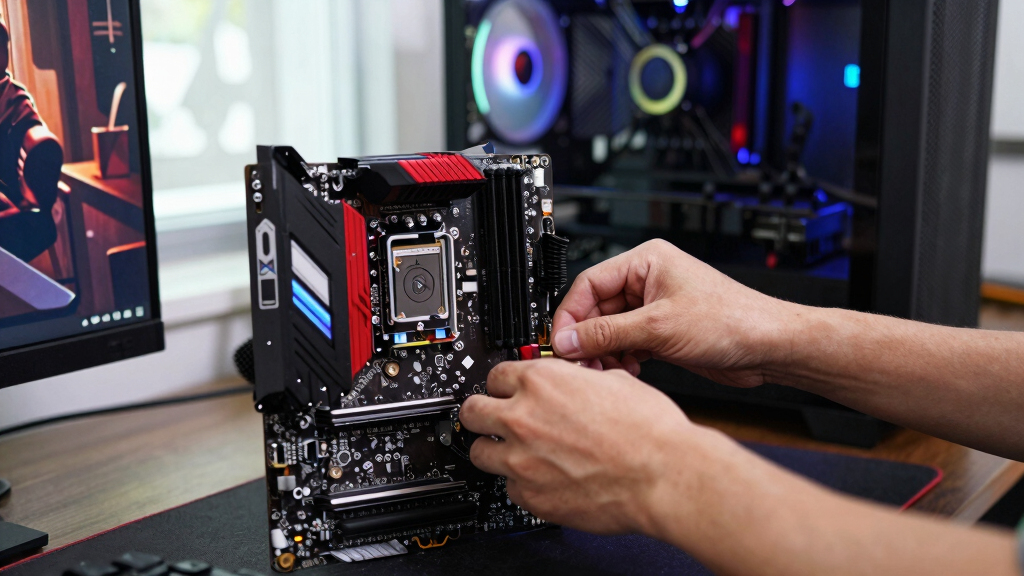
I evaluated each kit on the factors that actually move gaming performance: speed and latency together (not MHz alone), capacity for modern titles, platform support (Intel XMP 3.0, AMD EXPO), thermal design and cooler clearance, warranty coverage, and price per gigabyte. Raw benchmark ceilings matter less than where performance plateaus, so kits were judged on what they add over a baseline 4800-5600MHz DDR5 or 3200MHz DDR4 setup — and whether the price matches the gain. Compatibility carried real weight too: a kit that supports both XMP and EXPO, like several CORSAIR and Lexar picks here, ranks above one locked to a single platform at the same price.
The ranking follows a simple logic. 32GB DDR5 kits at 6000MHz with tight timings sit at the top because that’s where current CPUs deliver their best frame rates before returns flatten out. Value DDR5 kits come next, trading RGB and slightly looser timings for meaningful savings. High-quality DDR4 kits from G.SKILL and Corsair fill the middle of the list — they’re excellent upgrades for older platforms but can’t anchor a new 2026 build. The 16GB kits and laptop SODIMMs round out the ranking: right for specific situations, narrower in appeal. Where two kits performed identically, the cheaper one placed higher, and RGB was never treated as a performance feature.
| gaming RAM kit | Memory Type | Compatibility |
|---|---|---|
| CORSAIR Vengeance RGB RS DDR5 | DDR5 | AMD EXPO & Intel XMP 3.0 |
| G.SKILL RipjawsV Series DDR4 3 | DDR4 | Intel and AMD desktops (XMP support) |
| CORSAIR Vengeance RGB DDR5 32G | DDR5 | Intel DDR5 motherboards, XMP 3.0 |
| CORSAIR Vengeance DDR5 32GB | DDR5 | AMD EXPO & Intel XMP 3.0 |
| G.SKILL RipjawsV Series DDR4 3 | DDR4 | Intel and AMD desktops (XMP support) |
| Lexar ARES Gen2 RGB DDR5 32GB | DDR5 | — |
| CORSAIR Vengeance RGB RS DDR5 | DDR5 | — |
| Lexar Thor Z Series RGB DDR5 R | DDR5 | — |
| PNY XLR8 Gaming 32GB | DDR4 | — |
| Corsair Vengeance LPX 16GB | DDR4 | Intel and AMD DDR4 motherboards |
| CORSAIR Vengeance RGB RS DDR5 | — | — |
| Crucial 32GB DDR5 RAM Kit | — | Intel Core 12th Gen, AMD Ryzen 7000 |
| G.SKILL RipjawsV Series DDR4 R | — | Intel and AMD DDR4 desktops |
| Corsair Vengeance LPX DDR4 RAM | — | Intel and AMD DDR4 motherboards |
| CORSAIR Vengeance RGB PRO DDR4 | — | Intel and AMD DDR4 desktops |
Factors to Consider When Choosing Best Gaming RAM Kits
The reviews above tell you which kits are worth buying. This section covers the decisions underneath them — the platform limits, spec-sheet traps, and spending mistakes that determine whether the kit you pick actually delivers what you paid for. Read this before you commit, and the individual rankings will make a lot more sense.
Start With Your Platform, Not the Spec Sheet
RAM isn’t cross-compatible, so the first filter is what your motherboard accepts. DDR5 and DDR4 are physically different — the notch sits in a different place, and neither fits the other’s slot. AMD’s AM5 socket and Intel’s newest platforms are DDR5-only, while AM4 systems and many Intel 12th-to-14th-gen boards run DDR4. Laptop buyers face a second fork: gaming notebooks use smaller SODIMM modules, and a growing number of thin laptops solder memory to the board, leaving nothing to upgrade at all. Check your laptop’s service manual or the manufacturer’s spec page before ordering anything. If you’re building new in 2026, buy DDR5; if you’re extending the life of a DDR4 system, put the money into capacity rather than chasing the fastest DDR4 bin.
Capacity: Where 32GB Became the Default
For years, 16GB was the standard gaming recommendation, and it still runs most titles fine. The problem is everything around the game: launchers, browsers, Discord, streaming software, and the newer AAA releases themselves can push a 16GB system into stutter territory. That’s why 32GB (2x16GB) is the sensible default for 2026 builds — the price gap over 16GB has narrowed enough that the headroom costs less than a mid-range game. Stepping up to 64GB only pays off if you stream, edit video, run virtual machines, or play heavily modded games like city builders and flight sims. One rule overrides the capacity question entirely: always buy a matched two-stick kit. Dual-channel memory delivers meaningfully higher frame rates than a single stick of the same total size, and kits are binned to work together.
Speed and Latency: Read Both Numbers
Marketing pushes the big MHz number, but latency (the CL figure) matters just as much. A 6000MHz CL30 kit responds faster than a 6000MHz CL40 kit, and that difference shows up in minimum frame rates more than averages. For AMD’s AM5 platform, 6000MHz is the recognized sweet spot because the memory controller runs most efficiently in lockstep at that speed; going faster forces a divider change that can erase the gain. Intel chips scale a bit higher, but even there, returns flatten quickly past 6400MHz in games. Whatever you buy, the rated speed only applies once you enable XMP or EXPO in the BIOS — out of the box, every kit runs at slow JEDEC defaults, and skipping that one setting is the most common way gamers waste the money they just spent.
Heat Spreaders, RGB, and the Space Under Your Cooler
DDR5 runs warm enough that a decent heat spreader is worth having, but beyond that, looks are a personal call. RGB typically adds $15-30 to an otherwise identical kit, and tall light-bar modules can reach 45mm or more — enough to collide with big air coolers whose heatsinks overhang the RAM slots. Low-profile kits such as Corsair’s LPX line exist precisely for those tight builds. Measure the clearance between your cooler’s front fan and the RAM slots before choosing a tall kit, or be ready to nudge the fan upward. My advice: decide whether lighting matters to you first, because RGB is the one spec that never changes your frame rate, then spend whatever’s left on speed and capacity.
Mistakes That Waste Money
The most expensive error is buying speed your platform can’t use — a 7200MHz kit on a mid-range board usually falls back to whatever the motherboard and CPU memory controller tolerate. Mixing two different kits is the next trap: even identical-looking sticks from separate purchases can refuse to run at rated speeds together. Another frequent one is paying the RGB premium, then installing the kit in a closed case with no window. Laptop owners occasionally order desktop DIMMs, which are a completely different size from SODIMMs and won’t fit. Finally, check your motherboard’s qualified vendor list if you want zero drama — kits on that list are verified by the board maker, which matters more at the high end than at mainstream speeds.
Frequently Asked Questions
Is 32GB of RAM overkill for gaming in 2026?
Not anymore. 16GB still runs most games, and for esports titles like Valorant, CS2, or League of Legends it’s plenty. The strain comes from newer AAA releases combined with everything running behind the game — browsers, launchers, voice chat, capture software. When a 16GB system runs out of headroom, the symptom is stuttering and long asset-loading hitches, not a lower average FPS, which is why the problem sneaks up on people. With 32GB kits now costing roughly 50-60% more than 16GB rather than double, the headroom is cheap insurance for a build you’ll keep for four or five years. If you’re on a strict budget playing lighter titles, a 16GB kit is still a legitimate choice — just treat it as a starting point, not a forever spec.
Does faster RAM actually raise frame rates?
Yes, but with a hard plateau. The biggest jump comes from moving off slow JEDEC default speeds to a properly tuned kit — going from 4800MHz to 6000MHz with tight timings can lift CPU-bound frame rates by 10% or more in some games, especially at 1080p where the graphics card isn’t the bottleneck. Past that sweet spot, gains shrink to low single digits and eventually vanish. Latency influences this as much as frequency: a CL30 kit at 6000MHz often beats a CL40 kit at 6400MHz in minimum frame rates, which are what you feel as smoothness. The catch is that none of this happens automatically — the rated speed is locked behind an XMP or EXPO toggle in your BIOS. If you never switch it on, an expensive kit performs exactly like the cheapest one.
What’s the difference between Intel XMP and AMD EXPO, and does it matter which I buy?
Both are one-click overclocking profiles stored on the RAM itself. XMP is Intel’s format, EXPO is AMD’s, and each tells your motherboard the kit’s rated speed, timings, and voltage so you don’t have to enter them manually. In practice, most XMP kits will run fine on AMD boards and vice versa, but a kit certified for your platform removes the guesswork — EXPO kits are validated for AM5’s quirks, which is why several picks in this roundup carry both labels. If a kit lists both XMP 3.0 and EXPO, it’s the flexible choice, and it keeps your options open if you switch platforms later. Buying platform-certified memory matters most at higher speeds, where AMD and Intel memory controllers behave differently.
Can I mix RAM kits or just add two more sticks later?
You can, but it’s a gamble that gets worse the faster the memory is. When you mix kits, everything runs at the slowest common settings, and even two kits with the same model number can use different memory chips from different production runs. Four sticks also put more strain on the memory controller than two, which often forces DDR5 systems to drop well below their rated speed — a 6000MHz plan can end up stable at 5200MHz. The reliable path is buying one matched kit with the capacity you want up front, then selling or repurposing the old sticks if you’re upgrading. If you must mix, match the speed, timings, and voltage as closely as possible and be prepared to tune settings manually.
How do I make sure a RAM kit will work in my PC?
Four checks cover nearly every compatibility problem. First, the generation: DDR4 and DDR5 don’t interchange, so match what your motherboard supports. Second, the size — desktops take full-length DIMMs, laptops take SODIMMs, and many thin laptops have soldered memory that can’t be upgraded at all. Third, clearance: tall RGB heat spreaders can clash with large air coolers, so measure the space if you’re running a big tower heatsink. Fourth, the QVL, your motherboard maker’s qualified vendor list, which names kits verified to hit rated speeds on your exact board. Run through those four and the odds of a frustrating return drop to nearly zero.
Conclusion
After ranking all 15 kits, the decision comes down to which buyer you are. If you want the best gaming RAM kit overall, the Lexar ARES Gen2 RGB DDR5 32GB 6000MHz CL30 is the one — top-tier speed for both AMD and Intel, RGB included, without the premium-brand tax. Value hunters building a new DDR5 rig should take the CORSAIR Vengeance DDR5 32GB 6000MHz in plain grey: same real-world performance, no lighting markup. If you’d rather spend up for a showpiece build, the CORSAIR Vengeance RGB RS DDR5 32GB is the premium pick with the lighting polish to justify it. First-time builders on a budget should grab the Corsair Vengeance LPX 16GB DDR4 3200 — cheap, low-profile, and it just works. Upgrading an older AM4 or Intel DDR4 machine? The G.SKILL RipjawsV 32GB 3600MHz CL16 squeezes the most out of that platform. And for gaming laptops, the Crucial 32GB DDR5 5600 SODIMM is the straightforward drop-in upgrade, with the PNY XLR8 kit covering DDR4 notebooks. Pick the row that matches your build, flip on XMP or EXPO, and you’re done.
Fall Picks
fall essentials
As an affiliate, we earn on qualifying purchases.