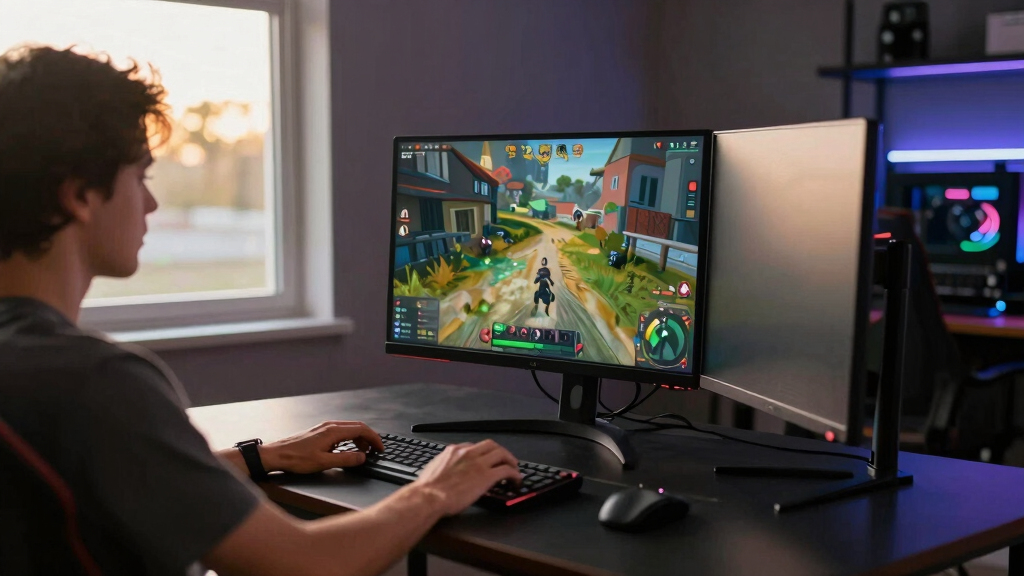

The best monitors for small gaming desks need to balance speed, screen size, stand footprint, and price, not just chase the biggest panel. My best overall pick is the Dell 24 Monitor SE2426H because it combines a 23.8-inch IPS display, 144Hz refresh rate, 1ms response time, and AMD FreeSync in a size that still works on tight desks. The Sceptre 22-Inch Gaming Monitor is the sharper compact choice when every inch of desk space matters, while the Acer Nitro KG241Y Sbiip is better for players who want the fastest refresh rate in this lineup. The main tradeoffs are simple: 22-inch models save space but feel less immersive, while 24-inch models give games more room but ask more from a shallow desk. Keep reading for the full breakdown of which monitor fits your desk, your games, and your budget best.

Play games on Amazon Luna for your game nights, included with Prime
- A rotating selection of games, no download needed
- Play on TV, laptop or phone
- Fast, free delivery for your gear, too
Key Takeaways
- The Dell SE2426H ranks first because it gives the best mix of gaming speed, IPS clarity, and everyday desk friendliness; the Acer is faster on paper, but less balanced for mixed use.
- The Sceptre 22-Inch Gaming Monitor is the clearest small-desk gaming pick: it gives up screen size versus the 24-inch models, but keeps 144Hz and DisplayPort in a tighter frame.
- The Acer Nitro KG241Y Sbiip wins on raw refresh rate at 165Hz, making it better for competitive play than the Samsung, Philips, or curved Sceptre options.
- The Samsung 22-Inch Essential Monitor and Philips 221V8LB are space savers first; they make more sense for casual gaming than for fast shooters.
- The MSI PRO MP243L E14 is the hybrid work-and-play pick, while the Sceptre 24-inch Curved Monitor favors immersion and built-in speakers over speed.




| monitors for small gaming desk | Refresh Rate | Screen Size | Resolution | Panel Type |
|---|---|---|---|---|
| Samsung 22-inch Essential Moni | 100Hz, with default 60Hz adjustable to 100Hz | 22 inches | — | IPS |
| Acer Nitro KG241Y Sbiip 23.8-i | 165Hz | 23.8 inches | 1920 x 1080 Full HD | VA |
| Sceptre 24-inch Curved Gaming | 75Hz | — | 1920 x 1080 Full HD | VA |
| Philips 22-Inch Full HD Monito | 100Hz | 22 inches | 1920 x 1080 Full HD | — |
| Sceptre 22-Inch Gaming Monitor | Up to 144Hz | 22 inches | FHD 1080p | — |
| MSI PRO MP243L E14 24-inch IPS | 144Hz | 24 inches | 1920 x 1080 FHD | IPS |
| Dell 24 Monitor SE2426H 23.8-i | 144Hz | 23.8 inches | 1920 x 1080 FHD | IPS |
More Details on Our Top Picks
Samsung 22-inch Essential Monitor with IPS Panel, 100Hz Refresh Rate, and Tilt Stand
I would rank the Samsung 22-inch Essential Monitor highest for truly small gaming desks because it balances a compact footprint, an IPS panel, and a usable 100Hz refresh rate without pushing into bulky 24-inch territory. Compared with the Acer Nitro KG241Y, it gives up a lot of speed, but it is easier to place on a narrow desk and should look cleaner in a mixed work-and-gaming setup. The IPS panel also makes more sense than the Philips 221V8LB if color consistency from side angles matters more than deeper VA contrast. The tradeoff is adjustability: the tilt-only stand is limiting, and the 100Hz mode may need manual setup. I see this as the safest small-desk pick, not the fastest one.
Pros:- Compact 22-inch size works well on cramped desks
- IPS panel helps colors stay consistent from off-center angles
- 100Hz refresh rate is smoother than basic 60Hz office monitors
- Slim bezels make the monitor look cleaner in tight setups
Cons:- Default 60Hz setting may need to be changed manually
- Tilt-only stand limits ergonomic setup
- Connectivity details are less clear than on the Acer Nitro KG241Y
Best for: I would choose this for PC gamers using a shallow or narrow desk who want a compact screen that still feels good for everyday work.
Not ideal for: I would skip it for competitive players who care more about high refresh rates than desk fit.
- Screen Size:22 inches
- Panel Type:IPS
- Refresh Rate:100Hz, with default 60Hz adjustable to 100Hz
- Stand:Tilt only
- Design:Slim body with ultra-thin bezels
- Eye Care:Blue light reduction and flicker-free support
- Connectivity:Multiple ports, types not specified
Our verdict“I would pick this first for a small gaming desk where screen size, color quality, and clean styling matter more than esports speed.”
Acer Nitro KG241Y Sbiip 23.8-inch Full HD Gaming Monitor with 165Hz Refresh Rate and AMD FreeSync Premium
The Acer Nitro KG241Y Sbiip is the performance pick in this group. Its 165Hz refresh rate, 1ms VRB response time, DisplayPort, dual HDMI 2.0 ports, and FreeSync Premium make it better suited to fast shooters than the Samsung 22-inch Essential Monitor or Philips 221V8LB. I would not rank it as the easiest monitor to fit, though, since the 23.8-inch panel takes more space than the 22-inch options. The VA panel brings strong contrast, but it will not match the Samsung’s IPS viewing consistency. The tilt-only stand also means a monitor arm may be the smarter small-desk move. This is the pick I would choose when game smoothness outranks compactness.
Pros:- 165Hz refresh rate gives it the fastest gaming feel in this batch
- AMD FreeSync Premium helps reduce tearing during variable frame rates
- DisplayPort and dual HDMI 2.0 offer stronger connectivity than most smaller picks
- VESA support makes it easier to reclaim desk space with an arm
Cons:- 23.8-inch size is less forgiving on very small desks
- Limited to 1080p resolution
- Stand only tilts, so height adjustment requires a separate mount
Best for: I would choose this for competitive PC gamers who can fit a 23.8-inch screen and want higher frame-rate play on a budget.
Not ideal for: I would skip it for ultra-tight desks where a 22-inch monitor leaves needed room for speakers, controllers, or a large mousepad.
- Screen Size:23.8 inches
- Resolution:1920 x 1080 Full HD
- Panel Type:VA
- Refresh Rate:165Hz
- Response Time:1ms VRB
- Sync:AMD FreeSync Premium
- Ports:1 DisplayPort 1.2 and 2 HDMI 2.0
- VESA Mount:100 x 100mm
- Tilt Range:-5 degrees to 15 degrees
Our verdict“I would buy this when speed is the priority and the desk has just enough room for a 24-inch-class screen.”
Sceptre 24-inch Curved Gaming Monitor 1080p, 75Hz, HDMI and VGA, Built-in Speakers, VESA Wall Mount, R1500 98% sRGB
The Sceptre 24-inch Curved Gaming Monitor earns its place by giving casual players a more wrapped-in view than the flat 22-inch Samsung and Philips models. Its curved VA panel, 3000:1 contrast ratio, and 98% color gamut make story games and streaming feel richer, while the built-in speakers reduce cable clutter on a small desk. I would place it behind the Acer Nitro KG241Y for fast gaming because 75Hz is modest by current gaming standards. It is also wider than every 22-inch option here, so the curve does not magically solve desk space. The HDMI and VGA inputs are useful for older gear, but the lower brightness and basic speakers make this more of a casual gaming and media pick than a sharp competitive choice.
Pros:- Curved 24-inch VA panel feels more immersive than flat 22-inch picks
- 3000:1 contrast helps dark scenes look fuller
- Built-in speakers reduce extra desktop clutter
- HDMI and VGA inputs suit both newer and older devices
Cons:- 75Hz refresh rate trails the Acer Nitro KG241Y and Sceptre 22-inch 144Hz model
- 24-inch width may crowd very small desks
- 220 cd/m² brightness can feel limited in bright rooms
Best for: I would choose this for casual players who want a budget curved screen for story games, older consoles, and streaming on a compact media desk.
Not ideal for: I would skip it for competitive PC gamers or anyone whose desk cannot comfortably handle a 21.61-inch-wide monitor.
- Display Size:24 inches
- Resolution:1920 x 1080 Full HD
- Panel Type:VA
- Refresh Rate:75Hz
- Brightness:220 cd/m²
- Contrast Ratio:3000:1
- Inputs:HDMI and VGA
- Speakers:Built in
- Dimensions:16.04 x 21.61 x 9.06 inches
Our verdict“I would pick this for affordable curved immersion, not for the smallest setup or the fastest play.”
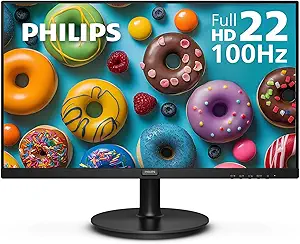
Philips 22-Inch Full HD Monitor 221V8LB
I see the Philips 221V8LB as the practical middle pick for a small desk that handles games, schoolwork, and office tasks. Compared with the Sceptre 22-inch Gaming Monitor, it is less focused on speed, but its VA contrast, Adaptive-Sync, 100Hz refresh rate, LowBlue Mode, and flicker-free tech make it feel more balanced for long mixed-use sessions. Against the Samsung 22-inch Essential Monitor, Philips trades IPS color stability for deeper contrast and a clearly listed HDMI-plus-VGA input set. The downside is that it lacks speakers, has limited ports, and the glossy screen can show reflections. I would rank it below the Samsung for pure small-desk polish, but above slower 75Hz options for a simple work-and-gaming setup.
Pros:- 22-inch size keeps the footprint friendly for small desks
- 100Hz refresh rate and Adaptive-Sync are useful for lighter gaming
- 3000:1 VA contrast suits movies and darker game scenes
- LowBlue Mode and flicker-free support help during long sessions
Cons:- Only HDMI and VGA inputs limit newer gaming setups
- No built-in speakers
- Glossy screen may show reflections near windows or bright lights
Best for: I would choose this for students or home-office gamers who need one compact monitor for documents, video, and lighter gaming.
Not ideal for: I would skip it for players who want DisplayPort, built-in sound, or a faster 144Hz-plus gaming panel.
- Screen Size:22 inches
- Resolution:1920 x 1080 Full HD
- Panel Technology:VA LCD
- Refresh Rate:100Hz
- Adaptive Sync:Yes
- Brightness:250 cd/m²
- Contrast Ratio:3000:1
- Inputs:1 HDMI and 1 VGA
- Eye Care:LowBlue Mode and flicker-free technology
Our verdict“I would choose this as a compact shared-use monitor when gaming is part of the day, not the whole reason for the desk.”
Sceptre 22-Inch Gaming Monitor, FHD 1080p, Up to 144Hz, HDMI, DisplayPort, Built-in Speakers
The Sceptre 22-Inch Gaming Monitor is the small-desk speed play: it keeps the same compact class as the Samsung and Philips 22-inch models but raises the ceiling to up to 144Hz. That makes it more appealing for action games than either 100Hz rival, especially if the PC can push higher frame rates. Compared with the Acer Nitro KG241Y, it is slower on paper, but the smaller panel is easier to fit and the built-in speakers help reduce accessories. I would still pause over the sparse stand and feature details, since there is no height adjustment listed and fewer published specs than Acer provides. This pick makes sense for buyers who want more gaming fluidity without moving to a 24-inch screen.
Pros:- 22-inch size suits cramped gaming desks better than 24-inch models
- Up to 144Hz refresh rate beats the Samsung and Philips 100Hz picks
- DisplayPort support is helpful for PC gaming
- Built-in speakers can save space in a minimal setup
Cons:- No height or swivel adjustment is listed
- Panel type and deeper display specs are not provided
- Still slower than the Acer Nitro KG241Y for high-frame-rate play
Best for: I would choose this for small-desk PC gamers who want 144Hz responsiveness but do not have room for a 23.8-inch monitor.
Not ideal for: I would skip it for buyers who need clear stand ergonomics, detailed panel specs, or a more fully documented feature set.
- Screen Size:22 inches
- Resolution:FHD 1080p
- Refresh Rate:Up to 144Hz
- Inputs:HDMI and DisplayPort
- Speakers:Built in
- Design:Minimal bezel
- Eye Care:Blue-Light Shift technology
Our verdict“I would pick this when I want a compact 22-inch monitor with real gaming speed and can accept a simpler stand.”
MSI PRO MP243L E14 24-inch IPS Gaming and Office Monitor
The MSI PRO MP243L E14 earns its place because it treats a small gaming desk as a shared workspace, not just a place for matches. Its 24-inch FHD IPS panel keeps text readable and colors steady from side angles, while 144Hz with FreeSync gives it much smoother motion than the Samsung 22-inch Essential Monitor or the 75Hz Sceptre curved model. Compared with the Acer Nitro KG241Y, it gives up some refresh-rate headroom, but it feels more balanced for someone switching between games, schoolwork, and office tasks. The 100x100mm VESA support is the real desk-space win, since mounting it can free up room under the screen. I would skip it if stand ergonomics matter, since tilt is the only built-in adjustment and there are no speakers.
Pros:- 144Hz refresh rate with FreeSync makes motion feel smoother than lower-refresh compact picks
- IPS panel gives better viewing angles and color stability than many budget VA alternatives
- 100x100mm VESA mounting helps reclaim surface space on a cramped desk
- Flicker Free and Low Blue Light certifications suit longer work-and-gaming sessions
Cons:- Tilt-only stand limits ergonomic setup unless paired with a monitor arm
- No built-in speakers, unlike some budget Sceptre options
- 24-inch FHD is practical, but not as immersive as larger screens
Best for: Desk-limited gamers who also need a sharp everyday monitor for schoolwork, office apps, and long browsing sessions.
Not ideal for: Players who want built-in audio or a fully adjustable stand without buying a monitor arm.
- Screen Size:24 inches
- Resolution:1920 x 1080 FHD
- Refresh Rate:144Hz
- Panel Type:IPS
- Response Time:1ms
- Adaptive Sync:FreeSync
- Connectivity:HDMI, VGA
- VESA Mount:100x100mm
- Tilt Range:-5° to 20°
Our verdict“This is the small-desk pick I’d choose for buyers who want one compact monitor to handle both gaming and daily work.”
Dell 24 Monitor SE2426H 23.8-inch FHD IPS Display
For a small gaming desk with both a console and PC, the Dell SE2426H has a cleaner connectivity story than the MSI PRO MP243L E14: its two HDMI ports make device swapping less annoying, while the MSI leans on HDMI plus VGA. It still keeps the core gaming specs buyers want in this size class, with 144Hz, 1ms MPRT, and AMD FreeSync, and its ultra-thin bezels help it feel less boxed-in than bulkier budget monitors. The tradeoff is flexibility. Unlike the MSI, no VESA mount is listed in the provided data, and the stand only tilts, so it may take up more fixed desk space. Compared with the Acer Nitro KG241Y, it is less aggressive for high-FPS play, but I’d rank it higher for tidy everyday setups.
Pros:- Dual HDMI inputs are handy for compact PC-and-console setups
- 144Hz refresh rate and 1ms MPRT support smooth fast-paced gaming
- IPS display and 178-degree viewing angles keep the image consistent off-center
- Ultra-thin bezels make the screen feel cleaner on a tight desk
Cons:- No DisplayPort, which limits some gaming PC setups
- Tilt-only stand offers little ergonomic control
- No built-in speakers, so console users need separate audio
Best for: Small-desk players who switch between two HDMI devices, such as a laptop and console, and want a neat 24-inch-class screen.
Not ideal for: Users planning an arm-mounted setup or DisplayPort-based gaming PC connection, since the listed inputs are HDMI only.
- Screen Size:23.8 inches
- Resolution:1920 x 1080 FHD
- Refresh Rate:144Hz
- Response Time:1ms MPRT
- Panel Type:IPS
- Brightness:300 cd/m²
- Connectivity:2x HDMI
- Color Gamut:72%
- Weight:7.4 pounds
Our verdict“This Dell is the better fit when a compact desk needs simple dual-HDMI switching more than mounting flexibility.”
How We Picked
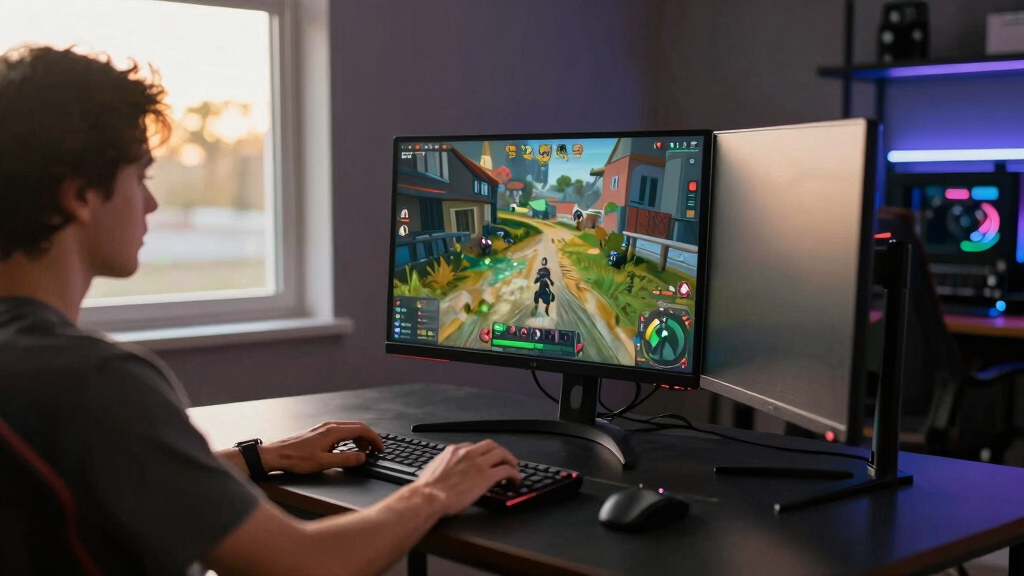
I ranked these monitors through the lens of a cramped gaming desk, so usable performance per inch mattered more than raw size. I weighted refresh rate, response time, FreeSync support, panel type, stand footprint, VESA mounting, port flexibility, and price pressure. A monitor moved up when it delivered smoother gaming without forcing the buyer into a bulky setup or awkward cable plan. That is why the Dell 24 Monitor SE2426H leads: it has the most balanced mix of 144Hz speed, IPS clarity, and mainstream 24-inch usability.
The next spots are shaped by compromise. The Sceptre 22-Inch Gaming Monitor ranks high because it is the most gaming-focused true compact option, while the Acer Nitro KG241Y Sbiip earns its place with the fastest 165Hz refresh rate. The MSI PRO MP243L E14 trails them because it is a strong hybrid pick, but it reads more like a work-and-play monitor than a pure small-desk gaming choice. The Samsung, curved Sceptre, and Philips options sit lower because they either trade away gaming speed, take up more space for less refresh-rate payoff, or suit casual setups better than focused play.
| monitors for small gaming desk | Panel Type |
|---|---|
| Samsung 22-inch Essential Moni | IPS |
| Acer Nitro KG241Y Sbiip 23.8-i | VA |
| Sceptre 24-inch Curved Gaming | VA |
| Philips 22-Inch Full HD Monito | — |
| Sceptre 22-Inch Gaming Monitor | — |
| MSI PRO MP243L E14 24-inch IPS | IPS |
| Dell 24 Monitor SE2426H 23.8-i | IPS |
Factors to Consider When Choosing Best Monitors For Small Gaming Desks
Choosing a monitor for a small gaming desk is a space problem as much as a performance problem. I look for the model that makes the desk feel easier to use after the keyboard, mouse, speakers, controller, and cables are already there. A 24-inch screen can be the smarter buy when the stand is manageable, while a 22-inch screen can win when desk depth and arm movement are tight.
Start With Desk Depth, Not Screen Size
A small desk usually fails from front-to-back crowding before it fails from width. A 23.8-inch monitor like the Dell, Acer, MSI, or Sceptre curved model can fit if the stand is shallow or if VESA mounting is available. A 22-inch screen sits farther away from your mouse zone and can feel less intrusive during low-sensitivity aim. The common mistake is judging only the diagonal size; the base shape, stand arm, and cable exit can steal more space than the panel. If your desk is under about 24 inches deep, I would favor 22-inch compact monitors or a VESA-mounted 24-inch screen. If you have enough depth for the keyboard and wrists, a 23.8-inch display gives more game visibility without turning the setup into a TV-like arrangement.
Pick Refresh Rate By Game Type
Refresh rate matters most when you play shooters, racers, and other fast games where motion clarity changes how easily you track targets. In this lineup, the Acer has the highest ceiling at 165Hz, while the Dell, MSI, and Sceptre 22-inch model sit in the 144Hz range. The gap between 75Hz and 144Hz is much larger than the gap between 144Hz and 165Hz for most buyers. That puts the curved Sceptre at a disadvantage for fast gaming even though its wraparound shape can feel more immersive. If your PC or console cannot output high frame rates, a 100Hz Samsung or 75Hz Sceptre can still be pleasant, but paying for higher refresh makes more sense when your hardware can feed it.
Match Panel Type To Daily Use
Panel type affects how text, colors, and off-angle viewing feel during long sessions. IPS models such as the Dell SE2426H, Samsung Essential Monitor, and MSI are easier to recommend for mixed gaming, school, work, and streaming because their image quality is less dependent on sitting perfectly centered. An unspecified panel can still be fine for gaming, especially if speed and price are the point, but it carries more risk for color shift or narrower viewing comfort. On a small desk, viewing angle matters because the monitor may sit slightly off-center beside speakers, a laptop, or a console. If the screen doubles as a daily work display, I would give IPS clarity extra weight over a minor refresh-rate bump.
Check Ports Before You Buy
Ports decide how clean the desk feels once everything is plugged in. DisplayPort is useful for PC gaming, so the Sceptre 22-Inch Gaming Monitor gets an advantage over simpler HDMI-only style setups. HDMI is still the safest pick for consoles, laptops, and quick swaps, while VGA only matters for older desktops or legacy gear. The common trap is buying a monitor with enough performance but the wrong inputs, then adding adapters that clutter a small surface. If your desk has a PC and a console, prioritize at least two usable inputs and check where the cables exit. For the cleanest build, a VESA mount can matter as much as refresh rate because it opens space under the screen.
Know When Paying More Actually Helps
Paying more only helps if the upgrade solves a specific small-desk problem. A higher refresh rate helps competitive players, but it will not fix a stand that crowds the mousepad. A better panel helps if the monitor also handles school, work, or streaming, while built-in speakers help only if you truly need fewer objects on the desk. In this group, I would pay up for the Dell SE2426H if balance matters, or the Acer Nitro KG241Y Sbiip if speed is the main goal. I would spend less on the Samsung Essential or Philips only when casual play and space savings rank above fast motion. The best buy is the one that removes friction from your actual setup, not the one with the longest spec list.
Frequently Asked Questions
Is 24 inches too big for a small gaming desk?
Not always. A 23.8-inch monitor can work well on a small desk if the stand is not too deep or the screen can be mounted. The Dell, Acer, and MSI make sense when you want more game visibility without jumping to a 27-inch footprint. A 22-inch model is safer if your desk depth is tight, your mousepad is large, or you sit very close to the screen. I would choose 24 inches for better immersion and 22 inches for maximum breathing room.
Should I choose 144Hz or 165Hz for a small gaming desk?
For most buyers, 144Hz is the sweet spot because it feels much smoother than 75Hz or 100Hz without narrowing the field too much. The Acer’s 165Hz refresh rate is better for competitive players who chase every bit of motion clarity. The Dell, MSI, and Sceptre 22-inch monitor are easier broad picks because 144Hz still feels fast and is widely useful. If your system rarely reaches 165 frames per second, the extra refresh headroom may sit unused. I would pay for 165Hz only when the games and hardware can take advantage of it.
Is a curved monitor a good idea on a cramped gaming desk?
A curved monitor can make a compact setup feel more enveloping, but it is not automatically the best small-desk choice. The Sceptre 24-inch Curved Monitor offers a wraparound feel and built-in speakers, yet its 75Hz refresh rate trails the Dell, Acer, MSI, and Sceptre 22-inch gaming model. Curve also matters less at 24 inches than it does on larger ultrawide screens. I would choose it for slower single-player games, simple audio needs, and VESA mounting flexibility. For shooters or fast action, a 144Hz or 165Hz flat screen is the stronger path.
Do built-in speakers matter for small gaming desks?
Built-in speakers matter only if they help reduce clutter. They can replace cheap desktop speakers for casual use, which is useful when the monitor, keyboard, mouse, and controller already crowd the surface. The Sceptre models include built-in speakers, but sound quality from monitor speakers is usually a convenience feature rather than a reason to skip headphones. For competitive play, headset audio gives clearer directional cues and keeps the desk cleaner than separate speakers. I would treat speakers as a tie-breaker, not a reason to choose a slower monitor over a faster one.
Which monitor should I buy if I use the desk for both gaming and work?
I would lean toward an IPS 24-inch model if the same desk handles gaming, school, office work, and streaming. The Dell SE2426H is the easiest all-around pick because it blends 144Hz speed with a panel type that suits text and video. The MSI PRO MP243L E14 is also strong for hybrid use, especially if VESA mounting and office-friendly styling matter. A 22-inch monitor saves space, but spreadsheet, browser, and chat windows can feel cramped faster. Choose the Sceptre 22-Inch Gaming Monitor only if compact gaming performance matters more than workspace comfort.
Conclusion
My final pick for most buyers is the Dell 24 Monitor SE2426H, since it gives the cleanest balance of 144Hz gaming, IPS image quality, and manageable size. The Sceptre 22-Inch Gaming Monitor is my best value choice for a true compact gaming desk, while the Acer Nitro KG241Y Sbiip is the premium-leaning pick here for players who want the fastest refresh rate. Beginners and casual players should start with the Samsung 22-Inch Essential Monitor if IPS quality and a smaller footprint matter more than esports speed. The MSI PRO MP243L E14 is the best hybrid work-and-play choice, the Sceptre 24-inch Curved Monitor is for buyers who want curve, speakers, and VESA flexibility, and the Philips 221V8LB is the basic space-saver for the tightest budgets. If I had to reduce the whole list to one decision, I would choose Dell for balance, Sceptre 22-inch for compact value, and Acer for speed.
Fall Picks
fall essentials
As an affiliate, we earn on qualifying purchases.