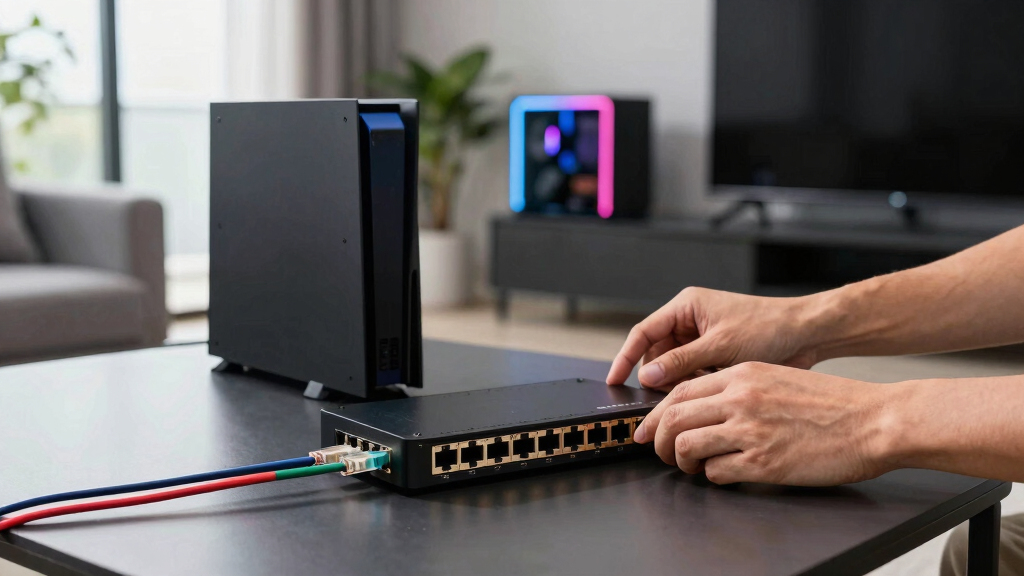

Among the best 10Gb Ethernet switches for home gaming networks, I rank the TP-Link TL-SX105 as the best overall pick because its five multi-gig ports suit a fast gaming PC, NAS, router, and Wi-Fi access point without needless complexity. The VunLink 5-Port 10G Switch is my value choice for buyers who want five copper 10G connections, while the TP-Link TL-SX1008 is the premium option for larger wired setups. The main choice is between full 10G connectivity, a cheaper mix of 10G and 2.5G ports, or managed features such as VLANs and QoS. Buyers also need to account for cabling, heat, noise, and the number of devices that can actually exceed 2.5Gbps. Continue reading for my full breakdown of which switch fits each type of home gaming network.
Listen free for 30 days with Audible
Thousands of audiobooks and originals — cancel anytime.
Start your free trialAs an affiliate, we earn on qualifying purchases.
Complete the kit



Key Takeaways
- TP-Link TL-SX105 takes the top spot because five full multi-gig ports provide the best balance of speed, simplicity, brand confidence, and practical home-network scale.
- VunLink offers the strongest value for a five-device copper 10G setup, but TP-Link remains the more reassuring choice for buyers who prioritize established support.
- TP-Link TL-SX1008 is the premium pick because eight full 10G ports leave more room for multiple gaming PCs, servers, access points, and NAS units than the five-port models.
- Mixed-port switches fit more homes: the NICGIGA 10-port model combines two 10G links with eight 2.5G ports, avoiding the cost and heat of full 10G on every connection.
- Not every listed model delivers 10G over ordinary RJ45 ports; the UGREEN model uses a 10G SFP+ connection, while the Omada five-port model is better viewed as a beginner-friendly 2.5G choice.
| NICGIGA 8-Port 10G Ethernet Switch |  | Best Overall | Ports: 8 | Port type: 10GBase-T RJ45 | Switching capacity: 160Gbps | VIEW LATEST PRICE | See Our Full Breakdown |
| TP-Link TL-SX105 5-Port 10G Multi-Gigabit Switch |  | Best Quiet Compact Pick | Ports: 5 | Port type: 10G RJ45 | Data transfer capacity: 100Gbps | VIEW LATEST PRICE | See Our Full Breakdown |
| SODOLA 5-Port 10G Managed Switch |  | Best for Network Control | Ports: 5 x 10GBase-T | Switch type: Managed | Core management: VLAN, QoS, link aggregation | VIEW LATEST PRICE | See Our Full Breakdown |
| VunLink 5-Port 10G RJ45 Ethernet Switch |  | Best for Flexible Placement | Ports: 5 | Port type: 10GBase-T RJ45 | Supported speeds: 100M, 1G, 2.5G, 5G, 10G | VIEW LATEST PRICE | See Our Full Breakdown |
| UGREEN 6-Port 2.5Gb Switch with 10Gb SFP+ |  | Best for Mixed-Speed Networks | Total ports: 6 | Copper ports: 5 x 2.5Gb RJ45 | Uplink port: 1 x 10Gb SFP+ | VIEW LATEST PRICE | See Our Full Breakdown |
| Omada 5-Port 2.5G Multi-Gig Unmanaged Switch |  | Best Budget 2.5Gb Alternative | Total Ports: 5 | 2.5Gb Ports: 5 | Maximum Port Speed: 2.5Gbps | VIEW LATEST PRICE | See Our Full Breakdown |
| NICGIGA 10 Port 10Gbps Network Switch with 2 x 10Gb and 8 x 2.5Gb Ports |  | Best Mixed-Speed Value | Total Ports: 10 | 10Gb RJ45 Ports: 2 | 2.5Gb Ports: 8 | VIEW LATEST PRICE | See Our Full Breakdown |
| TP-Link TL-SX1008 8-Port 10G/Multi-Gig Unmanaged Ethernet Switch |  | Best for an All-10Gb Upgrade | Total Ports: 8 | Port Capability: 10G and multi-gig | Speed Negotiation: Automatic | VIEW LATEST PRICE | See Our Full Breakdown |
| 10Gb Ethernet switches for home gaming network | Cooling | Ports | Switching capacity | Switch type |
|---|---|---|---|---|
| NICGIGA 8-Port 10G Ethernet Sw | — | 8 | 160Gbps | Unmanaged |
| TP-Link TL-SX105 5-Port 10G Mu | Fanless | 5 | — | Unmanaged |
| SODOLA 5-Port 10G Managed Swit | Removable internal fan | 5 x 10GBase-T | — | Managed |
| VunLink 5-Port 10G RJ45 Ethern | Silent cooling fan | 5 | 100Gbps | Unmanaged |
| UGREEN 6-Port 2.5Gb Switch wit | — | — | — | — |
| Omada 5-Port 2.5G Multi-Gig Un | Fanless | — | 25Gbps | — |
| NICGIGA 10 Port 10Gbps Network | Fanless with dual-side ventilation | — | 80Gbps | — |
| TP-Link TL-SX1008 8-Port 10G/M | — | — | — | — |
More Details on Our Top Picks
NICGIGA 8-Port 10G Ethernet Switch
I rank the NICGIGA 8-Port 10G Switch first because its eight full-speed RJ45 ports provide the best foundation here for a gaming PC, Wi-Fi 7 router, NAS, and several wired rooms. Its 160Gbps switching capacity lets every port send and receive at 10Gbps without creating an obvious internal bottleneck. Compared with the five-port TP-Link TL-SX105, it leaves far more room for expansion; compared with the managed SODOLA, it is much easier to install. Auto-negotiation also allows older 1Gb and multi-gig hardware to remain connected during upgrades. The tradeoff is control: unmanaged operation means no VLANs, QoS rules, or link aggregation. Its 1.91-kilogram rack-friendly chassis is also less discreet than compact desktop picks, but I think the added port capacity matters more in a growing gaming network.
Pros:- Eight 10Gb RJ45 ports provide ample capacity for a growing home network
- 160Gbps switching capacity supports simultaneous high-bandwidth connections
- Auto-negotiation accommodates 10Gb, multi-gig, and slower Ethernet devices
- Metal rack-mountable enclosure suits a structured home network cabinet
Cons:- No VLAN, QoS, link aggregation, or monitoring controls
- Eight ports may still be restrictive for a large wired home
- Power-supply details are not clearly specified in the supplied product data
Best for: Gamers building a multi-room 10Gb network with a NAS, Wi-Fi 7 router, gaming PC, and several wired endpoints
Not ideal for: Network enthusiasts who need VLANs, traffic prioritization, monitoring, or more than eight wired connections
- Ports:8
- Port type:10GBase-T RJ45
- Switching capacity:160Gbps
- Switch type:Unmanaged
- Enclosure:Metal
- Mounting:Desktop or rack
- Maximum operating temperature:45°C
- Weight:1.91kg
Our verdict“This is my leading pick for gamers who want the most full 10Gb RJ45 connections without taking on managed-switch setup.”
TP-Link TL-SX105 5-Port 10G Multi-Gigabit Switch
The TP-Link TL-SX105 is my choice for a gaming desk or media room where fan noise and physical clutter matter more than maximum port count. All five RJ45 ports support 10Gb connectivity, while the fanless metal enclosure stays quiet beside a PC or console. That gives it a clear acoustic advantage over the fan-cooled SODOLA and VunLink models. It is also smaller and lighter than the eight-port NICGIGA, though three fewer ports make later expansion harder. With auto-negotiation and plug-and-play operation, it suits buyers who want simple multi-gig upgrades rather than network administration. There is no PoE, VLAN control, or QoS configuration, so it cannot isolate smart-home devices or prioritize selected traffic. I would choose it for a focused gaming setup, not as the wired core of a large house.
Pros:- Five full 10Gb RJ45 ports support high-speed local transfers
- Fanless design remains silent near a gaming desk or entertainment center
- Compact metal chassis supports desktop or wall installation
- Three-year warranty is longer than the VunLink warranty
Cons:- Five ports leave little expansion room once a router and NAS are connected
- Unmanaged design lacks VLAN, QoS, and monitoring features
- No PoE support for access points or cameras
Best for: Noise-sensitive gamers connecting a PC, NAS, router, and one or two additional devices in the same room
Not ideal for: Large households needing more than five ports, PoE-powered access points, or configurable traffic controls
- Ports:5
- Port type:10G RJ45
- Data transfer capacity:100Gbps
- Switch type:Unmanaged
- Cooling:Fanless
- Dimensions:8.9 x 5.2 x 0.98 inches
- Weight:1.15kg
- Warranty:3 years
Our verdict“I recommend the TL-SX105 for a compact, silent gaming setup that needs five straightforward 10Gb connections and no management tools.”
SODOLA 5-Port 10G Managed Switch
I give the SODOLA 5-Port 10G Managed Switch the control-focused role because it can separate gaming, work, guest, and smart-home traffic through VLANs while applying QoS and link aggregation rules. Neither the TP-Link TL-SX105 nor the NICGIGA eight-port model offers that level of configuration. Features such as port mirroring, SNMP, and DHCP snooping also make troubleshooting and traffic oversight much more practical for a technically inclined owner. That flexibility brings extra work: initial access requires setting an IPv4 address, and its internal fan may be audible in a quiet gaming room. Five ports can also disappear quickly after connecting a router, NAS, access point, and two computers. I rank it below the easier unmanaged picks for most homes, but it is the strongest choice here when network segmentation matters more than silent, instant setup.
Pros:- VLAN and QoS controls support traffic separation and prioritization
- Link aggregation can combine connections for compatible NAS hardware
- SNMP, port mirroring, and filtering provide useful diagnostic control
- Five adaptive 10GBase-T ports support mixed-speed devices
Cons:- Initial management login requires manual IPv4 configuration
- Internal fan may be audible in a quiet room
- Five-port layout offers limited space for network growth
Best for: Home-network enthusiasts who want to separate gaming, work, guest, and smart-home devices while retaining five 10Gb copper ports
Not ideal for: Beginners wanting plug-and-play operation or gamers placing the switch close enough for fan noise to become distracting
- Ports:5 x 10GBase-T
- Switch type:Managed
- Core management:VLAN, QoS, link aggregation
- Monitoring:SNMP and port mirroring
- Traffic protection:Storm control, MAC filtering, DHCP snooping
- Loop management:Spanning Tree and RSTP
- Multicast support:IGMP and multicast
- Cooling:Removable internal fan
Our verdict“This is my pick for technically confident gamers who will use its VLAN, QoS, and monitoring tools enough to justify the added setup and fan.”
VunLink 5-Port 10G RJ45 Ethernet Switch
The VunLink 5-Port 10G Switch earns its place through an unusual mix of compact capacity and desktop or rack installation. Its five RJ45 ports negotiate from 100Mbps through 10Gbps, which helps a gaming household combine a new 10Gb NAS with older consoles, PCs, and routers. Compared with the desktop-oriented TP-Link TL-SX105, the rack-mount option fits a network cabinet more naturally; compared with the eight-port NICGIGA, it saves space but sacrifices three connections. A claimed 100Gbps capacity matches the full-duplex needs of five 10Gb links, and LED indicators simplify basic fault checking. Cooling is described as quiet rather than fanless, so I would not assume silence beside a gaming chair. The one-year warranty is also shorter than TP-Link’s three years, while unmanaged operation rules out VLANs and user-defined QoS.
Pros:- Five RJ45 ports negotiate across 100Mbps, 1Gb, 2.5Gb, 5Gb, and 10Gb speeds
- 100Gbps capacity supports full-duplex traffic across all five ports
- Desktop and rack-mount installation options suit different home layouts
- Real-time LEDs make basic connection checks straightforward
Cons:- Cooling fan may be more noticeable than the fanless TP-Link TL-SX105
- One-year warranty is relatively short
- Unmanaged operation provides no VLAN or configurable QoS controls
Best for: Gamers who need five multi-speed copper ports and want the freedom to install the switch on a desk or in a rack
Not ideal for: Silence-focused desk setups, buyers expecting long warranty coverage, or households needing VLAN and QoS controls
- Ports:5
- Port type:10GBase-T RJ45
- Supported speeds:100M, 1G, 2.5G, 5G, 10G
- Switching capacity:100Gbps
- Switch type:Unmanaged
- Mounting:Desktop or rack
- Cooling:Silent cooling fan
- Warranty:1 year
Our verdict“I would choose the VunLink when rack compatibility and broad speed negotiation matter more than silent fanless operation or management features.”
UGREEN 6-Port 2.5Gb Switch with 10Gb SFP+
I include the UGREEN 6-Port Switch for buyers whose gaming devices need 2.5Gb access while a NAS or network backbone benefits from one 10Gb SFP+ link. Unlike the NICGIGA eight-port model, it does not provide 10Gb to every endpoint; its five copper ports stop at 2.5Gb. That makes it less suitable for several 10Gb PCs, but often more balanced for modern gaming motherboards, Wi-Fi access points, and broadband connections. Its Standard, VLAN, and link-aggregation modes add more flexibility than the unmanaged TP-Link TL-SX105, without requiring the SODOLA’s deeper management workflow. The main catch is the SFP+ interface: buyers using copper cabling need a compatible module, and none is included. I see this as a staged-upgrade pick, not a full 10GBase-T switch.
Pros:- Five 2.5Gb copper ports match many current gaming PCs and access points
- 10Gb SFP+ port provides a fast NAS or backbone link
- Selectable VLAN and link-aggregation modes add useful flexibility
- Metal enclosure supports desktop or wall placement
Cons:- Only one port supports 10Gb, and it is SFP+ rather than RJ45
- Required SFP+ module or cable is not included
- Mode-based controls are less flexible than the SODOLA managed interface
Best for: Gamers with several 2.5Gb devices who want a 10Gb SFP+ backbone connection to a NAS, server, or upstream switch
Not ideal for: Households needing multiple direct 10Gb RJ45 connections or buyers unwilling to purchase and match an SFP+ module
- Total ports:6
- Copper ports:5 x 2.5Gb RJ45
- Uplink port:1 x 10Gb SFP+
- Operating modes:Standard, link aggregation, VLAN
- Enclosure:Metal
- Mounting:Desktop or wall
- Frame support:Jumbo frames
- Protection:Lightning protection
Our verdict“This UGREEN model makes the most sense when I need affordable 2.5Gb access ports feeding one fast 10Gb SFP+ backbone link.”
Omada 5-Port 2.5G Multi-Gig Unmanaged Switch
Omada 5-Port 2.5G Multi-Gig Unmanaged Switch earns a place as the affordable choice for gaming networks that are not ready for full 10Gb hardware. I rank it below the true 10Gb models because its five 2.5Gb ports cannot provide a 10Gb link to a NAS or gaming PC. Compared with the TP-Link TL-SX1008, it offers fewer ports and one-quarter of the maximum per-port speed, but its fanless design and plug-and-play operation suit a quiet bedroom setup. The 25Gbps switching capacity is enough to keep several 2.5Gb devices moving concurrently without creating an obvious internal bottleneck. Buyers planning large game-library transfers or a 10Gb NAS backbone should choose the TL-SX1008 instead. This is a lower-cost stepping stone, not a full 10Gb upgrade.
Pros:- Five 2.5Gb ports can serve several current-generation gaming and storage devices
- 25Gbps switching capacity supports concurrent multi-gig traffic
- Fanless operation suits noise-sensitive gaming rooms
- Unmanaged plug-and-play setup requires no networking knowledge
Cons:- No 10Gb port despite appearing in a 10Gb-focused buying category
- No VLAN, QoS, link aggregation, or other management controls
- No PoE for powering access points or cameras
Best for: Budget-focused gamers with 2.5Gb-equipped PCs, Wi-Fi 6 access points, and a small NAS who value silent, configuration-free networking
Not ideal for: Buyers building a genuine 10Gb NAS or gaming-PC backbone, since every port is capped at 2.5Gbps
- Total Ports:5
- 2.5Gb Ports:5
- Maximum Port Speed:2.5Gbps
- Switching Capacity:25Gbps
- Operation Mode:Unmanaged
- Cooling:Fanless
Our verdict“Choose this only if a quiet, inexpensive 2.5Gb network meets your needs and a true 10Gb path is not part of your near-term plan.”
NICGIGA 10 Port 10Gbps Network Switch with 2 x 10Gb and 8 x 2.5Gb Ports
I rank the NICGIGA 10 Port 10Gbps Network Switch as the value pick for homes with many 2.5Gb clients but only two devices needing 10Gb. Its eight 2.5Gb ports can connect gaming PCs, consoles, and Wi-Fi access points, while the two 10Gb RJ45 ports create a fast router-to-NAS or PC-to-NAS path. Compared with the TP-Link TL-SX1008, it supplies more total connections but far fewer full-speed 10Gb links. That difference makes NICGIGA better for mixed hardware and TP-Link better for an expanding all-10Gb network. The 80Gbps switching capacity, fanless chassis, and wall-mount option fit a busy home setup without adding fan noise. Its weaknesses are the absence of management tools and sparse power-supply information, while only two 10Gb ports leave little upgrade room.
Pros:- Two 10Gb RJ45 ports provide a fast path for a NAS, router, or gaming workstation
- Eight 2.5Gb ports accommodate a larger mixed-speed home network
- 80Gbps switching capacity supports substantial concurrent traffic
- Fanless desktop or wall-mounted design avoids added room noise
Cons:- Only two ports support 10Gb, limiting future high-speed expansion
- Unmanaged operation provides no VLAN, QoS, or link-aggregation controls
- Power-supply specifications are not provided in the supplied product data
Best for: Gamers connecting several 2.5Gb PCs and Wi-Fi devices alongside a 10Gb NAS and one 10Gb router or workstation
Not ideal for: Enthusiasts expecting to add three or more 10Gb devices, because the pair of 10Gb ports will be exhausted quickly
- Total Ports:10
- 10Gb RJ45 Ports:2
- 2.5Gb Ports:8
- Switching Capacity:80Gbps
- Supported Speeds:100Mbps, 1G, 2.5G, 5G, and 10G; availability varies by port
- Operation Mode:Unmanaged
- Mounting Options:Desktop or wall mount
- Cooling:Fanless with dual-side ventilation
- Operating Temperature:-10°C to 50°C
Our verdict“This is the practical choice when most of my network runs at 2.5Gb and I need exactly two 10Gb endpoints without paying for eight 10Gb ports.”
TP-Link TL-SX1008 8-Port 10G/Multi-Gig Unmanaged Ethernet Switch
The TP-Link TL-SX1008 is my pick for buyers who want enough full-speed ports to build a lasting 10Gb gaming backbone. All eight ports support 10G and multi-gig auto-negotiation, so slower clients can coexist while gaming PCs, a NAS, and a router receive dedicated 10Gb connections. The NICGIGA 10-port model offers two extra physical ports and better value for a mostly 2.5Gb household, yet only two of its ports reach 10Gb. TP-Link provides much more expansion space for high-speed hardware. Its desktop or rackmount flexibility also suits both a gaming desk and a structured network cabinet. The tradeoffs are meaningful: unmanaged operation rules out VLAN and QoS control, and eight 10Gb-capable ports may be excessive for a two-device link. The three-year warranty strengthens its case for a larger long-term upgrade.
Pros:- Eight 10G and multi-gig ports provide substantial expansion capacity
- Auto-negotiation accommodates devices running below 10Gb
- Desktop and rackmount placement supports different home network layouts
- Metal casing and a three-year warranty suit a long-term installation
Cons:- No VLAN, QoS, link aggregation, or other managed-switch features
- Eight 10Gb-capable ports may cost more than a small gaming network needs
- Power-supply details are absent from the supplied product information
Best for: Gaming enthusiasts building a multi-device 10Gb network around several PCs, a NAS, a multi-gig router, and future high-speed additions
Not ideal for: Small households needing only one 10Gb device pair or advanced traffic control, since the port count may be excessive and the switch is unmanaged
- Total Ports:8
- Port Capability:10G and multi-gig
- Speed Negotiation:Automatic
- Operation Mode:Unmanaged
- Casing Material:Metal
- Mounting Options:Desktop or rackmount
- Warranty:3 years
Our verdict“Pick the TL-SX1008 when I want several genuine 10Gb connections and enough open ports to expand without replacing the switch.”
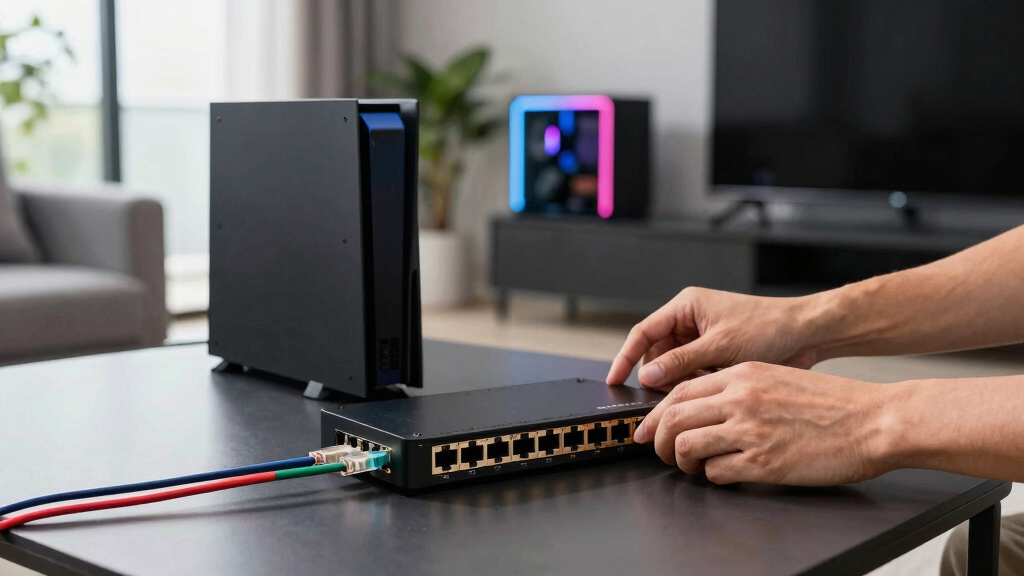
How We Picked
I ranked these switches by how well they serve a real home gaming network, rather than treating the largest bandwidth figure as an automatic win. My scoring weighted usable port layout, multi-gig compatibility, setup difficulty, heat and noise concerns, physical build, management burden, and price relative to the connections provided. I gave extra credit to models that can link a gaming PC, NAS, Wi-Fi 7 access point, and multi-gig router without adapters or immediate port shortages.
The ranking also separates full-10G switches from products that use 10G only for an uplink. The TL-SX105 leads because its five-port layout is sufficient for many homes and easier to justify than an eight-port premium model. VunLink ranks highly on value, while the TL-SX1008 moves ahead for buyers who need greater expansion capacity. The SODOLA earns its place through VLAN, QoS, and link-aggregation controls; NICGIGA’s mixed-port model follows for households with many 2.5G clients. The eight-port NICGIGA prioritizes raw copper capacity, whereas UGREEN and Omada rank lower because their port layouts serve narrower interpretations of a 10G gaming network.
| 10Gb Ethernet switches for home gaming network | Switch type | Cooling |
|---|---|---|
| NICGIGA 8-Port 10G Ethernet Sw | Unmanaged | — |
| TP-Link TL-SX105 5-Port 10G Mu | Unmanaged | Fanless |
| SODOLA 5-Port 10G Managed Swit | Managed | Removable internal fan |
| VunLink 5-Port 10G RJ45 Ethern | Unmanaged | Silent cooling fan |
| UGREEN 6-Port 2.5Gb Switch wit | — | — |
| Omada 5-Port 2.5G Multi-Gig Un | — | Fanless |
| NICGIGA 10 Port 10Gbps Network | — | Fanless with dual-side ventilation |
| TP-Link TL-SX1008 8-Port 10G/M | — | — |
Factors to Consider When Choosing Best 10Gb Ethernet Switches For Home Gaming Networks
I would start by mapping the network rather than buying the switch with the highest advertised capacity. Gaming traffic rarely needs 10Gbps, but local downloads, NAS transfers, game-library backups, and several active devices can make multi-gig hardware worthwhile. The right switch places expensive 10G ports where they produce a visible benefit and uses cheaper connections elsewhere.
Separate Gaming Latency From Local Bandwidth
A 10G switch does not automatically lower internet ping because latency usually depends on the router, ISP route, server location, and congestion. I view 10G as a local-network upgrade that shortens large transfers and prevents busy devices from competing for a smaller internal link. It can help when a PC downloads from a local cache, moves recordings to a NAS, or shares the network with high-speed storage jobs. For ordinary online play, a stable 1Gb or 2.5Gb wired connection may perform identically. Buyers chasing lower latency should spend first on sound router queue management and wired connections. Paying for 10G makes more sense when gaming sits alongside storage, streaming, content creation, or several multi-gig clients.
Count 10G Devices, Then Add Expansion Room
I recommend listing each endpoint and its maximum link rate before choosing a port count. A five-port switch can lose one port to the router, leaving only four for a gaming PC, NAS, access point, and another workstation. That arrangement is adequate until a second gaming system or server arrives. An eight-port full-10G model costs more and can draw more power, but spare ports prevent an early replacement. Mixed switches are often smarter when only the NAS and primary PC need 10G while consoles, access points, and secondary computers use 2.5G. I would choose the smallest layout that still leaves one or two realistic expansion ports.
Choose Between RJ45 and SFP+ Carefully
10GBase-T RJ45 works with familiar Ethernet cabling and is usually the easiest fit for gaming PCs and consumer routers. Its drawbacks are higher heat and power use than many short SFP+ direct-attach links. SFP+ can be cheaper and cooler for a nearby NAS or server, but it may require compatible modules or cables. A switch with one 10G SFP+ uplink is not equivalent to a model with five 10G RJ45 ports. I would inspect the connector on every intended device before buying, since adapters can erase an apparent price advantage. For equipment in the same rack, SFP+ direct-attach cabling can be attractive; across ordinary rooms, copper RJ45 is usually simpler.
Match Cabling to Distance and Link Speed
Existing cable does not always need replacement for a 10G upgrade. Cat6 commonly supports 10Gbps across shorter household runs, while Cat6a is the safer choice for longer permanent links and electrically noisy routes. Cat5e may negotiate at multi-gig rates, but I would not plan a new 10G installation around uncertain cable performance. Wall jacks, patch panels, and short patch leads all form part of the channel, so one weak component can force a slower link. Before buying eight 10G ports, I would verify which rooms can sustain the desired rate. Testing the installed runs first can reveal whether a 2.5G or 5G connection is the more economical target.
Plan for Heat, Noise, and Placement
Full 10G copper switches can run warmer than basic gigabit hardware, especially when several ports operate at maximum speed. I would avoid sealing one inside a crowded media cabinet with a router, modem, and NAS. Fanless construction is attractive near a desk or gaming setup, but the enclosure still needs open space for passive cooling. A fan-equipped model may handle heavier loads yet become distracting in a quiet room. Power use also continues around the clock, making an oversized eight-port unit harder to justify when only two fast links are needed. Placement and acoustic tolerance should carry nearly as much weight as headline switching capacity.
Pay for Management Only When It Solves a Problem
An unmanaged switch suits buyers who want to connect devices and leave the network alone. Managed features become useful when I need VLAN separation for gaming systems, work devices, cameras, or guests. QoS controls can prioritize traffic inside the local network, though they cannot repair congestion that originates beyond the switch. Link aggregation can increase combined throughput between compatible devices, but it usually does not double the speed of one file transfer or one game session. Management also adds configuration work and another interface that may need updates. I would pay for VLANs, QoS, or aggregation only when the router and connected devices support the same plan.
Frequently Asked Questions
Will a 10Gb Ethernet switch reduce my gaming ping?
Usually not by itself. Online games use far less than 10Gbps, and the switch cannot shorten the route between the router and a remote server. I would expect the biggest benefit when heavy local transfers would otherwise compete with gaming traffic or when a slower uplink creates congestion. A wired connection, capable router, and sensible queue management usually matter more for ping. Buy 10G for faster local networking and added headroom, not as a guaranteed latency fix.
Should I buy five full 10G ports or a mix of 10G and 2.5G ports?
I would choose five full 10G ports when several nearby devices already have 10G adapters or upgrades are planned soon. A mixed switch offers better value when only a NAS, server, or main workstation needs 10G. Consoles and many access points cannot use a full 10G connection, making expensive ports wasteful for those devices. The NICGIGA 10-port layout is a good example of two fast backbone links feeding numerous 2.5G clients. Full 10G wins on flexibility, while mixed multi-gig ports usually win on cost and power efficiency.
Do I need a managed switch for a home gaming network?
Most buyers do not need one. An unmanaged model is easier to install and handles ordinary PC, console, NAS, and router connections without configuration. I would choose a managed switch when VLAN isolation, traffic monitoring, or link aggregation is part of a specific network design. QoS at the switch can organize local traffic, but router-side controls have greater influence over an overloaded internet connection. The SODOLA makes sense for buyers who will use its controls; everyone else may prefer the simpler TL-SX105.
Can I use a 10G switch with a 1G internet connection?
Yes, because local and internet speeds are separate. A gaming PC can communicate with a NAS at 10Gbps even while outside traffic passes through a 1Gbps router or service plan. I would still check that the router has a multi-gig LAN port if several devices must share an internet connection faster than 1Gbps. Without that port, the router becomes the internet-side ceiling, though local transfers remain fast. This setup is worthwhile when NAS performance and local backups matter more than the ISP connection rate.
Is an eight-port 10G switch worth paying more for?
It is worth the premium when a network will soon exceed the four usable device connections left by many five-port layouts after the router is attached. Multiple PCs, a NAS, a server, and several multi-gig access points can fill those ports quickly. I favor the TL-SX1008 for that buyer because eight full-speed ports avoid a second switch and preserve a straightforward topology. A smaller model remains the better purchase when only two or three devices can use 10G. I would pay for eight ports based on a credible expansion plan, not a vague possibility.
Conclusion
For most home gaming networks, my best overall recommendation is the TP-Link TL-SX105 because it combines five full multi-gig ports with an uncomplicated unmanaged design. The VunLink 5-Port 10G Switch is my value pick for buyers willing to trade some brand familiarity for a lower-cost copper 10G layout. I would choose the TP-Link TL-SX1008 as the premium option for larger networks that need eight 10G connections and meaningful expansion room. Beginners whose devices stop at 2.5G can save money with the Omada five-port model, while the UGREEN switch fits a compact setup built around one SFP+ backbone link. For specific needs, the SODOLA is the managed choice, the NICGIGA 10-port model best serves a mixed 10G-and-2.5G household, and the eight-port NICGIGA targets buyers seeking maximum RJ45 capacity per dollar. The final choice should follow the number of devices that can use 10G today, the connector type they require, and the amount of growth I can realistically map.
Summer Picks
summer essentials
As an affiliate, we earn on qualifying purchases.