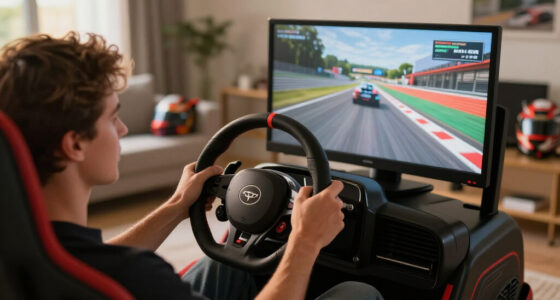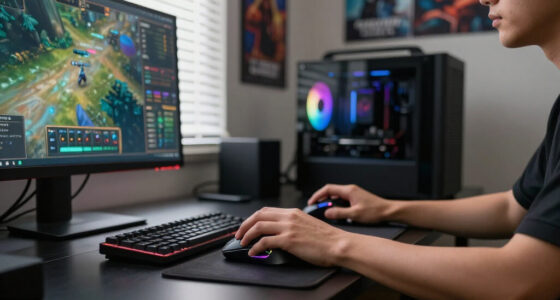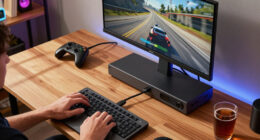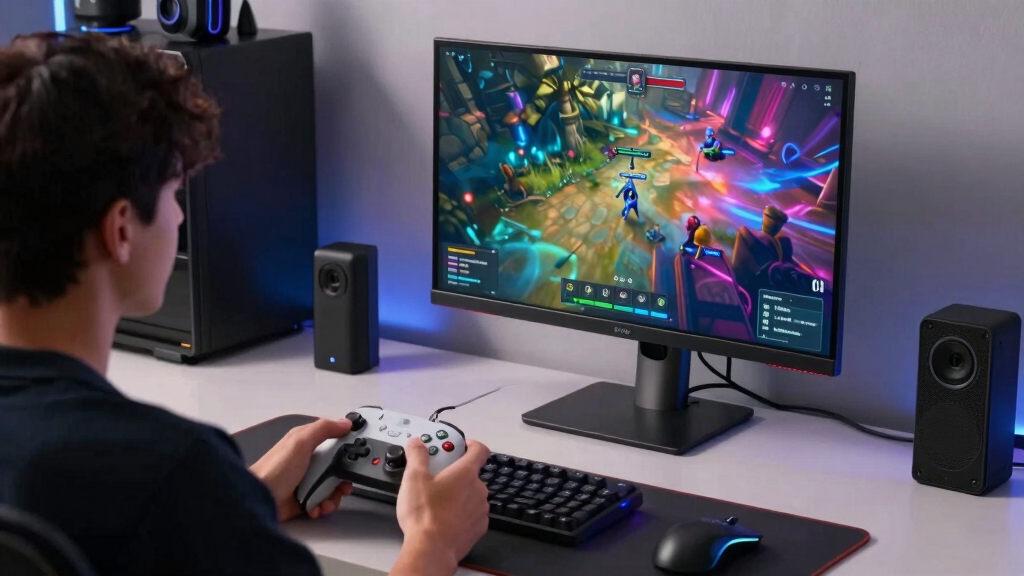

The best USB-C portable monitor for gaming in this lineup is the VisionOwl 16-Inch 2.5K 144Hz Portable Monitor because it gives the strongest mix of sharpness, speed, ports, and travel-friendly sizing. The ASUS ZenScreen MB16NCG is the premium pick for players who want a sharper 16:10 panel, 155Hz refresh rate, power pass-through, and stronger brand support, while the MNN 15.6-inch FHD monitor makes more sense for buyers who want a simple low-cost screen for Switch, laptop, or casual console play. The main tradeoff is clear: higher refresh rates and QHD resolution make games feel better, but they usually cost more and can draw more power. Larger 18.5-inch options feel more immersive, while 15.6-inch models are easier to pack. Keep reading for the full breakdown of which USB-C gaming monitor fits each kind of player.

Play games on Amazon Luna for your game nights, included with Prime
- A rotating selection of games, no download needed
- Play on TV, laptop or phone
- Fast, free delivery for your gear, too
Key Takeaways
- VisionOwl’s 16-inch 2.5K 144Hz model lands as the best overall because it balances gaming speed, image detail, and portability better than the larger 18.5-inch screens.
- ASUS ZenScreen MB16NCG is the premium choice, but its higher-end polish matters most for laptop gamers who value color, warranty support, and USB-C power pass-through.
- MNN and KYY compete hardest on value, with basic 1080p 60Hz panels that suit casual gaming better than fast shooters or high-frame-rate console play.
- The 18.5-inch VisionOwl and cocopar monitors give a more console-like view, but their size makes them less convenient for frequent travel.
- Refresh rate separates the gaming picks: 120Hz, 144Hz, and 155Hz models feel more responsive than the 60Hz options, even when the cheaper screens still work well as second displays.
| MNN Portable Monitor 15.6-inch FHD 1080P 60Hz USB-C HDMI Gaming Ultra-Slim IPS Display |  | Best Basic Travel Pick | Screen Size: 15.6 inches | Resolution: 1920 x 1080 FHD | Refresh Rate: 60Hz | VIEW LATEST PRICE | See Our Full Breakdown |
| VisionOwl 16-Inch Portable Monitor 2.5K QHD 144Hz USB-C/HDMI |  | Best Value Performance Pick | Screen Size: 16 inches | Resolution: 2560 x 1600 QHD | Refresh Rate: 144Hz | VIEW LATEST PRICE | See Our Full Breakdown |
| ASUS ZenScreen 16-inch MB16NCG WQXGA 155Hz USB-C Portable Monitor |  | Best Premium Portable Gaming Monitor | Screen Size: 16 inches | Resolution: 2560 x 1600 WQXGA | Refresh Rate: 155Hz | VIEW LATEST PRICE | See Our Full Breakdown |
| VisionOwl 18.5-inch Portable Monitor with USB-C/HDMI for Laptop, PS5, Xbox |  | Best Big-Screen Portable Pick | Screen Size: 18.5 inches | Resolution: 1920 x 1080 FHD | Refresh Rate: 100Hz | VIEW LATEST PRICE | See Our Full Breakdown |
| KYY Portable Monitor 15.6-inch 1080P FHD USB-C HDMI HDR IPS Gaming Monitor |  | Best Budget Console Companion | Screen Size: 15.6 inches | Resolution: 1920 x 1080 FHD | Refresh Rate: 60Hz | VIEW LATEST PRICE | See Our Full Breakdown |
| ASUS ZenScreen 16” Portable USB Monitor (MB169CK-P) |  | Best Warranty-Backed Travel Pick | Screen size: 15.6-inch / 16-inch class | Resolution: 1920 x 1080 Full HD | Panel: IPS anti-glare LED/LCD | VIEW LATEST PRICE | See Our Full Breakdown |
| cocopar Portable Monitor 18.5 Inch 2K QHD 120Hz |  | Best Big-Screen QHD Pick | Screen size: 18.5 inches | Resolution: 2560 x 1440 QHD | Refresh rate: 120Hz | VIEW LATEST PRICE | See Our Full Breakdown |
| ASUS ZenScreen 15.6″ Portable Monitor (MB16ACV) |  | Best Simple USB-C Pick | Screen size: 15.6 inches | Resolution: 1920 x 1080 Full HD | Display technology: IPS LED | VIEW LATEST PRICE | See Our Full Breakdown |
| ASUS ZenScreen 15.6” Portable Monitor (MB169CK) | | Best Slim ASUS Travel Pick | Screen size: 15.6 inches | Resolution: Full HD | Panel: IPS anti-glare | VIEW LATEST PRICE | See Our Full Breakdown |
More Details on Our Top Picks
MNN Portable Monitor 15.6-inch FHD 1080P 60Hz USB-C HDMI Gaming Ultra-Slim IPS Display
I would place the MNN 15.6-inch Portable Monitor below the faster gaming-focused picks, but it still earns a spot because it covers the basics well for casual play. Compared with the VisionOwl 16-inch 2.5K 144Hz, this MNN model gives up sharpness and motion speed, so fast shooters and competitive games will feel less fluid. Its strength is simpler: a 1080p IPS screen, dual USB-C ports, HDMI support, speakers, HDR mode, and a smart cover in a slim package that can travel with a laptop, Switch, PS5, or Xbox. The tradeoff is clear. I see this as a practical second screen for lighter gaming and mixed work, not a monitor built around high-frame-rate play.
Pros:- Slim 15.6-inch 1080p IPS panel is easy to pack
- Dual full-function USB-C ports support single-cable setups with compatible devices
- HDMI support works with consoles, PCs, and laptops
- Smart cover doubles as protection and a stand
Cons:- 60Hz refresh rate limits fast-paced gaming appeal
- Requires USB-C DP Alt Mode or Thunderbolt support for USB-C video
- Smart-cover stands are less stable than built-in kickstands
Best for: Laptop and console players who want a low-fuss portable screen for casual gaming, travel, and second-monitor use.
Not ideal for: Competitive players who want refresh rates above 100Hz, higher resolution, or stronger motion handling.
- Screen Size:15.6 inches
- Resolution:1920 x 1080 FHD
- Refresh Rate:60Hz
- Panel Type:IPS matte display
- Viewing Angle:178 degrees
- Connectivity:2 full-feature USB-C ports, HDMI
- Display Modes:Copy, extended, second screen, portrait
- Included Stand:PU smart cover
Bottom line: Choose this if portability and simple USB-C/HDMI gaming matter more than high refresh rates.
VisionOwl 16-Inch Portable Monitor 2.5K QHD 144Hz USB-C/HDMI
The VisionOwl 16-inch 2.5K 144Hz is my value-performance pick because it balances the specs gamers actually feel: sharpness, speed, brightness, and flexible setup. Compared with the KYY 15.6-inch 60Hz, it is in a different class for motion smoothness, and the 2560 x 1600 panel gives strategy games, RPGs, and desktop use more breathing room. The 470-nit brightness and 110% sRGB coverage also make it more useful beyond gaming than many budget 1080p screens. Against the ASUS ZenScreen MB16NCG, it gives up the bigger brand warranty story and 155Hz ceiling, but it keeps the core gaming perks. The catch is compatibility: single-cable USB-C needs the right laptop port, and there is no built-in battery for cordless play.
Pros:- 2.5K 2560 x 1600 resolution gives games and desktop windows extra detail
- 144Hz refresh rate is much smoother than 60Hz budget models
- 470-nit IPS panel is bright for a portable monitor
- Metal build, kickstand, and VESA support add setup flexibility
Cons:- Single-cable USB-C video depends on Thunderbolt or DP Alt Mode support
- No built-in battery for cable-free gaming
- Heavier than the smallest 15.6-inch travel screens
Best for: PC, laptop, and console players who want high-refresh portable gaming with sharper-than-1080p image quality at a sensible spec balance.
Not ideal for: Buyers who need battery-powered use or the lightest possible travel monitor for daily commuting.
- Screen Size:16 inches
- Resolution:2560 x 1600 QHD
- Refresh Rate:144Hz
- Brightness:470 nits
- Color Gamut:110% sRGB
- Panel Type:IPS
- Connectivity:USB-C, HDMI
- Weight:1.5 pounds
- Aspect Ratio:16:10
Bottom line: This is the strongest pick for gamers who want a fast, sharp USB-C monitor without paying mainly for branding.
ASUS ZenScreen 16-inch MB16NCG WQXGA 155Hz USB-C Portable Monitor
I would rank the ASUS ZenScreen MB16NCG as the premium choice because it combines a fast panel with the polish buyers often miss in cheaper portable screens. Its 155Hz WQXGA display is a step above the VisionOwl 16-inch 144Hz on refresh rate, while the 2560 x 1600 resolution keeps games sharper than the MNN and KYY 1080p models. The useful extras matter too: power pass-through, dual USB-C, mini-HDMI, auto-rotate software, a tripod socket, and a three-year warranty all make it feel more complete for a desk-and-travel setup. The drawback is price logic. If raw value is the goal, VisionOwl gets close on gaming specs. This ASUS makes more sense when warranty, charging flexibility, and accessory quality carry real weight.
Pros:- 155Hz refresh rate is the fastest option in this batch
- 2560 x 1600 WQXGA resolution gives sharper visuals than 1080p models
- Power pass-through can reduce cable clutter with compatible setups
- Three-year ASUS warranty adds confidence for frequent travel use
Cons:- Likely costs more than similarly specced value models
- Auto-rotate depends on ASUS DisplayWidget Center software
- Mini-HDMI is less convenient than full-size HDMI
Best for: Players who want a premium USB-C portable monitor for gaming, travel, and desk use with stronger support and charging flexibility.
Not ideal for: Budget buyers who only need a simple console screen and do not need 155Hz, WQXGA, or pass-through power.
- Screen Size:16 inches
- Resolution:2560 x 1600 WQXGA
- Refresh Rate:155Hz
- Panel Type:IPS
- Color Gamut:100% sRGB
- Aspect Ratio:16:10
- Connectivity:2 full-function USB-C ports, mini-HDMI
- Special Feature:Power pass-through
- Warranty:3 years
Bottom line: Pick this when a refined portable gaming setup matters as much as speed and resolution.
VisionOwl 18.5-inch Portable Monitor with USB-C/HDMI for Laptop, PS5, Xbox
The VisionOwl 18.5-inch Portable Monitor is the one I would choose when screen size matters more than backpack minimalism. Compared with the VisionOwl 16-inch 2.5K 144Hz, this model trades resolution and refresh rate for a larger 18.5-inch canvas, which can make split-screen console sessions, RPG menus, and couch-side PS5 or Xbox play easier to see. Its 100Hz refresh rate is still a meaningful upgrade over 60Hz options like the MNN and KYY, and the built-in kickstand plus VESA support make it more stable than smart-cover-only designs. The limits are just as clear: 1080p is less crisp at this size, 2.6 pounds is less travel-friendly, and color claims should not be mistaken for pro-grade accuracy.
Pros:- 18.5-inch screen gives games more visual space than 15.6-inch models
- 100Hz refresh rate feels smoother than basic 60Hz portable monitors
- USB-C, HDMI, and 3.5mm audio cover laptops, consoles, and PCs
- Kickstand and VESA mount support make setup more flexible
Cons:- 1080p resolution is less sharp on an 18.5-inch panel
- 2.6-pound weight is less convenient for daily carry
- Color accuracy may trail sharper QHD options for creative work
Best for: Console and laptop gamers who want a larger portable display for hotel rooms, dorms, or compact desks.
Not ideal for: Frequent flyers and backpack commuters who need the smallest, lightest monitor possible.
- Screen Size:18.5 inches
- Resolution:1920 x 1080 FHD
- Refresh Rate:100Hz
- Display Type:LCD IPS
- Brightness:320 candela
- Color Coverage:125% sRGB / 88% NTSC
- Connectivity:USB-C, HDMI, 3.5mm audio
- Weight:2.6 pounds
- Mounting:Built-in kickstand, VESA compatible
Bottom line: This is the right pick when a bigger gaming screen is worth extra weight and lower pixel density.
KYY Portable Monitor 15.6-inch 1080P FHD USB-C HDMI HDR IPS Gaming Monitor
The KYY 15.6-inch Portable Monitor is my budget-friendly console companion because it focuses on broad compatibility and easy packing rather than chasing high-end gaming specs. Compared with the ASUS ZenScreen MB16NCG and VisionOwl 16-inch 144Hz, the KYY is clearly slower at 60Hz and less sharp at 1080p, so I would not make it my first pick for competitive PC play. Its appeal is practical: dual USB-C, mini-HDMI, speakers, HDR support, a matte IPS panel, and a 1.7-pound body that fits a Switch, laptop, PS4, Xbox, or travel PC setup. The menu wheel and included cables also help keep setup simple. The smart cover offers protection, but it is not as sturdy as the built-in kickstands on the VisionOwl models.
Pros:- Light 1.7-pound design is easy to carry
- USB-C and mini-HDMI support a wide range of consoles and computers
- Matte 1080p IPS panel has wide viewing angles
- Includes smart cover, cables, speakers, and screen protector
Cons:- 60Hz refresh rate is basic for gaming
- Smart-cover stand is less secure than a built-in kickstand
- USB-C one-cable setup requires compatible Thunderbolt or DP Alt Mode devices
Best for: Switch, PS4, Xbox, and laptop players who want an affordable portable screen for casual gaming and media.
Not ideal for: High-refresh PC gamers who want 100Hz or faster motion and sharper QHD resolution.
- Screen Size:15.6 inches
- Resolution:1920 x 1080 FHD
- Refresh Rate:60Hz
- Panel Type:LCD IPS
- Brightness:300 candela
- Contrast Ratio:1000:1
- Connectivity:2 USB-C ports, mini-HDMI, 3.5mm audio
- Weight:1.7 pounds
- Dimensions:8.85 x 14.48 x 0.35 inches
Bottom line: Choose the KYY if you want a low-cost, portable gaming screen and can live with 60Hz performance.
ASUS ZenScreen 16” Portable USB Monitor (MB169CK-P)
ASUS ZenScreen MB169CK-P earns its spot as my steadier travel-friendly pick: it favors dual USB-C, mini-HDMI, FreeSync, and a 360-degree kickstand over raw speed. Compared with the cocopar 18.5-inch 2K 120Hz, it is less suited to fast shooters because the 60Hz refresh rate caps motion smoothness, but it is easier to pack and carries a longer 3-year warranty. Against the ASUS ZenScreen MB169CK, this model adds clearer gaming signals in the spec sheet, including 5ms response and GamePlus. I would rank it behind high-refresh QHD choices for competitive play, but ahead of basic 1080p travel screens for buyers who want a reliable USB-C console or laptop side display.
Pros:- Dual USB-C plus mini-HDMI gives it better device coverage than single-port travel screens
- 360-degree kickstand and tripod socket make desk, hotel, and compact setups easier
- FreeSync, GamePlus, and 5ms response make it more gaming-aware than many work-first portable monitors
- 3-year warranty is stronger than the cocopar model’s 2-year coverage
Cons:- 60Hz refresh rate trails the cocopar 120Hz and other faster gaming-focused monitors
- Full HD resolution is less sharp than 2K and WQXGA rivals in the same roundup
- No listed built-in speakers, so console setups may need separate audio
Best for: Traveling laptop and console players who want a slim 1080p USB-C screen with strong stand flexibility and a long warranty.
Not ideal for: Competitive FPS players who need higher than 60Hz motion, or anyone who wants built-in speakers for console use.
- Screen size:15.6-inch / 16-inch class
- Resolution:1920 x 1080 Full HD
- Panel:IPS anti-glare LED/LCD
- Refresh rate:60Hz
- Response time:5ms
- Connectivity:2 x USB-C with DP Alt Mode, 1 x mini-HDMI
- Weight:1.7 lb
- Warranty:3 years
Bottom line: This is the ASUS pick I would choose for portable, warranty-backed 1080p gaming rather than high-speed competitive play.
cocopar Portable Monitor 18.5 Inch 2K QHD 120Hz
The cocopar 18.5-inch 2K QHD 120Hz is the most gaming-forward option in this batch because it combines 2560 x 1440 resolution, 120Hz refresh, 3ms response, and 500-nit brightness. That makes it a stronger match for PS5, Xbox, and PC play than the ASUS ZenScreen MB169CK-P, which stays at 1080p and 60Hz. The tradeoff is portability: this is a wider, heavier screen, so it feels closer to a movable desk monitor than a small bag companion. Compared with the ASUS ZenScreen MB16ACV, it gives games more space, sharper detail, and smoother motion, but it also draws more power and takes up more room. I would rank it highest here for players who care about screen quality first.
Pros:- 120Hz refresh and 3ms response are better suited to gaming than the 60Hz ASUS models in this batch
- 2K QHD resolution gives games sharper detail than 1080p portable screens
- 500-nit brightness and 120% sRGB color help the image hold up in brighter rooms
- VESA mounting and built-in kickstand support both desk and travel setups
Cons:- Larger 18.5-inch frame is less backpack-friendly than the ASUS ZenScreen models
- 22W power draw is higher than the lighter 1080p alternatives
- USB-C plug-and-play depends on a device with Thunderbolt or DP Alt Mode
Best for: Console and PC players who want a larger portable USB-C monitor for hotel rooms, dorm desks, or semi-permanent gaming setups.
Not ideal for: Daily commuters who need the smallest possible monitor, since the 18.5-inch size and 2.48 lb weight are harder to carry.
- Screen size:18.5 inches
- Resolution:2560 x 1440 QHD
- Refresh rate:120Hz
- Response time:3ms
- Brightness:500 cd/m²
- Color gamut:120% sRGB
- Connectivity:HDMI, 2 x USB-C / Thunderbolt-capable ports
- Weight:2.48 lb / 1.1 kg
Bottom line: This is the pick I would put first for portable gaming performance when size matters less than smooth QHD play.
ASUS ZenScreen 15.6″ Portable Monitor (MB16ACV)
The ASUS ZenScreen MB16ACV is my simple, work-and-play USB-C pick for buyers who want a trusted portable screen without chasing esports specs. Its 15.6-inch Full HD IPS panel, anti-glare finish, kickstand, and low 6.64W power draw make it easy to pair with a laptop for casual gaming, cloud gaming, or Switch-style sessions. Compared with the cocopar 18.5-inch 2K 120Hz, it gives up size, sharpness, and speed, so I would not choose it for high-frame-rate PC play. Compared with the ASUS ZenScreen MB169CK, it is a more basic ASUS route with fewer standout connection details, but the lower power figure and familiar 15.6-inch format keep it practical. Its value is convenience, not gaming headroom.
Pros:- USB-C hybrid connection can carry power and video from compatible devices
- Low 6.64W power consumption suits laptop-powered travel setups
- Anti-glare IPS panel is easier to view under mixed lighting than glossy screens
- 3-year warranty gives it the same long coverage as newer ASUS ZenScreen models
Cons:- 1080p and likely 60Hz performance feel modest next to QHD 120Hz rivals
- Port selection is less flexible than the dual USB-C and mini-HDMI MB169CK models
- At 1.83 lb, it is not the lightest 15.6-inch ASUS option here
Best for: Casual players who mainly need a dependable USB-C second screen for laptops and occasional gaming while traveling.
Not ideal for: Console-first buyers who want HDMI flexibility and speakers, or competitive players who expect 120Hz or better.
- Screen size:15.6 inches
- Resolution:1920 x 1080 Full HD
- Display technology:IPS LED
- Connectivity:USB-C, HDMI 1.0, 2 x USB 2.0
- Weight:1.83 lb
- Power consumption:6.64W
- Eye care:TÜV-certified low blue light and flicker reduction
- Warranty:3 years
Bottom line: This is the right choice when I would prioritize easy USB-C portability over faster gaming specs.
ASUS ZenScreen 15.6” Portable Monitor (MB169CK)
The ASUS ZenScreen MB169CK makes the most sense when portability and setup flexibility matter more than headline gaming speed. It is slimmer and a touch lighter than the ASUS ZenScreen MB16ACV, while adding dual USB-C, mini-HDMI, auto-rotate, and a 360-degree kickstand. That makes it easier to move between a laptop, small desk, and console than the more basic MB16ACV. Compared with the cocopar 18.5-inch 2K 120Hz, though, this ASUS is clearly the travel choice rather than the performance choice: Full HD is fine for compact play, but it lacks the QHD sharpness, 120Hz refresh, speakers, and brighter gaming profile of the cocopar. I would rank it above basic 1080p screens for versatility, but below faster panels for serious play.
Pros:- Dual USB-C and mini-HDMI make it more flexible than the MB16ACV for mixed devices
- 1.72 lb weight and 11.8 mm thickness are easy to carry
- 360-degree kickstand and tripod compatibility help in cramped spaces
- Auto-rotate support is useful for productivity between gaming sessions
Cons:- No built-in speakers or battery, which limits all-in-one console use
- Requires DP Alt Mode for single-cable USB-C video
- Full HD panel lacks the sharpness and speed of QHD 120Hz options
Best for: Players who want a thin 15.6-inch ASUS monitor for laptop gaming, travel, and occasional console hookups.
Not ideal for: Buyers who need built-in audio, battery power, or high-refresh motion for competitive gaming.
- Screen size:15.6 inches
- Resolution:Full HD
- Panel:IPS anti-glare
- Connectivity:Dual USB-C, mini-HDMI
- Weight:1.72 lb / 0.78 kg
- Thickness:11.8 mm
- Eye care:TÜV-certified flicker-free and low blue light
- Warranty:3 years
Bottom line: This is the slim ASUS pick I would choose for flexible travel setups, not for chasing the fastest portable gaming image.
How We Picked
I ranked these monitors around gaming usefulness first, not just general productivity value. The biggest factors were refresh rate, resolution, screen size, USB-C and HDMI flexibility, stand design, speaker usefulness, and whether the monitor makes sense for consoles, laptops, handhelds, and travel. A fast 144Hz or 155Hz panel earns more weight than a basic 60Hz screen because motion clarity and input feel matter more in gaming than they do in spreadsheets or browser tabs.
I also looked at the tradeoff between portable convenience and playable screen space. The 18.5-inch models rank well for desk and console setups, but they lose points for bag space and power demands. ASUS models get credit for warranty, eye-care features, and cleaner build expectations, while MNN and KYY rise on price and simplicity. The final order favors monitors that solve the most gaming problems for the most buyers without asking them to overpay for features they may barely use.
Factors to Consider When Choosing Best USB-C Portable Monitors For Gaming
Choosing among the best USB-C portable monitors for gaming comes down to how and where you play. I would not judge these screens like office travel monitors, because gaming changes the priorities: refresh rate, port behavior, power draw, stand stability, and console compatibility all matter more than thinness alone.
Refresh Rate Should Match The Games You Play
A 60Hz portable monitor is fine for slower games, RPGs, strategy titles, indie games, and Nintendo Switch use, but it is the first spec I would question for competitive shooters or racing games. A 120Hz, 144Hz, or 155Hz panel can make camera movement look smoother and controls feel more direct, assuming the connected device can output those frame rates. This is why the VisionOwl 16-inch and ASUS MB16NCG rank above most of the 1080p budget models for gaming. The catch is that high-refresh monitors can cost more, need better cables, and may draw more power from a laptop or wall adapter. Buyers using a PS5, Xbox Series X, or gaming laptop get the most value from the faster panels. Buyers using a Switch or basic work laptop can save money with a 60Hz screen and lose very little.
Resolution Is About More Than Sharpness
1080p still makes sense on a 15.6-inch portable monitor because the screen is small enough that games look clean at normal viewing distance. Moving up to 2.5K or WQXGA gives menus, text, and detailed game worlds a sharper look, which helps on 16-inch and 18.5-inch displays. The tradeoff is performance: a laptop or handheld PC may need more GPU power to run games smoothly at higher resolution. Console players should also check supported output modes, since not every setup will feed a portable monitor its highest refresh rate and resolution at the same time. For most buyers, I would pick higher refresh rate before higher resolution if the main goal is fast play. For RPGs, open-world games, and mixed work use, the sharper panels become easier to justify.
Screen Size Changes The Whole Setup
A 15.6-inch monitor is the easiest size to carry, fit on a tray table, or pair with a laptop in a small workspace. A 16-inch 16:10 screen feels like a smart middle ground because it adds a bit more vertical room without becoming awkward. The 18.5-inch monitors are better for hotel-room consoles, dorm desks, and shared gaming sessions, but they are closer to portable desktop displays than true travel screens. Bigger panels can also expose weak stands, so a stable kickstand or VESA support matters more as size increases. If the monitor will live in a backpack, I would lean toward 15.6 or 16 inches. If it will sit beside a console or gaming laptop most of the time, the larger VisionOwl or cocopar options become more attractive.
USB-C Is Convenient, But HDMI Still Matters
Single-cable USB-C is the cleanest setup when a laptop, handheld PC, or phone supports video output and enough power. The problem is that not every USB-C port carries display signal, and some devices need extra power for stable brightness. Mini-HDMI or HDMI input gives the monitor a better chance of working with PS5, Xbox, Switch docks, older laptops, and capture-style setups. This is one reason the more flexible models feel safer than USB-C-only travel displays. Power pass-through, like on the ASUS MB16NCG, can also reduce cable clutter when the setup is built around a laptop. Before paying more, buyers should check the source device, because the best monitor on paper can still feel messy if it needs adapters and a separate charger every session.
Stand Design Can Matter As Much As Panel Specs
A portable gaming monitor with a weak folding cover can turn every session into a balancing act, especially with a controller cable, HDMI cable, and power cable pulling from the side. Built-in kickstands usually feel more practical than smart covers because they allow more angle control and faster setup. VESA support is even better for semi-permanent desks, console corners, and streaming setups, since it lets the screen sit on a proper arm. The smaller MNN and KYY models lean on cover-style convenience, while the larger VisionOwl and cocopar screens gain value from sturdier placement options. Travelers may accept a thinner cover to save space, but desk players should give stand quality more weight. A great panel is less enjoyable when the viewing angle keeps slipping.
Price Should Follow Your Actual Gaming Hardware
The smartest budget depends on what will drive the monitor. A Switch or casual laptop setup does not need a premium 155Hz display because the hardware will not use that headroom often. A gaming laptop, handheld PC, PS5, or Xbox Series X can make a faster QHD screen feel more worthwhile, especially for multiplayer and performance modes. Paying more also tends to buy a better stand, brighter panel behavior, stronger warranty support, and fewer compromises around ports. Still, the value picks are not bad buys; they are just narrower gaming tools. I would spend more only when the monitor will be used often enough, and with hardware strong enough, to show the difference.
Frequently Asked Questions
Is A 60Hz USB-C Portable Monitor Good Enough For Gaming?
A 60Hz portable monitor can be good enough if the main games are slower-paced, story-driven, or capped at 60 frames per second. It is also a sensible match for Nintendo Switch, basic laptop gaming, and buyers who care more about price than speed. The downside shows up in fast shooters, racing games, and high-frame-rate PC play, where a 120Hz or 144Hz panel can feel smoother. In this lineup, the MNN, KYY, and several ASUS 1080p options work best as casual gaming screens rather than competitive displays. I would not pay for a 60Hz monitor expecting it to feel like a dedicated gaming monitor.
Should I Choose A 15.6-Inch Or 18.5-Inch Portable Gaming Monitor?
I would choose 15.6 inches for travel, small desks, laptop pairing, and quick setup. That size is easier to pack and usually easier to power, but it feels less immersive for console play. An 18.5-inch screen is better when the monitor will stay in one place more often, such as a dorm, hotel desk, or console corner. The larger VisionOwl and cocopar models make games feel bigger, but they ask for more bag space and a more stable setup. For most buyers, 16 inches is the sweet spot between the two.
Do I Need 2K Or QHD On A Portable Gaming Monitor?
QHD and 2.5K resolution make the most sense when the screen is 16 inches or larger, or when the monitor will also be used for work, browsing, and game menus with small text. On a 15.6-inch panel, 1080p can still look sharp enough and may run games more smoothly on weaker hardware. Higher resolution can reduce frame rates if a laptop or handheld PC struggles to render games at that pixel count. Console users should also check whether their device can output the desired resolution and refresh rate together. I would prioritize QHD for visual detail, but prioritize refresh rate for fast competitive play.
Will A USB-C Portable Monitor Work With PS5, Xbox, Or Switch?
Most consoles do not use USB-C video output the same way many laptops do, so HDMI support matters a lot for console gaming. A monitor with both USB-C and HDMI is much safer for PS5, Xbox, Switch dock, and laptop use. Some portable monitors also need a separate power source when connected by HDMI, which adds another cable to the setup. Switch users may need the dock or a compatible USB-C hub depending on the monitor and power needs. Before buying, I would match the monitor inputs to the exact device rather than assuming USB-C alone will cover every system.
Is The ASUS ZenScreen MB16NCG Worth Paying More For?
The ASUS ZenScreen MB16NCG is worth paying more for if the buyer wants a more refined 16-inch gaming and productivity screen with 155Hz refresh, WQXGA resolution, power pass-through, and stronger warranty backing. Compared with the VisionOwl 16-inch model, ASUS feels like the safer premium route, while VisionOwl looks stronger on price-to-spec value. The MB16NCG makes less sense for someone who only needs a cheap console side screen or a basic travel display. Its best match is a laptop gamer who will use the monitor often and wants fewer rough edges in the setup. Budget buyers can still get a playable screen for much less with MNN or KYY.
Conclusion
My overall pick is the VisionOwl 16-Inch 2.5K 144Hz Portable Monitor because it hits the best balance of speed, sharpness, size, and connection flexibility for gaming. The MNN 15.6-inch FHD monitor is the best value for casual players who want a simple USB-C and HDMI screen without paying for high refresh rates. For a premium setup, I would choose the ASUS ZenScreen MB16NCG because its 155Hz panel, WQXGA resolution, power pass-through, and warranty support make it better suited to frequent laptop gaming. Beginners should look at the KYY 15.6-inch 1080p monitor because it keeps the setup familiar and affordable, while players who want a bigger console-style view should compare the VisionOwl 18.5-inch and cocopar 18.5-inch 2K 120Hz models. The cleanest decision is this: pick VisionOwl 16-inch for most gamers, ASUS MB16NCG for premium laptop play, MNN or KYY for budget use, and an 18.5-inch screen when immersion matters more than packability.
Fall Picks
fall essentials
As an affiliate, we earn on qualifying purchases.