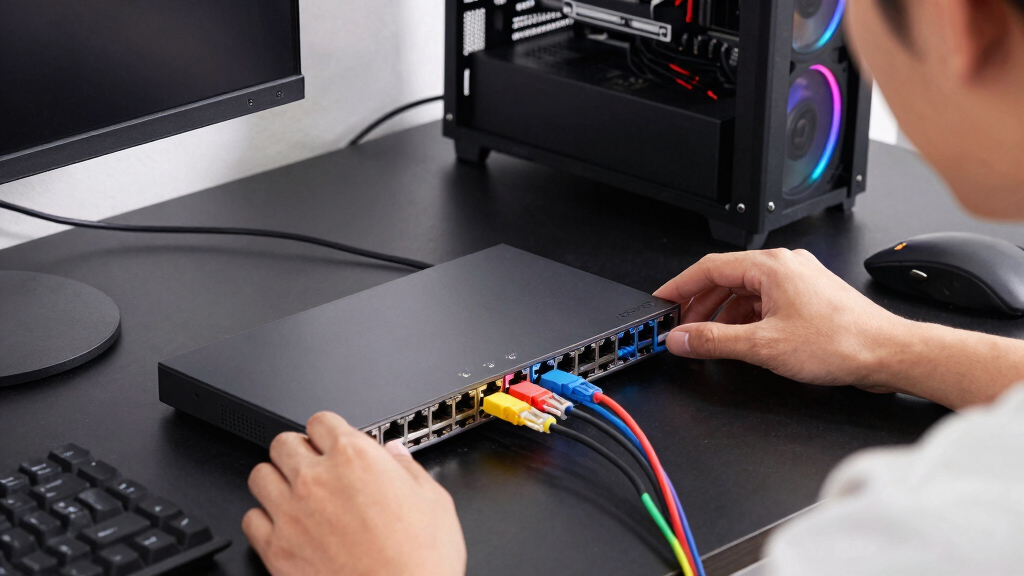

The best Ethernet switch for most gaming setups is the TP-Link Omada 5-Port 2.5G Managed Switch, thanks to its multi-gig ports, 10Gbps SFP+ slot, fanless design, and useful traffic controls. The TP-Link TL-SG105 offers better value for players who only need dependable Gigabit connections, while the TP-Link TL-SX105 is the premium choice for 10G home networks. The main decision is whether to pay for multi-gig speed, management features, or extra ports when ordinary game traffic rarely requires more than Gigabit bandwidth. Buyers must also choose between simple plug-and-play operation and greater control over traffic, VLANs, and connected devices. Continue reading for my full breakdown of which switch fits each gaming setup and which upgrades are unlikely to improve play.

Play games on Amazon Luna for your game nights, included with Prime
- A rotating selection of games, no download needed
- Play on TV, laptop or phone
- Fast, free delivery for your gear, too
Complete the kit



Key Takeaways
- The managed Omada 2.5G model takes the top spot because it combines fast copper ports, an SFP+ uplink, silent operation, and network controls without the expense of five full 10G ports.
- The TP-Link TL-SX105 is the premium performance pick, but its 10G capability makes the most sense when a gaming PC, NAS, router, or local server can actually use that bandwidth.
- Gigabit remains the smarter purchase for many players: the metal TP-Link TL-SG105 offers stronger overall value, while the simpler Litewave model is easier to recommend to beginners.
- Port count separates the five-port and eight-port options more than gaming speed does, since a five-port switch leaves only four ports after the router connection is counted.
- Management ranges from automatic to highly configurable: the ASUS QG-U1050 supplies convenient preset modes, TP-Link Easy Smart models add light controls, and the managed Omada offers the broadest control in this lineup.
| TP-Link Omada 5 Port 2.5G Switch with 10 Gbps SFP+ Slot |  | Best Overall | RJ45 ports: 5× 2.5Gbps | Uplink: 1× 10Gbps SFP+ | Management: Omada cloud platform | VIEW LATEST PRICE | See Our Full Breakdown |
| TP-Link LiteWave LS1005G 5-Port Gigabit Ethernet Switch |  | Best Budget Pick | Ports: 5× Gigabit RJ45 | Transfer rate: 1000Mbps | Switch type: Unmanaged | VIEW LATEST PRICE | See Our Full Breakdown |
| ASUS QG-U1080 5-Port 2.5G and 2-Port 10G SFP+ Unmanaged Switch |  | Best for Dual 10G Uplinks | 2.5Gbps ports: 5× RJ45 | 10Gbps ports: 2× SFP+ | Switch type: Unmanaged | VIEW LATEST PRICE | See Our Full Breakdown |
| TP-Link 5-Port Gigabit Ethernet Easy Smart Switch |  | Best Durable Gigabit Pick | Ports: 5 | Port type: Gigabit Ethernet | Design: Desktop | VIEW LATEST PRICE | See Our Full Breakdown |
| ASUS QG-U1050 5-Port 2.5G Unmanaged Switch with 4 Intelligent Modes |  | Best Compact 2.5G Pick | 2.5Gbps ports: 5× RJ45 | Aggregate transfer rate: 12.5Gbps | Switch type: Unmanaged | VIEW LATEST PRICE | See Our Full Breakdown |
| TP-Link TL-SG108E 8-Port Gigabit Easy Smart Switch |  | Best for Network Control | Number of ports: 8 | Port speed: Gigabit Ethernet | Management: Easy Smart managed | VIEW LATEST PRICE | See Our Full Breakdown |
| Omada 5-Port 2.5G Multi-Gig Unmanaged Switch |  | Best 2.5G Upgrade | Ports: 5 × 2.5-Gigabit Ethernet | Maximum port speed: 2.5 Gbps | Switching capacity: 25 Gbps | VIEW LATEST PRICE | See Our Full Breakdown |
| TP-Link TL-SX105 5-Port 10G Multi-Gig Unmanaged Ethernet Switch |  | Best Premium Speed | Number of ports: 5 | Maximum port speed: 10 Gbps | Interface: RJ45 Ethernet | VIEW LATEST PRICE | See Our Full Breakdown |
| TP-Link TL-SG105 5-Port Gigabit Unmanaged Ethernet Switch |  | Best Budget Simplicity | Ports: 5 × RJ45 | Supported link speeds: 10/100/1000 Mbps | Switch type: Unmanaged | VIEW LATEST PRICE | See Our Full Breakdown |
| Ethernet switches for gaming setup | Switch type |
|---|---|
| TP-Link Omada 5 Port 2.5G Swit | — |
| TP-Link LiteWave LS1005G 5-Por | Unmanaged |
| ASUS QG-U1080 5-Port 2.5G and | Unmanaged |
| TP-Link 5-Port Gigabit Etherne | — |
| ASUS QG-U1050 5-Port 2.5G Unma | Unmanaged |
| TP-Link TL-SG108E 8-Port Gigab | — |
| Omada 5-Port 2.5G Multi-Gig Un | — |
| TP-Link TL-SX105 5-Port 10G Mu | Unmanaged |
| TP-Link TL-SG105 5-Port Gigabi | Unmanaged |
More Details on Our Top Picks
TP-Link Omada 5 Port 2.5G Switch with 10 Gbps SFP+ Slot
I rank the TP-Link Omada 5 Port 2.5G Switch as Best Overall because it balances fast gaming connections with useful network control. Its five 2.5Gbps ports suit gaming PCs, consoles, Wi-Fi access points, and storage, while the 10Gbps SFP+ slot provides a faster path to a NAS or network backbone. Unlike the unmanaged ASUS QG-U1050, this model offers VLANs, IGMP snooping, loop prevention, and centralized Omada management. Those tools make more sense in a busy household where gaming traffic shares the network with streaming and file transfers. The tradeoff is added setup work: buyers seeking simple plug-and-play expansion may prefer the ASUS. Five copper ports can also feel restrictive as a setup grows, and full control depends on the Omada platform.
Pros:- Five 2.5Gbps ports support modern gaming PCs and multi-gig internet
- 10Gbps SFP+ slot provides a fast NAS or backbone connection
- VLAN, IGMP snooping, and loop prevention offer useful traffic control
- Fanless metal enclosure supports silent desktop or wall-mounted placement
Cons:- Only five RJ45 ports are available for local devices
- Full management functionality relies on the Omada platform
- Setup is more involved than with an unmanaged switch
Best for: I recommend it for PC gamers and multi-device households that need 2.5Gbps connections, a fast uplink, and control over shared network traffic.
Not ideal for: I would skip it for buyers who need more than five copper ports or want a completely unmanaged switch with no platform dependency.
- RJ45 ports:5× 2.5Gbps
- Uplink:1× 10Gbps SFP+
- Management:Omada cloud platform
- Network features:VLAN, IGMP snooping, loop prevention
- Cooling:Fanless
- Enclosure:Metal
- Mounting:Desktop or wall
Our verdict“This is my leading pick for gamers who want multi-gig speed and meaningful network control without fan noise.”
TP-Link LiteWave LS1005G 5-Port Gigabit Ethernet Switch
The TP-Link LiteWave LS1005G is my Best Budget Pick for a gaming setup that only needs a few dependable wired connections. Gigabit Ethernet is enough for most home internet plans, so a console, gaming PC, and streaming box can gain stable wired access without paying for multi-gig hardware. Compared with the TP-Link Omada 2.5G switch, the LiteWave gives up faster LAN transfers, VLANs, and traffic management in exchange for a much simpler plug-and-play design. Its compact fanless body also fits neatly behind a desk and stays silent. Cost savings come with real limits: the plastic enclosure is less robust than the metal Easy Smart model, five ports leave little room for expansion, and there is no PoE or network management for more involved setups.
Pros:- Five Gigabit ports cover a small gaming station at low cost
- Plug-and-play operation requires no configuration
- Compact 2.8-ounce body is easy to place behind a desk
- Fanless operation adds no noise to a gaming room
Cons:- Gigabit ceiling limits high-speed NAS transfers and multi-gig internet
- Plastic construction is less durable than metal alternatives
- No management features or PoE support
Best for: I recommend it for budget-focused console players, dorm residents, and casual PC gamers whose router and internet service are limited to Gigabit speeds.
Not ideal for: I would skip it for multi-gig PC owners, advanced home-network users, or anyone planning to power access points and cameras through PoE.
- Ports:5× Gigabit RJ45
- Transfer rate:1000Mbps
- Switch type:Unmanaged
- Power input:5V DC, 0.6A
- Dimensions:3.54 × 2.83 × 0.91 inches
- Weight:2.8 ounces
- Material:Plastic
- Upper temperature rating:40°C
Our verdict“This is my value choice for small gaming setups that need quiet, uncomplicated Gigabit expansion and nothing more.”
ASUS QG-U1080 5-Port 2.5G and 2-Port 10G SFP+ Unmanaged Switch
I place the ASUS QG-U1080 ahead of simpler unmanaged models for gaming rooms that also move large files. Five 2.5Gbps RJ45 connections cover PCs and other wired devices, while two 10Gbps SFP+ ports can link both a NAS and another switch without forcing them to share one uplink. That makes it more flexible than the ASUS QG-U1050, which lacks SFP+ connectivity, and gives it a distinct role in storage-heavy gaming setups. Priority and port-isolation functions add some practical control without requiring a full management interface. Yet this is still an unmanaged desktop switch; the TP-Link Omada model is better for VLAN configuration and centralized oversight. It also lacks rack-mount positioning, and unclear power-supply details warrant checking the package contents before purchase.
Pros:- Five 2.5Gbps RJ45 ports accommodate several gaming and media devices
- Two 10Gbps SFP+ ports provide unusually flexible high-speed uplinks
- Priority and port-isolation functions add basic traffic handling
- Plug-and-play design avoids a lengthy configuration process
Cons:- Unmanaged design lacks advanced configuration and monitoring
- Desktop-focused enclosure is not intended for rack mounting
- Provided product data does not clarify the included power supply
Best for: I recommend it for gamers with several 2.5Gbps devices who also need separate 10Gbps links for a NAS and network backbone.
Not ideal for: I would skip it for rack-based installations or buyers who need VLAN configuration, detailed monitoring, and centralized management.
- 2.5Gbps ports:5× RJ45
- 10Gbps ports:2× SFP+
- Switch type:Unmanaged
- Interfaces:RJ45 and SFP+
- Compatible devices:Desktop and router
- Dimensions:7.6 × 3.3 × 1.02 inches
- Weight:0.9 pounds
- Upper temperature rating:40°C
Our verdict“This is my pick for storage-heavy gaming networks that need two 10Gbps uplinks but do not require full management.”
TP-Link 5-Port Gigabit Ethernet Easy Smart Switch
The TP-Link 5-Port Gigabit Easy Smart Switch earns my Best Durable Gigabit Pick role because its metal housing and shielded ports are better suited to a permanent gaming desk than the plastic TP-Link LiteWave. Both provide five Gigabit connections, so neither raises local transfer speeds beyond 1Gbps, but this model places greater emphasis on physical durability and connection shielding. The limited lifetime replacement warranty also makes it appealing for a setup expected to remain wired for years. Its weakness is the sparse supplied feature information: despite the Easy Smart name, the available data does not define its management tools. The Omada 2.5G model is a clearer choice for buyers who need documented VLAN controls or faster ports. I would also avoid this five-port layout when a gaming room is likely to add many wired devices.
Pros:- Metal construction is sturdier than plastic budget switches
- Shielded ports support reliable wired connections
- Plug-and-play setup suits buyers who want quick installation
- Limited lifetime replacement warranty adds long-term reassurance
Cons:- Gigabit ports cannot take advantage of multi-gig internet or devices
- Five-port capacity leaves limited expansion room
- Supplied data does not detail the available smart-management functions
Best for: I recommend it for console and PC gamers who are satisfied with Gigabit speed but prefer a metal switch for a long-term desk installation.
Not ideal for: I would skip it for multi-gig households, large wired setups, or buyers who need clearly documented management functions.
- Ports:5
- Port type:Gigabit Ethernet
- Design:Desktop
- Material:Metal
- Shielded ports:Yes
- Warranty:Limited lifetime replacement
Our verdict“This is my choice for gamers who value sturdy construction and warranty coverage more than multi-gig performance.”
ASUS QG-U1050 5-Port 2.5G Unmanaged Switch with 4 Intelligent Modes
I chose the ASUS QG-U1050 as the Best Compact 2.5G Pick for gamers who want multi-gig Ethernet without adding a large or managed switch. Its five 2.5Gbps connections can serve a gaming PC, NAS, Wi-Fi 6 access point, and other desk equipment, while the fanless 4.8-inch body stays discreet and quiet. Compared with the Gigabit TP-Link LiteWave, it offers much faster local transfers and room for internet service above 1Gbps. It is also smaller and simpler than the ASUS QG-U1080, though that simplicity removes the U1080’s pair of 10Gbps SFP+ uplinks. Four intelligent modes provide more flexibility than a bare unmanaged design, but they do not replace full VLAN management. Five ports may be exhausted quickly, and the supplied information does not confirm what power accessories are included.
Pros:- Five 2.5Gbps connections support fast gaming and local file transfers
- Compact enclosure fits easily into a crowded desk setup
- Fanless operation keeps the gaming area quiet
- Four intelligent modes add useful preset behavior
Cons:- Five-port capacity offers little room for future expansion
- No SFP+ uplink for 10Gbps storage or backbone connections
- Unmanaged operation lacks full VLAN and monitoring controls
Best for: I recommend it for space-conscious PC gamers with a 2.5Gbps router, NAS, or Wi-Fi 6 access point and no need for 10Gbps uplinks.
Not ideal for: I would skip it for buyers building a large wired network or anyone who needs SFP+, VLAN configuration, or detailed traffic monitoring.
- 2.5Gbps ports:5× RJ45
- Aggregate transfer rate:12.5Gbps
- Switch type:Unmanaged
- Intelligent modes:4
- Power input:12V
- Dimensions:4.8 × 2.9 × 1.2 inches
- Weight:0.5 pounds
- Upper temperature rating:40°C
Our verdict“This is my compact recommendation for gamers who need five quiet 2.5Gbps connections without management complexity.”
TP-Link TL-SG108E 8-Port Gigabit Easy Smart Switch
I rank the TP-Link TL-SG108E as the control-focused pick because its VLAN, QoS, and IGMP Snooping settings let me separate gaming hardware and prioritize latency-sensitive traffic. Compared with the TP-Link TL-SG105, it supplies three additional ports and a management interface, making it better for a desk shared by consoles, PCs, access points, and streaming devices. Link Aggregation can also raise throughput to compatible storage, though it will not make one gaming connection exceed 1 Gbps. The main compromise is that every port remains gigabit-only; the Omada 2.5G switch offers more headroom for fast broadband and NAS transfers. Configuration also asks more of the buyer than a basic unmanaged model. I recommend this switch when traffic control matters more than multi-gig speed.
Pros:- Eight ports accommodate larger gaming and entertainment setups
- VLAN and QoS controls provide more traffic control than unmanaged switches
- IGMP Snooping helps contain multicast traffic on busy home networks
- Metal enclosure supports desktop or wall-mounted placement
Cons:- Gigabit ports cannot exploit multi-gig internet or faster local hardware
- Advanced settings require some networking knowledge
- No PoE support for powering compatible access points or cameras
Best for: Multi-console households and PC gamers who want to separate devices with VLANs or manage traffic priority across eight wired connections
Not ideal for: Gamers with internet service above 1 Gbps or 2.5G-equipped PCs, since every port is capped at gigabit speed
- Number of ports:8
- Port speed:Gigabit Ethernet
- Management:Easy Smart managed
- Traffic controls:VLAN, QoS and IGMP Snooping
- Link Aggregation:Supported
- Installation:Desktop or wall-mount
- Enclosure:Metal with shielded ports
- Warranty:3 years
Our verdict“This is my choice for gamers who need eight ports and useful network controls without moving to a full enterprise switch.”
Omada 5-Port 2.5G Multi-Gig Unmanaged Switch
The Omada 5-Port 2.5G switch occupies the practical middle ground between ordinary gigabit hardware and costly 10G networking. Each port can serve a 2.5G gaming PC, WiFi 6 access point, or NAS, while the 25 Gbps switching capacity leaves room for simultaneous local transfers. Compared with the TP-Link TL-SG105, it offers 2.5 times the link speed, which matters more for multi-gig broadband and large game-library transfers than for reducing online latency. It is also a more measured choice than the TP-Link TL-SX105 when the household lacks 10G devices. I like its silent, plug-and-play design, but the simplicity removes VLANs, configurable QoS, and monitoring. With only five ports, expansion is limited, and full performance depends on compatible adapters and cabling.
Pros:- Five 2.5G ports support multi-gig devices without a 10G-class purchase
- 25 Gbps switching capacity handles multiple active links
- Fanless operation keeps a gaming room quiet
- Plug-and-play setup suits buyers who do not want network administration
Cons:- No managed controls, VLAN configuration, or detailed monitoring
- Five ports leave little room for a growing wired setup
- Older adapters or unsuitable cabling can restrict links to lower speeds
Best for: PC gamers with 2.5G Ethernet, multi-gig broadband, or a local NAS who want a silent upgrade without configuration
Not ideal for: Network enthusiasts who need VLANs, configurable traffic rules, monitoring, or more than five wired device connections
- Ports:5 × 2.5-Gigabit Ethernet
- Maximum port speed:2.5 Gbps
- Switching capacity:25 Gbps
- Management:Unmanaged
- Cooling:Fanless
- Installation:Plug and play
- Device compatibility:Gaming PCs, NAS, WiFi 6 and 4K video devices
Our verdict“I recommend this model for gamers who want useful multi-gig speed across every port without paying for 10G capability they may not use.”
TP-Link TL-SX105 5-Port 10G Multi-Gig Unmanaged Ethernet Switch
I reserve the premium-speed position for the TP-Link TL-SX105, whose five 10G RJ45 ports can connect a high-end gaming desktop, workstation, and fast NAS without creating a gigabit bottleneck. Compared with the Omada 5-Port 2.5G switch, it provides four times the maximum port rate and makes much more sense for moving huge game installations or captured footage across a local network. Auto-negotiation also lets slower Ethernet hardware connect at supported rates. That bandwidth should not be mistaken for a direct cure for internet latency; online play rarely needs 10 Gbps. The switch lacks VLANs, configurable QoS, PoE, and remote management despite its premium hardware. Its five-port limit also restricts expansion. I see it as a specialist choice for 10G-equipped gaming rooms, not a default purchase.
Pros:- Five 10G RJ45 ports provide ample bandwidth for fast local storage and workstation traffic
- Auto-negotiation supports devices operating below 10 Gbps
- Fanless cooling avoids adding noise near a gaming desk
- Metal case provides a sturdy compact enclosure
Cons:- No VLAN, configurable QoS, or network-monitoring features
- No PoE support for powered network devices
- Five ports and desktop-oriented placement limit larger installations
Best for: Enthusiast PC gamers and content creators who already own 10G-capable desktops or NAS hardware and regularly move very large files
Not ideal for: Console-only players and gigabit-internet households, since their devices cannot make meaningful use of the added 10G bandwidth
- Number of ports:5
- Maximum port speed:10 Gbps
- Interface:RJ45 Ethernet
- Switch type:Unmanaged
- Cooling:Fanless
- Case material:Metal
- Dimensions:8.9 × 5.2 × 0.98 inches
- Weight:1.15 kg
- Warranty:3 years
Our verdict“This is my premium pick for buyers who can already use 10G hardware and want maximum local-transfer speed beside their gaming setup.”
TP-Link TL-SG105 5-Port Gigabit Unmanaged Ethernet Switch
The TP-Link TL-SG105 is my straightforward budget pick for connecting a console, gaming PC, television, and router without paying for unused management tools. Its plug-and-play operation removes setup work, while the fanless metal enclosure fits naturally beside a gaming desk or media cabinet. Compared with the TP-Link TL-SG108E, it has three fewer ports and no user-configurable VLAN interface, so it is less adaptable as a network grows. It does support traffic prioritization and IGMP Snooping, giving it more gaming relevance than a bare-bones splitter-style purchase. The bigger limit is gigabit-only performance: the Omada 2.5G model is better for multi-gig broadband or rapid NAS transfers. There is also no included mounting hardware. I favor this model for small, stable wired setups where quiet operation and low complexity outweigh future expansion.
Pros:- Plug-and-play operation requires no software or network configuration
- Fanless design remains silent in bedrooms and gaming spaces
- Traffic prioritization supports orderly delivery of latency-sensitive data
- Energy-efficient metal design suits continuous home use
Cons:- Five total ports offer limited expansion after accounting for the router uplink
- Gigabit speed cannot fully serve multi-gig internet or 2.5G hardware
- No managed controls and no mounting hardware included
Best for: Console players and single-PC households that need a few reliable gigabit connections near a television or gaming desk
Not ideal for: Buyers planning multi-gig internet, fast NAS transfers, wall mounting, or a wired setup that will soon exceed four connected devices plus the router uplink
- Ports:5 × RJ45
- Supported link speeds:10/100/1000 Mbps
- Switch type:Unmanaged
- Installation:Plug and play
- Cooling:Fanless
- Enclosure:Metal
- Network features:Traffic prioritization, QoS and IGMP Snooping
- Power feature:Energy-efficient technology
- Warranty:3 years
Our verdict“I recommend the TL-SG105 for small gaming setups that need quiet, dependable gigabit connectivity with almost no setup effort.”
How We Picked
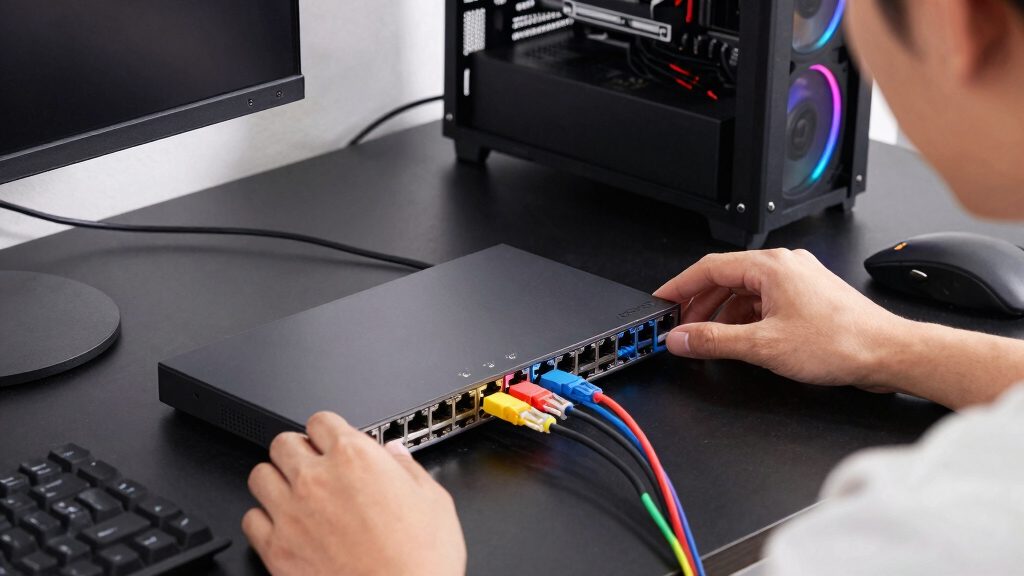
I ranked these switches by gaming-network usefulness rather than maximum advertised throughput alone. I compared documented port speeds, uplink options, port counts, management features, mounting choices, and compatibility with common routers, consoles, PCs, access points, and storage devices. I gave extra weight to fanless operation because a switch placed on or near a gaming desk should remain quiet. Build quality mattered as well, especially for exposed desktop installations where a metal enclosure and shielded ports can provide a more durable setup. Price was judged against features a gaming household could realistically use, not merely the largest specification on the box.
The highest positions favor products that serve both current gaming hardware and reasonable network upgrades. The managed Omada leads because its 2.5G copper connections and SFP+ slot offer more flexibility than the Gigabit picks without requiring the cost of the TL-SX105. The TL-SX105 ranks as the premium option because its full multi-gig capability is powerful but excessive for a network built around a Gigabit router. Among lower-cost models, I placed the TL-SG105 ahead of Litewave for value because its sturdier construction better suits a permanent setup, while Litewave remains the easier beginner choice. The eight-port TP-Link earns its place through capacity, and the ASUS models stand apart through preset gaming modes or mixed 2.5G and SFP+ connectivity.
Factors to Consider When Choosing Best Ethernet Switches For Gaming Setups
A gaming switch should solve a specific connection problem rather than serve as an automatic speed upgrade. I recommend starting with the speed of the router, the number of wired devices, and whether local file transfers matter alongside online play. The right spending level becomes much clearer once those three points are defined.
Match Switch Speed to the Real Bottleneck
Online games use relatively little bandwidth, so moving from Gigabit to 2.5G or 10G rarely lowers latency by itself. A 2.5G switch earns its cost when the router, gaming PC, Wi-Fi access point, or NAS also has a 2.5G port. A 10G model is better suited to large local transfers, game-library storage, high-bitrate media work, or several fast devices sharing the network. If the router connects at only 1Gbps, every internet-bound device behind the switch still shares that 1Gbps uplink. A slower device will not gain speed merely because it is attached to a faster switch. I would treat multi-gig capability as local-network headroom, not as a direct ping upgrade.
Count the Uplink as One of the Ports
A common buying mistake is counting every advertised port as available for gaming hardware. On a five-port switch, the connection back to the router normally leaves four ports for devices. That can disappear quickly after adding a PC, console, access point, streaming box, or NAS. An eight-port model is often the cleaner purchase for a shared room because it avoids another switch and extra power adapter later. An SFP+ uplink may preserve the copper ports, but it requires compatible equipment and does not help a standard router with RJ45-only sockets. I prefer keeping at least one spare port for temporary systems, troubleshooting, or the next wired device.
Choose the Right Level of Network Control
An unmanaged switch is the right fit when the goal is simply to connect devices and leave the network alone. Managed models add VLANs, traffic monitoring, link controls, loop protection, and other tools that can help separate gaming hardware from work, smart-home, or guest devices. TP-Link Easy Smart switches sit between those categories, offering basic configuration without the heavier setup associated with a business-focused managed switch. For a household with one router and a few gaming systems, many of those controls may remain unused. Configuration also adds another place where an incorrect setting can interrupt connectivity. I would pay for management features when there is a clear plan for segmentation, monitoring, or traffic policy.
Understand What Gaming Priority Can and Cannot Fix
Gaming-priority modes and QoS can help when several devices compete for a busy local or internet connection. Preset modes, such as those on the ASUS QG-U1050, make this easier for buyers who do not want to configure traffic rules manually. A switch cannot repair slow ISP routing, distant game servers, weak Wi-Fi, or an overloaded modem. If upload congestion causes lag, router-level queue management often has more influence because the router controls the internet connection. Faster ports and priority rules solve different problems: one increases capacity, while the other decides which traffic moves first during contention. I treat gaming modes as a convenience for busy networks, not a substitute for a good router and wired connection.
Account for Noise, Cabling, and Upgrade Costs
A fanless metal switch fits a gaming desk better than a noisy model that depends on active cooling. Metal construction can also handle heat and physical knocks better, though enclosure material alone does not determine performance. SFP+ ports require a suitable cable, direct-attach cable, or transceiver, making them less convenient than ordinary RJ45 sockets for many homes. Existing Cat5e cabling often supports Gigabit and shorter 2.5G runs, while reliable 10G connections may call for higher-grade cable and more careful installation. Full 10G hardware can consume more power and produce more heat, so paying for unused speed carries costs beyond the purchase price. I would spend more for headroom that matches a planned router, NAS, or PC upgrade, not for a distant possibility.
Frequently Asked Questions
Will a 2.5G or 10G switch reduce my gaming ping?
Usually, a faster switch will not reduce ping when the existing Gigabit connection is not congested. Game traffic typically requires far less than 1Gbps, and latency depends more on the router, ISP, server location, and network congestion. Multi-gig speed can still help if another device is moving large files across the same local network or if the internet plan exceeds Gigabit speeds. Even then, every link in the path must support the faster rate. I would buy 2.5G or 10G for capacity and local transfers, not as a guaranteed latency fix.
Is a managed switch worth buying for a gaming setup?
A managed switch is worth paying for when I need VLANs, monitoring, or manual traffic control. These tools are useful in homes that combine gaming systems, work computers, servers, cameras, and smart devices on one network. For a few consoles and a PC, an unmanaged switch usually provides the same basic forwarding performance with less setup. An Easy Smart model offers a useful middle ground for buyers who want light control without a larger management interface. I would not choose management solely for lower ping because the switch cannot control the ISP path.
Should I buy a five-port or eight-port gaming switch?
A five-port model is enough for a router connection and up to four wired devices. I would choose eight ports when the room includes multiple consoles, a PC, an access point, storage, or streaming hardware. Buying extra capacity early can cost less and create less clutter than adding a second switch later. Five-port multi-gig models remain appealing when only a few high-speed devices need wired access. The better choice depends on whether speed or connection capacity is more likely to limit the setup.
Can I connect an SFP+ switch port directly to my gaming PC or router?
Only when the other device has a compatible SFP+ interface or the connection uses a suitable transceiver or direct-attach cable. Most consumer routers and gaming PCs use RJ45 Ethernet sockets, so an SFP+ slot may require extra hardware. Transceiver compatibility, heat output, and supported link speeds can vary between devices. An SFP+ port is most useful for connecting a capable router, NAS, server, or another switch. If the network is entirely RJ45-based, I would favor copper multi-gig ports over paying for an uplink that may remain empty.
Can Gigabit, 2.5G, and 10G devices share the same switch?
They can when the switch supports multi-rate auto-negotiation on the relevant ports. Each connection normally runs at the fastest speed supported by both the switch port and the attached device. A Gigabit console will still operate at 1Gbps when connected beside a 2.5G PC, while the faster PC can retain its higher local link rate. Cabling quality and port compatibility can prevent a connection from reaching its advertised speed. I would check the supported rates per port because an SFP+ or 10G port may not accept every slower rate.
Conclusion
For most buyers building a multi-gig network, my best overall pick is the TP-Link Omada 5-Port 2.5G Managed Switch because it balances speed, control, quiet operation, and an SFP+ upgrade path. The TP-Link TL-SG105 is the best value for a Gigabit setup that needs a durable, straightforward switch. Beginners who want the simplest low-cost connection should choose the TP-Link Litewave 5-Port Gigabit Switch. Buyers with compatible 10G equipment and heavy local traffic should step up to the TP-Link TL-SX105 as the premium choice.
For easier gaming prioritization, the ASUS QG-U1050 makes more sense than a fully managed model, while the ASUS QG-U1080 better suits a mixed 2.5G and SFP+ network. The Omada 5-Port 2.5G Unmanaged Switch is the cleaner choice for buyers who want multi-gig speed without configuration.
If light management matters more than raw bandwidth, choose the TP-Link 5-Port Gigabit Easy Smart Switch. A room with many wired systems is better served by the TP-Link 8-Port Gigabit Easy Smart Switch, which trades multi-gig speed for capacity and basic control. My final choice would follow the network’s real bottleneck: Gigabit for affordable gaming connections, 2.5G for balanced upgrade room, or 10G for demanding local workloads.
Halloween Picks
halloween
As an affiliate, we earn on qualifying purchases.