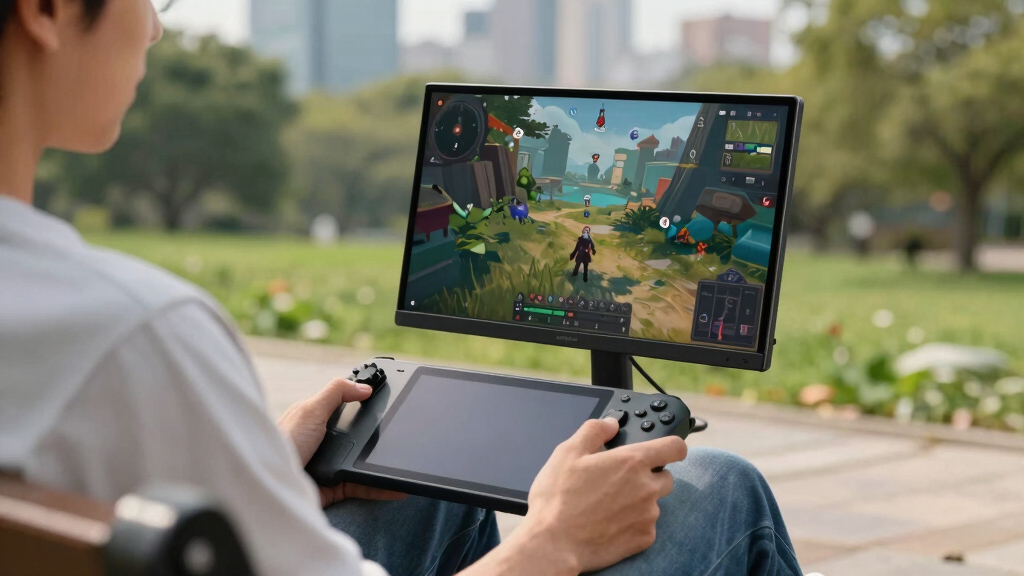

The best portable OLED monitor for Steam Deck is the UPERFECT 14-Inch Touchscreen OLED 3K 120Hz, because it balances sharpness, speed, brightness, and travel-friendly sizing better than the rest of this lineup. The ViewSonic VX1655-4K-OLED is the stronger premium pick for buyers who want a larger 15.6-inch 4K panel from a more familiar monitor brand, while the 13.3-inch 1080P OLED touchscreen model makes more sense for a lighter, simpler travel setup. The main tradeoff is whether Steam Deck buyers should pay for 3K or 4K resolution when many games will still run best at lower render settings. I also weigh refresh rate, USB-C convenience, kickstand design, brightness, and whether touch support adds value or just cost. Keep reading for the full breakdown of which OLED portable monitor fits each Steam Deck setup.

Play games on Amazon Luna for your game nights, included with Prime
- A rotating selection of games, no download needed
- Play on TV, laptop or phone
- Fast, free delivery for your gear, too
Key Takeaways
- The UPERFECT 14-Inch Touchscreen OLED 3K 120Hz earns the top spot because it gives Steam Deck users the best mix of OLED contrast, high refresh, compact sizing, and touch control.
- 4K OLED models look sharper for desktop mode and media, but they are not always the smartest gaming buy because Steam Deck performance often favors lower resolutions.
- The 13.3-inch 1080P OLED monitor is the most practical travel pick for buyers who care more about portability and battery-pack friendliness than maximum detail.
- ASUS and ViewSonic models feel safer for buyers who value brand support and warranty coverage, while UPERFECT and Upperizon compete harder on specs for the money.
- Touch support is useful for Steam Deck desktop mode, launchers, and quick taps, but it matters less for pure controller-based gaming and may add cost without changing gameplay.
| UPERFECT 14-Inch Touchscreen OLED Portable Monitor |  | Best Overall for Steam Deck OLED Play | Display Size: 14 inches | Resolution: 2880×1800 (3K) | Refresh Rate: 120Hz | VIEW LATEST PRICE | See Our Full Breakdown |
| 13.3-Inch OLED Portable Monitor Touchscreen |  | Best Compact Value Pick | Display Size: 13.3 inches | Resolution: 1920×1080 | Brightness: 500 nits | VIEW LATEST PRICE | See Our Full Breakdown |
| UPERFECT 14-Inch OLED Portable Monitor |  | Best High-Refresh Non-Touch Pick | Display Size: 14 inches | Resolution: 2880×1800 (3K) | Refresh Rate: 120Hz | VIEW LATEST PRICE | See Our Full Breakdown |
| Upperizon 14-Inch 4K OLED Portable Monitor |  | Best 4K OLED Detail Pick | Display Size: 14 inches | Resolution: 3840×2400 (4K UHD) | Refresh Rate: 60Hz | VIEW LATEST PRICE | See Our Full Breakdown |
| RICOH 150 Portable 15.6-Inch Vivid OLED Touchscreen Monitor |  | Best Larger Touchscreen Travel Pick | Display Size: 15.6 inches | Screen Type: OLED | Brightness: 350 nits | VIEW LATEST PRICE | See Our Full Breakdown |
| ViewSonic VX1655-4K-OLED 15.6 Inch 4K Portable Monitor |  | Best Lightweight 4K Pick | Display Size: 15.6 inches | Resolution: 3840 x 2160p 4K UHD | Refresh Rate: 60Hz | VIEW LATEST PRICE | See Our Full Breakdown |
| 14-Inch 4K OLED Portable Touch Screen Monitor with HDMI and USB-C |  | Best Touchscreen 4K Option | Display Size: 14 inches | Resolution: 3840 x 2400 | Display Technology: OLED | VIEW LATEST PRICE | See Our Full Breakdown |
| ASUS ZenScreen 16” OLED USB-C Portable Monitor (MQ16AHE) |  | Best 1080p OLED for Easy Deck Gaming | Display Size: 15.6 inches | Resolution: 1920 x 1080 Full HD | Display Technology: OLED with HDR | VIEW LATEST PRICE | See Our Full Breakdown |
| ASUS ZenScreen OLED 16-inch Portable Monitor (MQ16FC) |  | Best 16:10 Productivity Pick | Display Size: 16 inches | Resolution: 1920 x 1200 WUXGA | Aspect Ratio: 16:10 | VIEW LATEST PRICE | See Our Full Breakdown |
| portable OLED monitors for Steam Deck | Display Size | Resolution | Response Time | Weight |
|---|---|---|---|---|
| UPERFECT 14-Inch Touchscreen O | 14 inches | 2880×1800 (3K) | 0.1ms | 1.28 pounds |
| 13.3-Inch OLED Portable Monito | 13.3 inches | 1920×1080 | — | — |
| UPERFECT 14-Inch OLED Portable | 14 inches | 2880×1800 (3K) | 0.1ms | 2.2 pounds |
| Upperizon 14-Inch 4K OLED Port | 14 inches | 3840×2400 (4K UHD) | 1ms | 1.33 pounds |
| RICOH 150 Portable 15.6-Inch V | 15.6 inches | — | 1ms | 19.8 ounces |
| ViewSonic VX1655-4K-OLED 15.6 | 15.6 inches | 3840 x 2160p 4K UHD | — | 1.5 lbs |
| 14-Inch 4K OLED Portable Touch | 14 inches | 3840 x 2400 | — | 1.3 pounds |
| ASUS ZenScreen 16” OLED USB-C | 15.6 inches | 1920 x 1080 Full HD | 1 ms | — |
| ASUS ZenScreen OLED 16-inch Po | 16 inches | 1920 x 1200 WUXGA | 1 ms | — |
More Details on Our Top Picks
UPERFECT 14-Inch Touchscreen OLED Portable Monitor
I would put the UPERFECT 14-Inch Touchscreen OLED first because it hits the Steam Deck sweet spot better than the others: 3K sharpness, 120Hz motion, and a very light 1.28-pound build. Compared with the non-touch UPERFECT 14-Inch OLED, this version adds touch input, which is useful when using desktop mode or tapping through launchers. It is not the cheapest or simplest pick, though. The Deck will not make every game run at 2880×1800, and touch accuracy may require making it the main display. Next to the Upperizon 4K OLED, this model gives up raw resolution but feels more gaming-focused thanks to the higher refresh rate and faster response time.
Pros:- 3K OLED panel gives Steam Deck games deep contrast and sharper UI text
- 120Hz refresh rate and 0.1ms response time suit smoother gaming
- Touchscreen adds value for Steam Deck desktop mode
- 1.28-pound ultra-slim body is easy to pack
Cons:- Touch accuracy may require setting it as the main screen
- Steam Deck games will often run below the native 3K resolution
- May need external power for longer sessions
Best for: Steam Deck owners who want the best balance of OLED color, high refresh gaming, touch control, and low travel weight.
Not ideal for: Buyers who want a plug-and-play console-only screen without display setup tweaks or separate power planning.
- Display Size:14 inches
- Resolution:2880×1800 (3K)
- Refresh Rate:120Hz
- Response Time:0.1ms
- Brightness:500 nits
- Color Gamut:120% DCI-P3
- Weight:1.28 pounds
- Connectivity:HDMI, USB-C
Our verdict“This is my top pick for Steam Deck players who want portable OLED quality without giving up gaming responsiveness.”
13.3-Inch OLED Portable Monitor Touchscreen
This 13.3-Inch OLED Touchscreen makes sense lower in the ranking because it favors small-bag portability and easier pricing logic over premium gaming specs. Compared with the UPERFECT 14-Inch Touchscreen OLED, it drops to 1080p and does not list a high refresh rate, so it is less exciting for fast games. For many Steam Deck owners, though, 1080p is a practical match: it asks less from the handheld than 3K or 4K panels. The touch support is more useful for laptops, Android devices, and desktop mode than for console-style play, since consoles do not support it. I would rank it above larger basic screens for travel, but below the 120Hz UPERFECT models for gaming-first setups.
Pros:- 1080p resolution is easier for Steam Deck to drive than 3K or 4K
- 13.3-inch size is especially packable
- 500-nit OLED panel supports strong contrast and HDR media
- Includes protective case and multiple cables
Cons:- No listed 120Hz refresh rate for smoother high-frame-rate play
- Touch does not work with consoles, iPhone, or iPad
- HDMI use may need a separate power adapter for stability
Best for: Steam Deck users who want a smaller OLED travel screen for 1080p gaming, media, and occasional laptop use.
Not ideal for: Players who mainly want high-refresh competitive gaming or touch support on consoles.
- Display Size:13.3 inches
- Resolution:1920×1080
- Brightness:500 nits
- Contrast Ratio:100000:1
- Color Gamut:100% DCI-P3
- Touch Support:10-point capacitive touch
- Connectivity:Dual USB-C, HDMI
- VESA Mount:75x75mm
Our verdict“This is the sensible compact pick when portability and 1080p OLED matter more than chasing premium refresh rates.”
UPERFECT 14-Inch OLED Portable Monitor
The UPERFECT 14-Inch OLED Portable Monitor is the pick I would steer toward if touch is not a priority but 120Hz OLED gaming is. It shares the same 3K resolution, 500-nit brightness, and 0.1ms response claim as the UPERFECT touchscreen model, but its role is more desk-and-stand focused thanks to the built-in 90-degree adjustable stand, VESA support, and broader port list. Against the 13.3-Inch OLED Touchscreen, this one is sharper and smoother, though less compact. The drawback is weight: at 2.2 pounds, it is less effortless for handheld travel than the touchscreen UPERFECT or the Ricoh 150. HDMI may also run at 100Hz, so USB-C or Thunderbolt connections are the cleaner route.
Pros:- 120Hz OLED panel is well matched to smoother Steam Deck titles
- 3K resolution makes text and game menus look crisp
- Adjustable stand and VESA support suit desk setups
- HDMI, USB, and Thunderbolt ports offer flexible connection options
Cons:- Heavier than several 14-inch and 15.6-inch alternatives
- May require a power adapter for best operation
- HDMI use may be limited to 100Hz
Best for: Steam Deck players who want a sharper 120Hz OLED screen for desk, hotel, or docked play and do not need touch controls.
Not ideal for: Minimalist travelers who want the lightest screen possible or rely mostly on HDMI at the highest refresh rate.
- Display Size:14 inches
- Resolution:2880×1800 (3K)
- Refresh Rate:120Hz
- Response Time:0.1ms
- Brightness:500 nits
- Weight:2.2 pounds
- Ports:1 HDMI, 2 USB, 2 Thunderbolt
- Stand:Built-in 90-degree adjustable
Our verdict“This is the better UPERFECT choice for buyers who value stand flexibility and refresh rate more than touch input.”
Upperizon 14-Inch 4K OLED Portable Monitor
The Upperizon 14-Inch 4K OLED earns its place for buyers who care more about pixel density than high-frame-rate gaming. Its 3840×2400 panel is sharper than both UPERFECT 3K models, which can help with desktop mode, emulation menus, and media. For Steam Deck gaming, though, that extra resolution is also the compromise: the Deck is rarely a native 4K machine, and this monitor’s 60Hz refresh rate puts it behind the 120Hz UPERFECT options for action games. Brightness is also lower at 350 nits. I would choose it over the 13.3-Inch OLED Touchscreen for a more spacious, premium image, but not over the UPERFECT 120Hz models for gaming responsiveness.
Pros:- 4K OLED panel delivers the sharpest image in this batch
- 100% DCI-P3 color and high contrast suit media and creative work
- Light 1.33-pound body keeps it travel-friendly
- VESA support, speakers, USB-C, HDMI, and Thunderbolt add setup flexibility
Cons:- 60Hz refresh rate is less compelling for high-frame-rate Steam Deck gaming
- 350-nit brightness trails the 500-nit UPERFECT and 13.3-inch options
- Requires DisplayPort Alt Mode or Thunderbolt support for the best connection
Best for: Steam Deck owners who use desktop mode, watch 4K media, or want the sharpest portable OLED image for slower-paced games.
Not ideal for: Fast-action players who care more about 120Hz motion than 4K detail.
- Display Size:14 inches
- Resolution:3840×2400 (4K UHD)
- Refresh Rate:60Hz
- Response Time:1ms
- Brightness:350 nits
- Color Gamut:100% DCI-P3
- Weight:1.33 pounds
- Ports:1 HDMI, 2 USB-C, 2 Thunderbolt
Our verdict“This is my detail-first pick for Steam Deck users who want OLED sharpness more than competitive smoothness.”
RICOH 150 Portable 15.6-Inch Vivid OLED Touchscreen Monitor
The RICOH 150 stands out because it gives Steam Deck owners a larger 15.6-inch OLED canvas without becoming heavy. At 19.8 ounces, it is lighter than the non-touch UPERFECT 14-Inch OLED despite having more screen area, which makes it appealing for hotel-room play or shared viewing. Compared with the Upperizon 4K OLED, Ricoh does not advertise the same resolution advantage, so it is less clearly aimed at ultra-sharp desktop work. Its strength is comfort: the 10-point touch panel, dual speakers, sleeve, cable clamps, and flexible kickstand make it feel more like a mobile workstation screen. The gaps are real, though, since the product data gives less detail on resolution, ports, and Steam Deck-specific power behavior.
Pros:- 15.6-inch OLED screen gives games and desktop mode more room
- 19.8-ounce weight is impressively light for the size
- 10-point touch support adds flexibility for compatible devices
- Flexible kickstand and included accessories help with mobile setups
Cons:- Resolution and port details are not listed in the provided data
- No built-in battery or power behavior is specified
- Larger OLED panel may need more careful handling during travel
Best for: Steam Deck owners who want a larger OLED touchscreen that stays light enough for frequent travel.
Not ideal for: Spec-focused buyers who need confirmed resolution, port details, and power requirements before choosing.
- Display Size:15.6 inches
- Screen Type:OLED
- Brightness:350 nits
- Response Time:1ms
- Weight:19.8 ounces
- Thickness:0.19 inches
- Touch:10-point multi-touch
- Speakers:Dual speakers
Our verdict“This is the roomy travel pick when screen size and touch controls matter more than having every gaming spec spelled out.”
ViewSonic VX1655-4K-OLED 15.6 Inch 4K Portable Monitor
I’d rank the ViewSonic VX1655-4K-OLED as the most travel-friendly 4K choice in this batch because it keeps the weight down to 1.5 lbs while still offering a full 15.6-inch OLED panel. Compared with the heavier ASUS ZenScreen MQ16AHE, this is easier to pack with a Steam Deck, charger, and controller. The tradeoff is that 4K at 60Hz is more about sharpness than speed; the Steam Deck will often feel happier at lower game resolutions, so this works best for players who also use desktop mode, streaming apps, or a laptop. Against the UPERFECT 3K 120Hz model, ViewSonic gives more pixels but less motion fluidity. The built-in stand and cover help, though OLED burn-in risk still matters for static HUD-heavy games.
Pros:- Sharp 4K OLED panel makes text, menus, and media look crisp
- Very light 1.5 lb build is easier to pack than many 16-inch options
- USB-C and Mini HDMI cover both Steam Deck docks and direct device setups
- Protective cover and built-in stand reduce accessory clutter
Cons:- 60Hz refresh rate feels less fluid than 120Hz OLED alternatives
- 4K resolution can be overkill for many Steam Deck games
- OLED panel needs care with static HUDs and desktop elements
Best for: Steam Deck owners who want a very light 15.6-inch OLED screen for travel, desktop mode, media, and slower single-player games.
Not ideal for: Competitive players who care more about high refresh rate gaming than 4K sharpness.
- Display Size:15.6 inches
- Resolution:3840 x 2160p 4K UHD
- Refresh Rate:60Hz
- Weight:1.5 lbs
- Thickness:0.6 inches
- Connectivity:USB-C, Mini HDMI
- Included Stand:Built-in stand with protective cover
- Warranty:3 years
Our verdict“Pick this if you want the lightest practical 4K OLED companion for Steam Deck use beyond pure gaming.”
14-Inch 4K OLED Portable Touch Screen Monitor with HDMI and USB-C
The 14-Inch 4K OLED Portable Touch Screen Monitor earns its place because it adds 10-point touch and active pen support, which most Steam Deck-focused portable OLED picks skip. Compared with the ViewSonic VX1655-4K-OLED, this model is smaller and lighter, but the extra input features make more sense if the monitor will also serve a Windows handheld, laptop, or creative setup. For Steam Deck gaming alone, touch is less persuasive than the smoother 120Hz panel on the UPERFECT 14-inch OLED. The 3840 x 2400 resolution gives extra vertical space for desktop mode, guides, and launchers, while 100% DCI-P3 color helps games look rich. The catch is power: it may flicker or black out without a stable PD 30W supply, so cable discipline matters.
Pros:- 4K OLED panel with 100% DCI-P3 color suits games, art apps, and media
- Touch and active pen support add value beyond Steam Deck gaming
- 1.3 lb weight is easy to carry in a compact travel kit
- USB-C and HDMI support several handhelds, laptops, and consoles
Cons:- Touch features depend on the right ports and cables
- External power may be needed to avoid flicker or blackouts
- 14-inch size is less immersive than 15.6- and 16-inch alternatives
Best for: Steam Deck users who also connect a touch-capable laptop or Windows handheld and want one compact OLED screen for play and creative work.
Not ideal for: Buyers who only need a simple gaming display, since the touch and pen features add complexity without helping most Steam Deck titles.
- Display Size:14 inches
- Resolution:3840 x 2400
- Display Technology:OLED
- Color Accuracy:100% DCI-P3
- Contrast Ratio:100000:1
- Touch Screen:10-point touch
- Active Pen Support:Yes
- Weight:1.3 pounds
- Power Requirement:PD 30W
Our verdict“Choose this if touch, pen input, and compact 4K sharpness matter more than high-refresh gaming.”
ASUS ZenScreen 16” OLED USB-C Portable Monitor (MQ16AHE)
The ASUS ZenScreen MQ16AHE is the sensible gaming pick here because its Full HD OLED panel lines up better with what the Steam Deck can realistically drive than the 4K ViewSonic or 14-inch 4K touchscreen model. That means buyers get OLED contrast, HDR support, and 100% DCI-P3 color without paying a performance penalty for pixels the Deck may not use in demanding games. Compared with the ASUS MQ16FC, this one sticks to a standard 16:9 layout, which is cleaner for many console-style games and video apps. The tradeoffs are portability and value: at 4.7 pounds, it is far less backpack-friendly than the ViewSonic, and the premium OLED feature set pushes the price up. It is also still limited to 60Hz, so the UPERFECT 120Hz OLED remains stronger for fast motion.
Pros:- Full HD resolution is a practical match for Steam Deck performance
- OLED panel with HDR and 100% DCI-P3 gives games punchy color and contrast
- 1 ms response time helps keep inputs feeling crisp
- 360-degree kickstand and tripod socket add flexible placement options
Cons:- 4.7 lb listed weight is heavy for a portable Steam Deck setup
- 60Hz refresh rate trails 120Hz OLED competitors
- Premium pricing may feel high for a 1080p panel
Best for: Steam Deck players who want OLED contrast on a familiar 16:9 Full HD screen without asking the Deck to push 4K.
Not ideal for: Frequent travelers who need the lightest possible monitor, since this ASUS model is much heavier than several rivals.
- Display Size:15.6 inches
- Resolution:1920 x 1080 Full HD
- Display Technology:OLED with HDR
- Color Gamut:100% DCI-P3
- Response Time:1 ms
- Refresh Rate:60Hz
- Ports:USB-C, HDMI
- Dimensions:0.4 x 14.1 x 8.9 inches
- Warranty:3 years
Our verdict“This is the OLED pick I’d favor for straightforward Steam Deck gaming when 1080p practicality beats spec-sheet excess.”
ASUS ZenScreen OLED 16-inch Portable Monitor (MQ16FC)
The ASUS ZenScreen OLED MQ16FC is the strongest fit for Steam Deck owners who split time between games and desktop mode. Its 1920 x 1200 WUXGA resolution adds vertical room over the MQ16AHE, which helps with launchers, browser windows, Discord, and remote desktop work without jumping all the way to 4K like the ViewSonic. The 16:10 aspect ratio is less perfect for some games and video content, but it makes the monitor feel more useful as a travel workstation. Compared with the 14-inch 4K touchscreen option, ASUS skips pen input but gives a broader 16-inch canvas, power pass-through, auto-rotation, and eye-comfort features. The weaker side is value: 95% DCI-P3 is lower than several OLED rivals here, and the premium price is harder to defend for players who only want a gaming screen.
Pros:- 16:10 WUXGA panel gives more vertical room for desktop mode
- OLED contrast and 95% DCI-P3 color keep games and media vivid
- Power pass-through reduces charger and cable clutter
- Auto-rotation, flicker-free, and low blue light features suit longer sessions
Cons:- 60Hz-class portable OLED experience is less fluid than 120Hz rivals
- 95% DCI-P3 color coverage trails some wider-gamut options in the roundup
- Premium price makes less sense for gaming-only buyers
Best for: Steam Deck owners who use desktop mode, cloud apps, guides, chat, and light work as much as handheld gaming.
Not ideal for: Players who mainly want full-screen console-style gaming, since 16:9 OLED models match more game and video layouts.
- Display Size:16 inches
- Resolution:1920 x 1200 WUXGA
- Aspect Ratio:16:10
- Display Technology:OLED
- Color Gamut:95% DCI-P3
- Response Time:1 ms
- Connectivity:Two USB-C ports, Mini HDMI
- Features:Auto rotate, power pass-through, flicker-free, low blue light
- Warranty:3 years
Our verdict“Buy this if your Steam Deck often becomes a mini PC and you want OLED quality with extra vertical workspace.”

How We Picked
I ranked these monitors around the way a Steam Deck owner actually uses an external screen: USB-C simplicity, readable size, OLED contrast, refresh rate, brightness, stand stability, and whether the panel specs match the handheld’s real gaming limits. A monitor moved up when it offered a clear Steam Deck benefit, such as 120Hz motion, a compact 14-inch body, or a single-cable setup that keeps a travel rig tidy. A monitor moved down when its headline spec, like 4K resolution, sounded better than it would feel in many Steam Deck games.
The ranking also weighs buyer risk. Brand support, warranty clarity, included case quality, HDMI support, speaker usefulness, and VESA or kickstand flexibility all matter when a portable monitor is going in a bag rather than staying on a desk. I gave the highest spots to models that make sense across gaming, desktop mode, and media, then reserved lower rankings for picks that are more specialized, less portable, or harder to justify unless a buyer has a very specific setup.
Factors to Consider When Choosing Best Portable OLED Monitors For Steam Deck
Choosing the best portable OLED monitor for Steam Deck is less about chasing the biggest spec sheet and more about matching the screen to how the Deck will be used. I would start with resolution, power, ports, stand design, and refresh rate, then treat extras like touch and speakers as tie-breakers.Resolution Should Match Steam Deck Reality
A 4K OLED portable monitor can look excellent for movies, web browsing, and Steam Deck desktop mode, but it is often more screen than the handheld can feed smoothly in demanding games. For gaming, a 1080P or 3K panel may be the better fit because it leaves more room for stable frame rates and readable UI scaling. The UPERFECT 3K models sit in the middle, giving more detail than 1080P without pushing as hard as 4K. The ViewSonic and Upperizon 4K options are better for buyers who also plan to use the monitor with a laptop or mini PC. If the screen is only for Steam Deck, I would rather pay for refresh rate and brightness than chase maximum pixel count.
Refresh Rate Matters More Than It First Appears
The Steam Deck’s own screen has taught many buyers to care about frame pacing, and an external monitor should not make games feel less responsive. A 120Hz portable OLED gives more flexibility for lighter games, emulation, indie titles, and desktop scrolling, even when heavier games run at 40 or 60 fps. That is why the UPERFECT 14-inch 3K 120Hz models rank ahead of several 4K alternatives. A 60Hz OLED can still be a smart buy if the price is lower or the brand support is stronger. For action games, I would choose a faster panel before choosing extra resolution.
USB-C Power And Video Can Make Or Break The Setup
A portable monitor should feel easy beside the Steam Deck, which means USB-C video input and predictable power behavior matter a lot. Some monitors can run from the Deck in lighter situations, but many OLED panels need extra power for full brightness. That can mean a charger, dock, or power bank becomes part of the kit. Buyers who want a clean couch or hotel setup should check whether the monitor supports single-cable USB-C and how bright it gets when bus-powered. HDMI is still useful, but for Steam Deck travel use, USB-C convenience often beats a longer port list.
Size Changes The Whole Travel Feel
A 13.3-inch OLED monitor is easier to pack, easier to prop up on a small table, and kinder to compact power banks. A 15.6- or 16-inch screen feels more like a real desktop upgrade, especially in Steam Deck desktop mode, but it takes more bag space and needs a sturdier stand. The 14-inch models are the sweet spot in this roundup because they give the Deck a bigger, richer image without feeling like laptop luggage. The ASUS 16-inch models fit buyers who want a more relaxed viewing distance. For frequent travel, I would pick 14 inches or smaller unless the monitor will double as a work screen.
Touch Is Useful, But Not For Everyone
Touchscreen support can make Steam Deck desktop mode easier when tapping launchers, moving windows, or handling quick settings. It also helps if the monitor will be shared with Android devices or a mini PC. For controller-first Steam gaming, though, touch often sits unused once the game starts. That is why the non-touch UPERFECT 3K model can still be a better buy than a touchscreen alternative if the price gap is large. I would treat touch as a workflow feature, not a gaming upgrade.
Brand Support Can Be Worth Paying For
Spec-heavy portable monitors from smaller brands can deliver strong value, especially when they include OLED, high refresh, and sharp panels at lower prices. The tradeoff is that warranty handling, firmware polish, and long-term support may feel less predictable than ASUS, ViewSonic, or Ricoh. ASUS is weaker on raw gaming specs in this group, but the 3-year warranty on the MQ16FC gives cautious buyers a reason to care. ViewSonic also has appeal for buyers who want a known monitor brand behind a premium 4K OLED screen. I would pay more for brand support if the monitor will travel often or serve as a daily second display.
Frequently Asked Questions
Is A 4K OLED Portable Monitor Worth It For Steam Deck?
A 4K OLED portable monitor is worth it if the screen will also be used for laptop work, movies, or Steam Deck desktop mode. For handheld gaming alone, 4K is harder to justify because many Steam Deck games run better at lower resolutions. The image can still look beautiful, but the Deck may need scaling or lower in-game settings to keep frame rates steady. That is why I rank balanced 3K and 120Hz options above some sharper 4K models. Choose 4K if the monitor has a second life beyond the Deck.
Should I Choose 1080P, 3K, Or 4K For A Steam Deck Monitor?
1080P is the easiest match for Steam Deck performance and usually makes the most sense for lightweight travel. 3K is the better middle ground when you want a sharper OLED image without making every game feel like a settings puzzle. 4K is best for mixed use, especially if a laptop, console, or desktop will also connect to the monitor. The right choice depends on whether gaming performance or screen detail matters more. For most Steam Deck owners, I would start with 1080P or 3K before paying for 4K.
Do I Need A Touchscreen Portable Monitor For Steam Deck?
A touchscreen portable monitor is helpful for Steam Deck desktop mode, web use, launchers, and quick menu taps. It is less meaningful once a game is running, since most Steam Deck play happens through the built-in controls or an external controller. Touch can also add cost, and some devices limit touch compatibility depending on the input source. If the monitor will be used only for couch gaming, a non-touch OLED can be the smarter buy. If the Deck doubles as a tiny PC, touch becomes much easier to justify.
Can A Steam Deck Power A Portable OLED Monitor Over USB-C?
Sometimes, but I would not buy around that as the only plan. Portable OLED monitors can draw more power than basic IPS travel screens, especially at higher brightness. Many setups work better with a charger, dock, or power bank feeding the monitor while the Deck sends video. A single USB-C cable is cleaner, but it may reduce brightness or drain the Deck quickly. For travel, I would budget for a compact USB-C charger or battery pack alongside the monitor.
Which Size Portable OLED Monitor Is Best For Steam Deck?
For most buyers, 14 inches is the best size because it feels like a real upgrade from the Deck screen without becoming awkward to carry. A 13.3-inch model is better for tight bags, flights, and minimal setups. A 15.6- or 16-inch model is better for desk use, shared viewing, and desktop mode, but it needs more space and a steadier stand. The best size also depends on how far away the screen will sit. I would pick 14 inches for travel gaming and 15.6 or 16 inches for a docked Steam Deck setup.
Conclusion
My best overall pick is the UPERFECT 14-Inch Touchscreen OLED 3K 120Hz, because it gives Steam Deck owners the strongest balance of speed, OLED image quality, sharpness, and portable size. The 13.3-inch 1080P OLED touchscreen monitor is the best value-minded travel pick, while the ViewSonic VX1655-4K-OLED is the best premium choice for buyers who also want a serious laptop companion screen. For beginners, I would lean toward the ASUS ZenScreen OLED MQ16FC because the warranty and familiar brand reduce purchase anxiety. For desktop-mode users, the Upperizon 14-inch 4K OLED and other 4K picks make more sense than they do for pure gaming. If the Steam Deck is the main device, I would choose balance over bragging rights: OLED contrast, stable refresh, easy USB-C setup, and a size that actually fits the way the Deck travels.
Fall Picks
fall essentials
As an affiliate, we earn on qualifying purchases.