
TL;DR
Listen free for 30 days with Audible
Thousands of audiobooks and originals — cancel anytime.
Start your free trialAs an affiliate, we earn on qualifying purchases.
Inside-out tracking for Steam Frame uses four outward-facing monochrome cameras, motion sensors, and room-mapping software to track the headset and controllers without base stations. It supports standalone and streamed PC VR play, but controller visibility, reflective surfaces, strong sunlight, and rooms with few recognizable details can still affect tracking.
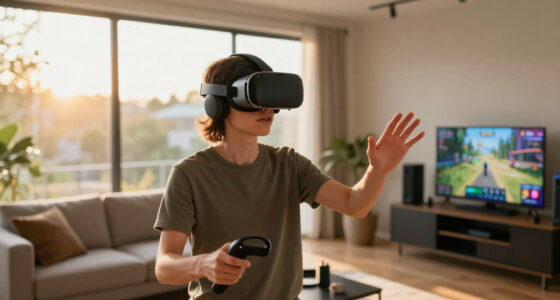
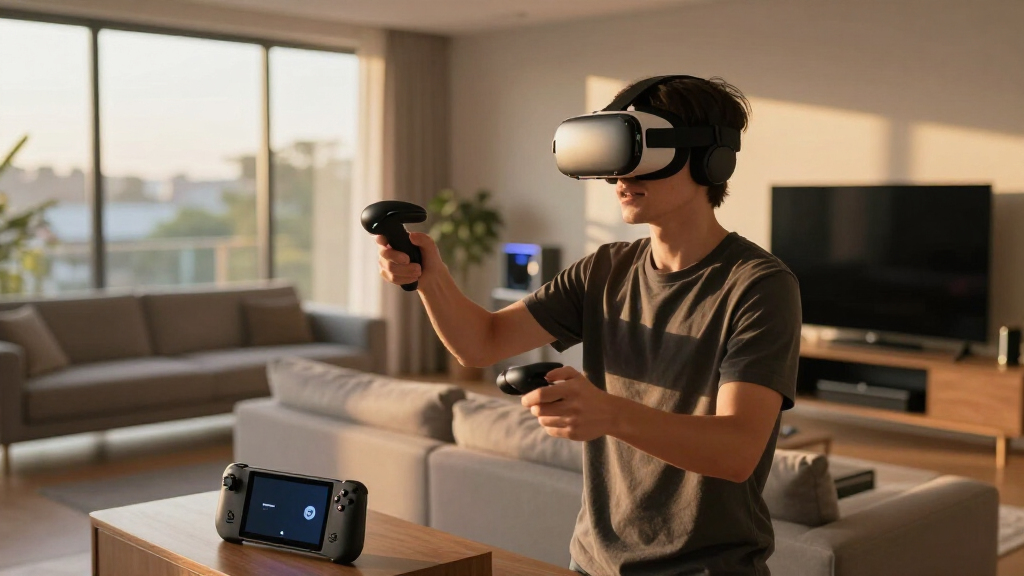
Steam Frame removes two boxes from your walls, yet it can still tell when you lean around a corner, crouch under a beam, or swing a controller toward a glowing target. That change sounds small until you remember the cables, power outlets, mounting brackets, and careful angles required by a Valve Index base-station setup. With Steam Frame, the tracking hardware travels on your head.
This guide gives you inside-out tracking explained in plain English. You will learn how four outward-facing cameras follow your movement, why the system can lose sight of a controller behind your back, and what happens when you play beside a mirror or a sunlit window. You will also see how head tracking, controller tracking, hand tracking, eye tracking, and passthrough differ, because those labels often get stirred together like cables in a drawer.
Valve announced Steam Frame in November 2025 as a wireless, standalone-capable SteamOS headset built for local play and low-latency PC streaming.[1][2] The published design marks a major break from the Valve Index and its room-mounted SteamVR base stations. Hardware availability, software features, game compatibility labels, and Steam Frame Standalone Verified status can change, so check Valve’s current product and game pages before buying or publishing performance claims.
You do not need SteamVR base stations for Steam Frame; four outward-facing cameras track the headset and included controllers.
Keep controllers slightly forward during shoulder, waist, and overhead actions so the headset cameras can reacquire them quickly.
Use soft room light, close blinds against direct sun, and cover large mirrors if you notice drift or sudden positional jumps.
Eye tracking powers foveated streaming, while external cameras and motion sensors calculate your room position.
Check current Steam Frame Standalone Verified labels for on-device play because local performance support can change by game and software version.
Inside-Out Tracking, Explained
Four outward-facing cameras, motion sensors, and room-mapping software let Steam Frame follow your headset and controllers without base stations. The hardware travels on your head—but lighting, mirrors, blank rooms, and controller occlusion still matter.
The room becomes the reference map
Steam Frame compares visible landmarks from moment to moment while motion sensors capture rapid turns and tiny movements. The two streams are fused so the virtual world stays planted as you lean, crouch, turn, and walk.
Cameras scan the room
Door frames, furniture edges, ceiling seams, and textured surfaces become stable visual landmarks.
Motion sensors react fast
Inertial sensors register rotation and acceleration before a full camera calculation is complete.
SLAM joins the clues
Software builds a map of recognizable features while calculating the headset’s location within it.
The scene stays fixed
Your movement updates the viewpoint while virtual floors, walls, and objects remain spatially stable.
Simultaneous localization and mapping: imagine sketching a floor plan as you walk through a house, then placing yourself inside that drawing at the same time.
Five related systems, five different jobs
Tracking terminology is often tangled together. External cameras and motion sensors calculate room position; internal cameras follow your gaze. Hand tracking and passthrough use camera imagery for different purposes.
Head tracking
Calculates the headset’s position and rotation so leaning, crouching, stepping, and turning translate into VR.
Source: external cameras + IMUController tracking
Follows included controllers optically. Short hidden movements can be predicted, but long occlusion reduces certainty.
Needs camera visibilityHand tracking
Recognizes hands for controller-free interaction in supported software and suitable lighting conditions.
App support may varyEye tracking
Separate internal cameras determine where you look. This supports foveated streaming, not room localization.
Source: internal camerasPassthrough
Shows a camera view of the real world for boundary awareness and mixed-reality-style experiences.
A view, not a tracking typeFoveated streaming
Prioritizes image quality near your gaze to reduce wireless bandwidth demands during streamed PC VR.
Eye data guides image qualitySteam Frame versus Valve Index
The biggest change is not merely technical—it is logistical. Steam Frame trades fixed Lighthouse coverage for a portable, self-contained system that can recognize different rooms.
| Feature | Steam Frame | Valve Index | Practical effect |
|---|---|---|---|
| Tracking reference | Four cameras on headset | Room-mounted Lighthouse units | ✓ Frame travels with you |
| Wall setup | No base stations required | Usually two powered stations | ✓ Faster room setup |
| Hidden controllers | Prediction, then reacquisition | Tracked when Lighthouse sweeps reach them | ~ Frame has occlusion limits |
| Moving rooms | Carry headset and controllers | Move or reinstall room hardware | ✓ Better portability |
| PC relationship | Standalone or wireless streaming | Tethered PC VR | ✓ More play options |
| Environment sensitivity | Light, contrast, mirrors, glare | Occluded or poorly angled stations | ~ Different room constraints |
| Legacy accessories | New tracking ecosystem | SteamVR-tracked accessories | ✗ Do not assume compatibility |
What strengthens—or breaks—the map
Inside-out tracking performs best in softly lit rooms with visible detail. The chart is a qualitative guide: higher bars mean stronger conditions for stable landmark recognition and controller visibility.
Relative tracking conditions
A practical room-readiness comparison, not a laboratory accuracy score.
Controller visibility continuum
From room detail to stable VR
Every stable virtual movement follows a connected chain. If one link weakens—especially camera visibility or recognizable room detail—the system leans more heavily on short-term motion prediction.
Freedom from base stations is the headline benefit.
For most play, Steam Frame’s inside-out system exchanges wall-mounted hardware for portability and rapid setup. The main compromise is camera visibility: controllers held behind your body, tight against your chest, or overhead for long periods may need to be brought back into view.
What Steam Frame Tracks Without Anything on Your Walls
Inside-out tracking for Steam Frame uses cameras and motion sensors mounted on the headset itself to track your position, rotation, and controllers in six degrees of freedom. You can step left, crouch, lean forward, turn around, or tilt your head without installing emitters in opposite corners of the room.[1]
The headset’s four outward-facing monochrome cameras watch stable details around you: the edge of a bookcase, a door frame, the seam between wall and ceiling, or the dark legs of a table. Software compares those visual landmarks from one instant to the next. At the same time, internal motion sensors detect quick turns and small vibrations, giving the system a fast sketch while the cameras fill in the precise shape.
This process is commonly called SLAM, short for simultaneous localization and mapping. Think of it like walking through a house while drawing the floor plan beneath your feet: the headset builds a map and places itself inside that map at once. That is how the headset itself tracks your position even though no ceiling camera watches you from across the room.
Suppose you begin a session facing your television, duck to grab a virtual tool, and then turn toward the sofa. The cameras recognize that the sofa arm has moved across their view while the motion sensors record your turn. Steam Frame combines both streams so the virtual room stays planted instead of sliding like scenery on a theater stage.
Inside-out tracking is self-contained room tracking: the headset observes the room, maps recognizable features, and calculates its own movement without external base stations.
The result is full 6DoF tracking, meaning three directions of movement plus pitch, yaw, and roll. Valve’s Steamworks documentation says Steam Frame keeps the same tracking system during standalone apps and streamed PC VR sessions.[2] The computer running a streamed game may change, but the headset still does the spatial detective work.
Steam Frame inside-out tracking VR headset
As an affiliate, we earn on qualifying purchases.
As an affiliate, we earn on qualifying purchases.
See Exactly What Changes From Valve Index to Steam Frame
Inside-out tracking for Steam Frame replaces the Valve Index’s room-mounted Lighthouse arrangement with four cameras built into the headset. The practical gain is speed: instead of mounting and powering base stations, you put on the headset, confirm your play boundary, and start once the room has been recognized.[1][3]
| Feature | Steam Frame | Valve Index |
|---|---|---|
| Tracking hardware | Four external monochrome cameras on the headset | SteamVR sensors on the headset plus room-mounted base stations |
| Wall setup | No base stations required | Usually two powered base stations placed with broad room coverage |
| Controller view | Controllers need to remain visible to headset cameras for sustained optical tracking | Controllers can remain tracked when visible to the room’s Lighthouse sweeps |
| Moving rooms | Pack the headset and controllers | Move or reinstall tracking hardware |
| PC connection | Standalone play or wireless PC streaming | Tethered PC VR |
| Published display resolution | 2160 × 2160 LCD per eye | 1440 × 1600 LCD per eye |
The Index system uses stationary lasers that sweep the play area 100 times per second, according to Valve, while sensors on compatible hardware read those sweeps.[3] People often call this outside-in tracking because the room contains the fixed reference hardware, although the engineering arrangement is more specific than that nickname suggests. Its great strength is broad controller coverage when base stations have clear angles.
Imagine taking VR to a friend’s flat for one evening. An Index kit can mean carrying base stations, finding two high positions, reaching power sockets, and checking that furniture does not block the sweeps. With Steam Frame, the room becomes the reference map, much like a phone using buildings and road shapes to place itself on a city map.
The trade is visibility. Lighthouse can keep following a controller beside your hip when the room-mounted units can see it, while headset cameras cannot directly observe an object hidden behind your torso. For everyday play, freedom from fixed hardware will matter more than that edge case; expert rhythm players and social-VR users with unusual poses may feel the difference sooner.
As an affiliate, we earn on qualifying purchases.
Know Which Controller Moves Can Break Camera Tracking
Inside-out tracking for Steam Frame works best when at least one outward-facing camera can see each controller. Tracking can weaken during long movements behind your back, tight positions against your chest, or extended reaches high above your head, because your body blocks the camera’s view.
A controller does not normally freeze the instant it disappears. Its motion sensors continue reporting rotation and acceleration, allowing the system to estimate a short movement until a camera sees it again. That prediction is like a goalkeeper following a ball behind another player: the path can be guessed briefly, but the guess becomes less reliable as the hidden moment stretches.
Archery games offer a clear example. Reaching over your shoulder to grab an arrow usually takes only a flick of the wrist, so prediction and quick reacquisition can hide the blind spot. Hold your hand behind your shoulder for several seconds, however, and the controller may return with a small jump or delayed correction when it comes back into view.
- Shoulder inventory gestures: Touch the virtual slot and bring your hand forward in one smooth motion.
- Bow drawing: Avoid pinning your drawing hand deep behind your head for a long pause.
- Overhead actions: Keep the controller slightly forward instead of directly above the rear strap.
- Waist-level tools: Leave a little space between the controller and your torso so a lower camera can see it.
Fast movement alone is not the whole problem. A sharp Beat Saber swing in front of your face gives the cameras a clear view, while a slow controller resting behind your lower back remains hidden. Visibility matters more than speed in many inside-out tracking failures.
This does not make Steam Frame unsuitable for physical games. It means you may need to adjust one or two habits if you learned them on Index controllers. When a game supports control remapping, moving an awkward behind-the-back action to a button can turn a flaky gesture into a clean, repeatable input.
As an affiliate, we earn on qualifying purchases.
Set Up Your Room in Five Minutes for Steadier Tracking
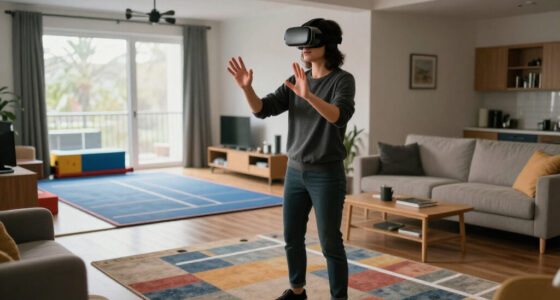
A reliable Steam Frame play area needs visible room detail, controlled glare, a clear floor, and enough space for your arms. You do not need a studio or printed tracking markers. A normal living room with soft light, furniture edges, curtains, and wall decorations already gives the cameras useful reference points.
- Clear your reach: Stand in the center and extend both arms. Move mugs, lamps, pets’ bowls, and sharp-edged furniture beyond that circle.
- Use broad, steady lighting: Switch on a ceiling light or shaded lamp instead of aiming a bright bulb at the headset.
- Control the windows: Close thin blinds if direct sun creates a white flare across the cameras.
- Add one or two visible details: A patterned rug, framed print, or dark chair helps in a plain room.
- Redraw the boundary when the room changes: Do this after moving furniture or taking the headset to another floor.
Take a spare bedroom with white walls, a white wardrobe, and a polished pale floor. To your eyes, it looks clean and calm; to monochrome tracking cameras, it can resemble a bowl of milk with few firm edges. Adding a charcoal chair and patterned mat gives the software recognizable anchors without turning the room into a laboratory.
Mirrors deserve special attention because they show a second, reversed copy of the room. A large mirror beside your play area can present landmarks that move in confusing ways as you turn. If you see drifting or sudden jumps, cover the mirror with a curtain for one test before changing software settings.
Boundaries protect people and objects, but they do not replace a physical check. A virtual line cannot feel the new glass of water someone placed on a side table after setup. Before a lively game, spend 30 seconds checking the floor and arm space; that tiny ritual costs less than a controller striking a television.
Tracking behavior can also change through firmware and SteamOS updates. If a room that worked yesterday suddenly feels slippery, restart the headset, clean the camera windows with a dry microfiber cloth, and test a second app. That sequence separates a dirty lens, a room problem, and a game-specific fault without guessing.
As an affiliate, we earn on qualifying purchases.
Fix Low-Light, Sunlight, and Mirror Problems Before They Spoil a Session
Steam Frame can track in low light because Valve equips it with infrared illuminators that cast light its monochrome cameras can detect.[1] That gives it an advantage over camera systems that depend entirely on visible room light, but no optical setup becomes immune to glare, reflections, blocked lenses, or a room with almost no stable detail.
Consider a late-night horror session in a dark bedroom. You can switch off the main lamp, and the infrared system can still reveal furniture edges to the tracking cameras even though your eyes see black fabric and dim outlines. The monochrome passthrough can also work in that low-light setting, although it will not resemble a bright, full-color mixed-reality view.
Strong sunlight creates the opposite problem. A low afternoon sun blasting through a window can wash out part of the image or flood the room with infrared energy. If tracking falters at the same time each day, close the curtain halfway and repeat the same hand movement; a clean result points to glare, not a defective controller.
- Drifting only near one wall: Check for a mirror, glossy television, or featureless surface.
- Jumps near a window: Reduce direct sunlight with blinds or a curtain.
- Weak tracking everywhere: Wipe all four external camera covers and restart the headset.
- One controller keeps vanishing: Check your hand position, controller power, and whether clothing blocks it.
- The boundary seems displaced: Clear the saved room boundary and map the space again.
Do not point a powerful infrared lamp straight at the headset as a quick fix. More light is not automatically better, just as shouting into a microphone does not make speech clearer. Start with Valve’s built-in low-light hardware, remove glare, and add ordinary diffuse room lighting only if the space still lacks readable detail.
When tracking fails in one place or at one hour, test the room before blaming the headset. Repeat the same movement after changing one condition, such as closing a blind or covering a mirror.
Separate Head Tracking, Eye Tracking, Hand Tracking, and Passthrough
Steam Frame uses different cameras for different jobs: four external monochrome cameras handle room, headset, and controller tracking, while two internal cameras follow your eyes for foveated streaming.[1] Passthrough reuses the external view, and optical hand input depends on software support rather than the eye-tracking cameras.
Foveated streaming sends more image detail toward the point you are looking at and less toward the edges of your vision. Imagine painting a sharp spotlight on a broad canvas while leaving the distant corners softer; as your gaze moves, the sharp region follows. That can reduce wireless bandwidth pressure, but eye tracking does not place your body in the room.
Your head position comes from the external cameras, motion sensors, and room map whether you run a game locally or stream it from a PC. Valve describes Steam Frame as a standalone headset designed mainly for low-latency streaming while retaining on-device VR and non-VR support.[2] The dedicated Wi-Fi 6E adapter creates a direct 6 GHz link to the PC, yet it transports the game stream rather than replacing spatial tracking.[1]
Passthrough is the view you use when you need to find a controller, check the sofa, or step around a coffee table without removing the headset. Valve’s published configuration uses the same monochrome external cameras, so expect a practical black-and-white room view rather than the rich color feed associated with some mixed-reality headsets. It is a situational window, not a substitute for looking directly at stairs or traffic.
Camera-based hand tracking can support controller-free menus or compatible apps, but support and behavior can differ by software version. For example, pinching a large menu tile in front of your face gives the cameras an easy target; folding your hands under a desk removes them from view. Check each app’s current input listing instead of assuming every SteamVR game accepts bare hands.
The simplest mental model is a small production crew. External cameras watch the stage, internal cameras watch your gaze, passthrough shows you the backstage area, and the wireless link carries the finished performance from your PC. Each tool shares the headset, but each solves a different problem.
Frequently Asked Questions
Do you need base stations for Steam Frame?
No. Steam Frame uses inside-out tracking through four cameras mounted on the headset, so it does not require Valve Index base stations.[1] You still need to define a safe boundary and give the cameras enough room detail to follow your movement.
Is Steam Frame tracking as accurate as Valve Index tracking?
For ordinary head movement and controller actions in front of you, inside-out tracking should cover the movements most games require. Lighthouse retains an advantage in poses where a room-mounted base station can see a controller that Steam Frame’s cameras cannot, such as a hand held behind your back.
What happens when a Steam Frame controller goes behind your back?
The controller’s motion sensors can support brief movement prediction while the cameras lose sight of it. If it stays hidden, positional accuracy can fade until a camera sees it again, after which the virtual hand may make a small correction.
Will Steam Frame tracking work in a dark room?
Valve says Steam Frame includes infrared illuminators for low-light tracking and passthrough.[1] A very dark room can still pose problems if surfaces offer few recognizable edges, while direct sunlight or powerful infrared sources can create a different kind of interference.
Can you use Valve Index controllers and base stations with Steam Frame?
The standard Steam Frame setup uses its included camera-tracked controllers, not the Index Lighthouse system. Do not assume Index controllers, base stations, or body trackers will pair directly; check Valve’s current compatibility documentation before keeping or buying Lighthouse accessories for Steam Frame.
Does inside-out tracking work while streaming PC VR?
Yes. Steam Frame tracks your position and controllers on the headset whether the application runs locally or streams from a PC.[2] The dedicated 6 GHz wireless adapter carries video, audio, and input data, while the headset continues mapping the room.
Does eye tracking improve positional tracking?
No. The two internal eye cameras support foveated streaming, which concentrates image quality near your gaze.[1] The four external cameras and motion sensors handle the headset’s position and rotation.
Does every Steam game run locally on Steam Frame?
No. Valve separates wireless streaming compatibility from Steam Frame Standalone Verified testing.[2] As of Valve’s 2026 developer guidance, standalone VR verification targets 90 frames per second, while streamed performance depends mainly on the host PC; ratings and compatibility labels can change after updates.
Does Steam Frame have an age rating?
The headset itself does not give every game one shared age rating. Each game keeps its own regional rating and content guidance, so check the current store listing before letting a child play, and supervise room setup around walls, furniture, pets, and other people.
Conclusion
Remember one rule: Steam Frame tracks what its cameras can understand. Give it recognizable room edges, keep controllers visible during long gestures, and remove glare before changing advanced settings. You gain a headset that can move from office to living room without leaving powered boxes mounted on the walls, while accepting a few blind spots around your body.
Before your first energetic session, close the sunlit blind, clear one arm’s length around you, and trace a slow circle with each controller. If the virtual hands follow like shadows sewn to your wrists, your room is ready—and the bare corners where base stations once lived can stay bare.
Labor Day sales Picks
labor day deals
As an affiliate, we earn on qualifying purchases.