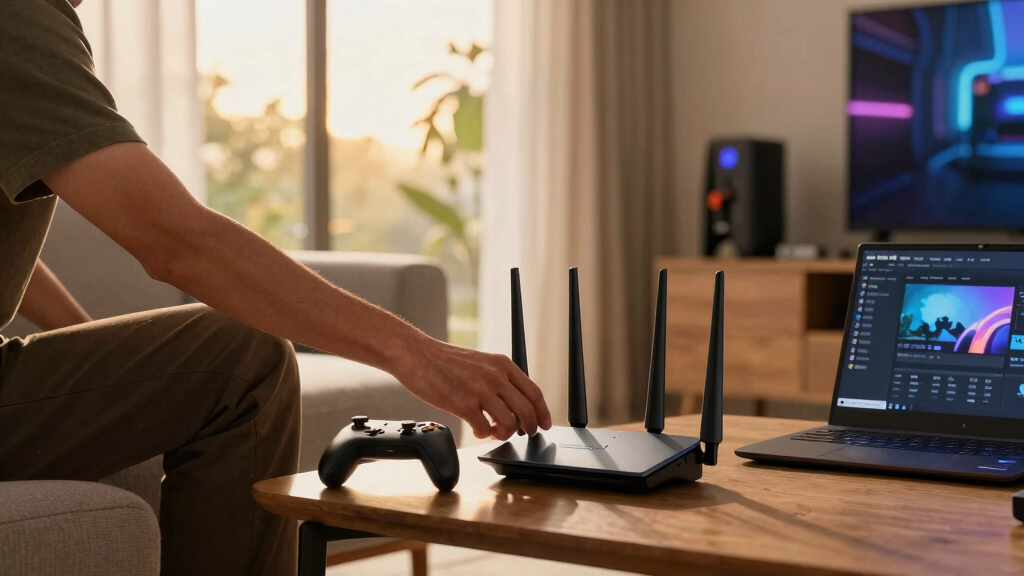
For the best Wi-Fi 7 mesh system for game streaming, I rank the TP-Link Deco 7 Pro BE63 first because its tri-band design balances fast client connections, capable wireless backhaul, and multi-gig wired flexibility. The Deco 7 BE23 is my value pick for homes that can accept dual-band limits, while the eero 7 offers the simplest route into a Wi-Fi 7 mesh. The main choice is whether to pay for a 6 GHz band and stronger wireless backhaul or save money with dual-band hardware and use Ethernet between nodes. Buyers also need to weigh port speeds, node count, software simplicity, and whether outdoor coverage matters. Continue reading for the full breakdown and the buyer types each system suits best.

Play games on Amazon Luna for your game nights, included with Prime
- A rotating selection of games, no download needed
- Play on TV, laptop or phone
- Fast, free delivery for your gear, too
Complete the kit



Key Takeaways
- The Deco 7 Pro BE63 leads this ranking because its tri-band architecture offers a better balance of wireless backhaul, multi-gig connectivity, coverage, and price than the costlier BE17000.
- Dual-band models make the most sense with wired backhaul. The Deco BE23, Deco BE25, and eero 7 lose more capacity between wireless nodes than the tri-band BE63 and eero Pro 7.
- The Deco BE23 is the value winner, while the BE25 occupies a useful middle position for buyers who want more headroom without paying for a tri-band system.
- The eero lineup divides cleanly by buyer type: eero 7 favors easy setup, eero Pro 7 favors stronger wireless performance, and Outdoor 7 serves yards and detached spaces.
- The eero 6 is not a true Wi-Fi 7 choice. I would only select it for a low-cost legacy network, not for buyers specifically seeking the latency and capacity benefits promised by this roundup.
| eero 6 Mesh WiFi System (3-Pack) |  | Best for 500 Mbps Internet Plans | Wi-Fi standard: Wi-Fi 6 | Maximum speed: 500 Mbps | Coverage: 4,500 sq. ft. | VIEW LATEST PRICE | See Our Full Breakdown |
| TP-Link Deco 7 BE23 Dual-Band WiFi 7 Mesh System (3-Pack) |  | Best Value Wi-Fi 7 Pick | Wi-Fi standard: Wi-Fi 7 | Maximum speed: Up to 3.6 Gbps | Coverage: Up to 6,500 sq. ft. | VIEW LATEST PRICE | See Our Full Breakdown |
| TP-Link Deco 7 Pro BE63 Tri-Band WiFi 7 Mesh System (3-Pack) |  | Best Overall | Wi-Fi standard: Wi-Fi 7 | Wi-Fi bands: Tri-band: 6 GHz, 5 GHz, and 2.4 GHz | 6 GHz maximum speed: Up to 5,188 Mbps | VIEW LATEST PRICE | See Our Full Breakdown |
| eero 7 Dual-Band Mesh Wi-Fi 7 Router (3-Pack) |  | Best for Beginners | Wi-Fi standard: Wi-Fi 7 | Wireless speed: Up to 1.8 Gbps | Internet plan support: Up to 2.5 Gbps | VIEW LATEST PRICE | See Our Full Breakdown |
| eero Pro 7 Tri-Band Mesh Wi-Fi 7 Router (3-Pack) |  | Best for Device-Dense Homes | Wi-Fi standard: Wi-Fi 7 | Wi-Fi bands: Tri-band | Maximum internet speed: Up to 5 Gbps | VIEW LATEST PRICE | See Our Full Breakdown |
| TP-Link Deco 7 Pro BE17000 Tri-Band Wi-Fi 7 Whole Home Mesh System (2-Pack) |  | Best for Multi-Gig Game Streaming | Wi-Fi Standard: Wi-Fi 7 | Wireless Bands: Tri-band | Total Speed: 17Gbps | VIEW LATEST PRICE | See Our Full Breakdown |
| Eero Outdoor 7 Dual-Band Mesh Wi-Fi System (2-Pack) |  | Best for Outdoor Game Streaming | Wi-Fi Standard: Wi-Fi 7 | Wireless Bands: Dual-band | Maximum Speed: Up to 2.1Gbps | VIEW LATEST PRICE | See Our Full Breakdown |
| TP-Link Deco 7 BE25 Dual-Band WiFi 7 Mesh System (3-Pack) |  | Best Wide-Coverage Value | Wi-Fi Standard: Wi-Fi 7 | Wireless Bands: Dual-band | 5GHz Speed: Up to 4,324Mbps | VIEW LATEST PRICE | See Our Full Breakdown |
| Wi-Fi 7 mesh systems for game streaming | Wi-Fi standard | Number of units | Coverage | Supported devices |
|---|---|---|---|---|
| eero 6 Mesh WiFi System | Wi-Fi 6 | 3 | 4,500 sq. ft. | 75+ |
| TP-Link Deco 7 BE23 Dual-Band | Wi-Fi 7 | 3 | Up to 6,500 sq. ft. | — |
| TP-Link Deco 7 Pro BE63 Tri-Ba | Wi-Fi 7 | 3 | 7,600 sq. ft. | 200+ |
| eero 7 Dual-Band Mesh Wi-Fi 7 | Wi-Fi 7 | 3 | 6,000 sq. ft. | 120+ |
| eero Pro 7 Tri-Band Mesh Wi-Fi | Wi-Fi 7 | 3 | 6,000 sq. ft. | 600+ |
| TP-Link Deco 7 Pro BE17000 Tri | Wi-Fi 7 | 2 | — | — |
| Eero Outdoor 7 Dual-Band Mesh | Wi-Fi 7 | 2 | — | — |
| TP-Link Deco 7 BE25 Dual-Band | Wi-Fi 7 | 3 | — | — |
More Details on Our Top Picks
eero 6 Mesh WiFi System (3-Pack)
I place the eero 6 here as a legacy-value option for households whose internet service tops out at 500 Mbps. Its 4,500-square-foot coverage and support for more than 75 devices can keep game streams stable across a busy home, while the app removes much of the setup friction. Compared with the eero 7, though, this system lacks Wi-Fi 7 and cannot make good use of multi-gigabit broadband. The router-plus-extender layout also gives buyers less hardware flexibility than a pack containing three identical routers. I would choose it for dependable coverage on a modest connection, not as a long-term performance purchase. Its Zigbee hub adds smart-home value, but limited 500 Mbps throughput puts it last for demanding 4K game streaming or large simultaneous downloads.
Pros:- Covers up to 4,500 square feet with three included units
- Supports more than 75 connected devices
- App-guided setup and automatic software updates
- Built-in Zigbee hub works with compatible smart-home devices
Cons:- Wi-Fi 6 hardware does not meet the roundup’s Wi-Fi 7 performance target
- Maximum 500 Mbps speed can bottleneck faster internet plans
- Setup and management depend on the eero app
Best for: Households with internet plans of 500 Mbps or less that want simple whole-home coverage and Zigbee smart-home integration
Not ideal for: Competitive players, multi-gigabit subscribers, or buyers specifically seeking Wi-Fi 7 performance
- Wi-Fi standard:Wi-Fi 6
- Maximum speed:500 Mbps
- Coverage:4,500 sq. ft.
- Supported devices:75+
- Number of units:3
- Router count:1
- Extender count:2
Our verdict“I recommend the eero 6 only for buyers prioritizing easy coverage over Wi-Fi 7 speed or long-term headroom.”
TP-Link Deco 7 BE23 Dual-Band WiFi 7 Mesh System (3-Pack)
I rank the TP-Link Deco 7 BE23 as the value choice because it combines Wi-Fi 7, 6,500-square-foot coverage, and two 2.5G ports per unit without moving into premium tri-band territory. For game streaming, those multi-gigabit ports make wired backhaul and direct console or PC connections practical, reducing dependence on crowded wireless links. Compared with the Deco 7 Pro BE63, the BE23 supports fewer devices and lacks a dedicated 6 GHz band, so it has less capacity for heavy simultaneous traffic. Its 3.6 Gbps rated speed still gives typical gigabit households ample headroom, while AI-Roaming helps portable gaming devices switch nodes. I see the main compromise in its dual-band architecture: performance between wireless nodes may fall sooner than with the BE63 when walls and distance enter the equation.
Pros:- Wi-Fi 7 speeds rated up to 3.6 Gbps
- Two 2.5G ports on every unit support flexible wired connections
- Covers up to 6,500 square feet and supports 150 devices
- Includes MLO, WPA3, VPN support, and AI-assisted roaming
Cons:- Dual-band design lacks the 6 GHz capacity offered by the BE63
- Wireless backhaul shares bandwidth with connected devices
- Wi-Fi 7 benefits depend on compatible client hardware
Best for: Gigabit-internet households seeking affordable Wi-Fi 7 coverage with 2.5G wired backhaul for consoles or gaming PCs
Not ideal for: Large multi-gigabit homes that need a 6 GHz band or capacity beyond 150 connected devices
- Wi-Fi standard:Wi-Fi 7
- Maximum speed:Up to 3.6 Gbps
- Coverage:Up to 6,500 sq. ft.
- Number of units:3
- Streams:4
- Ethernet ports:2 × 2.5G ports per unit
- Security:HomeShield and WPA3
- Network features:MLO, AI-Roaming, VPN support, mesh compatibility
Our verdict“I recommend the BE23 for buyers who want practical Wi-Fi 7 gaming performance without paying for a high-capacity tri-band system.”
TP-Link Deco 7 Pro BE63 Tri-Band WiFi 7 Mesh System (3-Pack)
I give the TP-Link Deco 7 Pro BE63 the top position because its tri-band design, broad 7,600-square-foot reach, and extensive wired connectivity form the strongest balance for game streaming. The 6 GHz band provides a cleaner path for compatible handhelds and computers, while four 2.5G ports create more options for wired backhaul, consoles, and local streaming servers. Compared with the dual-band Deco BE23, it offers higher wireless capacity and 1,100 additional square feet of stated coverage. It also reaches farther than the eero Pro 7, though that model supports far more connected devices. The tradeoffs are premium pricing, a separate modem requirement, and performance that will still vary around dense walls. For most performance-focused households, I find its speed, coverage, and port selection more useful than chasing device capacity alone.
Pros:- Tri-band Wi-Fi 7 supplies dedicated 6 GHz capacity
- Covers up to 7,600 square feet with three units
- Four 2.5G WAN/LAN ports provide broad wired-backhaul flexibility
- Supports more than 200 devices with AI-assisted roaming
Cons:- Premium cost exceeds the dual-band BE23 and eero 7
- Requires a separate modem
- Real-world coverage and speed can drop around walls and other obstacles
Best for: Large or multi-floor homes running several game streams, wired gaming systems, and multi-gigabit local network devices
Not ideal for: Small apartments or light-use households that would not benefit from tri-band capacity and extensive 2.5G connectivity
- Wi-Fi standard:Wi-Fi 7
- Wi-Fi bands:Tri-band: 6 GHz, 5 GHz, and 2.4 GHz
- 6 GHz maximum speed:Up to 5,188 Mbps
- 5 GHz maximum speed:Up to 4,324 Mbps
- 2.4 GHz maximum speed:Up to 574 Mbps
- Coverage:7,600 sq. ft.
- Number of units:3
- Supported devices:200+
- Connectivity:4 × 2.5G WAN/LAN ports and 1 × USB 3.0
Our verdict“I recommend the BE63 as the strongest all-around choice for large homes balancing wireless speed, wired flexibility, and coverage.”
eero 7 Dual-Band Mesh Wi-Fi 7 Router (3-Pack)
I choose the eero 7 for buyers who want Wi-Fi 7 with straightforward app management and an easy path for expanding an existing eero network. Its three units cover up to 6,000 square feet, and each router has two auto-sensing 2.5 GbE ports for wired backhaul or a gaming system. Compared with the TP-Link Deco BE23, the eero has a lower 1.8 Gbps wireless rating and slightly less stated coverage, so raw performance is not its main advantage. It instead makes sense for households valuing backward eero compatibility and simple day-to-day control. The dual-band design offers less traffic separation than the eero Pro 7, and paid security features raise the ownership cost. I would pick this for low-friction setup, not for extracting maximum speed from a demanding multi-gigabit network.
Pros:- Simple app-based setup and network management
- Two auto-sensing 2.5 GbE ports support multi-gigabit connections
- Backward compatible with earlier eero generations
- Covers 6,000 square feet and handles more than 120 devices
Cons:- Dual-band design offers less wireless capacity than the eero Pro 7
- Rated wireless speed is lower than the Deco BE23
- Advanced security features require a subscription
Best for: Existing eero households and less technical buyers who want uncomplicated Wi-Fi 7 coverage for a 1–2.5 Gbps internet plan
Not ideal for: Performance enthusiasts who want tri-band capacity, faster wireless ratings, or security features without a subscription
- Wi-Fi standard:Wi-Fi 7
- Wireless speed:Up to 1.8 Gbps
- Internet plan support:Up to 2.5 Gbps
- Coverage:6,000 sq. ft.
- Number of units:3
- Supported devices:120+
- Ethernet ports:2 auto-sensing 2.5 GbE ports
- Compatibility:Backward compatible with previous eero generations
Our verdict“I recommend the eero 7 to buyers who value easy management and ecosystem compatibility more than leading wireless speed.”
eero Pro 7 Tri-Band Mesh Wi-Fi 7 Router (3-Pack)
I reserve the eero Pro 7 for homes or small businesses where device count matters as much as game-streaming speed. Its tri-band Wi-Fi 7 network supports more than 600 devices, a major jump from the Deco BE63’s 200-plus figure and the eero 7’s 120-plus capacity. A 3.9 Gbps wireless ceiling and support for internet plans up to 5 Gbps also give simultaneous cloud gaming, video streaming, and large downloads more breathing room than the standard eero 7. Yet both eero packages claim the same 6,000-square-foot coverage, so the premium buys capacity and throughput rather than extra reach. The subscription-gated security features add ongoing expense, while smaller families may never use its scale. I rank it below the BE63 overall because that model provides broader stated coverage and more clearly specified wired flexibility.
Pros:- Supports more than 600 connected devices
- Tri-band Wi-Fi 7 increases capacity for simultaneous traffic
- Handles internet plans up to 5 Gbps with wireless speeds up to 3.9 Gbps
- Backward compatible with earlier eero hardware
Cons:- Premium price buys no extra stated coverage over the standard eero 7
- Advanced security features require a subscription
- Its very high device capacity is excessive for many households
Best for: Device-heavy smart homes and small businesses running multiple game streams alongside hundreds of connected clients
Not ideal for: Smaller households that need wider coverage more than extreme device capacity or want subscription-free security tools
- Wi-Fi standard:Wi-Fi 7
- Wi-Fi bands:Tri-band
- Maximum internet speed:Up to 5 Gbps
- Wireless speed:Up to 3.9 Gbps
- Coverage:6,000 sq. ft.
- Number of units:3
- Supported devices:600+
- Backward compatibility:Yes
- Warranty:3 years
Our verdict“I recommend the eero Pro 7 for exceptionally busy networks where high device capacity outweighs price and subscription costs.”
TP-Link Deco 7 Pro BE17000 Tri-Band Wi-Fi 7 Whole Home Mesh System (2-Pack)
I rank the TP-Link Deco 7 Pro BE17000 as the strongest choice here for households pairing cloud gaming with a multi-gig internet plan. Its tri-band 17Gbps capacity gives mesh traffic more breathing room than the dual-band Deco 7 BE25, helping reduce competition between wireless backhaul, game streams, and other devices. The 10G RJ45/SFP+ combo port also suits a fast fiber gateway, NAS, or wired gaming station better than the BE25’s 2.5G ports. Coverage reaches 6,300 square feet, though the two-node layout offers less placement flexibility than a three-pack. I would also expect careful node positioning to matter in dense homes. HomeShield and the Deco app add useful control, but advanced networking options may feel excessive for buyers who only want a basic plug-in setup.
Pros:- Tri-band design provides added capacity for mesh backhaul and simultaneous game streams
- 10G RJ45/SFP+ combo port supports high-speed fiber and wired network hardware
- Two units cover up to 6,300 sq. ft.
- Deco app and HomeShield provide centralized management and security
Cons:- Two nodes offer less placement flexibility than the three-pack Deco 7 BE25
- Real-world coverage and latency depend heavily on walls and node placement
- Advanced features may overwhelm buyers seeking simple controls
Best for: Multi-gig fiber households that stream games across several rooms and want a 10G connection for a gateway, server, or gaming setup
Not ideal for: Apartment dwellers and networking beginners who would pay for 10G hardware and advanced controls they are unlikely to use
- Wi-Fi Standard:Wi-Fi 7
- Wireless Bands:Tri-band
- Total Speed:17Gbps
- Maximum Coverage:6,300 sq. ft.
- Number of Units:2
- High-Speed Port:10G RJ45/SFP+ combo
- Additional Ports:2.5G LAN, 1G LAN, and USB 3.0
- Security:HomeShield
Our verdict“I recommend this model for multi-gig homes that can benefit from tri-band capacity and a 10G wired connection.”
Eero Outdoor 7 Dual-Band Mesh Wi-Fi System (2-Pack)
The Eero Outdoor 7 earns a specialized place in my ranking: it extends game streaming to patios, pools, workshops, and large yards where indoor nodes may struggle. Its IP66 weatherproof construction and operating range from -40°F to 131°F make it far better suited to exposed installation than the indoor eero 7 or eero Pro 7. Two units claim up to 30,000 square feet of coverage, while included PoE+ adapters can simplify installation where a nearby outlet is unavailable. The compromise is dual-band performance capped at 2.1Gbps, which leaves less wireless capacity than the tri-band Deco 7 Pro BE17000. It is also an expensive, purpose-built purchase rather than a sensible indoor replacement. I would choose it only when dependable outdoor reach matters more than peak throughput.
Pros:- IP66 enclosure supports year-round outdoor installation
- Two units provide up to 30,000 sq. ft. of outdoor coverage
- Included 30W PoE+ adapters allow flexible power and data placement
- Broad smart-home compatibility includes Alexa, Zigbee, Thread, and Matter
Cons:- Dual-band 2.1Gbps ceiling trails faster tri-band systems
- Premium pricing is difficult to justify without a large outdoor area
- Outdoor-focused hardware is not a practical substitute for an indoor mesh system
Best for: Homeowners who want low-latency game streaming across a large patio, detached workshop, pool area, or expansive yard
Not ideal for: Indoor-only households and speed-focused players who need tri-band capacity or throughput above 2.1Gbps
- Wi-Fi Standard:Wi-Fi 7
- Wireless Bands:Dual-band
- Maximum Speed:Up to 2.1Gbps
- Maximum Coverage:30,000 sq. ft.
- Number of Units:2
- Weatherproof Rating:IP66
- Power:30W PoE+ adapters included
- Operating Temperature:-40°F to 131°F
- Warranty:3 years
Our verdict“I recommend this two-pack for buyers whose game-streaming area extends well beyond the walls of the house.”
TP-Link Deco 7 BE25 Dual-Band WiFi 7 Mesh System (3-Pack)
I see the TP-Link Deco 7 BE25 as the practical value choice for buyers who need three Wi-Fi 7 nodes rather than premium multi-gig hardware. Its 6,600-square-foot coverage slightly exceeds the two-pack Deco 7 Pro BE17000, and the extra node makes it easier to reach bedrooms, offices, or game-streaming screens spread across several floors. Dual-band operation is the main tradeoff: wireless backhaul must share capacity with connected devices, while the tri-band BE17000 has more room for heavy simultaneous traffic. Each BE25 node includes two 2.5G Ethernet ports, so wired backhaul can reduce that disadvantage and provide steadier latency. AI-Roaming also helps portable gaming devices move between rooms without manual network switching. I would skip it for 10G networks, but it balances coverage, speed, and node count well.
Pros:- Three-node pack covers up to 6,600 sq. ft.
- Two 2.5G Ethernet ports per unit support wired backhaul and fast local devices
- AI-Roaming helps mobile gaming devices maintain connectivity between rooms
- Backward compatibility supports households with mixed device generations
Cons:- Dual-band backhaul shares wireless capacity with connected devices
- No 10G port for faster fiber plans or high-end local networks
- Performance can drop when nodes communicate through dense walls or other obstacles
Best for: Families in larger multi-floor homes that need three affordable Wi-Fi 7 nodes for game streaming, especially where wired backhaul is available
Not ideal for: Multi-gig enthusiasts who need tri-band wireless backhaul, 10G ports, or maximum capacity under heavy concurrent traffic
- Wi-Fi Standard:Wi-Fi 7
- Wireless Bands:Dual-band
- 5GHz Speed:Up to 4,324Mbps
- 2.4GHz Speed:Up to 688Mbps
- Maximum Coverage:6,600 sq. ft.
- Number of Units:3
- Ports:2x 2.5G Ethernet per unit
- Backhaul:Wired and wireless
- Security:HomeShield with VPN support
Our verdict“I recommend the BE25 for broad three-node coverage at a more approachable level than premium tri-band mesh hardware.”
How We Picked
I ranked these systems around the demands of local and cloud game streaming, where steady latency and resistance to congestion matter more than a large advertised speed figure. My main criteria were backhaul capacity, band configuration, Ethernet options, coverage flexibility, and the ability to support simultaneous gaming, video, and downloads. I gave extra weight to 6 GHz support and tri-band designs when they reduced competition between mesh traffic and gaming devices. I also examined setup difficulty, app controls, subscription dependencies, and value across the full pack.
The ranking rewards balanced systems rather than the fastest hardware at any price. That puts the Deco BE63 ahead of the BE17000: the premium model has a higher ceiling, but fewer households can use enough of it to justify the added cost. The BE23 ranks as the value choice because wired backhaul can offset much of its dual-band compromise. Eero models score well for usability, but their streamlined controls and ecosystem dependence reduce flexibility compared with Deco. I placed special-purpose and non-Wi-Fi 7 products lower, even when they remain useful for outdoor coverage or legacy budgets.
| Wi-Fi 7 mesh systems for game streaming | Wi-Fi standard |
|---|---|
| eero 6 Mesh WiFi System | Wi-Fi 6 |
| TP-Link Deco 7 BE23 Dual-Band | Wi-Fi 7 |
| TP-Link Deco 7 Pro BE63 Tri-Ba | Wi-Fi 7 |
| eero 7 Dual-Band Mesh Wi-Fi 7 | Wi-Fi 7 |
| eero Pro 7 Tri-Band Mesh Wi-Fi | Wi-Fi 7 |
| TP-Link Deco 7 Pro BE17000 Tri | Wi-Fi 7 |
| Eero Outdoor 7 Dual-Band Mesh | Wi-Fi 7 |
| TP-Link Deco 7 BE25 Dual-Band | Wi-Fi 7 |
Factors to Consider When Choosing Best Wi-Fi 7 Mesh Systems For Game Streaming
I would choose a mesh system around the path each gaming packet takes, not the speed printed on the box. The following factors explain when premium hardware pays off, when Ethernet changes the recommendation, and which common buying mistakes can leave an expensive network performing like a cheaper one.
Choose the Backhaul Before the Speed Class
Backhaul is the connection between mesh nodes, and it often determines whether a remote gaming room receives stable service. A dual-band system may use the same 5 GHz capacity for both clients and node-to-node traffic, which can raise latency when several devices are active. Tri-band hardware with 6 GHz gives the mesh another path, making it better suited to wireless-only installations. That advantage can shrink through thick masonry, metal, or multiple floors because 6 GHz has shorter practical reach. If Ethernet already runs through the home, wired backhaul changes the value equation and makes models such as the BE23 or BE25 much more appealing. I would pay for tri-band hardware when wiring is unavailable and gaming devices sit several rooms away from the main router.
Match Ethernet Ports to the Actual Network
A multi-gig internet plan does little good when the router, switch, or gaming device meets a slower port along the route. I would check the WAN and LAN port speeds separately, since some systems accept a fast internet connection but provide fewer high-speed outputs. A 2.5GbE port is already ample for game streaming and most household broadband plans, while faster ports mainly benefit local servers, network storage, and multi-gig fiber. Port count matters when a node must connect a console, desktop, television, and wired backhaul at once. Adding a switch solves the shortage, but it increases cost and cable clutter. The premium BE17000 earns more of its price in a home with multi-gig wired equipment than in one built around gigabit devices.
Buy for Placement, Not Maximum Coverage Claims
Coverage figures assume favorable layouts and rarely account for dense walls, underfloor heating, or neighboring networks. I would place nodes where they can still receive a strong signal rather than putting each unit directly inside a dead zone. Three well-positioned nodes usually suit long or multi-level homes, while a powerful two-pack can be better in a smaller open layout. Too many nodes can create extra roaming and interference, so a larger pack is not automatically faster. A wired desktop or console should connect to the nearest node when a direct cable to the main router is impractical. For patios, workshops, and detached rooms, weather-rated hardware such as eero Outdoor 7 is safer than placing an indoor node near a window.
Prioritize Consistency Over Headline Throughput
Game streaming responds poorly to delay variation, packet loss, and brief congestion even when a speed test looks excellent. I would focus on stable latency under load, especially in homes where backups, large downloads, and 4K video run alongside gaming. Device-priority controls can help, but they cannot repair a weak backhaul or overloaded radio. Wi-Fi 7 Multi-Link Operation may provide more flexible paths for compatible devices, although older consoles and streaming clients will not gain that capability. A wired connection from the gaming device to a nearby mesh node can remove one wireless hop without requiring whole-home cabling. The best result usually comes from combining sensible node placement, capable backhaul, and restrained traffic.
Account for Software and Ongoing Costs
The management app shapes daily ownership long after installation. Eero favors guided setup and automatic management, which suits beginners but offers less manual control than many enthusiast-oriented systems. Deco generally provides more network choices, though menu depth may require additional setup time. I would check whether parental controls, security tools, or advanced reports require a subscription before comparing pack prices. Automatic firmware updates reduce maintenance, but limited scheduling or radio controls may frustrate buyers who prefer to tune their network. A slightly slower system can be the better purchase when its software matches the buyer’s comfort level.
Check Whether Wi-Fi 7 Will Reach Your Devices
A Wi-Fi 7 router does not convert an older console, television, or handheld into a Wi-Fi 7 client. Those devices can still benefit from a less congested mesh and faster backhaul, but they remain bound by their own radios. I would inventory the devices used for game streaming before paying for the highest wireless tier. New laptops and desktops with Wi-Fi 7 gain the clearest direct benefit, while Ethernet-connected consoles depend more on node placement and wired ports. The eero 6 belongs in a different class because it cannot supply Wi-Fi 7 client features at all. Buying it may save money today, but it conflicts with a search focused on Wi-Fi 7 longevity and capacity.
Frequently Asked Questions
Will Wi-Fi 7 Actually Reduce Game-Streaming Latency?
Wi-Fi 7 can improve latency consistency, but it cannot shorten the internet route to a cloud gaming server. Its biggest gains appear when several devices compete for airtime or when compatible hardware can use Multi-Link Operation. A weak mesh backhaul, distant node, or congested broadband connection can still create stutters. I would treat Wi-Fi 7 as a way to reduce local wireless bottlenecks, not as a cure for every delay. For the lowest delay, connect the gaming device by Ethernet to the router or nearest mesh node.
Is a Dual-Band Wi-Fi 7 Mesh Fast Enough for Game Streaming?
Yes, especially when the nodes use Ethernet backhaul or sit close together in a lightly congested home. The Deco BE23, BE25, and eero 7 can support high-quality streams without needing a third band. Their weakness appears when wireless backhaul and many client devices must share the same radio capacity. In that setting, I would favor the tri-band Deco BE63 or eero Pro 7. Paying more is easier to justify in a large home where wiring is not practical.
Do I Need Wired Backhaul Between Every Mesh Node?
No, but wired backhaul provides the most predictable performance for competitive play and high-bitrate streaming. Even wiring one busy node can free wireless capacity for the rest of the network. If installing Ethernet is difficult, existing conduits or multimedia cabinets may offer a cleaner route than running exposed cables. Powerline networking is less dependable because performance varies with household electrical wiring. I would choose a strong tri-band mesh when no reliable wired route exists.
Should I Buy a Two-Pack or Three-Pack?
I would base pack size on the home’s shape and construction rather than square footage alone. A two-pack can outperform a three-pack when two strong nodes cover an open layout without overlapping too heavily. Three nodes help across multiple floors, long corridors, or rooms separated by dense walls. Each wireless node still needs a good link to the network, so placing the third unit in a dead zone will not fix the underlying path. Start with the fewest nodes that provide reliable coverage, then add a compatible unit if measurements reveal a real gap.
Is the eero 6 Worth Buying Instead of These Wi-Fi 7 Systems?
The eero 6 can make sense when price and basic coverage matter more than new wireless features. It is not a Wi-Fi 7 system, so it lacks the newer capacity options that define the rest of this comparison. I would avoid it for a new multi-gig network or a home adding several Wi-Fi 7 computers. It remains a defensible choice for modest broadband, older clients, and light game streaming. Among buyers searching specifically for the best Wi-Fi 7 mesh systems, the Deco BE23 is the more relevant budget starting point.
Conclusion
For most buyers, I recommend the TP-Link Deco 7 Pro BE63 as the best overall because its tri-band design, wireless backhaul capacity, and multi-gig flexibility meet game-streaming needs without reaching the highest price tier. The Deco 7 BE23 is my best-value pick, particularly when Ethernet connects the nodes. Beginners who prefer guided setup and minimal network management should choose the eero 7, while buyers wanting that simplicity with stronger wireless backhaul should step up to the eero Pro 7. The Deco 7 Pro BE17000 is the premium choice for multi-gig homes that can use its higher capacity and faster wired infrastructure. I would choose the BE25 as the middle ground between entry-level dual-band hardware and a costlier tri-band pack. Eero Outdoor 7 fills the specific need for yards, patios, or detached spaces, while the eero 6 suits legacy budgets rather than a true Wi-Fi 7 purchase.
Halloween Picks
halloween
As an affiliate, we earn on qualifying purchases.