
TL;DR

Play games on Amazon Luna for your game nights, included with Prime
- A rotating selection of games, no download needed
- Play on TV, laptop or phone
- Fast, free delivery for your gear, too
Steam Machine and SteamOS Explained for Console Players: a Steam Machine is a living-room gaming PC, and SteamOS is Valve’s Linux-based game system built around your Steam library. You get console-style menus, controller support, cloud saves, and many Windows games through Proton, but not every PC game works cleanly. Check your must-play games before you buy.
Your TV stand may soon have a box that looks like a console, hums like a small PC, and opens a Steam library instead of a PlayStation or Xbox store.
This guide shows you what a Steam Machine does, what SteamOS changes, and where the experience still feels like PC gaming with the edges sanded down. You will leave knowing what to check before you bring one into your living room.
A Console-Shaped Door Into PC Gaming
TL;DR: a Steam Machine is a living-room gaming PC, and SteamOS is Valve’s Linux-based game system built around your Steam library. You get console-style menus, controller support, cloud saves, and many Windows games through Proton, but not every PC game works cleanly.
SteamOS hides the PC until you need it, then lets you open the hood.
Best fit: Steam library owners who will check their must-play games firstPartner hardware from Alienware, MSI, Gigabyte, and others.
Valve labels: Verified, Playable, Unsupported, and Unknown.
Valve’s Linux-based gaming system begins.
Steam Machines reach living rooms.
First-generation momentum stayed limited by mid-2016.
Many Windows games run without Windows.
Check your five must-play games first.
What Moves From Desk To TV
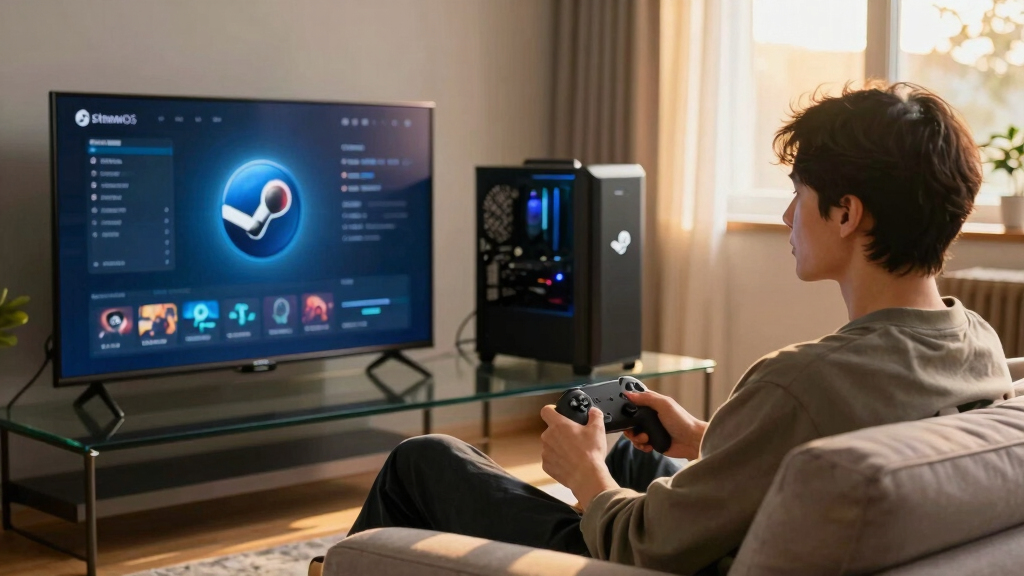
A Steam Machine is the box. SteamOS is the couch-first interface that puts Steam in the center instead of a Windows desktop. For console players, the familiar part is the big-screen menu; the unfamiliar part is that PC flexibility still lives underneath.
Living-room PC
Small gaming hardware for the TV stand, usually with PC parts inside and enough power for modern games depending on the configuration.
SteamOS
A Linux-based operating system tuned around Steam, controller navigation, downloads, friends, cloud saves, and quick library access.
Your Steam shelf
Games bought for a desktop PC or Steam Deck can often follow you to the television, especially when they are Verified or Playable.
How A Game Night Actually Starts
The smooth version feels like a console: power on, pick a game, and play. The PC side appears when a launcher, anti-cheat system, mod tool, or compatibility setting asks for attention from across the room.
Power
The box boots into a controller-first Steam interface.
Library
Your Steam games appear as big tiles built for TV browsing.
Check
Verified and Playable labels tell you what to expect.
Proton
Windows calls are translated so many games run on Linux.
Couch
Controller mapping, cloud saves, and settings carry the session.
Where Compatibility Gets Real
Proton is the bridge between Windows games and SteamOS. When the bridge is strong, you never notice it. When it is weak, anti-cheat, launchers, or unsupported features can break the console illusion.
Couch Confidence Spectrum
Console, SteamOS, Or Windows PC?
SteamOS sits in the middle: easier from the couch than Windows, less certain than a console, and more flexible than both when you want Steam sales, settings, mods, or one library across devices.
| What You Care About | Console | Steam Machine With SteamOS | Windows Gaming PC |
|---|---|---|---|
| Game library | Console store and discs where supported | Your Steam library, plus many Windows games through Proton | Steam, Epic, Game Pass, Battle.net, and more |
| Setup feel | ✓ Very simple | ~ Simple most days, with occasional PC chores | ~ Flexible but more hands-on |
| Controller use | ✓ Built around it | ✓ Built around it in SteamOS | ~ Good, but launchers can get awkward |
| Mods and tinkering | ✗ Limited | ~ Possible, sometimes fiddly | ✓ Strongest option |
| Game certainty | ✓ Highest for that console | ~ Check Verified, Playable, and Proton reports | ✓ Highest for PC releases |
The Four Labels To Check First
Valve’s compatibility labels are the fastest way for console players to judge couch readiness. Treat your must-play games as individual yes-or-no checks before buying hardware.
Verified
Works well with controller input, display settings, launch flow, and Proton support.
Playable
Runs, but may need small tweaks, text entry, launcher handling, or settings changes.
Unsupported
Expected to fail or deliver a poor SteamOS experience. Avoid for must-play titles.
Untested
No clear Valve label yet. Check community Proton reports before trusting it.
What You Gain
- Steam sales, cloud saves, controller mapping, and one library across devices.
- PC settings such as frame caps, resolution choices, and graphics tradeoffs.
- A path to mods, non-Steam tools, browsers, and deeper system control.
What Can Bite
- Anti-cheat systems, stubborn launchers, and password prompts from the couch.
- Less physical-disc comfort because SteamOS is digital-first.
- Occasional PC chores when updates or compatibility layers change behavior.
Why 2026 Feels Different From 2015
The first Steam Machine idea struggled because hardware varied, Linux game support was thinner, and the reason to choose one over Windows was foggy. The Steam Deck changed the story by proving SteamOS could make a huge PC library feel coherent from a controller-first screen.
SteamOS
Valve starts building the Linux gaming layer.
Machines
Partner boxes arrive with mixed hardware stories.
Stumble
Early sales reportedly stay below 500,000 units.
Proton
Windows compatibility becomes the practical bridge.
Deck
SteamOS earns trust in a handheld PC format.
TV Push
The living-room pitch is easier to understand.
Key Takeaways
- A Steam Machine is a living-room PC, while SteamOS is the controller-first system that puts Steam at the center.
- Proton lets many Windows games run on SteamOS, but anti-cheat and launcher-heavy games can still break the mood.
- Valve’s four compatibility labels give console players a fast way to judge whether a Steam game is ready for couch play.
- SteamOS is best for players who already own a Steam library and do not mind checking their must-play games first.
- The 2015 Steam Machine idea struggled, but the Steam Deck made the 2026 SteamOS push easier to understand.
As an affiliate, we earn on qualifying purchases.
What You Actually Get When Steam Moves To Your TV
Steam Machine and SteamOS Explained for Console Players is simple at the core: a Steam Machine is a small gaming PC for the living room, while SteamOS is Valve’s Linux-based system that turns Steam into the main screen instead of a Windows desktop [2].
Think of it like this: you sit on the couch, press the power button, hear the soft whirr of a fan, and land in your Steam library. No tower under a desk. No mouse mat on your knee unless you choose that route.
The old Steam Machines reached buyers in 2015 through partners such as Alienware, MSI, and Gigabyte. That first wave faded, but the idea did not. The newer Steam Machine push connects more directly to the Steam Deck era, where SteamOS already proved it can run a huge PC library from a controller-first screen.
As an affiliate, we earn on qualifying purchases.
Why SteamOS Feels Like A Console Before It Feels Like Linux
SteamOS feels familiar because it starts with big game tiles, controller prompts, downloads, achievements, friends, and cloud saves. You do not need to stare at a command line to launch a game. According to Valve’s Deck Verified docs, the system checks input, display, launchers, and Proton support before labeling games [1].
If you have used a Switch, Xbox, or PS5, the rhythm makes sense fast. You scroll, click-click through your library, install a game, and play. The difference sits underneath: SteamOS runs on Linux, not the locked software stack behind most consoles.
The big idea: SteamOS hides the PC until you need it, then lets you open the hood.
That hidden PC side matters when you want mods, a browser, non-Steam tools, or deeper settings. It can feel powerful, but also a little like organized chaos when a launcher asks for a password from across the room.
As an affiliate, we earn on qualifying purchases.
How Your Windows Games Run Without Windows
Steam Machine and SteamOS Explained for Console Players has one magic word: Proton. Proton is Valve’s compatibility layer that lets many Windows games run on Linux through Steam, translating the game’s Windows calls into something SteamOS can use [3].
In plain English, Proton acts like a skilled interpreter standing between the game and the operating system. The game asks for Windows. Proton answers in Linux. When it works, you press Play and never think about the tiny translation booth humming in the background.
The catch is compatibility. Single-player games, indies, older titles, and many major releases often behave well. Some multiplayer games with strict anti-cheat systems can still fail, freeze, or refuse to launch. That is why you should treat each must-play game like a yes-or-no question before you spend money.
As an affiliate, we earn on qualifying purchases.
Steam Machine Vs Console Vs Windows PC: What Changes For You
A Steam Machine sits between a console and a Windows gaming PC. You get the couch-friendly feel of a console, but your games come from Steam and your compatibility depends on PC software layers. A Windows PC still wins on raw game support, while consoles still win on simple certainty.
| What You Care About | Console | Steam Machine With SteamOS | Windows Gaming PC |
|---|---|---|---|
| Game library | Console store and discs where supported | Your Steam library, plus many Windows games through Proton | Steam, Epic, Game Pass, Battle.net, and more |
| Setup feel | Very simple | Simple most days, with occasional PC chores | Flexible but more hands-on |
| Controller use | Built around it | Built around it in SteamOS | Good, but launchers can get awkward |
| Mods and tinkering | Limited | Possible, sometimes fiddly | Strongest option |
| Game certainty | Highest for that console | Check Verified, Playable, and Proton reports | Highest for PC releases |
For example, if you mostly play couch co-op, roguelikes, RPGs, and Steam sale finds, SteamOS can feel smooth and generous. If your weekly ritual is a specific ranked shooter with heavy anti-cheat, a console or Windows PC may save you from a cold, silent error screen.
How To Check Your Steam Library Before You Buy
- Open your Steam library and check compatibility labels first. Valve uses Verified, Playable, Unsupported, and Unknown labels, and those four badges give you the fastest read on whether your games should behave well on SteamOS [1].
- List your five must-play games. Do not judge by a library of 400 titles you barely touch. If your Friday night game fails, the whole box feels worse.
- Check community Proton reports. ProtonDB can reveal small fixes, broken launchers, or recent patches before you hit Buy.
- Look for anti-cheat and launcher warnings. These cause more living-room frustration than graphics settings ever will.
- Decide your patience level. If you only want press-and-play gaming, stick close to Verified titles. If you like tweaking, Playable games can be fair game.
Say your regular rotation is Stardew Valley, Hades, Cyberpunk 2077, and a few older Steam sale surprises. You may have a great time. Swap that list for one stubborn shooter, one MMO launcher, and three games marked Unknown, and the mood changes fast.
What You Gain On The Couch And What Can Still Bite
SteamOS gives you a bigger, cheaper, messier game shelf than a normal console, but it trades away some certainty. You gain Steam sales, cloud saves, controller mapping, PC settings, and a path to mods. You may lose physical discs, guaranteed compatibility, and the clean snap of console-only multiplayer.
- You gain one library across devices. A game you bought for a desktop PC or Steam Deck can often follow you to the TV.
- You gain better pricing moments. Steam sales can cut older games to lunch-money prices, sometimes under $10.
- You gain settings. You can lower shadows, cap frame rate, or pick performance over glossy reflections.
- You give up perfect predictability. A launcher update can turn a smooth night into password typing and sighing.
- You give up disc comfort. SteamOS lives in a digital-first world.
The practical tip is simple: build your setup around the games you actually play. A quiet Saturday with a controller, a blanket, and a Verified RPG can feel seamless. A broken launcher at 11 p.m. feels like stepping on a cold tile in socks.
Why The 2015 Version Faded And Why 2026 Looks Different
Steam Machine and SteamOS Explained for Console Players needs a little history because the first try stumbled. The 2015 Steam Machines had mixed hardware, limited Linux game support, and unclear reasons to pick them over Windows PCs. Reports put first-generation sales below 500,000 units by mid-2016 [4].
Back then, you could buy a living-room PC from one brand, compare it with another, then wonder which version developers would target. That felt foggy. Consoles win by being boring in the best way: one box, one standard, one promise.
The newer story looks different because Steam Deck trained players and developers on SteamOS. Proton matured, Verified labels became familiar, and Valve moved toward a more direct hardware plan. As of June 10, 2026, recent reports said the new Steam Machine was planned for summer 2026, with final pricing still not public [2].
When SteamOS Makes Sense For A Console Player
SteamOS makes sense if you want your Steam library on the TV, like controller-first menus, and accept that compatibility checks are part of the deal. It makes less sense if you want every game to work without research, or if your favorites depend on strict anti-cheat or non-Steam launchers.
- Good fit: You own many Steam games and want them in the living room.
- Good fit: You enjoy indies, RPGs, strategy games with controller support, action games, and older PC titles.
- Good fit: You already like Steam Deck and want that style on a larger screen.
- Poor fit: You buy mostly physical console games or trade discs.
- Poor fit: You want Game Pass PC, Epic exclusives, or several launchers to feel painless from the couch.
A useful rule: if your gaming life already lives in Steam, SteamOS feels like moving the sofa closer to your library. If your gaming life lives across five services, Windows still gives you the wider front door.
Frequently Asked Questions
Are Steam Machines still a thing in 2026?
Yes, but the meaning changed. The old third-party Steam Machines from 2015 mostly faded, while Valve’s newer Steam Machine effort is tied to SteamOS, Proton, and the Steam Deck playbook. As of June 10, 2026, pricing was still the big missing detail.
Can SteamOS play every Steam game?
No. SteamOS can run many Steam games, including many Windows games through Proton, but some titles remain Unsupported or Unknown. Check your must-play games through Steam’s compatibility labels before treating SteamOS like a full Windows replacement.
Do you need a keyboard and mouse for SteamOS?
Most gaming can happen with a controller, especially in SteamOS gaming mode. Still, a small wireless keyboard helps with passwords, launchers, mods, and the occasional stubborn menu. Keep one nearby, even if it spends most nights in a drawer.
Is SteamOS better than PS5 or Xbox?
SteamOS is better if you value Steam sales, PC settings, mods, and one library across PC-style devices. PS5 and Xbox are better if you want fixed hardware, cleaner multiplayer certainty, physical game options, and fewer compatibility checks.
Where do the compatibility claims come from?
The main compatibility labels come from Valve’s Deck Verified program: https://www.steamdeck.com/en/verified. Steam Machine details come from Valve’s Steam hardware pages and 2026 launch reporting: https://store.steampowered.com/sale/steammachine.
Conclusion
The clearest way to think about SteamOS is this: it gives you the comfort of a console menu with the freedom and friction of PC gaming underneath. Before you buy into it, check your real library, not your fantasy backlog.
If your favorite games pass that test, the Steam Machine could turn your TV stand into a warm little doorway to years of PC games, glowing quietly beside the controller.
Fall Picks
fall essentials
As an affiliate, we earn on qualifying purchases.