
TL;DR

Play games on Amazon Luna for your game nights, included with Prime
- A rotating selection of games, no download needed
- Play on TV, laptop or phone
- Fast, free delivery for your gear, too
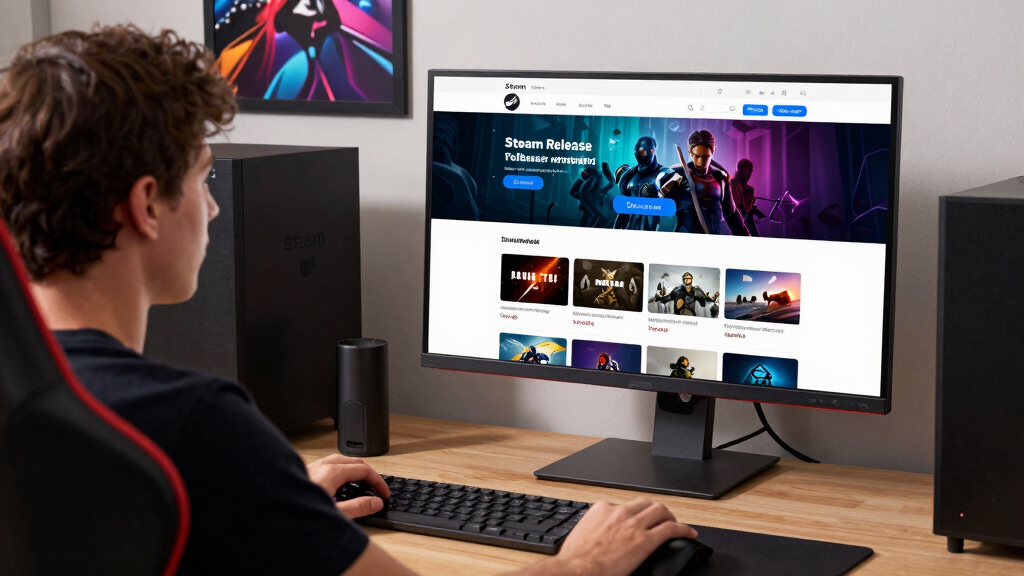
Steam release pages for upcoming games are Steam’s public staging area before launch: you use them to check the date window, media, tags, wishlist status, demos, Early Access wording, Steam Deck badges, and regional limits. Treat the page as a live file, not a promise carved in steel, because developers can update media, dates, and store text as launch moves closer.
A Steam page can make a game feel finished months before anyone can press Play.
You see a glossy trailer, a date, a wishlist button, maybe a demo button that goes click, and your brain starts making room on your SSD. This guide shows you what each part of an upcoming game’s page can tell you, what it cannot tell you, and where the small print lives.
Think of it as an overview suitable for PC and Steam Deck players who want fewer impulse buys and better wishlists. You can enjoy the roar of a new trailer and still read the page with a raised eyebrow.
Read the Coming Soon page before your wishlist reads you.
TL;DR: Steam release pages are public staging areas before launch. Use them to check the date window, media, tags, wishlist status, demos, Early Access wording, Steam Deck badges, and regional limits. Treat the page as a live file, not a promise carved in steel.
A glossy trailer can make a game feel finished months before anyone can press Play.
The useful habit: enjoy the trailer, then inspect the page with a raised eyebrow.New Steam products need a Coming Soon page live before release.
Valve asks for store review at least 7 business days before publishing.
Exact date, month, quarter, year, or Coming Soon.
Steam requires tags before launch and recommends more.
Richer tagging improves expectations and discovery.
Wishlists can notify for qualifying discounts over 8 hours.
Enough time to spot date fog, access risk, and platform fit.
What The Page Can Actually Tell You
A Coming Soon page is not only marketing. It shows how confidently a developer can describe the product before launch: what is playable, what is supported, and what still feels like mist.
Trailers and screenshots
Look for UI, combat flow, menus, camera angle, failure states, and real player input. Mood proves taste; gameplay footage helps prove fit.
Tags and genre pressure
If a cozy-looking builder carries Survival and PvP, your quiet Sunday may get loud fast. Tags shape expectations before price does.
Developer and publisher names
A track record helps, but a first-time studio is not a warning by itself. It makes demos, transparent wording, and steady updates more important.
Date
Exact day, month, quarter, year, or no public date.
Media
Gameplay clarity beats cinematic atmosphere.
Tags
Genre labels reveal pacing, pressure, and audience.
Access
Demo, playtest, preorder, or Early Access all mean different risk.
Platform
Steam Deck and controller notes decide couch reality.
Why The Date Can Mean More Than It Says
Steam lets developers manage an internal target while showing players an exact date, broad window, or plain Coming Soon. The less specific the display, the more you should monitor instead of planning around it.
Specific dates help your calendar.
An exact date gives the cleanest timing signal, but store pages can still change as launch, localization, certification, and final bug fixing move.
Broad windows can protect reality.
A year or quarter is not automatically suspicious. It becomes useful when paired with frequent updates, practical details, and visible gameplay.
The real question is whether the rest of the page supports the date.
A vague date with steady development posts can feel honest. A precise date attached to thin screenshots, no systems explanation, and no recent updates deserves a firmer eyebrow.
Date Formats, Decoded
Use the public date format as a confidence meter, not a prophecy. Steam ordering can favor more specific timing, while broader displays should stay on your radar rather than your weekend plan.
| What you see | What it usually tells you | How to read it | Planning confidence |
|---|---|---|---|
| Aug 24, 2026 | The developer is sharing a specific public target. | Plan around it, but check again near launch. | ✓ High |
| August 2026 | The month is public, the day is not. | Expect list placement to behave like late month timing. | ~ Medium |
| Q3 2026 | The window spans three months. | Read it as a broad target, not a weekend plan. | ~ Medium-low |
| 2026 | The team wants the year known. | Keep it on your radar, not your calendar. | ~ Low |
| Coming Soon | No public date is being shared. | Treat it as interest-only until the page sharpens. | ✗ Very low |
Wishlist Is More Than A Bookmark
Wishlisting saves the game for you and sends a demand signal to Steam and the developer. It can also trigger notifications when meaningful launch, demo, release, and discount events happen.
Why that blue button matters.
Wishlist owners can be notified when a game launches, starts Early Access, reaches full release after Early Access, releases a demo, or runs a qualifying discount.
That makes wishlist hygiene useful: keep the games you truly want to track, and remove the ones that only borrowed your attention for one trailer.
Risk meter for upcoming pages
The Traceability Chain
The page becomes more useful when every exciting claim connects to visible proof. Follow the chain from promise to play style before you buy, preload, or clear space on your Steam Deck.
Rumors stay rumors until the page or official developer channel agrees.
Leaks, countdown posts, and store scraping can be interesting, but the practical player move is simple: keep them unconfirmed until Steam or the developer says the same thing in public.
Key Takeaways
- A Coming Soon page must be live for at least two weeks before a new Steam product releases, and Valve asks for review at least 7 business days before the page goes public [1].
- Steam date displays can be exact, month/year, quarter, year, or Coming Soon; less specific displays can sit later in upcoming lists [2].
- Wishlist notifications can fire for launch, Early Access launch, full release after Early Access, demos, and qualifying discounts of 20% or more that last over 8 hours [3].
- Steam Deck badges are compatibility labels, not blank checks for every PC setting, patch, or future build [6].
- Rumors and leaks should stay unconfirmed until the Steam page or an official developer channel matches them.
As an affiliate, we earn on qualifying purchases.
What You Can Learn Before the Game Hits Your Library
Steam Release Pages Explained for Upcoming Games starts with one plain idea: a coming-soon page is the game’s public staging area on Steam, where you check the release window, trailer, screenshots, tags, developer, platforms, wishlist button, community links, and any demo or Early Access notice before launch.
According to Valve’s Steamworks Coming Soon documentation, these pages let players learn about a game and add it to their wishlist before release [1]. New products also need that page up for at least two weeks before launch, which turns the page into more than decoration. It gives players time to compare claims, watch for updates, and notice whether the page becomes clearer as launch gets closer.
That matters because a coming-soon page is not only selling the fantasy of the game. It is also showing how confidently the developer can describe the product. A page with gameplay footage, accurate tags, controller notes, and steady updates gives you a better signal than one that leans only on mood, lore, and a cinematic logo sting.
Say you spot a neon tactics roguelite during Steam Next Fest. The trailer shows crackling lasers and chunky grid movement, but the tags say Singleplayer, Turn-Based Tactics, and No Controller Support. That tells you more about your night on the couch than the trailer ever could.
- Media: Trailers and screenshots show moment-to-moment play, not just mood. If the page avoids UI, combat flow, menus, or failure states, keep some distance between interest and purchase.
- Tags: Steam requires at least 5 tags before launch and recommends up to 20 for better discovery [8]. Tags shape expectations, search visibility, and whether the game reaches players who actually want that kind of play.
- Developer and publisher names: These help you connect the game to a track record, if one exists. A first-time studio is not a warning sign by itself, but it makes demos, updates, and transparent wording more important.
- Community hub: A live coming-soon page opens a place for announcements, posts, and player chatter [1]. The useful part is not the loudest thread; it is whether the developer answers practical questions before launch.
Steam Deck compatible game accessories
As an affiliate, we earn on qualifying purchases.
As an affiliate, we earn on qualifying purchases.
How to Read a Page Before You Hit Wishlist
- Check the release date format. An exact date gives you more timing detail than a year, quarter, or plain Coming Soon. The less specific the date, the more you should treat the game as something to monitor instead of something to plan around.
- Watch the trailer for gameplay, not vibes. Look for menus, combat, camera angle, UI, inventory, and real player input. A beautiful trailer can prove taste; it does not automatically prove pacing, readability, or feel.
- Scan the tags. If a game looks like a cozy builder but carries Survival and PvP, your quiet Sunday may get loud fast. Tags are a shortcut to the pressure the game may put on you.
- Look for demo, playtest, or Early Access wording. Each one means a different level of access and risk. A demo helps you test fit, a playtest helps the developer test systems, and Early Access asks you to buy into an unfinished state.
- Check platform notes. If you play on Steam Deck, read the badge and the controller support details before you buy. Compatibility is not just whether the game launches; it is whether the text, controls, battery use, and settings suit how you play.
The fastest read takes about 5 minutes. You are not trying to solve the whole game; you are checking whether the page matches how you actually play. That is the important shift: the page is less about whether the game looks good in general and more about whether it fits your setup, patience, and appetite for risk.
For example, if you mostly play handheld on a train, a small text-heavy strategy game may look perfect until the page shows no controller support and tiny UI in every screenshot. Better to catch that before the platformer next to you goes ka-chunk into your wishlist instead.
As an affiliate, we earn on qualifying purchases.
Why the Date Can Mean More Than It Says
Steam Release Pages Explained for Upcoming Games needs one date trick in plain view: Steam lets developers set an exact internal date while showing players an exact date, month, quarter, year, or no date, and each display choice affects where the game appears in upcoming lists [2].
That split between internal date and public date is useful, but it also creates a little fog. A developer may know the target day privately while choosing to show only a month because certification, localization, marketing beats, or final bug fixing could still move. For players, the tradeoff is simple: a precise date helps you plan, while a broad window may be a healthier sign that the team is leaving room for reality.
| What you see | What it usually tells you | How to read it |
|---|---|---|
| Aug 24, 2026 | The developer is sharing a specific public target. | Plan around it, but check again near launch. |
| August 2026 | The month is public, the day is not. | Expect Steam lists to treat it like the end of that month [2]. |
| Q3 2026 | The window spans three months. | Read it as a broad target, not a weekend plan. |
| 2026 | The team wants the year known. | Keep it on your radar, not your calendar. |
| Coming Soon | No public date is being shared. | Expect it to sit behind more specific dates in upcoming lists [2]. |
If two city builders look equally tempting, the one with a specific month gives you a cleaner signal than the one with foggy store text and a roaring teaser. Clear is not always better than cautious; vague can protect a small team from overpromising.
The real question is whether the rest of the page supports the date. A vague date with frequent development updates can feel honest. A precise date attached to thin screenshots, no systems explanation, and no recent posts deserves a firmer eyebrow.
Upcoming PC game collector's edition
As an affiliate, we earn on qualifying purchases.
As an affiliate, we earn on qualifying purchases.
Why Wishlisting Is More Than a Bookmark
Steam Release Pages Explained for Upcoming Games is also explained by the wishlist button: when you wishlist a game, you save it for yourself and send a demand signal that Steam and the developer can use around launch, discounts, demos, and visibility [3].
According to Steamworks wishlist documentation, players may receive email or mobile push notifications when a wishlisted game releases, launches in Early Access, reaches full release after Early Access, releases a demo, or runs a qualifying discount [3]. Discounts usually need to be 20% or more and last over 8 hours to trigger wishlist discount notifications [3].
That makes wishlisting useful, but not neutral. For you, it is a reminder system and a way to wait without forgetting. For the developer, it is a rough measure of demand before the game is actually tested by reviews, refunds, and word of mouth. A huge wishlist count can help a game get attention, but it does not prove that the build is polished or that the servers will hold.
You add a game to your wishlist and a little signal to its launch plan. Small for you, loud for them. Ping.
Smart rule: Wishlist early if you want updates, but wait to buy if the page lacks gameplay footage, a clear release state, or platform details that match your setup.
Imagine a $25 horror co-op game you followed in February. If it launches while you are at work, that push notification can save you from missing the first-night server rush with friends. The tradeoff is that the same ping can also push you toward launch-day excitement before reviews, performance reports, and patch notes catch up.
What Demos, Playtests, and Early Access Actually Promise
Demos, playtests, and Early Access all give you contact with an unreleased game, but they do not promise the same thing. A demo is a sample, a playtest is usually temporary testing, and Steam Early Access is a paid playable game still in development [4][5].
The important difference is who the access mainly serves. A demo mainly helps you decide whether the game feels good. A playtest mainly helps the developer gather data under real conditions. Early Access sits in the middle: you get a playable game now, but you are also accepting balance changes, missing features, saves that may not survive forever, and a roadmap that can bend.
| Label on the page | What you usually get | Best use case |
|---|---|---|
| Demo | A free slice of the game, often built to show core mechanics [5]. | Try the feel before you buy. |
| Playtest | Limited testing access if the developer opens signups. | Help test servers, balance, or features. |
| Early Access | A playable alpha or beta sold before final release [4]. | Play now and accept rough edges. |
| Advanced Access | Earlier access tied to a prepurchase package, not Steam Early Access [4]. | Play a finished launch build a few days early, when offered. |
Valve says Steam Early Access is not a preorder and must deliver a playable product at purchase [4]. That difference matters when a survival game has muddy textures, missing biomes, and a roadmap taped to the wall. You are not buying a promise that the game might someday exist; you are buying the current version plus the possibility of improvement.
A cozy farming demo can tell you whether the watering can feels snappy. An extraction shooter playtest can tell the developer whether matchmaking falls over at 9 p.m. They sound similar; they serve different jobs. Read the label as a contract about expectations, not just a button that lets you in early.
What Steam Deck Badges and Performance Claims Really Tell You
Steam Deck badges tell you compatibility status, not a forever frame-rate promise. Valve’s compatibility ratings include Verified, Playable, Unsupported, and Unknown, and the badge appears after Valve reviews how the game works on Steam Deck or related Steam hardware [6].
The badge is valuable because it narrows the question from will this run at all? to what kind of compromises should I expect? Verified usually means the basics are in place: input, display, legibility, and system behavior. Playable may still mean manual keyboard entry, launcher friction, small text, or settings tweaks. Those details can matter more than raw frame rate if you play in short sessions.
For performance claims, look for the exact platform and version. Runs well on PC is softer than tested on Steam Deck OLED with SteamOS 3.6 at 40 fps using the default preset. The first smells like marketing; the second gives you something you can check.
If a trailer says the game is great on Deck but the Steam page still shows Unknown, treat that as a developer claim until Valve’s badge appears. If a social post or leak says a Deck rating changed, mark it unconfirmed until the Steam store page or developer channel matches it.
A real-world check is simple: before buying a text-heavy RPG for handheld play, open the page on your Deck and look at screenshots, controller support, and badge text. Tiny fonts can turn a midnight adventure into a squinting contest. The tradeoff is comfort versus patience: buying early may get you in faster, but waiting can give Valve, the developer, and other players time to expose the handheld problems that a trailer will never show.
What Age Ratings, Regions, and Warnings Can Change
Age ratings and regional rules can decide whether an upcoming Steam game appears for you at all. In Germany, Valve says games without a valid age rating stopped being shown to German customers on Steam starting November 15, 2024 [7].
That does not mean every missing rating is a scandal. It can mean the developer has not completed a content survey, entered a rating, or cleared a regional rule yet. Still, it affects what players see.
This matters because store visibility is not the same thing as game quality or developer intent. A missing page in one country may point to paperwork, content classification, local law, or timing. For players, the practical implication is that a friend’s Steam link, a festival page, or a trailer may not behave the same way in every region.
Picture a mature horror game with bone-white corridors, wet footsteps, and a trailer full of crunch. In the U.S., you may see the page normally; in Germany, the same game can be hidden if it lacks a valid rating [7].
Rumor check: If a release date, regional block, rating, or platform claim comes from a leak, keep it marked as unconfirmed until the Steam page or an official developer post repeats it.
The tradeoff is that official information can arrive slower than rumors, especially near launch. Waiting for the store page or developer channel may feel less exciting, but it keeps you from treating a regional visibility issue as a cancellation, delay, ban, or secret platform problem before the facts catch up.
Your 5-Minute Checklist Before Launch Day
A strong pre-launch check turns a shiny Steam page into a practical buy-or-wait call. Spend 5 minutes checking the date, access type, media, tags, platform badge, and rating details before you wishlist, preorder, or set aside launch-night time.
- Read the date line. Exact day, month, quarter, year, and Coming Soon all carry different levels of confidence.
- Watch one gameplay-heavy video. If every shot is cinematic smoke and no hands-on play, wait for more.
- Compare tags to your taste. A game can look cozy and still be Permadeath, Survival, or Online Co-Op.
- Check the access label. Demo, Playtest, Early Access, and Advanced Access each set a different expectation.
- Match platform claims to your hardware. Steam Deck, desktop PC, ultrawide monitor, and controller play each need their own proof.
- Look for regional and age-rating warnings. Missing or changed ratings can affect visibility in some places.
The checklist is not there to drain the fun out of discovery. It is there to separate excitement from commitment. A page can still earn a wishlist spot with unanswered questions, but buying, preordering, or planning a launch-night session should require stronger evidence.
Use this during a Steam Next Fest browsing session with ten tabs open and your fan humming under the desk. Keep the games that answer your questions. Let the vague ones wait outside the cart.
Frequently Asked Questions
Are Steam release dates for upcoming games reliable?
Steam release dates are best read as the developer’s current plan, not a guarantee. Steam allows public displays ranging from an exact date to Coming Soon, and developers can change the date until the two-week window before the specified release date [2].
Does wishlisting a Steam game actually help me?
Yes. A wishlist helps you track the game and can trigger notifications when it releases, reaches Early Access, leaves Early Access for full release, gets a demo, or runs a qualifying discount [3]. It also gives the developer a clearer read on player interest before launch.
Is Steam Early Access the same as a preorder?
No. Steam Early Access means you can buy and play an unfinished but playable alpha or beta while development continues [4]. A preorder or Advanced Access setup is different because it usually points to a future delivery or early play tied to a prepurchase package.
Can I trust Steam Deck Verified before launch?
You can trust the badge as Valve’s compatibility label at the time it appears, but you should still check the date, game version, and your own comfort with settings. If a page says Unknown and a leak claims Verified status, treat the claim as unconfirmed until Steam shows the badge.
Where do these Steam rules come from?
The Steam-specific facts here come from Valve’s Steamworks documentation: Coming Soon pages [1] https://partner.steamgames.com/doc/store/coming_soon, release dates [2] https://partner.steamgames.com/doc/store/release_dates, wishlists [3] https://partner.steamgames.com/doc/marketing/wishlist, Early Access [4] https://partner.steamgames.com/doc/store/earlyaccess, demos [5] https://partner.steamgames.com/doc/store/application/demos, Steam Deck compatibility [6] https://partner.steamgames.com/doc/steamhardware/compat, Germany age ratings [7] https://partner.steamgames.com/doc/gettingstarted/contentsurvey/germany, and Steam tags [8] https://partner.steamgames.com/doc/store/tags.
Conclusion
Read every upcoming Steam page like a launch dashboard: useful, alive, and worth checking twice. The trailer can sell the dream, but the date line, tags, access label, badge, and rating details tell you how that dream may land on your machine.
Let the wishlist ping. Let the trailer roar. Then let the page earn your trust one concrete detail at a time.
Fall Picks
fall essentials
As an affiliate, we earn on qualifying purchases.