TL;DR

Play games on Amazon Luna for your game nights, included with Prime
- A rotating selection of games, no download needed
- Play on TV, laptop or phone
- Fast, free delivery for your gear, too
Steam Frame handles non-VR games with VR controllers by combining dual sticks, a D-pad, ABXY buttons, bumpers, analog triggers, and grips across two hands, then presenting them to the game as a standard controller through Steam Input. Flat games appear on a resizable virtual screen and can run locally on the headset or stream from a gaming PC, although final compatibility and performance depend on the released hardware and software.
Most VR controllers become surprisingly helpless the moment you open a conventional PC game. One hand may have a stick and two buttons, the other a second stick, but the missing D-pad, bumpers, or familiar ABXY layout soon sends you searching for a separate gamepad. Steam Frame changes that basic arrangement by treating flat games as part of the main experience rather than a side feature.
Steam Frame was announced in November 2025 alongside a new Steam Machine and standalone Steam Controller, with an initial early 2026 launch window and no confirmed price at the reveal. Valve described two motion controllers that collectively provide the inputs of a normal gamepad, while Steam Input handles remapping and compatibility. All details below reflect Valve’s announcement and hands-on reporting; shipping specifications, availability, battery life, and real performance should be checked against Valve’s current product information before you buy.
You will learn what happens when you launch a non-VR game, how the split controls feel, and why local ARM play differs from PC streaming. You will also see where gyro controls help, where they become awkward, and why anti-cheat support and game ratings still matter. The idea is simple: you should know whether Steam Frame can replace the extra controller beside your headset or merely move it to another drawer.
The two Steam Frame controllers collectively provide dual sticks, a D-pad, ABXY buttons, bumpers, analog triggers, grips, and motion sensing, so most flat game…
Steam Input can present the split controllers as a conventional pad, remap individual commands, add gyro mouse control, and reuse community layouts.
Non-VR games remain flat and appear on a resizable virtual theater screen; they do not gain native VR cameras or hand interactions.
Local ARM play suits lighter titles, while demanding games are stronger candidates for PC streaming through the included 6 GHz adapter.
Check current release details, anti-cheat support, Steam Frame-specific compatibility, and independent performance tests before treating pre-release claims as…
How Steam Frame Handles Non-VR Games With VR Controllers
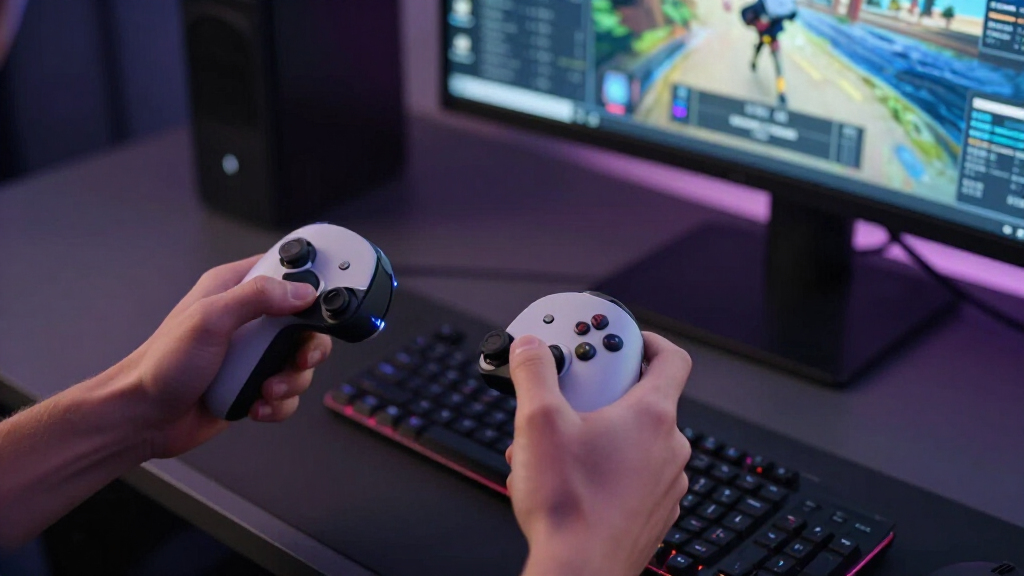
Two tracked controllers become one complete gamepad. Steam Input combines their sticks, D-pad, ABXY buttons, bumpers, analog triggers, grips, and motion sensors, then presents familiar controls to conventional PC games displayed on a resizable virtual screen.
A full gamepad, divided between your hands
Most VR controllers omit at least one familiar input group. Steam Frame’s pair is designed to cover the conventional gamepad layout collectively while retaining motion sensing for VR.
Movement & utility
Your left thumb handles navigation while the shoulder, trigger, and grip inputs remain available for game-specific actions.
Camera & actions
Your right thumb controls the camera and face-button actions, with matching shoulder and motion inputs for aiming or layered commands.
The game still sees familiar commands
Steam Input sits between the physical controllers and the game. It can output standard pad buttons, keyboard keys, mouse movement, or layered commands without requiring every title to understand Steam Frame directly.
Physical input
Sticks, buttons, triggers, grips, and controller motion are read across both hands.
Steam Input
The software interprets the pair as one configurable control surface.
Mapped command
Each action can become a gamepad input, keypress, mouse click, or gyro movement.
Conventional game
The title receives the familiar controls expected by its original input map.
Place sprint, reload, or menu commands on a more comfortable button or grip.
Existing configurations can provide a starting point for older or unusually mapped games.
Motion input can supplement the right stick when a game benefits from mouse-like precision.
Run on the headset—or borrow power from a PC
The control concept stays consistent, but the game can reach the virtual screen through two very different technical routes.
ARM-based headset play
SteamOS runs on a Snapdragon-class ARM platform. Valve’s FEX translation layer is intended to help x86 games run locally, making lighter and well-supported titles the natural candidates.
Gaming-PC rendering
A PC performs the demanding work and sends the result to Steam Frame. The included 6 GHz wireless adapter carries the stream while controller input travels back to the host.
A private theater, not an automatic VR conversion
The headset changes where the game is displayed. It does not rewrite the camera, level design, or interaction model of a conventional title.
Scale and position the screen
Place the virtual display at a comfortable distance and enlarge it for a cinema-like view.
Keep sticks and triggers
A racing game still steers with conventional inputs; a shooter still uses its original camera and aiming rules.
No tracked hands inside the game
Flat titles do not gain native VR weapon handling, stereoscopic level design, or room-scale interaction automatically.
Why the controller design matters
The distinguishing promise is not merely that flat games can appear in a headset. It is that the included controllers are intended to operate them without a separate gamepad.
| Capability | Steam Frame pair | Typical VR controller pair | Separate gamepad |
|---|---|---|---|
| Dual analog sticks | ✓Included | ✓Common | ✓Included |
| Dedicated D-pad | ✓Included | ~Often absent | ✓Included |
| ABXY-style face set | ✓Across both hands | ~Usually reduced | ✓Included |
| Analog triggers and bumpers | ✓Included | ~Layout varies | ✓Included |
| Tracked motion / gyro | ✓Included | ✓Included | ~Model dependent |
| Extra hardware for flat games | ✓Not intended | ~Often required | ~It is the extra device |
Complete controls do not guarantee complete compatibility
The input design solves an important hardware problem, but launchers, translation layers, anti-cheat systems, network conditions, and the final released hardware can still decide whether a particular game works well.
Platform compatibility
A Steam Deck rating is useful context, but it does not automatically certify performance on ARM-based Steam Frame hardware.
Anti-cheat and launchers
Some multiplayer protections or third-party launchers may reject translated environments or require additional support.
Gyro suitability
Gyro can improve precision, but strategy, simulation, and pointer-heavy interfaces may still feel less natural without a mouse or trackpad.
Streaming conditions
A powerful PC helps only when the wireless link also delivers stable bandwidth and sufficiently low latency.
Final specifications
Price, exact availability, battery life, shipping configuration, and real performance require current official information.
Independent testing
Game-specific benchmarks and player reports remain the best evidence for demanding local titles and long-session comfort.
From thumb movement to a private big screen
Every part of the experience has a distinct job: the controllers capture input, Steam Input translates it, the game runs locally or remotely, and the headset presents the result.
Your Two VR Controllers Become One Complete Gamepad
How Steam Frame Handles Non-VR Games With VR Controllers comes down to a clear hardware choice: its two motion controllers form one complete standard gamepad. Across your hands, you get dual analog sticks, a D-pad, ABXY buttons, bumpers, analog triggers, grip inputs, and motion sensors, so a flat game receives the controls it expects.
Think of it as a conventional controller gently cracked down the middle, like snapping a chocolate bar into two neat pieces. Your left hand carries movement controls such as the left stick and D-pad, while your right handles the right stick and face buttons. The controller may look different in your hands, but the game’s input map still sees familiar ingredients.
Suppose you launch an action game from your Steam library. Your left thumb moves the character, your right thumb turns the camera, the triggers aim and fire, and the face buttons handle jumping or reloading. You do not need to set a separate Xbox controller on your lap, where it can disappear beneath a blanket when you reach for it.
The split layout also lets you rest your hands naturally at your sides instead of holding both wrists together. That can feel relaxed during a long role-playing session, though button placement needs muscle-memory adjustment if you have spent years with one-piece controllers. Valve’s pitch resembles a Steam Controller divided between two hands, with motion tracking added for VR games with hand interaction.
The practical difference is simple: a non-VR game sees a normal gamepad even though you are holding two tracked VR controllers.
As an affiliate, we earn on qualifying purchases.
Steam Input Makes Old Games Recognize the New Controls
How Steam Frame Handles Non-VR Games With VR Controllers depends as much on software as hardware: Steam Input translates the split controls into commands each game can understand. A title can receive familiar gamepad inputs, while you can remap buttons, add gyro aiming, or load a community layout when its default controls feel wrong.
Steam Input already performs this job on Steam Deck and ordinary PCs. It sits between your hands and the game like a quick-witted interpreter, turning one physical button into an Xbox-style input, keyboard key, mouse click, or layered command. According to Valve’s announcement, Steam Frame belongs to the same SteamOS hardware family, making this shared input system a central part of the design.
Imagine opening a 2014 adventure game that expects an Xbox controller. The game does not need a special Steam Frame patch if Steam Input presents the expected buttons. If the developer placed sprint on an uncomfortable grip, you can move it to a bumper and save the change as a game-specific controller layout.
Community profiles matter even more for games with unusual controls. A player may publish a layout that maps inventory shortcuts to long presses, assigns a mouse to gyro movement, or creates a second command layer while you hold a grip. That large library of existing community configurations could save you ten minutes of fiddling before an older game feels right.
Compatibility is not a blanket promise, however. A game may reject translated controls, depend on a launcher, or use anti-cheat software that does not cooperate with the headset’s SteamOS environment. Also, a Steam Deck Verified rating can change and does not automatically certify Steam Frame performance; check the current platform label and player reports for the version you plan to run.
As an affiliate, we earn on qualifying purchases.
Flat Games Fill a Private Screen Instead of Becoming VR
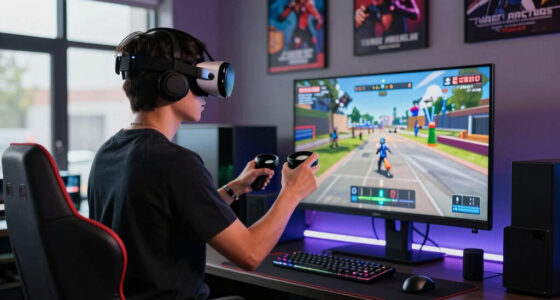
How Steam Frame Handles Non-VR Games With VR Controllers does not turn every title into virtual reality. It places the ordinary game on a large, resizable virtual screen floating in your headset, preserving the original camera, controls, graphics, and age rating while giving you a private theater for play.
You might place the screen a few virtual meters away and stretch it until a racing game fills most of your view. The dashboard glows, tires hiss over wet asphalt, and the surrounding room fades into the background. Yet you still steer the car with sticks and triggers; you are watching a huge flat display, not sitting inside a newly converted VR cockpit.
This distinction protects you from unrealistic expectations. A non-VR shooter does not gain tracked weapon handling merely because you launch it through a headset, and a third-person platformer does not suddenly add depth-aware level design. The virtual theater changes the display, while Steam Input changes the controls; neither rewrites the game itself.
The screen format can work well when someone else occupies the television or when you want a cinema-sized view in a small apartment. It can feel less attractive during a quick five-minute session because wearing a headset adds weight, warmth, and startup friction. Text size also matters: tiny strategy-game labels that look sharp on a desk monitor may remain tiring on a floating screen, even with dual 2160×2160 LCD panels listed in the announcement information.
Content ratings stay tied to the game and region, not the display method. A title rated PEGI 18, ESRB Mature, or another local category keeps that rating inside Steam Frame, so family controls and account restrictions still deserve attention when the virtual screen hides what the player can see.
VR motion controllers for PC gaming
As an affiliate, we earn on qualifying purchases.
As an affiliate, we earn on qualifying purchases.
Choose Local Play for Convenience and PC Streaming for Power
Steam Frame offers two paths for flat games: run them locally through its ARM-based SteamOS hardware or stream them from a gaming PC. Local play removes the need for another machine, while streaming lets a stronger desktop handle demanding graphics and send the finished image back to the headset.
| Choice | Best fit | Main advantage | Main tradeoff |
|---|---|---|---|
| Local play | Indies, older releases, and lighter games | No gaming PC or network stream required | x86-to-ARM compatibility and performance vary |
| PC streaming | Demanding AAA games and high settings | Your desktop GPU does the heavy work | Quality depends on the PC, wireless conditions, and latency |
For local play, the announced system uses a Snapdragon-class ARM chip, 16 GB of RAM, and SteamOS. Valve’s FEX layer translates software built for x86 processors so it can run on ARM, while Proton may also translate Windows calls for Linux. It is a two-bridge journey, and every game crosses those bridges differently.
A pixel-art platformer or ten-year-old role-playing game may be a sensible local candidate. You could carry the headset to a hotel, open the game, and continue your save without bringing a tower PC. A new open-world release with dense crowds, glossy reflections, and heavy CPU demands will probably make more sense as a stream from capable desktop hardware.
Valve announced an included 6 GHz wireless adapter for low-latency PC streaming and controller input. In a real home, a nearby PC and a clear wireless channel can matter more than the number printed on the box; thick walls and busy networks can turn a smooth camera pan into a soft, stuttering smear. Performance claims for local Steam Frame software remain pre-release until independent tests cover frame pacing, battery use, heat, and individual games.
Eye tracking also supports what Valve calls foveated streaming, concentrating detail where you look. Valve primarily presented that feature for streamed VR content, so any benefit for flat-game streaming remains unconfirmed until testing shows how the shipping software treats its virtual screen.
As an affiliate, we earn on qualifying purchases.
Gyro Aiming Can Rescue Games Built Around a Mouse
Gyro aiming gives Steam Frame a practical mouse substitute for games that need finer pointer control than an analog stick provides. Steam Input can translate small controller movements into cursor motion, letting you aim, select, or steer with your wrist, although keyboard-heavy games still demand careful remapping.
The controllers do not use the prominent trackpads associated with earlier Steam Controller hardware. Gyro fills part of that gap by turning your hand into a quiet laser pointer: tilt a few degrees, and the cursor glides across the virtual screen. In a shooter, you can use the stick for broad turns and the gyro for the final inch of aim onto a distant target.
A practical setup starts small because an over-sensitive gyro makes the cursor skitter like a moth around a lamp. Try these steps:
- Load the game’s official or highest-rated community layout before building one from nothing.
- Bind gyro to mouse movement and activate it only while aiming, touching a stick, or holding a chosen button.
- Lower sensitivity until you can select a small menu item without correcting your wrist several times.
- Add keyboard shortcuts for actions you use often, such as opening a map, pausing, or switching units.
- Save a private profile, then test it for at least 15 minutes in both menus and active play.
Consider a strategy game with dozens of tiny icons and frequent edge scrolling. Gyro can handle ordinary unit selection, but typing chat messages, drawing selection boxes, and firing ten keyboard shortcuts in rapid order may still feel cramped. Pairing a real mouse and keyboard could be better for that scenario, though final peripheral support and behavior should be verified for the released Steam Frame software.
Gyro also has a comfort cost. Holding one hand unnaturally still can fatigue your forearm, while constant pointing makes a relaxed couch session feel like conducting a stubborn orchestra. Use activation buttons, modest sensitivity, and recentering commands so the control scheme works with your body rather than bossing it around.
You Can Leave the Extra Gamepad Behind, With Some Limits
Steam Frame’s clearest advantage over competing headsets is that its included controllers already cover standard gamepad input. Meta Quest and Apple Vision Pro can show flat games through apps or streaming methods, but conventional controller-based play generally calls for a separately paired gamepad, adding another device to charge, connect, and carry.
For a weekend trip, that difference is easy to feel. A Quest owner may pack the headset, motion controllers, an Xbox pad, and charging cables, while the Steam Frame concept folds VR and flat-game controls into the same pair. Fewer loose objects mean fewer moments spent digging through a backpack while a pairing light flashes blue in a dark hotel room.
The compromise sits in ergonomics. A dedicated gamepad locks both hands around one sculpted body, placing every button where decades of muscle memory expect it. Split VR controllers offer freer arm positions and motion sensing, but their weight, button spacing, and grip shape may feel less precise during a tense fighting-game match or a racing session that lasts three hours.
SteamOS also gives Frame a PC-first library and input layer, which differs from a headset centered on mobile applications. That does not mean every Steam game will work locally. Games with unsupported anti-cheat, troublesome launchers, unusual codecs, or heavy processor demands may need PC streaming or may fail until software updates arrive.
Capacitive sensing on controller surfaces can detect some contact, but the announced layout is not described as an Index Knuckles-style finger-tracking system. Its priority is gamepad parity plus motion control. Reports claiming identical finger tracking, universal compatibility, or superior flat-game performance should be treated as unconfirmed unless Valve documents them for the shipping hardware.
Check These Five Things Before You Buy or Configure It
You should verify five details before relying on Steam Frame for flat games: release status, game compatibility, preferred run mode, controller layout, and comfort. These checks separate the useful promise of one controller pair for two kinds of gaming from assumptions that may not survive a specific title, network, or play style.
- Confirm the current release information. Steam Frame was announced in November 2025 with an early 2026 window, but price and exact availability were not locked at reveal. Check Valve’s current product page rather than relying on an old announcement or retailer placeholder.
- Inspect each game’s current status. Look for SteamOS support, anti-cheat notes, recent player reports, and any Steam Frame-specific label. Treat Steam Deck compatibility as useful evidence, not a guarantee, because hardware, drivers, and translation layers differ.
- Pick local or streamed play. Start locally with lighter games and use a capable PC for demanding releases. For example, a 2D deck-building game may travel well on the headset, while a new ray-traced action game will probably benefit from desktop rendering.
- Test the controller layout. Open menus, move the camera, use every trigger, and try the gyro before beginning a long campaign. A layout that feels fine during a quiet tutorial may fall apart when six commands arrive at once.
- Run a 30-minute comfort check. Notice headset pressure, hand fatigue, text clarity, heat, and motion discomfort. Stop if you feel nausea or eyestrain, and follow the game’s age rating plus Valve’s current health and safety guidance.
According to skeldrift.com’s overview of the announcement and hands-on information, the controller’s full gamepad layout is the central answer to the old flat-game problem. The unresolved questions concern shipping performance, translated-game compatibility, battery life, and final software behavior. Those gaps do not erase the idea’s value, but they should shape your buying decision.
Keep rumor and leak language out of your checklist unless a claim is clearly marked unconfirmed. A retailer date, alleged battery estimate, or social-media performance chart is not the same as a released specification. The strongest plan is to match your actual library against current tests on the final hardware.
Frequently Asked Questions
Do you need a separate controller for non-VR games on Steam Frame?
No separate controller should be required for ordinary gamepad-based titles because the included Steam Frame controllers collectively provide the full standard input set. Steam Input presents those commands to the game as familiar controller inputs, though individual compatibility can vary with launchers, anti-cheat, and unusual control schemes.
Can Steam Frame play every game in your Steam library?
Steam Frame is designed for both VR and flat Steam games, but that does not guarantee flawless local support for every title. Games running through x86-to-ARM translation may show performance or compatibility problems, while unsupported anti-cheat and launchers can block play. PC streaming may bypass some local performance limits, but it cannot fix every software restriction.
What does a non-VR game look like inside Steam Frame?
A non-VR game appears on a large, resizable virtual screen, similar to playing on a private cinema display. The original game stays flat, so its camera and interface do not become native VR. For example, a platformer still uses its normal side view while the screen floats in your chosen space.
Is local play or PC streaming better on Steam Frame?
Local play is better for portability and lighter games, while PC streaming is the stronger choice for demanding graphics when you own a capable gaming computer. The included 6 GHz adapter is intended to support low-latency streaming, but wireless congestion, distance, and your PC affect the result. Test both modes for each game rather than applying one rule to your whole library.
Can you play mouse-and-keyboard games with the Steam Frame controllers?
Steam Input can map keyboard commands and emulate mouse movement with gyro, making some strategy games, simulations, and older PC titles playable. A game with tiny interface buttons, text chat, or dozens of shortcuts may still feel awkward. In that case, a real mouse and keyboard may work better, subject to the peripheral support offered by the released headset software.
Conclusion
Remember the split-gamepad idea: Steam Frame aims to let the same two controllers carry you from tracked VR interaction to an ordinary Steam game without a hardware swap. That is the feature to test against your own library, especially if you play controller-friendly adventures, platformers, racing games, or action titles. Local compatibility and streamed performance still depend on the released software, your PC, and your network.
Before buying, choose three games you play often and check how each runs, how its controls map, and whether anti-cheat gets in the way. If those three pass, the promise becomes wonderfully concrete: two small controllers in your hands, one huge screen glowing ahead, and no forgotten gamepad blinking from the bottom of a bag.
Fall Picks
fall essentials
As an affiliate, we earn on qualifying purchases.