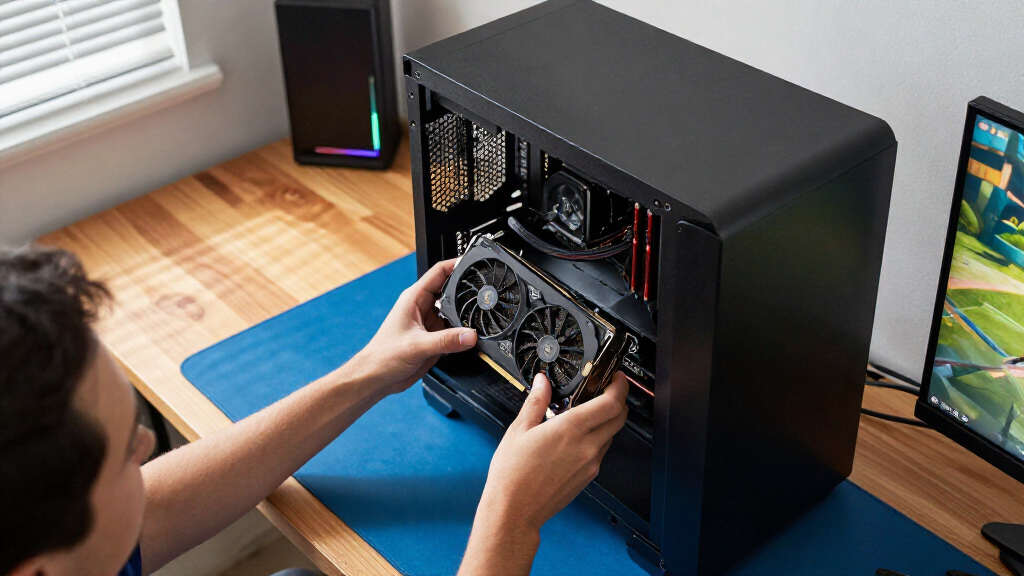

For most buyers seeking the best graphics cards, I’d start with the ASUS Prime GeForce RTX 5080: it pairs a current-generation GPU with 16GB of memory, making it a strong all-around choice for demanding gaming and creative workloads. The GIGABYTE Radeon RX 9070 XT Gaming OC is a compelling alternative for buyers focused on high-end rasterized gaming, while the MSI GeForce RTX 3060 Ventus 2X 12G offers a more accessible path to 12GB of VRAM. The main tradeoffs are graphics performance, memory capacity, power and case requirements, and support for features such as ray tracing and upscaling. Older RTX 30-series cards can still suit modest builds, but their 8GB and 6GB options leave less room for demanding games. Read on for my full comparison and guidance on choosing the right card for your PC.

Play games on Amazon Luna for your game nights, included with Prime
- A rotating selection of games, no download needed
- Play on TV, laptop or phone
- Fast, free delivery for your gear, too
Complete the kit



Key Takeaways
- The RTX 5080 is the most balanced high-end pick here: its 16GB of GDDR7 and newer generation position it between the RTX 4080 options and the much larger RTX 5090.
- The RTX 5090 is a specialist choice, not the default upgrade: its 32GB of memory targets buyers with unusually demanding gaming or creative workloads, along with the power and space to support it.
- Radeon’s strongest entries bring 16GB to more performance tiers: the RX 9070 XT, RX 9070, and RX 9060 XT give buyers alternatives to the NVIDIA lineup, though individual needs around software and graphics features still matter.
- Among the RTX 3060 models, 12GB is the more flexible configuration: the ZOTAC, MSI, and GIGABYTE variants differ in cooler and board design, but their shared memory capacity is a notable advantage over the listed 6GB and 8GB entry cards.
- Several lower-tier cards require careful expectation-setting: the RTX 3050 6GB models, RTX 5060 8GB, RTX 3070 Ti 8GB, and RX 7600 8GB make more sense for specific resolutions or budgets than as long-term high-setting picks.
| ASUS Prime GeForce RTX 5080 16GB GDDR7 Graphics Card |  | Best for High-End Gaming in a More Compact Build | Graphics processor: NVIDIA GeForce RTX 5080 | Memory: 16GB GDDR7 | Boost clock: 2617 MHz default; 2640 MHz OC mode | VIEW LATEST PRICE | See Our Full Breakdown |
| ASUS TUF Gaming GeForce RTX 4080 OC Edition 16GB Graphics Card |  | Best for a Rugged RTX 4080 Build | GPU: NVIDIA GeForce RTX 4080 | Architecture: NVIDIA Ada Lovelace | Memory: 16GB GDDR6X | VIEW LATEST PRICE | See Our Full Breakdown |
| ZOTAC Gaming GeForce RTX 3060 Twin Edge OC 12GB Graphics Card |  | Best for Midrange Builds Needing 12GB of VRAM | GPU: NVIDIA GeForce RTX 3060 | CUDA cores: 3584 | Memory: 12GB GDDR6 | VIEW LATEST PRICE | See Our Full Breakdown |
| ASUS ROG Strix GeForce RTX 3070 Ti OC Edition 8GB Graphics Card |  | Best for RGB-Focused Gaming Builds | Graphics processor: NVIDIA GeForce RTX 3070 Ti | Memory: 8GB GDDR6X | Memory clock speed: 4000 MHz | VIEW LATEST PRICE | See Our Full Breakdown |
| MSI GeForce RTX 3050 Ventus 2X 6G OC Graphics Card |  | Best for Entry-Level, Space-Conscious Builds | GPU: NVIDIA GeForce RTX 3050 | Memory: 6GB GDDR6 | Memory interface: 96-bit | VIEW LATEST PRICE | See Our Full Breakdown |
| MSI GeForce RTX 3060 Ventus 2X 12G OC V1 Graphics Card |  | Best for 12GB on a Compact Dual-Fan Card | GPU: NVIDIA GeForce RTX 3060 | Architecture: Ampere | Memory: 12GB GDDR6 | VIEW LATEST PRICE | See Our Full Breakdown |
| GIGABYTE GeForce RTX 5060 WINDFORCE OC 8G Graphics Card |  | Best for Newer NVIDIA Features | GPU: NVIDIA GeForce RTX 5060 | Architecture: NVIDIA Blackwell | Memory: 8GB GDDR7 | VIEW LATEST PRICE | See Our Full Breakdown |
| GIGABYTE GeForce RTX 3060 Gaming OC 12G (Rev. 2.0) Graphics Card |  | Best-Cooled RTX 3060 | GPU: NVIDIA GeForce RTX 3060 | Memory: 12GB GDDR6 | Memory interface: 192-bit | VIEW LATEST PRICE | See Our Full Breakdown |
| XFX Swift AMD Radeon RX 9060 XT OC Triple Fan Graphics Card, 16GB GDDR6 |  | Best for 16GB Radeon Gaming | GPU: AMD Radeon RX 9060 XT | Memory: 16GB GDDR6 | Boost clock: Up to 3320 MHz | VIEW LATEST PRICE | See Our Full Breakdown |
| GIGABYTE Radeon RX 9070 XT Gaming OC 16GB Graphics Card |  | Best Premium Radeon Pick | GPU: AMD Radeon RX 9070 XT | Memory: 16GB GDDR6 | GPU clock speed: 3060 MHz | VIEW LATEST PRICE | See Our Full Breakdown |
| ASUS Dual GeForce RTX 3050 6GB GDDR6 OC Edition Graphics Card | 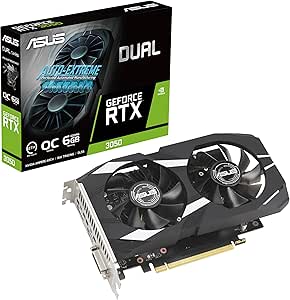 | Best Compact Entry-Level Pick | GPU: NVIDIA GeForce RTX 3050 | Memory: 6GB GDDR6 | Boost clock: 1500 MHz (OC mode); 1470 MHz (default mode) | VIEW LATEST PRICE | See Our Full Breakdown |
| ASRock Radeon RX 9070 Challenger 16GB OC Graphics Card |  | Best AMD Pick for 1440p and 4K | GPU: AMD Radeon RX 9070 | Architecture: AMD RDNA 4 | Compute units: 56 | VIEW LATEST PRICE | See Our Full Breakdown |
| ASRock Radeon RX 7600 Challenger Pro OC 8GB Graphics Card |  | Best Mainstream 1080p AMD Pick | GPU: AMD Radeon RX 7600 | Architecture: AMD RDNA 3 | Memory: 8GB GDDR6 | VIEW LATEST PRICE | See Our Full Breakdown |
| NVIDIA GeForce RTX 4080 16GB GDDR6X Graphics Card |  | Best Premium 4K NVIDIA Pick | GPU: NVIDIA GeForce RTX 4080 | Memory: 16GB GDDR6X | CUDA cores: 9,728 | VIEW LATEST PRICE | See Our Full Breakdown |
| ASUS TUF Gaming GeForce RTX 5090 OC Edition 32GB GDDR7 Graphics Card |  | Best Enthusiast Flagship | GPU: NVIDIA GeForce RTX 5090 | Architecture: NVIDIA Blackwell | Memory: 32GB GDDR7 | VIEW LATEST PRICE | See Our Full Breakdown |
| graphics card | Memory | GPU | Interface | Dimensions |
|---|---|---|---|---|
| ASUS Prime GeForce RTX 5080 16 | 16GB GDDR7 | — | PCI Express x16; PCIe 5.0 support | 306 mm long; 2.5 slots |
| ASUS TUF Gaming GeForce RTX 40 | 16GB GDDR6X | NVIDIA GeForce RTX 4080 | PCI Express 4.0 | 13.7 × 5.9 inches |
| ZOTAC Gaming GeForce RTX 3060 | 12GB GDDR6 | NVIDIA GeForce RTX 3060 | PCI Express 4.0 x16 | 224.1 × 116.3 × 39.2 mm |
| ASUS ROG Strix GeForce RTX 307 | 8GB GDDR6X | — | PCI Express x16 | 12.53 × 5.51 inches |
| MSI GeForce RTX 3050 Ventus 2X | 6GB GDDR6 | NVIDIA GeForce RTX 3050 | — | 7.4 × 4.3 inches |
| MSI GeForce RTX 3060 Ventus 2X | 12GB GDDR6 | NVIDIA GeForce RTX 3060 | — | — |
| GIGABYTE GeForce RTX 5060 WIND | 8GB GDDR7 | NVIDIA GeForce RTX 5060 | PCIe 5.0, PCI-Express x16 | 7.83 × 4.57 inches |
| GIGABYTE GeForce RTX 3060 Gami | 12GB GDDR6 | NVIDIA GeForce RTX 3060 | — | 11.1 × 4.6 inches |
| XFX Swift AMD Radeon RX 9060 X | 16GB GDDR6 | AMD Radeon RX 9060 XT | PCI-Express x16 | — |
| GIGABYTE Radeon RX 9070 XT Gam | 16GB GDDR6 | AMD Radeon RX 9070 XT | PCI Express x16 | 11.34 × 5.2 inches |
| ASUS Dual GeForce RTX 3050 6GB | 6GB GDDR6 | NVIDIA GeForce RTX 3050 | PCIe 4.0, PCI-Express x16 | 7.9 × 4.7 inches |
| ASRock Radeon RX 9070 Challeng | 16GB GDDR6 | AMD Radeon RX 9070 | PCIe 5.0 | 290 × 123 × 51 mm |
| ASRock Radeon RX 7600 Challeng | 8GB GDDR6 | AMD Radeon RX 7600 | PCIe 4.0 x8 | 303 × 131 × 45 mm |
| NVIDIA GeForce RTX 4080 16GB G | 16GB GDDR6X | NVIDIA GeForce RTX 4080 | PCI Express | 11.97 × 4.84 inches |
| ASUS TUF Gaming GeForce RTX 50 | 32GB GDDR7 | NVIDIA GeForce RTX 5090 | PCIe 5.0 x16 | — |
More Details on Our Top Picks
ASUS Prime GeForce RTX 5080 16GB GDDR7 Graphics Card
The RTX 5080 gives this card the strongest gaming tier in this group, while its 2.5-slot design is less demanding on case space than the 13.7-inch ASUS TUF RTX 4080. Its 16GB of GDDR7 and Blackwell architecture suit buyers seeking a current-generation GPU for demanding games and graphics workloads; the newer DisplayPort 2.1a outputs also offer a more current connection option than the RTX 4080’s DisplayPort 1.4a. Cooling combines three Axial-tech fans with a vapor chamber and phase-change thermal pad, and dual BIOS modes let buyers favor quieter operation or performance. The tradeoff is a substantial power requirement: it calls for an 850W supply and a 16-pin connector. At 306mm long, it still needs careful case-clearance checks.
Pros:- 16GB of GDDR7 memory with NVIDIA Blackwell architecture
- 2.5-slot width is more manageable than the ASUS TUF RTX 4080’s 13.7-inch, 5.9-inch-wide body
- Vapor chamber, phase-change thermal pad, and three fans support heat management
- Quiet and Performance BIOS modes offer different operating profiles
Cons:- Requires a minimum 850W power supply and a 16-pin 12V-2×6 (12VHPWR) connector
- Its 306mm length still rules out some smaller cases
- The 2.5-slot cooler can restrict space for adjacent expansion cards
Best for: PC builders seeking a high-end Blackwell graphics card with 16GB of memory and a narrower fit than many large triple-fan cards
Not ideal for: Owners of compact or older systems without 306mm of clearance, an 850W power supply, and the required 16-pin connector
- Graphics processor:NVIDIA GeForce RTX 5080
- Memory:16GB GDDR7
- Boost clock:2617 MHz default; 2640 MHz OC mode
- Video outputs:3 × DisplayPort 2.1a; 2 × HDMI 2.1b
- Interface:PCI Express x16; PCIe 5.0 support
- Cooling:Three Axial-tech fans and vapor chamber
- Dimensions:306 mm long; 2.5 slots
- Power requirement:Minimum 850W power supply with 16-pin 12V-2×6 (12VHPWR) connector
Our verdict“Choose the ASUS Prime RTX 5080 if you want a current-generation, high-end GPU and your case and power supply can handle its demands.”
ASUS TUF Gaming GeForce RTX 4080 OC Edition 16GB Graphics Card
The ASUS TUF RTX 4080 is a strong fit for buyers who want a substantial Ada-generation card with 16GB of GDDR6X and a sturdy cooler. Its triple Axial-tech fans, dual ball bearings, and metal exoskeleton prioritize airflow and physical durability. Against the newer ASUS Prime RTX 5080, this model uses an older GPU generation and DisplayPort 1.4a, so it is the less current choice for buyers focused on the latest architecture and display connections. Its advantage is a clearly defined, reinforced build with a three-year warranty. That design comes with a real fit penalty: at 13.7 inches long and 4.2 pounds, it is larger and heavier than the Prime RTX 5080, and may need case support and careful clearance checks.
Pros:- 16GB of GDDR6X memory
- Triple Axial-tech fans and dual ball bearings are designed for airflow and cooling
- Metal exoskeleton adds structural reinforcement
- Three-year warranty
Cons:- 13.7-inch length can limit case compatibility
- At 4.2 pounds, it is heavier than the ASUS Prime RTX 5080
- Uses Ada Lovelace architecture and DisplayPort 1.4a rather than the newer RTX 5080’s Blackwell platform and DisplayPort 2.1a
Best for: Builders who want an RTX 4080 with a reinforced cooler, 16GB of memory, and a listed three-year warranty
Not ideal for: Small-case builders or anyone prioritizing newer architecture and DisplayPort 2.1a over this card’s rugged design
- GPU:NVIDIA GeForce RTX 4080
- Architecture:NVIDIA Ada Lovelace
- Memory:16GB GDDR6X
- Interface:PCI Express 4.0
- Video outputs:HDMI 2.1a; DisplayPort 1.4a
- Cooling:Three Axial-tech fans
- Dimensions:13.7 × 5.9 inches
- Weight:4.2 pounds
- Warranty:3 years
Our verdict“Pick the ASUS TUF RTX 4080 if its reinforced build and 16GB memory matter more to you than a newer GPU generation or compact fit.”
ZOTAC Gaming GeForce RTX 3060 Twin Edge OC 12GB Graphics Card
The ZOTAC RTX 3060 stands apart from the higher-tier RTX 5080 and RTX 4080 options with a simpler goal: provide 12GB of GDDR6 memory in a relatively short 224.1mm card. That memory capacity gives it an advantage over the MSI RTX 3050 Ventus 2X’s 6GB when games or creative tasks benefit from more VRAM, though it is not in the same performance class as the premium cards. IceStorm 2.0 adds active fan control and fan stop, so the fans can pause when cooling demand is low. Its three DisplayPort outputs and HDMI 2.1 port support up to four displays. The tradeoffs are its older Ampere generation, 600W minimum power-supply recommendation, and a dual-slot footprint that still needs adequate width.
Pros:- 12GB of GDDR6 memory, twice the capacity of the MSI RTX 3050 Ventus 2X
- 224.1mm length suits more builds than the 306mm ASUS Prime RTX 5080
- IceStorm 2.0 includes active fan control and fan stop
- Three DisplayPort outputs and one HDMI output support up to four displays
Cons:- Older NVIDIA Ampere architecture than the RTX 4080 and RTX 5080 options
- Calls for a minimum 600W power supply
- Dual-slot width still requires enough case and expansion-card clearance
Best for: Midrange PC builders who want 12GB of VRAM, a shorter card, and support for as many as four displays
Not ideal for: Buyers seeking high-end performance comparable to the RTX 5080 or a newer GPU architecture
- GPU:NVIDIA GeForce RTX 3060
- CUDA cores:3584
- Memory:12GB GDDR6
- Memory bus:192-bit
- Boost clock:1807 MHz
- Interface:PCI Express 4.0 x16
- Outputs:3 × DisplayPort 1.4a; 1 × HDMI 2.1
- Power:170W maximum; 600W minimum power supply; 8-pin connector
- Dimensions:224.1 × 116.3 × 39.2 mm
Our verdict“Choose the ZOTAC RTX 3060 if you want a shorter midrange card with 12GB of memory rather than premium-tier performance.”
ASUS ROG Strix GeForce RTX 3070 Ti OC Edition 8GB Graphics Card
The ROG Strix RTX 3070 Ti is the pick for builders who value a distinctive, customizable card design alongside a capable older-generation GPU. Its three Axial-tech fans and large 2.9-slot heatsink are built to manage heat, while AURA Sync RGB lighting can coordinate with the rest of an illuminated PC. Compared with the ZOTAC RTX 3060 Twin Edge OC, it has a higher-tier GPU but only 8GB of GDDR6X versus the ZOTAC’s 12GB of GDDR6. That makes memory capacity a meaningful tradeoff for games and workloads that need more VRAM. The 12.53-inch length, 2.9-slot width, and 3.9-pound weight also make this a poor match for compact builds; its appeal is strongest in a roomy, style-conscious desktop.
Pros:- Three Axial-tech fans and a 2.9-slot heatsink
- AURA Sync RGB lighting can coordinate with compatible components
- GPU Tweak II provides performance and thermal controls
- Supports resolutions up to 7680 × 4320
Cons:- 8GB of GDDR6X is less memory capacity than the ZOTAC RTX 3060’s 12GB
- The 2.9-slot cooler and 12.53-inch length need substantial case space
- At 3.9 pounds, it is a heavy card
Best for: Owners of roomy gaming desktops who want an RTX 3070 Ti, three-fan cooling, and synchronized RGB lighting
Not ideal for: Compact-case builders or buyers who prioritize more VRAM than the ZOTAC RTX 3060’s 12GB
- Graphics processor:NVIDIA GeForce RTX 3070 Ti
- Memory:8GB GDDR6X
- Memory clock speed:4000 MHz
- Interface:PCI Express x16
- Cooling:Three Axial-tech fans; 2.9-slot heatsink
- Video outputs:DisplayPort; HDMI
- Dimensions:12.53 × 5.51 inches
- Weight:3.9 pounds
- Warranty:3 years
Our verdict“Choose the ROG Strix RTX 3070 Ti if RGB styling and its triple-fan cooler suit your roomy build better than higher VRAM capacity.”
MSI GeForce RTX 3050 Ventus 2X 6G OC Graphics Card
The MSI RTX 3050 Ventus 2X is the entry-level choice in this group, with a 7.4-inch length that is far easier to accommodate than the 12-inch ASUS Prime RTX 5080 or the 13.7-inch ASUS TUF RTX 4080. Its two-fan layout and dedicated Ray Tracing and Tensor Cores offer a straightforward path to NVIDIA features in a compact desktop. The limitation is its 6GB of GDDR6 on a 96-bit interface: that is less memory capacity than the ZOTAC RTX 3060’s 12GB, making the ZOTAC a better fit for memory-hungry games or workloads. The card supports high-resolution output, but that output specification does not make it equivalent to a higher-tier GPU for demanding gaming. Its modest listed specs suit simpler builds, not buyers chasing maximum performance.
Pros:- Compact 7.4 × 4.3-inch dimensions
- Dedicated Ray Tracing and Tensor Cores
- Two-fan cooling design
- Three display outputs, including two HDMI 2.1a ports
Cons:- 6GB of GDDR6 is half the capacity of the ZOTAC RTX 3060’s 12GB
- A 96-bit memory interface limits its fit for memory-demanding workloads
- Entry-level RTX 3050 positioning makes it a poor choice for buyers seeking performance like the RTX 3070 Ti or RTX 4080
Best for: Small-system builders and casual gamers who want a short NVIDIA card with dedicated Ray Tracing and Tensor Cores
Not ideal for: Players targeting demanding games or graphics workloads that benefit from more than 6GB of VRAM
- GPU:NVIDIA GeForce RTX 3050
- Memory:6GB GDDR6
- Memory interface:96-bit
- Boost clock:1492 MHz
- Memory speed:14 Gbps
- Outputs:1 × DisplayPort 1.4a; 2 × HDMI 2.1a
- Cooling:Two fans
- Dimensions:7.4 × 4.3 inches
- Weight:0.58 kg
Our verdict“Pick the MSI RTX 3050 Ventus 2X for a compact, entry-level NVIDIA build, but choose the ZOTAC RTX 3060 if you need more VRAM.”
MSI GeForce RTX 3060 Ventus 2X 12G OC V1 Graphics Card
The RTX 3060 Ventus 2X pairs Ampere-era ray tracing support with 12GB of GDDR6, giving it more memory headroom than the RTX 5060 WINDFORCE OC’s 8GB for games and creative projects that use larger assets. Its two-fan design is a more compact approach than the three-fan GIGABYTE RTX 3060 Gaming OC, though the tradeoff is less cooling hardware and fewer display connections. The 1807 MHz boost clock and 192-bit memory interface identify it as a previous-generation option rather than a match for newer Blackwell features such as DLSS 4. Three DisplayPort outputs plus HDMI 2.1 make multi-monitor setups straightforward. I’d choose it for a memory-conscious 3060 build, but skip it if newer architecture or stronger 4K performance is the priority.
Pros:- 12GB GDDR6 provides more memory headroom than the 8GB RTX 5060.
- Ray tracing support for compatible games.
- Three DisplayPort 1.4a outputs and HDMI 2.1 support multiple displays.
- Two-fan design is less imposing than the three-fan RTX 3060 Gaming OC.
Cons:- Ampere architecture lacks the newer-generation features listed for the RTX 5060.
- A 12GB memory capacity does not make the RTX 3060 a high-end 4K gaming card.
- Two fans offer less cooling hardware than the competing three-fan RTX 3060 Gaming OC.
Best for: PC builders seeking a 12GB card for 1080p or moderate 1440p gaming, multitasking, and a multi-monitor setup.
Not ideal for: Buyers who want newer-generation features such as DLSS 4, or who are building for demanding 4K gaming and want a substantially faster GPU.
- GPU:NVIDIA GeForce RTX 3060
- Architecture:Ampere
- Memory:12GB GDDR6
- Memory interface:192-bit
- Boost clock:1807 MHz
- Video outputs:3 × DisplayPort 1.4a, 1 × HDMI 2.1
- Maximum resolution:7680 × 4320
- Warranty:3 years
Our verdict“Choose the Ventus 2X if you want a comparatively compact RTX 3060 with 12GB of memory and flexible display outputs, not newer-generation performance.”
GIGABYTE GeForce RTX 5060 WINDFORCE OC 8G Graphics Card
The RTX 5060 WINDFORCE OC is the NVIDIA pick here for buyers who value Blackwell and DLSS 4 over a larger memory pool. Its 8GB of GDDR7 is faster-generation memory, but the lower capacity is a real limitation beside the 12GB RTX 3060 Ventus 2X or 16GB XFX RX 9060 XT when games or creative workloads need more video memory. The compact 7.83-inch card and two-fan cooler suit builds where a long triple-fan model such as the GIGABYTE RTX 3060 Gaming OC is awkward. PCIe 5.0 adds current platform support, though the card still needs a desktop PCI-Express x16 slot. I’d favor it for newer NVIDIA features and a shorter card, not for memory-heavy workloads.
Pros:- Blackwell architecture with DLSS 4 support.
- GDDR7 memory and a listed 2512 MHz GPU clock.
- 7.83-inch length can suit cases that cannot accommodate longer cards.
- Two-fan WINDFORCE cooling with DisplayPort and HDMI outputs.
Cons:- 8GB of memory is less capacity than the 12GB RTX 3060 cards and 16GB Radeon options in this lineup.
- Requires a desktop with a PCI-Express x16 slot.
- Two-fan cooling is a simpler setup than the three-fan alternatives.
Best for: Desktop gamers who want NVIDIA Blackwell features and DLSS 4 in a relatively short card, and whose games fit within 8GB of video memory.
Not ideal for: Buyers targeting memory-heavy games, high-resolution creative work, or systems without a PCI-Express x16 slot.
- GPU:NVIDIA GeForce RTX 5060
- Architecture:NVIDIA Blackwell
- Memory:8GB GDDR7
- Memory interface:128-bit
- GPU clock:2512 MHz
- Interface:PCIe 5.0, PCI-Express x16
- Cooling:WINDFORCE, 2 fans
- Dimensions:7.83 × 4.57 inches
- Warranty:3 years
Our verdict“Pick this RTX 5060 for Blackwell and DLSS 4 in a shorter card, provided 8GB of video memory fits your workloads.”
GIGABYTE GeForce RTX 3060 Gaming OC 12G (Rev. 2.0) Graphics Card
Among the two RTX 3060s here, the GIGABYTE Gaming OC puts more emphasis on cooling and physical features: its WINDFORCE 3X triple-fan system and alternate-spinning fans contrast with the smaller dual-fan MSI Ventus 2X. Both offer 12GB of GDDR6 and a 192-bit interface, so the GIGABYTE’s appeal is not a larger memory pool; it is the beefier cooling setup, metal backplate, RGB lighting, and two HDMI 2.1 ports. That hardware takes space: at 11.1 inches long, it is a less flexible fit than the 7.83-inch RTX 5060 WINDFORCE OC. It remains an Ampere card, so buyers seeking newer Blackwell features should look elsewhere. I’d select it when case clearance is ample and a three-fan RTX 3060 is preferred.
Pros:- 12GB GDDR6 with a 192-bit memory interface.
- Three-fan WINDFORCE 3X cooling with alternate-spinning fans.
- Two HDMI 2.1 and two DisplayPort 1.4 outputs.
- Metal backplate and RGB Fusion 2.0 lighting.
Cons:- 11.1-inch length may not fit shorter cases.
- Ampere architecture is older than the Blackwell RTX 5060.
- Its three-fan cooling design occupies more space than the dual-fan MSI RTX 3060.
Best for: Builders with a roomy case who want an RTX 3060 with 12GB of memory, three-fan cooling, and two HDMI 2.1 connections.
Not ideal for: Small-case builders or buyers seeking newer architecture and features such as the RTX 5060’s DLSS 4 support.
- GPU:NVIDIA GeForce RTX 3060
- Memory:12GB GDDR6
- Memory interface:192-bit
- Core clock:1837 MHz
- Cooling:WINDFORCE 3X, alternate-spinning fans
- Video outputs:2 × HDMI 2.1, 2 × DisplayPort 1.4
- Dimensions:11.1 × 4.6 inches
- Maximum resolution:7680 × 4320
- Warranty:3 years
Our verdict“Choose the Gaming OC over the MSI Ventus 2X if your case fits its 11.1-inch body and you want a three-fan RTX 3060 with extra display outputs.”
XFX Swift AMD Radeon RX 9060 XT OC Triple Fan Graphics Card, 16GB GDDR6
The XFX Swift RX 9060 XT gives this group a clear memory-capacity step up from the 8GB RTX 5060 and 12GB RTX 3060 models, with 16GB of GDDR6 for games and workloads that keep sizable assets in video memory. Its listed boost clock reaches 3320 MHz, and the triple-fan cooler is a more substantial arrangement than the dual-fan MSI Ventus 2X. The tradeoff is that the provided feature set does not list NVIDIA’s DLSS 4 support, so buyers focused on that ecosystem may prefer the RTX 5060. This XFX card is specified for up to 4K UHD and offers HDMI and DisplayPort, though the listing does not give output counts. I’d pick it for a 16GB Radeon build, while checking case room for its triple-fan design.
Pros:- 16GB GDDR6 offers more capacity than the 8GB RTX 5060 and 12GB RTX 3060 models.
- Triple-fan cooling system.
- Listed boost clock reaches up to 3320 MHz.
- Specified for resolutions up to 4K UHD.
Cons:- The provided specifications do not list NVIDIA DLSS 4 support.
- Triple-fan design may be harder to fit than the compact dual-fan RTX 5060.
- Exact card dimensions and the number of HDMI and DisplayPort connections are not specified.
Best for: Radeon-focused gamers and desktop creators who want 16GB of video memory and plan to play at resolutions up to 4K UHD.
Not ideal for: Buyers who specifically want NVIDIA DLSS 4 or need confirmed dimensions and exact display-output counts before choosing a card.
- GPU:AMD Radeon RX 9060 XT
- Memory:16GB GDDR6
- Boost clock:Up to 3320 MHz
- Base clock:1900 MHz
- Memory clock:20 GHz
- Cooling:Triple fan
- Interface:PCI-Express x16
- Maximum resolution:3840 × 2160 (4K UHD)
- Warranty:3 years
Our verdict“Choose the XFX Swift if 16GB of memory and a 4K-capable Radeon card matter more to you than the RTX 5060’s listed DLSS 4 support.”
GIGABYTE Radeon RX 9070 XT Gaming OC 16GB Graphics Card
The Radeon RX 9070 XT Gaming OC is the premium Radeon choice among these five, pairing a higher-tier GPU designation with 16GB of GDDR6 and a WINDFORCE cooler featuring a Hawk fan. That makes it a more performance-oriented option on paper than the XFX RX 9060 XT, while retaining the same listed memory capacity. Its 3060 MHz GPU clock and support for resolutions up to 7680 × 4320 suit buyers building around high-resolution displays, though a maximum-resolution figure alone does not promise a particular gaming experience. This card is also substantially larger and heavier than the compact RTX 5060: it measures 11.34 inches and weighs 1.78 kg. I’d choose it for a roomy Radeon-focused build, but the provided output details list DisplayPort only.
Pros:- RX 9070 XT GPU with 16GB of GDDR6 memory.
- WINDFORCE cooling system with Hawk Fan.
- Listed maximum resolution of 7680 × 4320.
- RGB lighting for compatible desktop builds.
Cons:- 11.34-inch length and 1.78 kg weight call for careful case and support checks.
- The provided video-output specification lists DisplayPort only.
- Its 16GB capacity matches the XFX RX 9060 XT rather than exceeding it.
Best for: Radeon-focused gamers building a spacious desktop around an RX 9070 XT, 16GB of memory, and high-resolution display support.
Not ideal for: Small-case builders, buyers who need listed HDMI connectivity, or anyone looking for a lightweight, compact card.
- GPU:AMD Radeon RX 9070 XT
- Memory:16GB GDDR6
- GPU clock speed:3060 MHz
- Memory clock speed:2600 GHz
- Interface:PCI Express x16
- Video output:DisplayPort
- Maximum resolution:7680 × 4320
- Dimensions:11.34 × 5.2 inches
- Weight:1.78 kg
Our verdict“Choose this GIGABYTE RX 9070 XT for a higher-tier Radeon build with room for a long, heavy card, and verify that its listed DisplayPort output meets your setup needs.”
ASUS Dual GeForce RTX 3050 6GB GDDR6 OC Edition Graphics Card
The ASUS Dual RTX 3050 6GB is the most space-conscious choice here: its two-slot, 7.9-inch design suits smaller desktop cases better than the much longer ASRock RX 7600 Challenger Pro OC. It also brings DLSS and ray tracing, useful features for compatible games, though the 6GB of memory leaves less room for demanding textures and newer workloads than the RX 7600’s 8GB or the RX 9070 Challenger’s 16GB. Two Axial-tech fans and IP5X dust resistance add practical cooling and durability features in a compact build. I’d choose it for modest gaming and a tight case, not as a high-resolution performance option. Its PCIe x16 requirement also means it is for desktop upgrades, not laptops or systems without a compatible slot.
Pros:- Compact two-slot design fits more small desktop cases than the longer cards in this lineup.
- DLSS and ray tracing support add features for compatible games.
- Two Axial-tech fans provide active cooling in the compact card.
- IP5X dust resistance and a stainless steel bracket add durability details.
Cons:- 6GB of GDDR6 can limit demanding games and memory-heavy workloads.
- Not suited to buyers seeking the performance or memory capacity of the RX 9070 or RTX 4080.
- Requires a desktop with a compatible PCIe x16 slot.
Best for: Desktop builders with limited case space who want an entry-level card for lighter gaming and DLSS-supported titles.
Not ideal for: Players targeting demanding modern games, high-resolution textures, or long-term memory headroom; the 6GB capacity is restrictive compared with the 8GB RX 7600 and 16GB RX 9070.
- GPU:NVIDIA GeForce RTX 3050
- Memory:6GB GDDR6
- Boost clock:1500 MHz (OC mode); 1470 MHz (default mode)
- Cooling:2 Axial-tech fans
- Form factor:2-slot
- Dimensions:7.9 × 4.7 inches
- Interface:PCIe 4.0, PCI-Express x16
- Video outputs:HDMI 2.1, DisplayPort 1.4a, DVI-D
Our verdict“Choose this compact RTX 3050 for a space-limited desktop and lighter gaming, but pick a card with more memory for demanding titles.”
ASRock Radeon RX 9070 Challenger 16GB OC Graphics Card
The ASRock RX 9070 Challenger 16GB OC stands out for buyers who want a substantial memory buffer and a card positioned for 1440p and 4K gaming. Its 16GB of GDDR6 is a clear step up from the RX 7600 Challenger Pro’s 8GB, giving more room for high-resolution assets, while its RDNA 4 GPU and factory overclock target a higher performance tier than the compact RTX 3050. A triple-fan cooler with 0dB operation can stop the fans at low temperatures, but this is not a small or low-power upgrade: the 2.5-slot card measures 290 mm and calls for a recommended 700W PSU with two 8-pin connectors. I’d shortlist it for a gaming-focused desktop with the space and power capacity to match.
Pros:- 16GB of GDDR6 provides more memory headroom than the RX 7600 Challenger Pro’s 8GB.
- Factory overclock and RDNA 4 architecture target demanding gaming use.
- Triple-fan cooler includes 0dB operation at low temperatures.
- Supports ray tracing and AI acceleration.
Cons:- Calls for a recommended 700W PSU and two 8-pin power connectors.
- Its 2.5-slot width may crowd compact cases or nearby expansion slots.
- At 1.34 kg, it is a substantial card to fit and support in a build.
Best for: PC gamers building or upgrading a desktop for 1440p and 4K play who want 16GB of VRAM and have a suitable power supply.
Not ideal for: Small-case builders or users with lower-capacity power supplies; its 2.5-slot footprint and 700W recommended PSU requirement need careful system matching.
- GPU:AMD Radeon RX 9070
- Architecture:AMD RDNA 4
- Compute units:56
- Memory:16GB GDDR6
- Memory bus:256-bit
- Boost clock:Up to 2520 MHz
- Interface:PCIe 5.0
- Power:2 × 8-pin; 700W recommended PSU
- Dimensions:290 × 123 × 51 mm
Our verdict“Pick the RX 9070 Challenger for a roomy, adequately powered gaming PC where 16GB of memory matters more than a compact fit.”
ASRock Radeon RX 7600 Challenger Pro OC 8GB Graphics Card
The RX 7600 Challenger Pro OC is the middle ground for buyers who want a current-feeling gaming card without stepping up to the larger RX 9070. Its 8GB of GDDR6 gives it more room than the RTX 3050’s 6GB, while the single 8-pin connector and 550W recommended PSU make its power demands more manageable than the RX 9070’s. The triple-fan cooler includes 0dB operation at low temperatures, and three DisplayPort connections plus HDMI support up to four displays. The tradeoff is physical size: at 303 mm long, it may be harder to fit than the compact ASUS Dual RTX 3050. I’d choose it for mainstream gaming and multi-display setups, but buyers aiming for 1440p or 4K with greater memory headroom should look to the 16GB RX 9070 instead.
Pros:- 8GB of GDDR6 offers more capacity than the RTX 3050 6GB.
- Triple-fan cooling can run silently under low temperatures.
- Three DisplayPort outputs and one HDMI output support up to four displays.
- Uses a single 8-pin power connector.
Cons:- The 303 mm length may exceed the clearance in compact cases.
- 8GB of memory offers less headroom than the RX 9070’s 16GB for demanding games.
- Requires a 550W recommended power supply.
Best for: Mainstream desktop gamers who want an AMD card for 1080p play, multiple displays, and a single 8-pin power connection.
Not ideal for: Small-case builders or players seeking extra VRAM for demanding high-resolution gaming; the 303 mm body is long and 8GB is below the RX 9070’s 16GB.
- GPU:AMD Radeon RX 7600
- Architecture:AMD RDNA 3
- Memory:8GB GDDR6
- Memory interface:128-bit
- Boost clock:Up to 2695 MHz
- Cooling:Triple fan with 0dB silent operation
- Interface:PCIe 4.0 x8
- Power:Single 8-pin; 550W recommended PSU
- Dimensions:303 × 131 × 45 mm
Our verdict“Choose the RX 7600 Challenger Pro for mainstream gaming and multi-monitor use if your case can accommodate its long triple-fan cooler.”
NVIDIA GeForce RTX 4080 16GB GDDR6X Graphics Card
The GeForce RTX 4080 is the premium NVIDIA option here for buyers who want 16GB of fast GDDR6X memory and dedicated ray-tracing hardware. Its 9,728 CUDA cores and 2.51 GHz boost clock place it well above the RTX 3050 in this lineup, while its 4K maximum-resolution specification makes it a more suitable fit for high-resolution displays. Compared with the newer RTX 5090, though, the RTX 4080 has half the listed memory capacity and lacks the RTX 5090’s newer GDDR7 and display-output details. The product data gives limited information about power requirements and specific outputs, so I would verify system fit and connectivity before buying. This is a high-end choice for a capable desktop, not a compact or entry-level upgrade.
Pros:- 16GB of GDDR6X memory supports high-detail gaming workloads.
- 9,728 CUDA cores and a 2.51 GHz boost clock provide substantial GPU resources.
- Dedicated ray-tracing cores support compatible games and applications.
- Supports DirectX 12 Ultimate, Vulkan RT, and resolutions up to 3840 × 2160.
Cons:- Its 11.97-inch length may not fit smaller desktop cases.
- The listed product data does not specify PSU requirements or detailed output-port versions.
- Has half the memory capacity of the RTX 5090’s 32GB configuration.
Best for: NVIDIA-focused desktop gamers who want a premium card with 16GB of GDDR6X and dedicated ray-tracing cores for 4K displays.
Not ideal for: Small-system builders or buyers seeking the latest-generation 32GB memory setup; the RTX 4080 is nearly 12 inches long and offers less memory than the RTX 5090.
- GPU:NVIDIA GeForce RTX 4080
- Memory:16GB GDDR6X
- CUDA cores:9,728
- Boost clock:2.51 GHz
- Interface:PCI Express
- Video outputs:DisplayPort, HDMI
- Maximum resolution:3840 × 2160
- Dimensions:11.97 × 4.84 inches
Our verdict“Choose the RTX 4080 for a high-end NVIDIA desktop focused on 4K and ray tracing, but check case fit and system requirements before committing.”
ASUS TUF Gaming GeForce RTX 5090 OC Edition 32GB GDDR7 Graphics Card
The ASUS TUF Gaming RTX 5090 OC is the no-compromise pick in this group, built around 32GB of GDDR7 and NVIDIA Blackwell architecture. That capacity doubles the RTX 4080’s listed 16GB and is suited to buyers with demanding gaming or creative workloads that can make use of a large memory pool. Its three Axial-tech fans, vapor chamber, and Quiet and Performance BIOS profiles offer more cooling and tuning flexibility than the simpler cooling details supplied for the RTX 4080. The tradeoff is scale: at 13.7 inches and 5 pounds, it needs a large, well-planned case, and the supplied data does not state a PSU recommendation. I’d reserve it for an enthusiast desktop with verified clearance and power capacity, rather than treating it as a routine graphics upgrade.
Pros:- 32GB of GDDR7 gives it twice the listed memory capacity of the RTX 4080.
- Three Axial-tech fans and a vapor chamber support cooling.
- Dual BIOS offers Quiet and Performance profiles.
- DisplayPort 2.1a and HDMI 2.1b provide modern display connectivity.
Cons:- The 13.7-inch length and 5-pound weight require substantial case space and support.
- The supplied specs do not state a recommended PSU wattage or power-connector configuration.
- Its flagship-sized hardware is excessive for buyers who do not need its large memory capacity or 8K output support.
Best for: Enthusiast PC builders and creators who need a flagship NVIDIA GPU, 32GB of memory, and current high-bandwidth display connections.
Not ideal for: Compact-case owners or buyers upgrading without checking power delivery and card clearance; this 13.7-inch, 5-pound card demands careful system planning.
- GPU:NVIDIA GeForce RTX 5090
- Architecture:NVIDIA Blackwell
- Memory:32GB GDDR7
- Boost clock:Up to 2580 MHz (OC mode)
- AI performance:772 AI TOPS
- Interface:PCIe 5.0 x16
- Video outputs:3 × DisplayPort 2.1a, 2 × HDMI 2.1b
- Maximum resolution:7680 × 4320 pixels
- Dimensions and weight:13.7 × 5.7 inches; 5 pounds
Our verdict“Choose the RTX 5090 TUF for an enthusiast build that can accommodate its size and power needs and can use its 32GB of GDDR7.”

How We Picked
I ranked these cards by how well their GPU tier, memory capacity, generation, and likely workload fit a buyer’s needs—not by brand name or factory overclock alone. I gave more weight to a balanced mix of gaming headroom and practical flexibility than to maximum peak capability, since the most powerful card is not automatically the right choice for most PCs. I also considered how features and software ecosystems may affect buyers choosing between NVIDIA and AMD.
Build and fit matter too: board dimensions, cooling design, power demands, and the rest of the PC can change whether an upgrade is practical. Models with similar GPUs are separated mainly by their configuration and intended role, not treated as entirely different performance classes. The ranking favors cards with stronger headroom and broader use, while keeping compact, entry-level, and premium picks for buyers whose constraints or workloads make those tradeoffs worthwhile.
Factors to Consider When Choosing Best Graphics Cards
Before choosing a model, I’d match the card to the games and applications you actually run, then check whether your PC can support it. These broader considerations can prevent a capable GPU from becoming an awkward or underused upgrade.
Match the GPU to Your Resolution and Refresh Rate
A graphics card that feels well suited to 1080p may struggle to maintain the same settings at 4K, where each frame requires much more work. Start with your monitor’s resolution and refresh rate, then decide whether you prioritize high visual settings, smooth frame rates, or both. At higher resolutions, memory capacity and GPU performance become harder to separate, so an 8GB card may call for compromises sooner than a 16GB model in demanding games. Upscaling can extend performance, but it is not a substitute for enough underlying GPU power. Avoid buying a flagship card for a basic display unless you expect to upgrade the monitor or use GPU-heavy creative software. Match the card to the display you own—or the one you realistically plan to buy.
Treat VRAM as Workload Headroom, Not a Speed Rating
More video memory does not automatically make a card faster, but it can help keep large textures, complex scenes, and creative projects from exceeding available capacity. This roundup includes 6GB, 8GB, 12GB, 16GB, and 32GB configurations, so buyers can see how widely memory needs vary even within familiar GPU families. Game resolution, texture settings, mods, and the applications you use all affect how much VRAM is useful. A 12GB RTX 3060 may be a better fit for a memory-sensitive workload than an 8GB card, even though that alone does not guarantee higher frame rates. For GPU rendering or other memory-heavy tasks, check the software’s recommended requirements and the size of your typical projects. Don’t pay for capacity you cannot use, but avoid treating a low memory figure as a minor detail.
Check Case Space, Cooling, and Power Before Buying
GPU names do not tell you whether a specific board will fit your case or work with your power supply. Compare the card’s length, thickness, and power connector requirements with your case clearance and PSU specifications before ordering. Larger triple-fan designs may offer substantial cooling capacity, but they can block expansion slots or leave little room for cables. A compact dual-fan model can suit a tighter build, though cooler size and airflow may affect fan noise and temperatures under sustained load. Also check that your case has a clear path for fresh air; a powerful card cannot shed heat well in a cramped, poorly ventilated enclosure. Planning these details first can save you from a return or an expensive supporting upgrade.
Compare Ray Tracing, Upscaling, and Software Needs
Raw gaming performance is only part of the decision when comparing NVIDIA and AMD cards. Ray tracing can make supported games more visually detailed, but it raises the performance demands on any GPU. Upscaling and frame-generation features can help raise perceived smoothness, although image quality, latency, and game support vary by implementation. For creative work, check whether your specific editing, rendering, or AI tools support the GPU’s software stack and acceleration features. A card that suits a particular application may be a better purchase than one that leads in a different workload. Look at the programs and games you actually use rather than choosing by brand loyalty or a feature label alone.
Pay for Performance You Can Use
The step from a midrange card to a flagship can bring a large increase in capability, but it can also demand a stronger power supply, more cooling, and a better display to make that capability useful. An RTX 5090-class card makes the most sense when demanding workloads can use its substantial resources; it is excessive for many casual gaming setups. Conversely, choosing the least powerful card can lead to earlier compromises in resolution, texture quality, or frame rate. Think about how long you plan to keep the card and whether your target games are becoming more demanding. A sensible upgrade often means buying enough headroom for your next monitor or workload, not paying for every available performance tier. Keep part of the budget for system compatibility if the GPU requires supporting changes.
Read the Exact Board Model, Not Just the GPU Name
Cards built around the same GPU can differ in cooler dimensions, factory tuning, fan behavior, power limits, and display connections. Those differences rarely turn one GPU tier into another, so I would not pay a large premium for a minor factory overclock without a clear reason. A quieter cooler or a board that fits your case may matter more than a small specification bump. Check the manufacturer’s exact product page for dimensions, connector layout, outputs, and power guidance, since product names can hide revisions or similar variants. Also verify which display outputs your monitor needs, especially if you use multiple screens. These checks help you choose the right version of a GPU rather than assuming every model with the same chip is interchangeable.
Frequently Asked Questions
Should I choose an RTX 5080 or an RX 9070 XT?
I’d choose between them based on the games and applications you care about, not the brand alone. The ASUS Prime RTX 5080 is a strong all-around high-end option with 16GB of GDDR7, while the GIGABYTE RX 9070 XT offers a 16GB Radeon alternative that may appeal to buyers prioritizing conventional gaming performance. Compare current benchmarks for your resolution and games, especially if ray tracing or upscaling matters to you. For creative software, confirm which GPU features and toolchains your applications support. Also check each exact board’s size and power requirements before deciding.
Is a 12GB RTX 3060 a better buy than an 8GB newer card?
It depends on whether your priority is memory capacity, newer-generation features, or performance in your specific games. The RTX 3060 options in this roundup offer 12GB, which can help with memory-heavy textures and some creative projects, while the RTX 5060 has a newer GPU generation but 8GB. More VRAM does not guarantee higher frame rates, and a newer GPU may have advantages beyond memory. Compare benchmarks at your resolution and check the software features you plan to use. If your games already run into memory limits, capacity deserves extra weight; otherwise, overall GPU performance may matter more.
Are the RTX 3050 6GB cards suitable for a first gaming PC?
They can suit a first PC built for modest gaming expectations, particularly if you play less demanding games or are upgrading from integrated graphics. The ASUS Dual and MSI Ventus models in this roundup both have 6GB, so they leave less room for demanding textures and newer games than the 12GB RTX 3060 choices. Before buying, check performance for your games and intended resolution rather than assuming every new release will run well at high settings. A 6GB card may require lower texture quality or other compromises. If you want more room for future games, stepping up to a model with more memory is worth comparing.
Is 16GB of VRAM enough for 4K gaming and creative work?
For many gaming and creative workloads, 16GB provides useful capacity, but it is not a guarantee that every 4K game or project will run without compromise. Performance also depends on the GPU itself, game settings, ray tracing, and how demanding your applications are. The 16GB cards here span multiple performance tiers, so an RX 7600 or RX 9060 XT should not be assumed to perform like an RTX 5080 simply because they share the same memory figure. If you work with unusually large scenes or projects, check the software’s memory needs and consider whether the RTX 5090’s 32GB has practical value for you. For gaming, compare results at your target resolution and settings.
What should I check before replacing my current graphics card?
Check the new card’s length and thickness against your case, then verify that your power supply meets its requirements and has the needed connectors. Confirm that the card’s outputs match your monitor setup and that your case can provide enough airflow. Consider whether your current CPU may limit performance in the games you play, especially at lower resolutions, since a GPU upgrade cannot fix every system bottleneck. Make sure your operating system and preferred applications support the card’s drivers and features. Finally, compare the new card’s performance against your current one in the workloads you actually use, not just its position in a product lineup.
Conclusion
For the broadest mix of high-end gaming and creative flexibility, my best overall pick is the ASUS Prime GeForce RTX 5080. Buyers who favor a powerful Radeon alternative should look closely at the GIGABYTE RX 9070 XT, while the best value-style choice for a more restrained build is one of the 12GB RTX 3060 models, selected by fit and cooler preference. The best premium option is the ASUS TUF RTX 5090 for workloads that can use its 32GB of memory and substantial GPU resources. For beginners with modest gaming goals, the ASUS Dual RTX 3050 6GB is a straightforward entry point, though I’d compare its limits with the 12GB RTX 3060 before committing. For buyers focused on a compact build, creative tools, or a particular feature ecosystem, choose by exact board dimensions and application support rather than GPU family alone. The right card is the one that fits your display, PC, and workload without paying for performance you cannot use.
Evergreen bestsellers Picks

De'Longhi Stilosa Compact Manual Espresso Machine with Milk Frother

Breville Barista Express Espresso Machine with Built-In Grinder, Brushed Stainless Steel

Bose QuietComfort Wireless Noise-Cancelling Headphones, Cypress Green
As an affiliate, we earn on qualifying purchases.