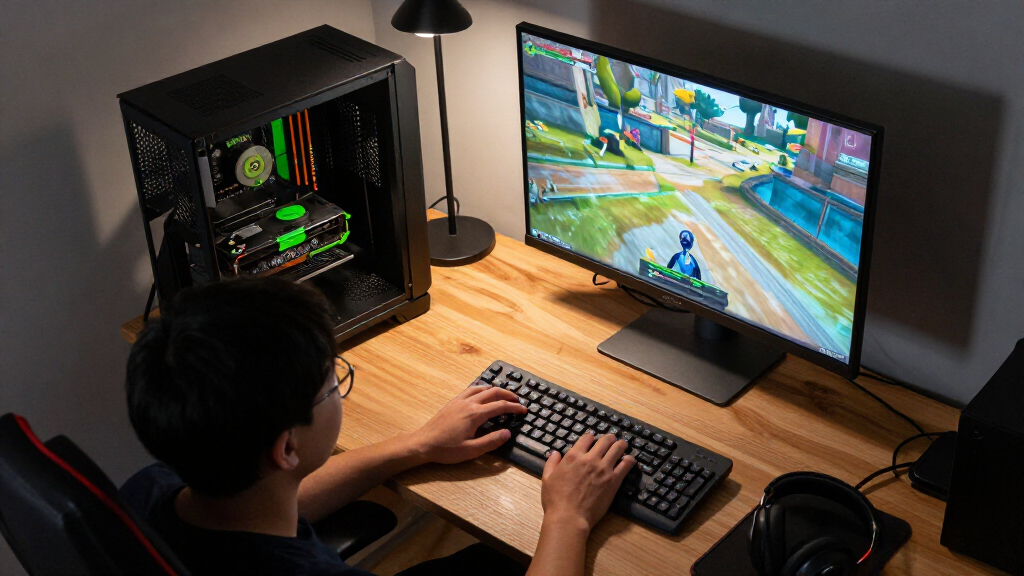

The best Nvidia GPU for most buyers in this roundup is the ASUS Prime GeForce RTX 5070 Ti OC 16GB, pairing strong current-generation performance with more memory than the RTX 5070. The Gigabyte RTX 5070 Ti WINDFORCE OC SFF is a better fit when a compact card matters, while the ASUS Dual RTX 5060 Ti 16GB is a practical step down for buyers who value memory capacity over higher-tier speed. The tradeoff is between performance, VRAM, card size, and whether a GPU is built for gaming or specialized computing. Older RTX 3090, TITAN RTX, and Tesla V100 models bring different strengths, but their age, power needs, or intended workloads can make them poor substitutes for a newer gaming card. Read on for the full comparison and guidance on which option fits your build.

Play games on Amazon Luna for your game nights, included with Prime
- A rotating selection of games, no download needed
- Play on TV, laptop or phone
- Fast, free delivery for your gear, too
Complete the kit



Key Takeaways
- The RTX 5070 Ti models lead this lineup for high-performance gaming: the ASUS Prime emphasizes an overclocked full-size design, while Gigabyte’s SFF model targets space-constrained builds.
- Sixteen gigabytes separates the RTX 5070 Ti and RTX 5060 Ti options from the 12GB RTX 5070 and 8GB RTX 5060 cards. That capacity can matter for demanding games and content projects, though it does not replace raw GPU performance.
- The RTX 5060 Ti 16GB is the more balanced lower-tier choice for buyers who want newer-generation features and extra memory without stepping up to a 5070 Ti.
- RTX 3090 cards offer 24GB of memory but come from an older, power-hungry generation. Their appeal depends on workload, system capacity, and the condition of the specific card.
- The Tesla V100 and TITAN RTX are not straightforward gaming alternatives. Their specialized or older designs make workload compatibility and support more important than headline memory capacity.
| GIGABYTE GeForce RTX 3050 WINDFORCE OC V2 6G Graphics Card |  | Best Entry-Level Pick | GPU: NVIDIA GeForce RTX 3050 | Memory: 6GB GDDR6 | Memory interface: 96-bit | VIEW LATEST PRICE | See Our Full Breakdown |
| NVIDIA GeForce RTX 5070 12GB GDDR7 Graphics Card, Graphite Grey |  | Best Modern Mainstream Pick | GPU: NVIDIA GeForce RTX 5070 | Architecture: NVIDIA Blackwell | Memory: 12GB GDDR7 | VIEW LATEST PRICE | See Our Full Breakdown |
| MSI GeForce RTX 3060 Ventus 2X 12G OC V1 Graphics Card |  | Best Memory-Heavy Value Pick | GPU: NVIDIA GeForce RTX 3060 | Architecture: NVIDIA Ampere | Memory: 12GB GDDR6 | VIEW LATEST PRICE | See Our Full Breakdown |
| NVIDIA GeForce RTX 3090 Founders Edition Graphics Card (Renewed) |  | Best for Maximum Memory Capacity | Model: NVIDIA GeForce RTX 3090 Founders Edition | Graphics memory: 24GB | GPU clock speed: 1.8 GHz | VIEW LATEST PRICE | See Our Full Breakdown |
| Gigabyte GeForce RTX 5070 Ti WINDFORCE OC SFF 16G Graphics Card |  | Best Premium Performance Pick | GPU: NVIDIA GeForce RTX 5070 Ti | Memory: 16GB GDDR7 | Memory interface: 256-bit | VIEW LATEST PRICE | See Our Full Breakdown |
| ASUS Prime GeForce RTX 5070 OC 12GB GDDR7 Graphics Card |  | Best Compact RTX 5070 | GPU: NVIDIA GeForce RTX 5070 | Memory: 12GB GDDR7 | Boost clock: 2587 MHz OC mode; 2557 MHz default mode | VIEW LATEST PRICE | See Our Full Breakdown |
| ASUS TUF Gaming GeForce RTX 5060 OC Edition 8GB GDDR7 Graphics Card |  | Best for Durability-Focused 1080p Builds | GPU: NVIDIA GeForce RTX 5060 | Memory: 8GB GDDR7 | Boost clock: 2677 MHz OC mode; 2640 MHz default mode | VIEW LATEST PRICE | See Our Full Breakdown |
| HPE NVIDIA Tesla V100 32GB HBM2 PCIe 3.0 x16 Passive GPU Accelerator (Renewed) |  | Best for Rack-Server AI and Scientific Computing | GPU: NVIDIA Tesla V100 (Volta GV100) | CUDA cores: 4,608 | Tensor cores: 640 first-generation | VIEW LATEST PRICE | See Our Full Breakdown |
| EVGA GeForce RTX 3090 FTW3 Ultra Gaming Graphics Card, 24GB GDDR6X |  | Best for High-Memory Legacy Builds | GPU: NVIDIA GeForce RTX 3090 | Memory: 24GB GDDR6X | CUDA cores: 10,496 | VIEW LATEST PRICE | See Our Full Breakdown |
| ASUS Prime GeForce RTX 5070 Ti OC 16GB GDDR7 Graphics Card |  | Best Premium Blackwell Upgrade | GPU: NVIDIA GeForce RTX 5070 Ti | Architecture: NVIDIA Blackwell | Memory: 16GB GDDR7 | VIEW LATEST PRICE | See Our Full Breakdown |
| GIGABYTE GeForce RTX 5060 WINDFORCE OC 8G Graphics Card |  | Best Compact Mainstream Pick | GPU: NVIDIA GeForce RTX 5060 | Memory: 8 GB GDDR7 | Memory interface: 128-bit | VIEW LATEST PRICE | See Our Full Breakdown |
| ASUS Dual GeForce RTX 5060 Ti 16GB GDDR7 OC Edition Graphics Card |  | Best for VRAM Headroom in a Compact Build | Graphics processor: NVIDIA GeForce RTX 5060 Ti | Graphics memory: 16 GB GDDR7 | GPU clock speed: 2632 MHz OC mode; 2602 MHz default mode | VIEW LATEST PRICE | See Our Full Breakdown |
| NVIDIA TITAN RTX Graphics Card (Renewed) |  | Best for Legacy Memory-Heavy Workloads | Architecture: NVIDIA Turing | CUDA cores: 4,608 | RT cores: 72 | VIEW LATEST PRICE | See Our Full Breakdown |
| NVIDIA GeForce RTX 3090 Founders Edition Graphics Card | | Best for High-Memory Ampere Workloads | Chipset: NVIDIA GeForce RTX 3090 | Architecture: Ampere | Video memory: 24 GB GDDR6X | VIEW LATEST PRICE | See Our Full Breakdown |
| PNY NVIDIA GeForce RTX 5060 Ti 8GB Epic-X RGB OC Triple-Fan Graphics Card |  | Best for RGB-Focused Builds | GPU: NVIDIA GeForce RTX 5060 Ti | Memory: 8 GB GDDR7 | Memory bandwidth: 448 GB/s | VIEW LATEST PRICE | See Our Full Breakdown |
| Nvidia GPU | Cooling | GPU | Memory | Dimensions |
|---|---|---|---|---|
| GIGABYTE GeForce RTX 3050 WIND | 2 WINDFORCE fans | NVIDIA GeForce RTX 3050 | 6GB GDDR6 | 7.5 × 4.4 in |
| NVIDIA GeForce RTX 5070 12GB G | — | NVIDIA GeForce RTX 5070 | 12GB GDDR7 | — |
| MSI GeForce RTX 3060 Ventus 2X | Torx twin fan | NVIDIA GeForce RTX 3060 | 12GB GDDR6 | — |
| NVIDIA GeForce RTX 3090 Founde | — | — | — | — |
| Gigabyte GeForce RTX 5070 Ti W | WINDFORCE, 3 fans | NVIDIA GeForce RTX 5070 Ti | 16GB GDDR7 | 15 × 9 in |
| ASUS Prime GeForce RTX 5070 OC | Three Axial-tech fans | NVIDIA GeForce RTX 5070 | 12GB GDDR7 | 12 × 5 inches |
| ASUS TUF Gaming GeForce RTX 50 | Three Axial-tech fans | NVIDIA GeForce RTX 5060 | 8GB GDDR7 | 11.9 × 5.3 inches |
| HPE NVIDIA Tesla V100 32GB HBM | Passive | NVIDIA Tesla V100 (Volta GV100) | 32GB ECC HBM2 | — |
| EVGA GeForce RTX 3090 FTW3 Ult | EVGA iCX3, three fans | NVIDIA GeForce RTX 3090 | 24GB GDDR6X | 11.81 × 5.38 inches |
| ASUS Prime GeForce RTX 5070 Ti | Three Axial-tech fans | NVIDIA GeForce RTX 5070 Ti | 16GB GDDR7 | 12 × 5 inches; 306 mm long |
| GIGABYTE GeForce RTX 5060 WIND | WINDFORCE, 2 fans | NVIDIA GeForce RTX 5060 | 8 GB GDDR7 | 7.83 × 4.57 inches |
| ASUS Dual GeForce RTX 5060 Ti | 2 Axial-tech fans; 0dB technology | — | — | 9 × 4.7 inches |
| NVIDIA TITAN RTX Graphics Card | — | — | — | — |
| NVIDIA GeForce RTX 3090 Founde | 3 fans | — | — | 12.3 × 5.4 inches |
| PNY NVIDIA GeForce RTX 5060 Ti | Triple-fan | NVIDIA GeForce RTX 5060 Ti | 8 GB GDDR7 | 11.77 × 4.72 inches |
More Details on Our Top Picks
GIGABYTE GeForce RTX 3050 WINDFORCE OC V2 6G Graphics Card
I’d place the RTX 3050 WINDFORCE OC V2 at the entry point of this group: its 6GB of GDDR6 and compact 7.5-inch length suit a modest gaming or general-purpose desktop, while dual WINDFORCE fans provide active cooling. It also has second-generation RT cores and third-generation Tensor cores for supported ray-tracing and AI features, though its memory capacity and 96-bit interface leave less room for demanding games and creative workloads than the MSI RTX 3060 Ventus 2X, which offers 12GB and a wider 192-bit interface. DisplayPort and HDMI cover common monitor setups, but the listed outputs don’t specify port counts. I’d choose this GIGABYTE when a smaller, lower-capacity card fits the build; buyers planning heavier workloads should step up to the RTX 3060 or newer RTX 5070 options.
Pros:- Compact 7.5 × 4.4-inch dimensions suit more space-constrained builds.
- Dual WINDFORCE fans provide active cooling.
- Second-generation RT cores and third-generation Tensor cores support compatible features.
- Includes DisplayPort and HDMI outputs.
Cons:- 6GB of memory can constrain higher-detail gaming and graphics-heavy projects.
- The 96-bit memory interface offers less bandwidth than the MSI RTX 3060’s 192-bit interface.
Best for: Desktop builders seeking a relatively short Nvidia card for lighter gaming and everyday graphics tasks.
Not ideal for: Players targeting demanding modern games or creators whose workloads need more than 6GB of graphics memory.
- GPU:NVIDIA GeForce RTX 3050
- Memory:6GB GDDR6
- Memory interface:96-bit
- GPU clock speed:1477 MHz
- Cooling:2 WINDFORCE fans
- Video outputs:DisplayPort, HDMI
- Dimensions:7.5 × 4.4 in
- Warranty:3 years
Our verdict“Choose this GIGABYTE for a compact, entry-level Nvidia build, but favor the MSI RTX 3060 if your games or creative work need more memory headroom.”
NVIDIA GeForce RTX 5070 12GB GDDR7 Graphics Card, Graphite Grey
The GeForce RTX 5070 is my modern mainstream choice here: Blackwell architecture, 12GB of GDDR7, and DLSS 4 give it a newer feature set than the Ampere-based MSI RTX 3060, while its stated 4K maximum resolution suits buyers planning a high-resolution display. NVIDIA’s Game Ready and Studio drivers plus Broadcast tools also make this a flexible option for gaming, creative work, and streaming. It doesn’t match the RTX 5070 Ti WINDFORCE OC SFF on memory capacity—the Ti has 16GB—and the product data lists HDMI as its only video output, a notable limitation for multi-monitor setups or DisplayPort-first displays. I’d pick this card for a current-generation Nvidia system where DLSS 4 and a broad software toolkit matter more than having several listed display connections.
Pros:- 12GB of GDDR7 memory paired with NVIDIA Blackwell architecture.
- Supports DLSS 4 and Game Ready and Studio drivers.
- NVIDIA Studio and Broadcast tools support creative and streaming tasks.
- Listed maximum resolution is 3840 × 2160.
Cons:- HDMI is the only listed video output interface.
- 12GB of memory is less than the 16GB offered by the RTX 5070 Ti in this roundup.
- Requires a desktop with a PCI-Express x16 graphics card interface.
Best for: PC gamers and creators building a current-generation Nvidia desktop who want DLSS 4, 12GB of memory, and NVIDIA’s gaming and Studio software.
Not ideal for: Multi-monitor users who need DisplayPort connections, or buyers with memory-intensive workloads better suited to a 16GB card.
- GPU:NVIDIA GeForce RTX 5070
- Architecture:NVIDIA Blackwell
- Memory:12GB GDDR7
- GPU clock speed:2.51 GHz
- Interface:PCI-Express x16
- Video output:HDMI
- Maximum resolution:3840 × 2160
- Warranty:1 year
Our verdict“Pick the RTX 5070 for a modern Nvidia feature set and 12GB of GDDR7, but choose the RTX 5070 Ti if you need more memory or listed DisplayPort outputs.”
MSI GeForce RTX 3060 Ventus 2X 12G OC V1 Graphics Card
I’d give the MSI RTX 3060 Ventus 2X the memory-focused value role: its 12GB of GDDR6 on a 192-bit interface provides more capacity and bandwidth than the GIGABYTE RTX 3050’s 6GB and 96-bit setup, which can help with larger textures, creative projects, and multitasking. It also offers three DisplayPort 1.4a outputs plus HDMI 2.1, making it a more accommodating choice for several displays than the RTX 5070 model here, whose listed output is HDMI only. The tradeoff is its older Ampere architecture; buyers seeking the newer Blackwell features and DLSS 4 should look to the RTX 5070 instead. This MSI makes more sense for people who prioritize memory capacity and a broad set of display connections over the latest generation.
Pros:- 12GB of GDDR6 memory with a 192-bit interface.
- Three DisplayPort 1.4a outputs and one HDMI 2.1 output.
- Supports ray tracing and Tensor Cores.
- Torx twin-fan cooling.
Cons:- Ampere architecture is older than the Blackwell-based RTX 5070 options.
- Requires a compatible desktop PCI Express x16 slot.
Best for: Gamers and creators who want 12GB of graphics memory and multiple DisplayPort connections in an Ampere-based desktop.
Not ideal for: Buyers who want a current-generation Blackwell GPU and DLSS 4, or anyone without a compatible PCI Express x16 slot.
- GPU:NVIDIA GeForce RTX 3060
- Architecture:NVIDIA Ampere
- Memory:12GB GDDR6
- Memory interface:192-bit
- Boost clock:1807 MHz
- Cooling:Torx twin fan
- Video outputs:3 × DisplayPort 1.4a, 1 × HDMI 2.1
- Maximum resolution:7680 × 4320
Our verdict“Choose the MSI RTX 3060 when 12GB of memory and several display connections matter more than having the newer RTX 5070 generation.”
NVIDIA GeForce RTX 3090 Founders Edition Graphics Card (Renewed)
The RTX 3090 Founders Edition is the memory-capacity specialist in this group, with 24GB of graphics memory—more than the 16GB RTX 5070 Ti and either of the 12GB cards. That makes it the standout option here for workloads that can use a large GPU memory pool, alongside support for displays up to 7680 × 4320 and both DisplayPort and HDMI. Its place in the ranking comes with a substantial caveat: this card is renewed, and the listed warranty is only 90 days, unlike the new RTX 5070 Ti product. The provided data also does not specify memory type or interface, so I wouldn’t infer those details from the capacity alone. I’d reserve this pick for buyers who need 24GB and accept the shorter coverage and renewed condition.
Pros:- 24GB of graphics memory, the largest capacity among these five products.
- Supports a maximum display resolution of 7680 × 4320.
- Includes both DisplayPort and HDMI outputs.
- Professionally inspected and tested according to the product description.
Cons:- Renewed condition means the card is pre-owned or refurbished.
- 90-day limited warranty is shorter than the listed three-year coverage on the RTX 3060 and RTX 3050.
- Older RTX 30 Series model compared with the Blackwell RTX 5070 options.
Best for: Creators and compute-focused desktop users whose workloads specifically benefit from 24GB of graphics memory.
Not ideal for: Buyers who prefer a new card, want a longer listed warranty, or are choosing primarily for current-generation features.
- Model:NVIDIA GeForce RTX 3090 Founders Edition
- Graphics memory:24GB
- GPU clock speed:1.8 GHz
- Memory clock speed:19.5 GHz
- Video outputs:DisplayPort, HDMI
- Maximum display resolution:7680 × 4320
- Condition:Renewed
- Warranty:90-day limited warranty
Our verdict“Choose this renewed RTX 3090 only when 24GB of memory is the priority and its shorter warranty and renewed condition suit your needs.”
Gigabyte GeForce RTX 5070 Ti WINDFORCE OC SFF 16G Graphics Card
For buyers seeking the strongest all-around specification set in this batch, I’d rank the Gigabyte RTX 5070 Ti WINDFORCE OC SFF first. Its 16GB of GDDR7 on a 256-bit interface gives it more memory capacity than the RTX 5070 and more bandwidth headroom than the 12GB MSI RTX 3060, while the newer GPU generation brings a stronger platform for current games and graphics tasks. Three WINDFORCE fans, dual Performance and Silent BIOS modes, and a reinforced structure add useful control and support. It is not a small card despite the SFF name: the listed dimensions are 15 × 9 inches, so case clearance needs attention. I’d choose it over the RTX 3090 Founders Edition for a new-generation feature set, while preferring the 3090 only when its 24GB capacity is the deciding need.
Pros:- 16GB of GDDR7 memory with a 256-bit interface.
- Three-fan WINDFORCE cooling with Performance and Silent BIOS modes.
- Three DisplayPort 2.1a outputs and one HDMI 2.1b output.
- Reinforced structure and included VGA holder provide additional card support.
Cons:- Listed dimensions of 15 × 9 inches call for careful case-clearance checks.
- Its 16GB capacity is below the renewed RTX 3090 Founders Edition’s 24GB.
- Requires a desktop with a PCI Express x16 slot.
Best for: Enthusiasts building a high-end Nvidia desktop who want 16GB of GDDR7, current-generation features, and configurable cooling behavior.
Not ideal for: Small-case builders who cannot accommodate the listed 15 × 9-inch dimensions, or users whose workload specifically requires more than 16GB of graphics memory.
- GPU:NVIDIA GeForce RTX 5070 Ti
- Memory:16GB GDDR7
- Memory interface:256-bit
- Core clock:2497 MHz
- Interface:PCI Express x16 5.0
- Cooling:WINDFORCE, 3 fans
- Video outputs:3 × DisplayPort 2.1a, 1 × HDMI 2.1b
- Dimensions:15 × 9 in
- BIOS:Dual BIOS (Performance / Silent)
Our verdict“Choose the RTX 5070 Ti for a high-end, current-generation Nvidia card with 16GB of GDDR7, provided your case can fit its listed dimensions.”
ASUS Prime GeForce RTX 5070 OC 12GB GDDR7 Graphics Card
I’d choose this RTX 5070 for a build that needs current-generation gaming features without giving up as much case space as larger cards demand. Its 2.5-slot, SFF-ready design and three Axial-tech fans make it a more space-conscious option than the thicker ASUS TUF Gaming RTX 5060, while the 12GB of GDDR7 and Blackwell architecture put it in a stronger performance tier than that RTX 5060. A factory overclock adds a modest boost, and the Dual BIOS lets me favor quieter operation or a performance profile. The phase-change thermal pad and 0dB light-load mode suit mixed gaming and everyday use. This is still a 2.5-slot card, not a fit for every compact case, and Performance mode can make the fans more noticeable. I’d skip it if a smaller or quieter card is the overriding priority.
Pros:- SFF-ready 2.5-slot design is more space-conscious than the ASUS TUF Gaming RTX 5060’s 3.1-slot cooler.
- 12GB of GDDR7 and Blackwell features suit modern gaming and graphics workloads.
- Three Axial-tech fans and a phase-change thermal pad support heat dissipation.
- Dual BIOS and 0dB operation offer quieter behavior at light loads.
Cons:- The 2.5-slot cooler still needs meaningful case and expansion-slot clearance.
- Performance BIOS mode can increase fan noise.
- 12GB of memory is less generous for heavy content workloads than the 16GB RTX 5070 Ti option.
Best for: Small-form-factor PC builders who want an RTX 5070-class card and can accommodate a 2.5-slot cooler.
Not ideal for: Builders with very tight case clearance or noise-sensitive setups that cannot use the Quiet BIOS profile.
- GPU:NVIDIA GeForce RTX 5070
- Memory:12GB GDDR7
- Boost clock:2587 MHz OC mode; 2557 MHz default mode
- AI performance:1005 AI TOPS
- Interface:PCI Express x16; PCIe 5.0
- Cooling:Three Axial-tech fans
- Form factor:2.5-slot; SFF-ready
- Dimensions:12 × 5 inches
Our verdict“Choose this ASUS if you want an RTX 5070 in a comparatively compact cooler and can make room for its 2.5-slot footprint.”
ASUS TUF Gaming GeForce RTX 5060 OC Edition 8GB GDDR7 Graphics Card
I see this TUF RTX 5060 as the durability-focused pick for a gaming PC where the RTX 5070 models would be more card than the build needs. Its Blackwell architecture, DLSS 4 support, and 8GB GDDR7 provide a modern feature set, while the factory overclock raises the boost clock to 2677 MHz in OC mode. Compared with the ASUS Prime RTX 5070 OC, it gives up performance tier and memory capacity, but its protective PCB coating and reinforced construction make durability a clearer part of the pitch. Three Axial-tech fans and a substantial fin array are designed to manage heat, and GPU Tweak III gives users tuning and monitoring controls. The tradeoff is physical: a 3.1-slot design and 2.5-pound weight can crowd a mid-sized case. I’d pass if a compact build or more memory headroom matters more than the rugged construction.
Pros:- Protective PCB coating helps guard against moisture, dust, and debris.
- Three Axial-tech fans and a large fin array are designed for cooling.
- Reinforced construction and GPU Guard add physical support.
- GPU Tweak III offers performance, thermal, and monitoring controls.
Cons:- The 3.1-slot cooler requires substantial expansion-slot and case clearance.
- 8GB of GDDR7 offers less memory headroom than the 12GB ASUS Prime RTX 5070 OC.
- Its 2.5-pound weight may call for extra support in some builds.
Best for: Mainstream gamers building a durable desktop for 1080p play who want tuning controls and a reinforced card.
Not ideal for: Small-case builders or users running memory-heavy creative workloads who need a thinner card or more than 8GB of VRAM.
- GPU:NVIDIA GeForce RTX 5060
- Memory:8GB GDDR7
- Boost clock:2677 MHz OC mode; 2640 MHz default mode
- AI performance:785 AI TOPS
- Interface:PCI Express 5.0, PCIe x16
- Video outputs:3 × DisplayPort 2.1b; HDMI 2.1b
- Cooling:Three Axial-tech fans
- Dimensions:11.9 × 5.3 inches
Our verdict“Pick the TUF RTX 5060 if reinforced construction and cooling matter more to your mainstream gaming build than a thinner cooler or greater memory capacity.”
HPE NVIDIA Tesla V100 32GB HBM2 PCIe 3.0 x16 Passive GPU Accelerator (Renewed)
This Tesla V100 belongs on a shortlist for server workloads, not as a gaming alternative to the GeForce cards here. Its 32GB ECC HBM2, 900 GB/s memory bandwidth, and 640 first-generation Tensor Cores target machine learning, scientific computing, and other data-heavy tasks. Compared with the EVGA RTX 3090 FTW3 Ultra, it offers ECC memory and NVLink support rather than a GeForce gaming configuration; the 3090 is the more natural fit for a desktop graphics card, while this V100 is built for compatible rack servers. Passive cooling avoids onboard fan noise but depends on strong chassis airflow, and its 250W TDP calls for suitable server power and thermal design. The PCIe 3.0 interface also marks an older platform generation. I’d skip this renewed accelerator for a typical home PC or gaming setup.
Pros:- 32GB of ECC HBM2 provides error-correcting memory for supported compute workloads.
- 900 GB/s memory bandwidth suits data-intensive tasks.
- Multiple precision modes support AI and scientific applications.
- NVLink can connect compatible GPUs for multi-GPU configurations.
Cons:- Passive cooling depends on adequate rack-server airflow.
- The 250W TDP requires compatible server power and thermal capacity.
- PCIe 3.0 is an older interface than the PCIe 4.0 and 5.0 options in this roundup.
Best for: AI researchers and HPC operators with compatible rack servers, suitable airflow, and workloads that benefit from ECC memory or multi-GPU NVLink.
Not ideal for: Gaming PC builders, workstation users without server-grade cooling, or anyone seeking a current-generation GeForce card.
- GPU:NVIDIA Tesla V100 (Volta GV100)
- CUDA cores:4,608
- Tensor cores:640 first-generation
- Memory:32GB ECC HBM2
- Memory bandwidth:900 GB/s
- Interface:PCIe 3.0 x16
- Cooling:Passive
- TDP:250W
- NVLink bandwidth:300 GB/s bidirectional
Our verdict“Choose the renewed Tesla V100 only for a compatible server compute setup; it is not a sensible substitute for the GeForce gaming cards.”
EVGA GeForce RTX 3090 FTW3 Ultra Gaming Graphics Card, 24GB GDDR6X
I’d consider this pre-owned or refurbished RTX 3090 for a desktop that needs 24GB of GDDR6X and can handle an older, power-hungry card. That memory capacity gives it a different appeal from the ASUS Prime RTX 5070 OC, which is a newer Blackwell option with 12GB of GDDR7 and DLSS 4. The EVGA’s 10,496 CUDA cores, 1800MHz boost clock, and three-fan iCX3 cooling make it a substantial GeForce card for graphics and memory-heavy workloads, while the metal backplate and ARGB lighting add build-focused extras. But this listing is not a straightforward choice for every system: it needs three PCIe power connectors, and the 90-day limited warranty is short. Its renewed condition also calls for more caution than buying a new current-generation card. I’d skip it if warranty coverage or a simpler power setup is a priority.
Pros:- 24GB of GDDR6X gives more memory capacity than the RTX 5070 models in this roundup.
- Three-fan EVGA iCX3 cooling is designed to manage GPU heat.
- Metal backplate and ARGB lighting suit feature-focused desktop builds.
- Supports maximum resolution up to 7680 × 4320.
Cons:- Requires three PCIe power connectors, limiting compatibility with some power supplies.
- The 90-day limited warranty is short.
- Pre-owned or refurbished condition carries more uncertainty than a new GPU.
Best for: Experienced PC builders with a compatible power supply who need substantial VRAM for graphics or memory-heavy desktop workloads.
Not ideal for: Buyers who want a new current-generation GPU, long warranty coverage, or a system without three PCIe power connectors.
- GPU:NVIDIA GeForce RTX 3090
- Memory:24GB GDDR6X
- CUDA cores:10,496
- Boost clock:1800 MHz
- Cooling:EVGA iCX3, three fans
- Interface:PCI-Express x16, PCIe 4
- Power connectors:3 × 8-pin or 3 × 6+2-pin PCIe
- Dimensions:11.81 × 5.38 inches
- Warranty:90-day limited warranty
Our verdict“Choose this RTX 3090 if you specifically need 24GB of VRAM and have the power supply to support it, but favor a newer card if warranty and platform generation matter more.”
ASUS Prime GeForce RTX 5070 Ti OC 16GB GDDR7 Graphics Card
For buyers who want more memory and a higher GPU tier than the RTX 5070, I’d move up to this RTX 5070 Ti with 16GB of GDDR7. Its Blackwell architecture and DLSS 4 support put it alongside the newer GeForce choices, while the extra memory over the ASUS Prime RTX 5070 OC’s 12GB gives more room for demanding games and graphics projects. The three Axial-tech fans, phase-change thermal pad, and dual-ball bearings support sustained cooling; the Dual BIOS also lets users choose between Quiet and Performance profiles. Despite its 2.5-slot thickness, the card is 306mm long, so compact builds still need careful clearance checks. It also requires a 750W power supply and a 16-pin connector, making it less convenient to add than a lower-power setup. I’d pass if the RTX 5070’s memory and performance tier already meet your needs.
Pros:- 16GB of GDDR7 provides more memory headroom than the ASUS Prime RTX 5070 OC’s 12GB.
- Three Axial-tech fans and a phase-change thermal pad support heat dissipation.
- Dual BIOS provides Quiet and Performance profiles.
- Dual-ball fan bearings are designed for long service life.
Cons:- Requires a 750W power supply and a 16-pin 12V-2×6 (12VHPWR) connector.
- Its 306mm length can rule it out for compact cases.
- The 2.5-slot cooler still needs adequate expansion-slot clearance.
Best for: Enthusiast gamers and graphics creators seeking a Blackwell GPU with 16GB of VRAM and a cooler that remains 2.5 slots thick.
Not ideal for: Builders without 306mm of case clearance, a 750W power supply, and a 16-pin connector, or buyers whose workloads do not need the extra memory over the RTX 5070.
- GPU:NVIDIA GeForce RTX 5070 Ti
- Architecture:NVIDIA Blackwell
- Memory:16GB GDDR7
- Boost clock:2527 MHz OC mode; 2497 MHz default mode
- Video outputs:3 × DisplayPort 2.1a; 2 × HDMI 2.1b
- Cooling:Three Axial-tech fans
- Slot thickness:2.5 slots
- Dimensions:12 × 5 inches; 306 mm long
- Power supply requirement:Minimum 750W with 16-pin 12V-2×6 (12VHPWR) connector
Our verdict“Choose the RTX 5070 Ti if you want 16GB of GDDR7 and a higher-tier Blackwell card, and your case and power supply can accommodate it.”
GIGABYTE GeForce RTX 5060 WINDFORCE OC 8G Graphics Card
The RTX 5060 WINDFORCE OC suits buyers who want a current Blackwell-generation card in a relatively short, two-fan design. Its 8 GB of GDDR7 and DLSS 4 support give it a newer feature set than older options such as the RTX 3090, though the 3090 has far more memory for heavy creative workloads. Against the ASUS Dual RTX 5060 Ti 16GB, this GIGABYTE card gives up both memory capacity and Ti-class headroom, but its 7.83-inch length may be easier to place in a space-constrained build. The tradeoff is the 128-bit memory interface and 8 GB capacity, which leave less room for demanding games and large projects. Choose it for a compact, modern gaming system, not as a high-memory workstation card.
Pros:- 8 GB of GDDR7 memory and DLSS 4 support
- 7.83-inch card length fits more compact builds than larger triple-fan models
- Two-fan WINDFORCE cooling
- DisplayPort and HDMI outputs
Cons:- 8 GB capacity can constrain demanding games and creative workloads
- 128-bit memory interface is narrower than the RTX 3090 Founders Edition’s 384-bit interface
- Requires a desktop with a PCI Express x16 slot
Best for: PC builders seeking a shorter, two-fan Blackwell GPU for mainstream gaming and DLSS 4 features.
Not ideal for: People running memory-heavy games, large creative projects, or workloads that benefit from 16 GB or more of VRAM.
- GPU:NVIDIA GeForce RTX 5060
- Memory:8 GB GDDR7
- Memory interface:128-bit
- GPU clock speed:2512 MHz
- Interface:PCIe 5.0, PCI-Express x16
- Cooling:WINDFORCE, 2 fans
- Video outputs:DisplayPort, HDMI
- Dimensions:7.83 × 4.57 inches
- Warranty:3 years
Our verdict“Choose this GIGABYTE RTX 5060 for a compact mainstream build that favors current features over high VRAM capacity.”
ASUS Dual GeForce RTX 5060 Ti 16GB GDDR7 OC Edition Graphics Card
The ASUS Dual RTX 5060 Ti 16GB is the most balanced choice here for buyers who want a newer GPU but do not want to settle for 8 GB of memory. Its 16 GB of GDDR7 gives games and creative applications more room than the GIGABYTE RTX 5060 or PNY RTX 5060 Ti 8GB, making it a stronger fit for larger assets and memory-hungry settings. The 2.5-slot, two-fan layout is shorter than the PNY triple-fan card, while Quiet and Performance BIOS profiles let buyers favor lower noise or more active cooling. That thickness can still crowd a small case, and it remains a midrange-class option rather than a substitute for the RTX 3090’s 24 GB capacity. I would pick it for compact builds that need modern features and useful VRAM headroom.
Pros:- 16 GB of GDDR7 provides more capacity than the 8 GB RTX 5060 and PNY RTX 5060 Ti
- 2.5-slot design and 9-inch length suit many compact builds
- Quiet and Performance BIOS profiles offer cooling and noise choices
- 0dB technology supports fan-stop operation under light loads
Cons:- The 2.5-slot thickness may interfere with neighboring components in especially tight cases
- Still has less memory capacity than the 24 GB RTX 3090 Founders Edition
- Requires a compatible desktop PCI-Express x16 slot
Best for: Compact-PC builders, gamers, and creators who want a current RTX 5060 Ti with 16 GB of memory.
Not ideal for: Buyers with very narrow cases that cannot accommodate a 2.5-slot card, or users who need 24 GB of VRAM.
- Graphics processor:NVIDIA GeForce RTX 5060 Ti
- Graphics memory:16 GB GDDR7
- GPU clock speed:2632 MHz OC mode; 2602 MHz default mode
- AI performance:767 AI TOPS
- Video outputs:3 × DisplayPort 2.1b, HDMI 2.1b
- Cooling:2 Axial-tech fans; 0dB technology
- Form factor:2.5-slot
- Dimensions:9 × 4.7 inches
- Warranty:3 years
Our verdict“Choose the ASUS Dual if you want 16 GB of current-generation VRAM in a shorter card and your case can handle its 2.5-slot thickness.”
NVIDIA TITAN RTX Graphics Card (Renewed)
The renewed TITAN RTX stands apart from the newer Blackwell cards because its strongest case is not current gaming features but 24 GB of GDDR6 memory and a Turing-era mix of CUDA, RT, and Tensor cores. That capacity exceeds the 16 GB in the ASUS Dual RTX 5060 Ti and can suit older workflows that need substantial GPU memory. The tradeoff is age: it lacks the newer architecture and DLSS 4 support featured by both RTX 5060 models, and its stated maximum resolution is 4K rather than the higher output listed for several newer cards. This is also a renewed product with only a 90-day limited warranty, making it a less reassuring choice than a new card with a longer warranty. I would shortlist it only for a specific legacy or memory-capacity need.
Pros:- 24 GB of GDDR6 memory
- 4,608 CUDA cores, 72 RT cores, and 576 Tensor Cores
- DisplayPort and HDMI outputs with support for 4K UHD
- Professionally inspected and tested renewed condition
Cons:- Older Turing architecture lacks the newer features of the RTX 5060 models
- Renewed condition comes with a 90-day limited warranty
- Requires a desktop with a PCI Express x16 interface
Best for: Users maintaining Turing-era systems or running compatible workloads that need 24 GB of GPU memory.
Not ideal for: Buyers seeking a new card, current-generation features, a long warranty, or a GPU primarily for modern gaming.
- Architecture:NVIDIA Turing
- CUDA cores:4,608
- RT cores:72
- Tensor Cores:576
- Boost clock:1770 MHz
- Graphics memory:24 GB GDDR6
- Maximum resolution:3840 × 2160 (4K UHD)
- Condition:Renewed; professionally inspected and tested
- Warranty:90-day limited warranty
Our verdict“Consider the renewed TITAN RTX only if its 24 GB capacity fits a specific legacy workload and you accept its older architecture and short warranty.”
NVIDIA GeForce RTX 3090 Founders Edition Graphics Card
The RTX 3090 Founders Edition earns its place through a combination of 24 GB of GDDR6X and a wide 384-bit memory interface, which makes it more compelling for memory-intensive work than the newer 8 GB RTX 5060 and PNY RTX 5060 Ti. Its Ampere RT and Tensor cores also support gaming and professional applications, while the listed 8K maximum resolution suits high-resolution display setups. The cost of that capacity is a large 12.3-inch card and demanding power needs; this is a much tougher fit for a small case or modest system than the ASUS Dual RTX 5060 Ti. It also lacks the newer Blackwell architecture and DLSS 4 support of the 5060 options. I would choose it for a capable desktop that specifically benefits from 24 GB, not for a compact or power-conscious build.
Pros:- 24 GB of GDDR6X memory with a 384-bit interface
- Ampere RT and Tensor cores support ray tracing and AI workloads
- Supports resolutions up to 7680 × 4320
- Three-fan cooling design
Cons:- Large 12.3-inch length can rule it out for smaller cases
- High power consumption calls for a capable PSU and suitable power delivery
- Older Ampere architecture lacks the newer features of the RTX 5060 cards
Best for: Workstation users and enthusiasts with a roomy, well-powered desktop who need 24 GB of GPU memory.
Not ideal for: Small-case builders or owners of systems without strong power delivery and adequate cooling.
- Chipset:NVIDIA GeForce RTX 3090
- Architecture:Ampere
- Video memory:24 GB GDDR6X
- Memory interface:384-bit
- PCI Express interface:PCIe 4.0
- Cooling:3 fans
- Video outputs:3 × DisplayPort 1.4a, 1 × HDMI 2.1
- Maximum resolution:7680 × 4320
- Dimensions:12.3 × 5.4 inches
Our verdict“Pick the RTX 3090 Founders Edition for a spacious, well-powered system where its 24 GB memory capacity matters more than newer architecture features.”
PNY NVIDIA GeForce RTX 5060 Ti 8GB Epic-X RGB OC Triple-Fan Graphics Card
The PNY RTX 5060 Ti Epic-X RGB is the style-and-cooling choice among these newer cards: it pairs a factory-overclocked boost clock with a triple-fan cooler, a vented metal backplate, and customizable ARGB. Its VelocityX software also lets owners adjust lighting, clocks, and fan curves. Compared with the shorter, two-fan ASUS Dual RTX 5060 Ti 16GB, this PNY card offers more elaborate cooling and lighting but half the memory capacity. That difference matters for buyers whose games or projects use large assets; the 8 GB GDDR7 is the main limitation here, not a lack of visual features. The dual-slot, SFF-ready description may help with some builds, but its 11.77-inch length still calls for a case-fit check. Choose it when appearance and cooler design outweigh VRAM headroom.
Pros:- Triple-fan cooler, dense heatsink, and vented metal backplate
- Factory-overclocked 2692 MHz boost clock
- Customizable Epic-X ARGB and VelocityX controls
- Dual-slot design is listed as SFF-ready
Cons:- 8 GB of GDDR7 offers less memory headroom than the ASUS Dual RTX 5060 Ti 16GB
- 11.77-inch length may not suit short cases
- Requires a single 8-pin power connector
Best for: RGB-focused builders who want a factory-overclocked RTX 5060 Ti and software control over lighting and fan behavior.
Not ideal for: Creators and gamers who need more than 8 GB of VRAM, or builders whose cases cannot fit an 11.77-inch card.
- GPU:NVIDIA GeForce RTX 5060 Ti
- Memory:8 GB GDDR7
- Memory bandwidth:448 GB/s
- Boost clock:2692 MHz
- Memory interface:128-bit
- Cooling:Triple-fan
- Interface:PCI Express 5.0 x8
- Power connector:Single 8-pin
- Dimensions:11.77 × 4.72 inches
Our verdict“Choose the PNY if RGB customization and a triple-fan cooler matter more to you than the extra VRAM in the ASUS Dual RTX 5060 Ti.”

How We Picked
I ranked these GPUs by how well their design fits current buyer needs, with gaming performance and overall versatility weighted most heavily for a roundup of Nvidia graphics cards. I also compared VRAM capacity, generation, card dimensions, cooling approach, and whether a model is intended for a standard desktop rather than an accelerator workload. Those factors matter because a fast GPU can still be the wrong choice if it does not fit the case, power supply, software, or workload.
The ranking favors newer gaming cards with a convincing balance of performance, memory, and broad usability. Within similar tiers, I separated cards by practical distinctions such as 8GB versus 16GB, compact SFF construction, and factory-overclocked designs. Older RTX 3090 and TITAN RTX models rank lower for general buyers despite their large memory capacities, while the passive Tesla V100 sits apart because it is an accelerator rather than a typical gaming card. I did not treat model names or memory size alone as proof of better real-world fit.
Factors to Consider When Choosing Best Nvidia GPUs
Before choosing among the best Nvidia GPUs, match the card to your display, workload, case, and power supply. A higher tier can be wasted on a modest gaming setup, while a card with more VRAM may help a creative workflow even when it is not the fastest gaming option.
Match GPU Performance to Your Display
Start with the resolution and refresh rate you actually use, rather than buying around an aspirational setup. Higher resolutions and demanding visual settings place more work on the GPU, while competitive games at lower settings may benefit more from high frame rates than from extra VRAM. A card from the RTX 5070 tier or above makes more sense for demanding displays than an entry-level RTX 5060, but the rest of the system still affects results. Check performance for the games and applications you use, not just broad product-family comparisons. A faster card may add little if your monitor, processor, or chosen games cannot make use of it.
Treat VRAM as Workload Capacity, Not a Speed Rating
VRAM holds graphics data such as textures, scene assets, and project files; it does not tell you how quickly a GPU can process them. The 16GB RTX 5060 Ti and RTX 5070 Ti models can offer more headroom for memory-heavy games and creative tasks than 8GB or 12GB alternatives. That extra capacity is most useful when your workload genuinely exceeds a smaller card’s limits. It will not automatically make a lower-tier GPU faster, and it is not a reason to ignore GPU performance or software compatibility. Look for requirements from the games and tools you use, then weigh capacity alongside the card’s processing tier.
Check Case Fit, Cooling, and Power Before Ordering
Graphics cards differ in length, thickness, cooler design, and power demands, even when they use the same GPU family. Measure available case space and check the number of expansion slots a card occupies; compact SFF designs can solve a fit problem, but small enclosures may still need suitable airflow. Confirm that your power supply has adequate capacity and the correct connectors for the exact card model. A bigger cooler may help manage heat and noise, but it cannot compensate for poor case ventilation. These checks are especially useful when comparing a compact card with a larger factory-overclocked model.
Choose Newer Gaming Cards for Broad Compatibility
For a typical gaming PC, a recent GeForce gaming card is usually the simpler path than an older workstation or accelerator product. Tesla V100 hardware is designed around specialized computing use and passive cooling, so a standard desktop case may not supply the airflow it needs. TITAN RTX and RTX 3090 cards have different capabilities, but age and prior use can affect support, condition, and long-term reliability. Renewed listings deserve extra scrutiny: verify the seller’s return terms, warranty coverage, and the exact model being offered. Choose a specialized card only when its software support and operating requirements match your workload.
Pay More Only for a Benefit You Will Use
Higher-tier GPUs make the most sense when you need more rendering throughput, stronger performance at demanding settings, or extra memory for large projects. For everyday gaming, streaming, and general desktop use, a lower-tier card may deliver a better fit without adding unused capability. Factory overclocks and premium coolers can change noise, temperatures, and dimensions, but they do not turn one GPU tier into another. Compare the complete card design rather than assuming that a larger model name or triple-fan cooler guarantees a better experience. Spend the extra budget only when it addresses a real limit in your current system or workload.
Frequently Asked Questions
Should I choose an RTX 5070 with 12GB or an RTX 5060 Ti with 16GB?
Choose based on whether your main constraint is GPU speed or memory capacity. The RTX 5070 is a higher-tier card, while the RTX 5060 Ti 16GB offers more VRAM that may help with memory-heavy games or creative projects. Extra memory does not guarantee higher frame rates, and the RTX 5070’s larger GPU capability can matter more in many games. Check the specific applications and settings you use for memory demands. If you often work with large assets, the 16GB model may suit you better; for gaming performance, compare results for your games and display resolution.
Is a renewed RTX 3090 a sensible alternative to a newer RTX 5070-series card?
It can suit a buyer who needs the RTX 3090’s 24GB of VRAM and has a power supply, cooling, and workload that match the card. For a general gaming build, a newer RTX 5070-series model may be easier to fit into a modern system and may offer newer-generation features. Renewed hardware also makes the card’s condition, warranty, and return policy part of the decision. Do not treat its larger memory capacity as proof that it is faster in every task. Compare workload-specific performance and operating costs before choosing the older card.
Can I use the Tesla V100 as a normal gaming graphics card?
The Tesla V100 is an accelerator aimed at computing workloads, not a typical consumer gaming card. Its passive cooler relies on substantial directed airflow, which many desktop cases do not provide. Gaming drivers, display connections, and software support may also differ from what a standard GeForce gaming setup expects. It is a better fit for a compatible compute system than for a plug-and-play gaming upgrade. Check the exact server requirements and supported applications before buying one for any desktop use.
How much should I prioritize a compact SFF graphics card?
Prioritize SFF construction when your case has a strict length or clearance limit, or when your build is designed around compact components. Measure the usable space with other installed parts in place, since radiators, cables, and drive cages can reduce clearance. A compact card can make installation possible, but cooling and fan noise depend on the whole case airflow setup. If your case has room, a larger model may offer a different cooler design without requiring compromises on fit. Choose the dimensions that suit your build rather than assuming smaller is always better.
Is an 8GB RTX 5060 enough for a new gaming PC?
An 8GB RTX 5060 can suit a gaming build focused on moderate settings and workloads that do not exceed its memory capacity. Demanding textures, higher resolutions, and newer games can put greater pressure on VRAM, so check requirements for the titles you expect to play. The 16GB RTX 5060 Ti offers more memory headroom, but it is a separate performance tier and costs more to power and cool as part of a system. Also account for your monitor and upgrade plans instead of choosing by memory alone. If you want to keep a card for several years, extra capacity may be useful, but it cannot guarantee future performance.
Conclusion
For the best overall balance, I recommend the ASUS Prime GeForce RTX 5070 Ti OC 16GB, with the Gigabyte SFF version serving compact builds that need 5070 Ti-class hardware in a smaller footprint. The best value-style choice among these options is the ASUS Dual RTX 5060 Ti 16GB for buyers who want a newer gaming card with extra memory without moving to the 5070 Ti tier. Beginners building a mainstream gaming PC should start by checking whether the RTX 5060 or RTX 5060 Ti fits their display and games; the 16GB 5060 Ti is the more flexible pick when memory headroom matters. For a premium gaming build, choose a 5070 Ti model based on case fit and cooling preferences. Buyers with specialized compute needs should investigate the Tesla V100 or TITAN RTX only after confirming software, airflow, and system compatibility, while the RTX 3090 makes most sense when its 24GB memory capacity outweighs the tradeoffs of older hardware.