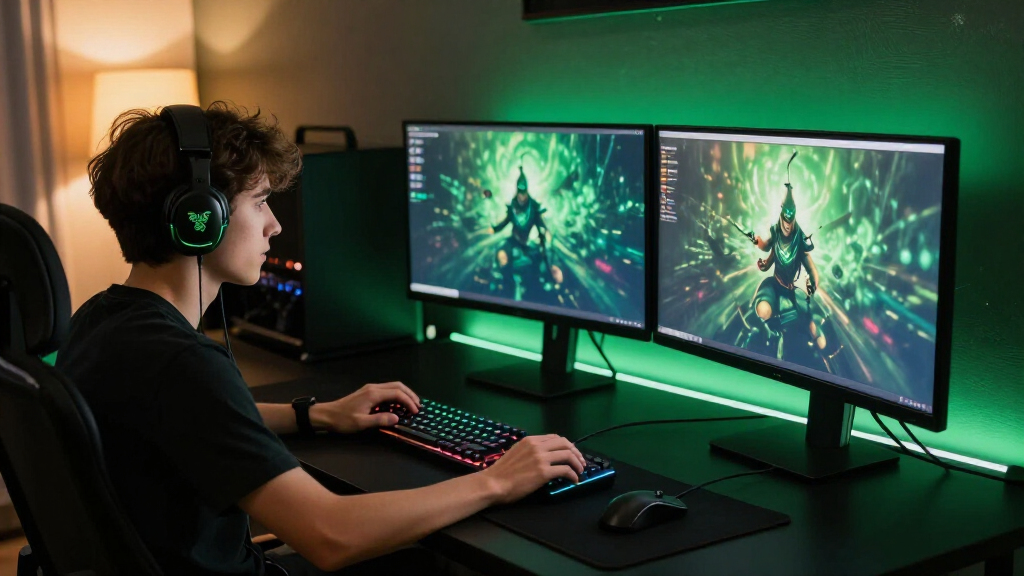
Building one of the best Razer gaming setups in 2026 comes down to balancing three things: wireless freedom versus battery anxiety, esports speed versus everyday comfort, and how far you want to lean into the Chroma RGB ecosystem. My best overall pick is the Razer BlackShark V3 Pro with ANC, because it nails audio quality, comfort and versatility across every platform without the compromises of cheaper rivals. For pure competitive value, the Razer Basilisk V3 wired mouse delivers flagship ergonomics at a mid-tier price, while the Razer Seiren V3 Pro microphone is the standout for streamers who need both USB-C simplicity and XLR headroom. The main tradeoff you’ll face is that Razer’s premium gear justifies its cost only if you actually use its extra features — passive ANC, high polling rates and programmable keypads are wasted money for casual players. Keep reading for the full breakdown of all 15 components, including who each one is for and who should skip it.

Play games on Amazon Luna for your game nights, included with Prime
- A rotating selection of games, no download needed
- Play on TV, laptop or phone
- Fast, free delivery for your gear, too
Complete the kit


Key Takeaways
- The BlackShark V3 Pro with ANC separated itself from the rest of the headset lineup because it’s the only pick that genuinely serves gaming, commuting and calls equally well — the cheaper BlackShark models sound similar in games but lack the versatility.
- Razer‘s wireless mice split cleanly by audience: the Viper V3 Pro is built for esports players who need sub-60g speed, while the Basilisk V3 X HyperSpeed suits generalists who want battery life and ergonomics over raw weight savings.
- Wired options repeatedly beat wireless rivals on value — the Basilisk V3 wired and BlackWidow V4 X keyboard undercut their wireless counterparts on price while matching or beating them in performance, so cable-free convenience is the only real reason to pay more.
- Desktop audio is the category where most buyers overspend: the Leviathan V2 X soundbar makes sense for tight desks, but the Nommo Chroma speakers only justify themselves if RGB immersion matters more than using a headset.
- Two picks serve niches rather than generalists — the Tartarus V2 keypad is only worth it for MMO and macro-heavy players, and the Soma Chroma chair is a comfort investment that pays off over long sessions but adds nothing to your actual performance.
| Razer BlackShark V3 Wireless Gaming Headset |  | Best Wireless Headset Overall | Weight: 270 g | Battery life: Up to 70 hours | Driver size: 50 mm titanium-coated | VIEW LATEST PRICE | See Our Full Breakdown |
| Razer Barracuda X Wireless Gaming and Mobile Headset, Quartz Pink |  | Best Value Wireless Pick | Connectivity: 2.4 GHz wireless and Bluetooth | Driver size: 40 mm | Microphone: Detachable HyperClear cardioid | VIEW LATEST PRICE | See Our Full Breakdown |
| Razer Tartarus V2 Left-Handed Gaming Keypad, 32 Programmable Keys, Black |  | Best for MMO and Macro Players | Key count: 32 programmable | Switch type: Mecha-membrane | Thumbpad: 8-way directional | VIEW LATEST PRICE | See Our Full Breakdown |
| Razer BlackShark V3 Pro Wireless Gaming Headset with ANC, Black |  | Best Premium Headset | Driver size: 50 mm | Frequency response: 12 Hz–28 kHz | Microphone: Detachable 12 mm HyperClear Full Band | VIEW LATEST PRICE | See Our Full Breakdown |
| Razer Leviathan V2 X Compact PC Gaming Soundbar |  | Best Compact Speaker Option | Audio output: Stereo | Drivers: Two full-range drivers and two passive radiators | Connectivity: USB-C, Bluetooth 5.0 | VIEW LATEST PRICE | See Our Full Breakdown |
| Razer Basilisk V3 X HyperSpeed Wireless Gaming Mouse |  | Best Wireless Mouse for All-Day Battery | Controls: 9 customizable controls | Connectivity: Razer HyperSpeed Wireless and Bluetooth | Battery life: Up to 285 hours (HyperSpeed); up to 535 hours (Bluetooth) | VIEW LATEST PRICE | See Our Full Breakdown |
| Razer Basilisk V3 Ergonomic Wired Gaming Mouse |  | Best Feature-Packed Wired Mouse | Connectivity: USB wired | Design: Ergonomic with thumb rest | Programmable buttons: 11 | VIEW LATEST PRICE | See Our Full Breakdown |
| Razer BlackWidow V4 X Mechanical Gaming Keyboard with Yellow Switches |  | Best Budget Mechanical Keyboard | Switch type: Linear Yellow, 1.2 mm actuation, 45 g force | Key count: 104 keys, QWERTY | Macro keys: 6 | VIEW LATEST PRICE | See Our Full Breakdown |
| Razer Viper V3 Pro Wireless Esports Gaming Mouse, White |  | Best Premium Esports Mouse | Weight: 55 g | Sensor: Focus Pro 35K Optical Gen-2 | Max wireless polling rate: 8,000 Hz | VIEW LATEST PRICE | See Our Full Breakdown |
| Razer BlackShark V2 X Gaming Headset with 7.1 Surround Sound |  | Best Value Gaming Headset | Driver size: 50 mm, custom-tuned | Surround sound: Software-enabled 7.1 (Windows 10 64-bit only) | Microphone: Razer HyperClear cardioid | VIEW LATEST PRICE | See Our Full Breakdown |
| Razer BlackShark V3 X HyperSpeed Wireless Gaming Headset, Black | 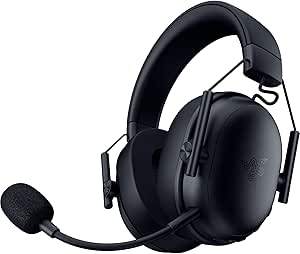 | Best Multi-Device Headset | Driver type: TriForce 50 mm Gen-2 | Microphone: Detachable HyperClear cardioid, 9.9 mm | Connectivity: 2.4 GHz wireless, Bluetooth, USB | VIEW LATEST PRICE | See Our Full Breakdown |
| Razer Nommo Chroma 2.0 Gaming Speakers with 3-Inch Drivers |  | Best Desktop Speaker Pair | Speaker configuration: 2.0 stereo | Driver size: 3 inches | Connectivity: USB and 3.5 mm auxiliary | VIEW LATEST PRICE | See Our Full Breakdown |
| Razer Kraken Gaming Headset with Retractable Microphone, Black/Blue |  | Best Budget-Friendly Starter Headset | Driver size: 50 mm | Surround sound: Software-enabled 7.1 (Windows 10 64-bit only) | Microphone: Retractable cardioid noise-isolating | VIEW LATEST PRICE | See Our Full Breakdown |
| Razer Soma Chroma Ergonomic Gaming Chair with Reactive RGB Lighting |  | Best RGB Battlestation Centerpiece | Lighting: Razer Chroma RGB, syncs with over 300 games | Power: USB-C | Connectivity: 2.4 GHz and Bluetooth | VIEW LATEST PRICE | See Our Full Breakdown |
| Razer Seiren V3 Pro Dynamic USB-C and XLR Microphone |  | Best for Streamers and Creators | Microphone type: Dynamic | Capsule size: 30 mm | Pickup pattern: Cardioid | VIEW LATEST PRICE | See Our Full Breakdown |
| Razer gaming setup | Connectivity | Color |
|---|---|---|
| Razer BlackShark V3 Wireless G | 2.4 GHz wireless, Bluetooth 5.3, USB | — |
| Razer Barracuda X Wireless Gam | 2.4 GHz wireless and Bluetooth | Quartz Pink |
| Razer Tartarus V2 Left-Handed | — | Black |
| Razer BlackShark V3 Pro Wirele | 2.4 GHz, Bluetooth 5.3, USB, 3.5 mm | — |
| Razer Leviathan V2 X Compact P | USB-C, Bluetooth 5.0 | Black |
| Razer Basilisk V3 X HyperSpeed | Razer HyperSpeed Wireless and Bluetooth | — |
| Razer Basilisk V3 Ergonomic Wi | USB wired | — |
| Razer BlackWidow V4 X Mechanic | Wired (corded electric) | — |
| Razer Viper V3 Pro Wireless Es | Razer HyperSpeed Wireless | White |
| Razer BlackShark V2 X Gaming H | — | — |
| Razer BlackShark V3 X HyperSpe | 2.4 GHz wireless, Bluetooth, USB | Black |
| Razer Nommo Chroma 2.0 Gaming | USB and 3.5 mm auxiliary | Black |
| Razer Kraken Gaming Headset wi | 3.5 mm headphone jack | Black/Blue |
| Razer Soma Chroma Ergonomic Ga | 2.4 GHz and Bluetooth | — |
| Razer Seiren V3 Pro Dynamic US | — | Black |
More Details on Our Top Picks
Razer BlackShark V3 Wireless Gaming Headset
This option stands out as the strongest wireless audio pick for a Razer-centric battlestation. Compared with the Barracuda X, it steps up to 50 mm titanium-coated drivers and a widerband detachable mic, which translates to richer positional sound and clearer comms in competitive shooters. The 70-hour battery life means a full week of sessions on one charge, and simultaneous 2.4 GHz plus Bluetooth lets a player hear Discord on mobile while gaming on PC. It also runs circles around the budget BlackShark V2 X by cutting the cord entirely without meaningful latency penalties. The tradeoff: no Xbox support, so console players locked into Microsoft’s ecosystem need a different headset entirely.
Pros:- Up to 70 hours of battery life per charge
- Simultaneous 2.4 GHz and Bluetooth audio for multitasking
- Lightweight 270 g build stays comfortable in long sessions
- Customizable EQ profiles and spatial audio tuning
Cons:- No Xbox console compatibility
- Plastic-heavy build feels less premium than the BlackShark V3 Pro
Best for: PC and PlayStation gamers who want long battery life and low-latency wireless audio without managing cables
Not ideal for: Xbox owners, since the headset lacks compatibility with Microsoft consoles
- Weight:270 g
- Battery life:Up to 70 hours
- Driver size:50 mm titanium-coated
- Microphone:Detachable HyperClear Super Wideband 9.9 mm
- Connectivity:2.4 GHz wireless, Bluetooth 5.3, USB
- Compatible platforms:PC, Mac, PlayStation, Nintendo Switch, mobile
- Xbox compatibility:Not compatible
Our verdict“This is the wireless headset to build a Razer setup around if you game on PC or PlayStation and hate charging cables.”
Razer Barracuda X Wireless Gaming and Mobile Headset, Quartz Pink
The Barracuda X makes the most sense for buyers who want the Razer wireless experience on a tighter budget. Where the BlackShark V3 Wireless doubles down on big 50 mm drivers and marathon 70-hour battery life, this model keeps things simpler with 40 mm drivers and 50 hours of runtime — still plenty for casual and mid-length sessions. Its real strength is versatility: 2.4 GHz for gaming, Bluetooth for phone calls and music, and a detachable mic so it doubles as a normal pair of headphones. The Quartz Pink finish also stands apart from the usual black-on-black Razer aesthetic for anyone building a pastel-themed desk. The compromises are real, though — smaller drivers mean less punch in explosive scenes, and there’s no specified wired fallback if the battery dies mid-match.
Pros:- Dual 2.4 GHz and Bluetooth connectivity covers gaming and mobile use
- Breathable memory foam cushions keep long sessions comfortable
- Detachable mic converts it into a travel-friendly headphone
- Up to 50 hours of battery life
Cons:- 40 mm drivers lack the bass depth and soundstage of the BlackShark V3
- No specified wired audio option as a backup when battery runs out
Best for: Casual and student gamers who want one lightweight headset for both gaming and everyday mobile listening
Not ideal for: Audiophiles and competitive players who need the fuller soundstage of the 50 mm BlackShark models
- Connectivity:2.4 GHz wireless and Bluetooth
- Driver size:40 mm
- Microphone:Detachable HyperClear cardioid
- Battery life:Up to 50 hours
- Charging:USB-C
- Weight:9.6 ounces (approx. 272 g)
- Color:Quartz Pink
- Warranty:2 years
Our verdict“A sensible budget entry point into Razer audio for players who value versatility over raw sound quality.”
Razer Tartarus V2 Left-Handed Gaming Keypad, 32 Programmable Keys, Black
No other item in this lineup changes how a game feels quite like the Tartarus V2. Instead of replacing a keyboard like the BlackWidow V4 X, it supplements one — putting 32 programmable mecha-membrane keys under the left hand with an 8-way thumbpad handling movement. That layout is a genuine advantage in MMOs and MMO-adjacent games where dozens of abilities compete for keybinds, and Razer Hypershift effectively doubles the remappable layers for macros. The mecha-membrane switches are quieter than full mechanical keys, which suits late-night play in shared spaces. The honest tradeoff: this is a niche device with a real learning curve, and players who stick to a handful of keybinds in shooters or single-player games will never use its potential — a standard keyboard does the same job for them.
Pros:- 32 programmable keys with macro support via Razer Hypershift
- 8-way thumbpad replaces WASD movement for better hand posture
- Mecha-membrane switches balance tactile feel with quieter operation
- Chroma lighting syncs with the rest of a Razer setup
Cons:- Steep learning curve before it feels faster than a normal keyboard
- Requires desk space alongside a full keyboard rather than replacing it
Best for: MMO, MOBA, and productivity power users who need extensive macros and keybinds within thumb’s reach
Not ideal for: FPS-first players and casual gamers who only use a few keybinds — the layout adds cost and retraining for little benefit
- Key count:32 programmable
- Switch type:Mecha-membrane
- Thumbpad:8-way directional
- Programmable keys:Yes, with Razer Hypershift layers
- Lighting:Individually backlit, 16.8 million colors
- Color:Black
Our verdict“A specialist tool that earns its spot only if your games demand more keybinds than a keyboard can comfortably hold.”
Razer BlackShark V3 Pro Wireless Gaming Headset with ANC, Black
This is the flagship audio pick, and it earns that position through flexibility the others can’t match. Unlike the standard BlackShark V3 Wireless, the Pro adds hybrid active noise cancellation for blocking out noisy households, plus a 3.5 mm wired mode so it works with essentially any device, Xbox included, when the battery runs flat. The 12 mm HyperClear Full Band mic is a step up in voice clarity, and latency as low as 10 ms keeps audio tight against visuals in fast shooters. Compared with the lighter BlackShark V3 Wireless, the cost is comfort-related: at roughly 367 g, it’s noticeably heavier, and some of its best spatial audio features only work on supported Windows PCs — a limitation console and Mac buyers should weigh before paying the premium.
Pros:- Hybrid ANC quiets distractions without muting game audio
- Wired USB and 3.5 mm backups plus 2.4 GHz and Bluetooth cover every device
- Detachable 12 mm full-band mic with noise suppression
- Up to 70 hours of battery life over 2.4 GHz
Cons:- Approximately 367 g weight can fatigue during extended wear
- THX Spatial Audio and 7.1.4 surround limited to supported Windows systems
Best for: Enthusiasts who want every connectivity option, ANC for noisy environments, and top-tier microphone quality
Not ideal for: Players with smaller heads or long session lengths who will feel the 367 g weight, and anyone gaming outside Windows who loses the THX features
- Driver size:50 mm
- Frequency response:12 Hz–28 kHz
- Microphone:Detachable 12 mm HyperClear Full Band
- Wireless latency:As low as 10 ms
- Connectivity:2.4 GHz, Bluetooth 5.3, USB, 3.5 mm
- Battery life:Up to 70 hours (2.4 GHz)
- Weight:Approximately 367 g
Our verdict“The most complete headset in this roundup for buyers who refuse to compromise on connectivity or noise cancellation.”
Razer Leviathan V2 X Compact PC Gaming Soundbar
For gamers who don’t want headphones clamped on their head all day, the Leviathan V2 X offers a desk-friendly alternative to the larger Nommo Chroma 2.0 speaker pair. Its defining feature is the single USB-C cable that carries both power and audio, which means no tangled wiring and no AC adapter hunting for an outlet — a genuine win for small desks and laptop setups. The two full-range drivers and passive radiators deliver clear stereo that easily beats built-in monitor speakers, though they can’t match the bass depth or separation of the Nommo’s dedicated 3-inch drivers. Chroma RGB with 14 lighting zones ties it visually into a Razer-themed battlestation. It’s firmly a PC accessory, though: no analog inputs and a design built for under-monitor placement limit its usefulness elsewhere.
Pros:- Single USB-C cable handles both power and audio
- Slim footprint slips under most monitors
- Bluetooth 5.0 allows easy pairing with phones and tablets
- 14-zone Chroma RGB lighting syncs with other Razer gear
Cons:- Bass response and stereo separation fall short of the larger Nommo Chroma 2.0 speakers
- No HDMI or analog inputs limits it to USB and Bluetooth sources
Best for: PC gamers with limited desk space who want headphone-free audio without a speaker clutter takeover
Not ideal for: Console and living-room gamers — there’s no HDMI or analog input, and it’s designed for computer use only
- Audio output:Stereo
- Drivers:Two full-range drivers and two passive radiators
- Connectivity:USB-C, Bluetooth 5.0
- Lighting:Razer Chroma RGB with 14 lighting zones
- Maximum volume output:Up to 90 dB
- Control method:App
- Color:Black
Our verdict“The right pick when desk space is scarce and you want clean single-cable audio that still lights up the battlestation.”
Razer Basilisk V3 X HyperSpeed Wireless Gaming Mouse
This option stands out for sheer endurance: up to 285 hours on HyperSpeed Wireless and 535 hours over Bluetooth means most buyers will recharge a handful of times a year rather than weekly. Compared with the Razer Viper V3 Pro, it trades raw esports performance for versatility — the dual-connectivity design lets you pair it with a second device over Bluetooth, which the Viper can’t do. The ergonomic right-handed shape and nine programmable controls suit MMO and productivity workloads better than a featherweight competitive shell. The tradeoff is the sensor: an 18K optical unit is accurate, but it lags the Viper’s 35K Focus Pro for precision-tracking demands. Battery figures also assume lighting off, so RGB fans will see shorter runtimes.
Pros:- Dual HyperSpeed and Bluetooth connectivity for multiple devices
- Exceptional stated battery life on both connection modes
- Nine programmable controls in an ergonomic right-handed shape
- Gen-2 mechanical switches rated for 60 million clicks
Cons:- Real-world battery life drops with RGB lighting enabled
- 18K sensor trails premium rivals like the Viper V3 Pro’s 35K unit
Best for: Multi-device users and MMO players who want one wireless mouse for gaming and everyday work without constant charging
Not ideal for: Competitive FPS players who need a sub-60 g weight and the highest polling rates — the Viper V3 Pro is the better fit there
- Controls:9 customizable controls
- Connectivity:Razer HyperSpeed Wireless and Bluetooth
- Battery life:Up to 285 hours (HyperSpeed); up to 535 hours (Bluetooth)
- Sensor:Razer 5G Advanced 18K optical sensor
- Switches:Gen-2 mechanical, rated up to 60 million clicks
- Lighting:Razer Chroma RGB, 16.8 million colors
Our verdict“A sensible wireless pick for endurance-first buyers who value flexibility over esports-grade specs.”
Razer Basilisk V3 Ergonomic Wired Gaming Mouse
Where the Basilisk V3 X HyperSpeed prioritizes battery life, this wired sibling goes all-in on features: 11 programmable buttons, a dual-mode HyperScroll tilt wheel, and 11 RGB lighting zones make it the most configurable mouse in this batch. The thumb rest and ergonomic shell reward long sessions, and the 26,000 DPI Focus+ sensor outclasses the V3 X’s 18K unit for precision. Because it’s wired, there’s no charging anxiety and no wireless latency to think about — but the cable does tether you, which feels restrictive next to the wireless Basilisk or the Viper V3 Pro. Deep customization also depends on Razer Synapse, so buyers who dislike background software should factor that in. This model makes the most sense for feature hunters who don’t mind a cord.
Pros:- 11 programmable buttons plus a dual-mode tilt scroll wheel
- Ergonomic shell with an integrated thumb rest
- 26,000 DPI Focus+ sensor with precise tracking
- 11 Chroma RGB zones for deep lighting customization
Cons:- Wired connection restricts movement compared with wireless alternatives
- Full feature set depends on Razer Synapse software
Best for: Power users and MMO players who want maximum buttons, a scroll wheel with multiple modes, and top-tier tracking at a mid-range price
Not ideal for: Cable-averse gamers with clean, wireless desk setups — the V3 X HyperSpeed delivers a similar shape without the wire
- Connectivity:USB wired
- Design:Ergonomic with thumb rest
- Programmable buttons:11
- Scroll wheel:Dual-mode HyperScroll tilt wheel
- Sensor:Focus+ optical, up to 26,000 DPI
- Switches:Gen-2 optical, rated up to 70 million clicks
- RGB lighting zones:11
Our verdict“The most customizable Basilisk here, ideal if you’d trade cable freedom for buttons and sensor headroom.”
Razer BlackWidow V4 X Mechanical Gaming Keyboard with Yellow Switches
This model makes the most sense for buyers who want full-size mechanical features without stepping into premium pricing. The linear Yellow switches actuate at 1.2 mm with a light 45 g force, and the internal sound-dampening foam keeps things quiet — a real advantage over clickier boards if you game near others or stream with an open mic like the Razer Seiren V3 Pro nearby. Six dedicated macro keys and media controls give it functional overlap with far pricier boards. Compared with the mouse picks here, the tradeoffs are simpler but real: it’s wired only, and it lacks any water resistance, so a spilled drink is a genuine risk. Doubleshot ABS keycaps resist wear, though they won’t feel as premium as PBT on higher-end boards.
Pros:- Quiet linear Yellow switches with sound-dampening foam
- Six dedicated macro keys plus media controls
- Per-key Chroma RGB lighting
- Doubleshot ABS keycaps resist legend wear
Cons:- No water resistance at all
- Wired-only connectivity
Best for: Value-focused PC gamers who want quiet linear switches, macro keys, and per-key RGB at an accessible price
Not ideal for: Wireless-desk builders and clumsy snackers — the corded design and lack of spill protection are hard limits
- Switch type:Linear Yellow, 1.2 mm actuation, 45 g force
- Key count:104 keys, QWERTY
- Macro keys:6
- Lighting:Per-key Chroma RGB
- Keycap material:Doubleshot ABS
- Connectivity:Wired (corded electric)
- Compatibility:PC; Windows 11 or macOS 14 Sonoma and up
Our verdict“A solid entry mechanical keyboard that delivers the core Razer experience — quiet switches, macros, RGB — without premium cost.”
Razer Viper V3 Pro Wireless Esports Gaming Mouse, White
At 55 grams, this is the competitive pick of the roundup, and every spec backs that up. The Focus Pro 35K Gen-2 sensor tracks reliably even on glass, and an 8,000 Hz wireless polling rate cuts input delay to levels most wired mice can’t match — a clear step above the Basilisk V3 X HyperSpeed, whose 18K sensor and standard polling target generalists rather than esports players. Gen-3 optical switches rated for 90 million clicks round out a spec sheet built for tournament longevity. The tradeoffs are structural: no Bluetooth mode means no multi-device use, the symmetric-ish ambidextrous-friendly design skips the Basilisk’s thumb rest and extra buttons, and 95 hours of battery is modest next to the V3 X’s 285. You’re paying for performance, not endurance or comfort features.
Pros:- Featherweight 55 g body for fast flicks and low fatigue
- Focus Pro 35K Gen-2 sensor tracks on glass and varied surfaces
- Up to 8,000 Hz wireless polling for minimal input delay
- Gen-3 optical switches rated for 90 million clicks
Cons:- Battery life maxes out around 95 hours, far below endurance-focused rivals
- No Bluetooth connectivity or extra programmable buttons
Best for: Competitive FPS and esports players who prioritize minimal weight, lowest possible latency, and flawless tracking
Not ideal for: Productivity users or MMO players who want Bluetooth pairing, extra buttons, and weeks-long battery life — the Basilisk line serves them better
- Weight:55 g
- Sensor:Focus Pro 35K Optical Gen-2
- Max wireless polling rate:8,000 Hz
- Battery life:Up to 95 hours
- Switches:Razer Optical Gen-3, up to 90 million clicks
- Connectivity:Razer HyperSpeed Wireless
- Color:White
Our verdict“The choice for players who measure advantages in milliseconds and grams, provided they can live without convenience features.”
Razer BlackShark V2 X Gaming Headset with 7.1 Surround Sound
For buyers building a Razer setup on a budget, this headset covers the fundamentals well. At 240 g, it’s lighter than many rivals, and the custom-tuned 50 mm drivers deliver separated highs, mids, and lows that punch above its price class. The closed earcups and foam cushions do respectable passive isolation for focus during matches. Compared with the BlackShark V3 Pro or the Barracuda X, the compromises are clear: 7.1 surround only works through software on Windows 10 64-bit, there’s no wireless option, and Xbox One owners may need a separately sold stereo adapter. The 3.5 mm connection is also its strength — plug-and-play compatibility across PC, PlayStation, Switch, and Mac without drivers or pairing.
Pros:- Lightweight 240 g build comfortable for long sessions
- 50 mm drivers with separately tuned frequency ranges
- Closed earcups reduce noise leakage
- Broad 3.5 mm compatibility across PC, consoles, and Switch
Cons:- 7.1 surround sound limited to Windows 10 64-bit
- Xbox One may require a separately sold stereo adapter
Best for: Multi-platform gamers who want a lightweight, good-sounding wired headset that works on nearly every console without setup fuss
Not ideal for: Console players chasing surround sound — the 7.1 feature is Windows-only, and wireless fans should look at the BlackShark V3 line
- Driver size:50 mm, custom-tuned
- Surround sound:Software-enabled 7.1 (Windows 10 64-bit only)
- Microphone:Razer HyperClear cardioid
- Connection:3.5 mm audio jack
- Weight:240 g
- Compatibility:PC, Mac, PS4, Xbox One, Nintendo Switch
- Ear cushions:Breathable foam, closed earcup design
Our verdict“A dependable wired all-rounder that earns its place through comfort and cross-platform simplicity rather than premium features.”
Razer BlackShark V3 X HyperSpeed Wireless Gaming Headset, Black
This option stands out for connectivity flexibility: 2.4 GHz wireless for gaming, Bluetooth for mobile, and USB as a wired fallback, all in one headset. Compared with the Razer Kraken, which is tethered by a 3.5 mm cable, the BlackShark V3 X HyperSpeed makes far more sense for players who split time between a console, a PC, and a phone. At 270 g it stays comfortable over long sessions, and the detachable cardioid microphone means it doubles as casual listening headphones once the mic is off. The tradeoff is positioning: the TriForce 50 mm Gen-2 drivers deliver clean positional audio via 7.1 surround, but buyers chasing the richest, most immersive sound may find the BlackShark V3 Pro a better long-term investment.
Pros:- Three connectivity options cover PC, console, and mobile use
- 7.1 surround sound supports positional audio
- Detachable cardioid microphone lets it double as everyday headphones
- Lightweight 270 g build reduces fatigue
Cons:- Sound quality trails higher-end models like the BlackShark V3 Pro
- Feature access varies depending on connection mode
Best for: Gamers who move between PC, console, and mobile and want one headset for everything
Not ideal for: Audiophiles who prioritize maximum sound fidelity over wireless versatility
- Driver type:TriForce 50 mm Gen-2
- Microphone:Detachable HyperClear cardioid, 9.9 mm
- Connectivity:2.4 GHz wireless, Bluetooth, USB
- Surround sound:7.1
- Weight:270 g
- Color:Black
Our verdict“This is the headset for buyers who want a single audio device that travels across every platform they own.”
Razer Nommo Chroma 2.0 Gaming Speakers with 3-Inch Drivers
For buyers who want to ditch headphones entirely, the Nommo Chroma offers a different audio philosophy: open-air stereo sound from custom woven glass fiber 3-inch drivers with rear-facing bass ports for fuller low-end. Compared with the Razer Leviathan V2 X soundbar, the two-speaker design creates a wider stereo image, which matters for music and cinematic single-player games. The dedicated bass knob with automatic gain control is a genuinely useful touch, letting you dial in low frequencies without muddying the mix. The tradeoffs are practical: these speakers need a wired power connection and desk real estate, so small setups may find the compact Leviathan V2 X easier to accommodate. Chroma lighting ties them visually into a full Razer battlestation.
Pros:- Woven glass fiber drivers deliver clear, detailed audio
- Rear-facing bass ports produce fuller bass than typical desktop speakers
- Dedicated bass knob with automatic gain control
- Chroma lighting syncs with other Razer gear
Cons:- Requires a wired power connection and generous desk space
- Not water resistant and not suited to any portable use
Best for: Gamers with desk space who prefer speakers over headphones for immersive single-player sessions
Not ideal for: Compact or shared workspaces where wired speakers and open audio are impractical
- Speaker configuration:2.0 stereo
- Driver size:3 inches
- Connectivity:USB and 3.5 mm auxiliary
- Power source:Corded electric
- Mounting type:Tabletop
- Lighting:Razer Chroma RGB
- Color:Black
Our verdict“The Nommo Chroma is the pick for players who want room-filling desk audio rather than another pair of cans.”
Razer Kraken Gaming Headset with Retractable Microphone, Black/Blue
The Kraken remains the sensible entry point into the Razer audio family because it gets the fundamentals right: cooling gel-infused ear cushions, a flexible bauxite aluminum frame, and a retractable noise-isolating microphone. Compared with the wireless BlackShark V3 X HyperSpeed, the Kraken skips connectivity gimmicks entirely — one 3.5 mm cable works across PC, PlayStation, Xbox, Switch, and mobile, with no pairing or battery management to worry about. That simplicity is the whole appeal for first-time buyers. The real compromise is that 7.1 surround sound only works through software on Windows 10 64-bit, so console players get stereo only. In-line volume and mute controls are convenient, though the wired design means cable management is part of the deal.
Pros:- Cooling gel-infused cushions keep long sessions comfortable
- Retractable cardioid microphone reduces background noise
- Flexible aluminum frame survives rough handling
- 3.5 mm connection works across all major platforms
Cons:- Software-enabled 7.1 surround sound limited to Windows 10 64-bit
- Wired-only design adds cable clutter and no mobile-wireless freedom
Best for: First-time PC gamers and multi-platform players who want a dependable wired headset without complexity
Not ideal for: Console players who expect surround sound, since the 7.1 feature is Windows-only
- Driver size:50 mm
- Surround sound:Software-enabled 7.1 (Windows 10 64-bit only)
- Microphone:Retractable cardioid noise-isolating
- Controls:In-line volume wheel and microphone mute switch
- Frame:Bauxite aluminum
- Connectivity:3.5 mm headphone jack
- Compatibility:PC, PS4, PS5, Nintendo Switch, Xbox One, Xbox Series X & S, mobile
- Color:Black/Blue
Our verdict“The Kraken is the low-friction choice for newcomers who value plug-and-play simplicity over wireless features.”
Razer Soma Chroma Ergonomic Gaming Chair with Reactive RGB Lighting
The Soma Chroma takes the Razer ecosystem somewhere no headset or mouse can: reactive RGB lighting that syncs with over 300 games, turning your chair into part of the action. Ergonomically, the dual-density foam seat and built-in lumbar support hold up through long sessions, and the 155° recline on a reinforced steel frame outclasses the tilt range of most gaming chairs in this style. Compared with the rest of this roundup — peripherals like the Nommo Chroma speakers or Basilisk V3 mouse — the Soma is the foundation piece rather than an accessory, and Chroma syncing across all of them is the whole point of a matching setup. The tradeoffs: lighting requires a USB-C power source, and Razer doesn’t publish weight capacity or dimensions, which makes fit and durability harder to verify before buying.
Pros:- RGB lighting syncs with over 300 games and other Chroma gear
- Dual-density foam seat and built-in lumbar support for long sessions
- Reclines up to 155° for rest breaks
- USB-C power with 2.4 GHz and Bluetooth connectivity offers flexible placement
Cons:- Lighting requires a USB-C power source, adding a cable to manage
- No published weight capacity or dimensions to verify fit
Best for: Chroma-focused builders completing a full Razer setup who want their chair in the light show
Not ideal for: Practical buyers who need confirmed weight ratings and dimensions before purchasing furniture
- Lighting:Razer Chroma RGB, syncs with over 300 games
- Power:USB-C
- Connectivity:2.4 GHz and Bluetooth
- Seat cushion:Dual-density foam
- Backrest recline:Up to 155°
- Frame:Reinforced steel
Our verdict“The Soma Chroma is for the committed Razer fan who wants the chair itself to join the synced light show — not for spec-driven furniture shoppers.”
Razer Seiren V3 Pro Dynamic USB-C and XLR Microphone
The Seiren V3 Pro earns its spot by bridging two worlds: plug in via USB-C for instant streaming, or connect through XLR once you graduate to an audio interface. That dual-path design makes it a smarter long-term buy than USB-only microphones, because it grows with your setup. The 30 mm dynamic capsule with cardioid pickup focuses on your voice while rejecting room noise — a meaningful advantage over condenser mics in untreated rooms. Onboard processing, including a limiter, compressor, expander, and AI noise remover, handles polish that would otherwise demand extra software or hardware. The zinc unibody feels genuinely durable, and the built-in pop filter plus shock absorber cut down accessories. Tradeoffs: 32-bit float recording requires Synapse, and stand or boom arm compatibility isn’t clearly documented, so mounting options need verifying before purchase.
Pros:- USB-C and XLR connections support both beginner and pro audio chains
- Onboard limiter, compressor, expander, and AI noise remover reduce post-production work
- Built-in pop filter and shock absorber minimize plosives and vibration noise
- Durable zinc unibody construction with gain dial and headphone monitoring
Cons:- 32-bit float recording only available through Synapse software
- Microphone stand and boom arm compatibility not clearly specified
Best for: Streamers and podcasters who want pro-grade vocal capture now and an XLR upgrade path later
Not ideal for: Casual voice chatters — its features and price go well beyond Discord duty
- Microphone type:Dynamic
- Capsule size:30 mm
- Pickup pattern:Cardioid
- Connections:USB-C and XLR
- Recording format:32-bit float via Synapse
- Onboard audio processing:Limiter, compressor, expander, AI noise remover
- Construction:Zinc unibody
- Color:Black
Our verdict“The Seiren V3 Pro is the microphone for creators who plan to take streaming seriously and want gear that scales with them.”

How We Picked
I evaluated every product here against four buyer-relevant criteria rather than raw spec sheets. Performance relative to price came first: a mouse that tracks flawlessly but costs double a rival with identical real-world feel ranked lower. Build quality and long-term durability came second, because gaming gear endures daily punishment and flaky coatings, loose hinges or degraded earpads erase any upfront savings. Versatility across platforms and use cases was the third filter — headsets and mice that work on PC, console and mobile scored higher than single-platform specialists, unless that specialization was the entire point (as with the Viper V3 Pro). Ecosystem fit was the final factor: since this is a roundup of setups, not isolated gadgets, I favored products that integrate cleanly with Razer Synapse and Chroma RGB syncing.
The ranking order reflects how broadly each product serves a typical buyer. The BlackShark V3 Pro with ANC took the top spot because audio is the centerpiece of most setups and it has the fewest meaningful weaknesses. Value-dense wired gear like the Basilisk V3 and BlackWidow V4 X ranked above their wireless equivalents because most buyers get identical results for less money. Niche products — the Tartarus V2 keypad, Soma Chroma chair and Seiren V3 Pro mic — ranked lower not because they’re worse, but because they only make sense for specific player types, which I flag clearly in each breakdown.
Factors to Consider When Choosing Best Razer Gaming Setups
Choosing the right Razer components for your setup involves more than picking the highest-rated items individually. The best setups are coherent — your headset, mouse, keyboard and audio choices should match how you actually play, where you play, and how much cable clutter you can tolerate. These are the factors I’d weigh before spending anything.Wired Versus Wireless: What You’re Actually Paying For
The biggest price divide in Razer’s lineup is connectivity, and most buyers overestimate what wireless buys them. A wireless headset or mouse gives you freedom of movement and a cleaner desk, but you take on charging routines, dongle management and — on cheaper wireless models — latency and connection quirks that wired gear simply never has. The pattern across this roundup is clear: wired Razer gear matches or beats wireless equivalents in raw performance, so the premium you pay is purely for convenience. Competitive players who sit two feet from their PC gain almost nothing from wireless; couch players and living-room setups gain a lot. My rule of thumb: go wireless only if you actually move around, or if cable drag on a mouse genuinely bothers you during play. If you’re unsure, wired is the safer default and frees budget for a better headset or chair.
Match Your Gear to Your Game Genre
The most common mistake I see is buyers treating gaming gear as one-size-fits-all when Razer explicitly designs products for different genres. Esports titles reward the Viper V3 Pro’s featherweight frame and fast switches, but that same minimalism makes it uncomfortable for long MMO sessions where the Basilisk’s fuller shape and extra buttons shine. MMO and macro-heavy players benefit from a keypad like the Tartarus V2, which is pointless for someone who mainly plays shooters. Headsets follow the same logic: the BlackShark line’s imaging precision matters for competitive footstep tracking, while bass-heavy casual listening suits other designs. Before buying anything, honestly name the two games you play most — that single answer should drive more of your decisions than any spec sheet. Gear mismatched to genre is wasted money no matter how good the product is.
The Synapse and Chroma Ecosystem Trap
Razer’s software ecosystem is genuinely useful — centralized settings, per-game profiles and RGB sync across devices — but it’s also a commitment. Every Razer peripheral you add wants Synapse running in the background, and buyers who mix one Razer device with three other brands often find the software overhead annoying for minimal benefit. The smarter approach is deciding upfront whether you’re building a full Razer setup or just buying one strong product. Full-Razer builders get real value from Chroma syncing across a keyboard, mouse and headset stand; single-product buyers should feel no obligation to stay loyal. Also note that some features, like advanced macro programming on the Tartarus V2 or DPI stages on the Basilisk line, only unlock through Synapse — if you dislike software tinkering, factor that in. Ecosystem lock-in is only worth it when you’d choose these products independently anyway.
Headset Budgeting: Where Audio Money Matters Most
With five headsets in this lineup, choosing between them is the hardest decision most buyers face, and the mistake to avoid is assuming the most expensive is automatically right. Active noise cancellation on the BlackShark V3 Pro is transformative if you game in a noisy household or want one headset for commuting, but it’s wasted money in a quiet dedicated room where the standard BlackShark V3 performs nearly identically. Microphone quality is the other differentiator: streamers and frequent callers should prioritize it, while solo players can safely buy down. Comfort over long sessions matters more than any spec — heavier headsets with stiff clamping force become painful at hour three regardless of how they sound. Decide whether you need ANC, mic quality or all-day comfort most, and the right tier becomes obvious.
Desktop Audio: Soundbar, Speakers or Headset
Speakers and soundbars are the category where buyers most often buy redundant gear. If you already own a good headset, desktop speakers serve a narrower purpose: background audio, sharing gameplay with people in the room, and music while you work. The Leviathan V2 X soundbar fits under a monitor on cramped desks and is the practical choice for most, while the Nommo Chroma towers deliver fuller bass and dramatic RGB but demand real desk footprint and justification. A common mistake is buying speakers for competitive gaming — imaging precision through headphones remains superior for footstep tracking in shooters. My honest advice: fund your headset first, then add desktop audio only if you genuinely use your PC for non-gaming listening. When you do buy, match the form factor to your actual desk space, not your ambition.
Comfort Investments: Chairs and Ergonomics
A gaming chair is the least glamorous purchase in any setup and the one with the longest payoff horizon. The Soma Chroma costs as much as a mid-range headset and mouse combined, which feels absurd until you count the hours you spend sitting — a chair affects every session, every day, while a mouse upgrade affects only some moments in some games. The honest tradeoff: RGB lighting on a chair is pure aesthetics and shouldn’t drive the decision; the seat’s actual lumbar support, adjustability and cushion quality should. Buyers under 25 often skip chairs entirely and regret it later, while buyers with existing back issues should treat a chair as their first purchase, not their last. If your budget forces a choice between a better chair and a better peripheral, the chair usually wins for anyone gaming more than ten hours a week.
Frequently Asked Questions
Should I buy the Razer BlackShark V3 Pro with ANC or the standard BlackShark V3 Wireless?
The ANC version makes sense if your gaming environment has noise you want to block out — family members, roommates, street sound — or if you want one headset that doubles for travel and commutes. In a quiet room, both models deliver nearly identical in-game audio, so the standard wireless version is the smarter spend. The ANC model also tends to have better battery efficiency and more premium materials, which matters if you keep a headset for years rather than upgrading often. My guidance: buy ANC only if you can name a specific noisy situation you’ll use it in weekly. Otherwise, put the difference toward a better mouse or microphone. Paying for a feature you never activate is the most common waste in headset buying.
Is the Razer Viper V3 Pro worth it over the Basilisk V3 if I’m not a competitive player?
Probably not, and here’s why: the Viper V3 Pro’s entire design philosophy centers on minimizing weight and click latency for esports-level play, and those advantages only materialize when your reactions are fast enough to use them. For everyday gaming, browsing and work, the Basilisk V3’s fuller ergonomic shape is actually more comfortable over long sessions, and its wired connection means zero charging. The Viper justifies itself for players who compete, grind ranked ladders seriously, or who have felt cable drag genuinely hurt their aim. There’s also a hand-size consideration — the Viper’s smaller, lighter frame suits claw and fingertip grippers, while palm-grip players usually prefer the Basilisk. Choose based on grip style and ambition level, not prestige. Most buyers are better served by the Basilisk and money saved elsewhere.
Can I mix Razer gear with other brands, or should I commit to one ecosystem?
You can absolutely mix brands, and sometimes you should — Razer is strongest in headsets, mice and keyboards but you may find better monitors, mousepads or desk accessories elsewhere. The tradeoff is software: Razer’s Synapse handles lighting sync, macro programming and per-game profiles, but only for Razer devices, so a mixed setup means running multiple configuration apps. Where ecosystem commitment pays off is RGB lighting coordination — a full Razer desk with Chroma sync looks cohesive in a way mixed setups rarely achieve. My practical advice is to prioritize each product on its own merits first, then let ecosystem gravity pull you toward Razer only when the standalone choice is close. Feature lock-in matters too: some functions, like advanced remapping, require Synapse regardless of what else you own. A mostly-Razer setup with one or two outsiders is a perfectly sensible compromise.
What should a beginner’s first Razer setup include?
Beginners should build around three core pieces: a solid wired mouse, a comfortable mid-tier headset and a reliable keyboard — in that order of priority. The Basilisk V3 wired mouse and BlackShark V2 X headset are the kind of purchases that serve you well for years without demanding software expertise or charging routines. A common beginner mistake is buying premium wireless gear immediately; you won’t yet know your grip style, sound preferences or even which genres you’ll settle into, so expensive specificity is premature. Skip niche products like keypads, streaming microphones and RGB chairs until you’ve played enough to know you need them. A modest wired foundation also keeps total spend low enough that upgrading later doesn’t sting. Once you know your habits, targeted upgrades beat an all-at-once splurge every time.
Is the Razer Seiren V3 Pro worth it if I only stream occasionally?
For occasional streaming, the Seiren V3 Pro is likely more microphone than you need — its standout feature is the XLR connection, which only matters if you plan to grow into an audio interface and semi-professional production later. Occasional streamers are usually better served by a basic USB microphone or even a good headset mic, because listeners forgive modest audio quality far more readily than they forgive bad gameplay or dull content. That said, if streaming is something you’re serious about growing into, the V3 Pro’s dual connectivity means you won’t outgrow it, which saves a future repurchase. The honest test is your cadence: streaming weekly with intentions to build an audience justifies it, streaming monthly for friends does not. Dynamic microphone tech like this also handles untreated rooms better than cheap condensers, so noisy spaces shift the math in its favor. Match the tool to your actual commitment level, not your aspirational one.
Conclusion
After comparing all 15 products, the right Razer setup depends entirely on who you are as a player. For the best overall pick, the BlackShark V3 Pro with ANC stands out because it anchors any setup with excellent audio, comfort and cross-platform versatility — pair it with the Basilisk V3 and BlackWidow V4 X and you have a complete desk. Best value goes to the Razer Basilisk V3 wired mouse, which delivers flagship ergonomics at a mid-tier price, with the BlackShark V2 X close behind for budget-conscious headset buyers. For premium buyers who want the absolute best regardless of cost, the Viper V3 Pro paired with the Seiren V3 Pro microphone creates a competition-and-streaming setup with no weak links. Beginners should start simple: the BlackShark V2 X, Basilisk V3 wired and a basic keyboard cover everything a new player needs without overspending on features they haven’t grown into yet. For specific needs: the Tartarus V2 keypad for MMO and macro-heavy players, the Leviathan V2 X for cramped desks needing desktop audio, the Soma Chroma chair for long-session comfort seekers, and the Barracuda X in Quartz Pink for multi-device users who want style and portability over raw gaming performance. Whatever you choose, buy for the player you actually are today — Razer’s range is deep enough that upgrading later is easy, and every pick above earns its place for the right owner.
Fall Picks
fall essentials
As an affiliate, we earn on qualifying purchases.