
TL;DR
An XDA Developers article published Oct. 30, 2026, argues that seven once-common PC-building habits are less useful for many modern systems. The changes it cites include cheaper SSD storage, improved onboard audio and firmware tools, and more practical smaller cases; these are broad recommendations, not rules for every build.
XDA Developers published an analysis on Oct. 30 identifying seven PC-building habits that were common or sensible in 2016 but may no longer be the best choice for many modern systems. The article points to changes in case design, storage prices, motherboard audio and firmware, while emphasizing that older practices were often reasonable for the hardware available at the time.

Play games on Amazon Luna for your game nights, included with Prime
- A rotating selection of games, no download needed
- Play on TV, laptop or phone
- Fast, free delivery for your gear, too
The seven habits are prioritizing a very large case, spending extra for premium thermal paste, rejecting prebuilt PCs outright, avoiding BIOS updates, storing games on large hard drives, buying a discrete sound card, and setting up RAID. XDA’s central argument is that improvements in components and firmware have reduced the need for several add-ons and workarounds that enthusiasts once relied on.
For example, the article says many current builds can use small- or mid-tower cases without an airflow penalty, though smaller cases can limit expansion. It also argues that most reputable thermal pastes and pads now provide similar cooling performance, making lasting effectiveness a more useful consideration than chasing small temperature differences. Those points depend on the specific case, cooling setup and products chosen.
The storage recommendation is among the clearest: XDA favors solid-state drives for game libraries, citing faster loading, patching and shader compilation. It still considers hard drives suitable for backups and infrequently accessed files. The article also says modern onboard audio is adequate for many users, and that a prebuilt can make sense for people who value convenience or want a component that may be difficult to buy separately.
Seven PC habits that have changed
XDA Developers says several once-common 2016 practices are less useful for many modern builds. Choose parts for your workload, budget and hardware support.
What has changed
Better components and firmware can reduce the need for old add-ons and workarounds.
Size for the build
A small or mid-tower can work well, though compact cases may limit cooling options and expansion.
Prioritize lasting performance
Many thermal pastes and pads perform similarly; the right choice depends on the cooling setup and product.
Consider prebuilts
A prebuilt may suit buyers who value convenience or need a component that is hard to find separately.
Storage for games and files
SSDs can speed up game loading, patching and shader compilation; hard drives still suit backups and cold storage.
- Favor SSD storage for games.
- Match capacity to your library and budget.
- Hard drives remain useful for backups.
- They can store infrequently accessed files.
Firmware, audio and RAID
Modern tools and onboard features may cover typical needs, but support and requirements vary.
USB Flashback and dual-BIOS protection can make updates less intimidating; features vary by motherboard.
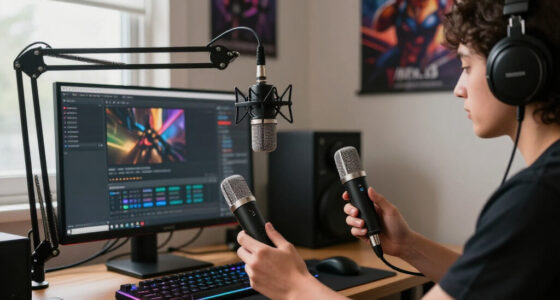
Onboard audio suits many users; professional setups may need dedicated equipment.
RAID can serve specialized storage needs, though the article sees less reason for it in many desktop builds.
How Modern Parts Change Build Choices
The advice matters because these choices affect a build’s cost, performance and complexity. Paying for a sound card, premium thermal compound or a large enclosure may not provide a meaningful benefit for a typical gaming PC, while allocating more of the budget to an SSD or graphics card could better match a buyer’s needs. A prebuilt also remains an option for people who would rather not assemble and troubleshoot a system themselves.
The recommendations are not universal rules. Larger cases can still help with particular cooling needs or expansion plans, discrete audio equipment can matter in professional setups, and RAID may serve specialized storage purposes. The practical takeaway is to choose components for the workload rather than follow a checklist inherited from an older generation of PCs.
Popular right now

De'Longhi La Specialista Arte Evo Semi-Automatic Espresso Machine with Grinder and Cold Brew

Ninja Air Fryer XL, 6.5 Qt, 6-in-1, MaxCrisp, Dark Grey (AF181)

KitchenAid Classic Series 4.5-Quart Tilt-Head Stand Mixer, Onyx Black
As an affiliate, we earn on qualifying purchases.
Why 2016 Builds Were Different
The source places these habits in the hardware landscape of about a decade ago. At that time, SSDs cost enough that many builders paired a small drive for the operating system with a large hard drive for games. Enthusiasts also had more reason to seek aftermarket thermal compounds and dedicated audio hardware, while large cases offered room for drive cages, optical drives and additional fans.
Some concerns were based on real risks, too. The article’s author says a power interruption during a BIOS update had personally caused a motherboard failure, helping explain the old advice to leave a working system alone. The source says current UEFI systems, dual-BIOS protection and USB Flashback tools have made updates less intimidating, although the presence and implementation of those features vary by motherboard.
“The hardware world has evolved continually, and many of these old ‘best practices’ are either unnecessary, or just plain counterproductive for today’s builds.”
— XDA Developers article
Where These Recommendations Have Limits
The article does not present benchmark results, prices or a controlled comparison for each recommendation, and it does not identify every hardware model behind its examples. Statements about cooling, audio quality and storage performance should be read as general guidance from the author, not a guarantee that every modern component will perform alike.
It is also not clear that RAID is broadly obsolete for all consumer uses: the article focuses on desktop builds and favors a separate network-attached storage system for redundancy. Specific needs, budgets and hardware support can change the right choice. Likewise, a smaller case may suit one build but restrict another, and onboard audio may not meet the needs of studio or professional users.
Build Around Your Actual Needs
The article offers no announced follow-up test or product launch. For readers planning a PC, the next step is to compare current prices, motherboard features and intended workloads before spending on legacy add-ons. Check the case’s clearance and cooling support, confirm whether a motherboard includes BIOS Flashback or dual-BIOS protection, and select storage capacity and audio equipment based on actual use.
Future hardware will continue to change which recommendations make sense. XDA closes by looking ahead to what PC building could look like in 2036, but the source makes no specific prediction about that future.
Key Questions
What are the seven PC-building habits the article revisits?
They are prioritizing huge cases, overpaying for premium thermal paste, avoiding prebuilts, avoiding BIOS updates, using large hard drives for game libraries, buying discrete sound cards, and running RAID.
Should I stop using a hard drive in a gaming PC?
Not necessarily. The article recommends SSD storage for games because it can improve loading and other tasks, while noting that hard drives can still work well for backups and cold storage.
Are BIOS updates safe on every motherboard?
No blanket guarantee is given. The article says tools such as USB Flashback and dual-BIOS protection have made updates less intimidating, but features vary. Follow the motherboard maker’s instructions and check whether an update addresses an issue relevant to your system.
Do modern PCs never need a sound card or RAID?
No. The article says onboard audio suits many typical users, while professional audio needs may call for dedicated equipment. RAID can also serve specialized uses; the piece argues it is less compelling for many ordinary desktop builds.
Does a smaller PC case always provide the same airflow?
No. XDA says smaller cases need not sacrifice airflow, but the result depends on the case, components and cooling setup. Compact cases can also reduce expansion space.
Source: XDA Developers